Features page — turn off the parts of SKU.io your company doesn't use
SKU.io covers a lot of ground: manufacturing, wholesale, retail stores, repairs, consignment, demand planning and more. Most companies use some of it, not all of it, and the rest still took up room in the menu, in search and in settings. The new Features page fixes that. An admin can turn whole feature groups on or off for everyone at the company, and the menu, search, settings, reports and dashboards follow. Turning something off only hides it. Nothing is deleted, and your data, integrations and API keep working.
✨ What this means for you:
- A shorter menu. Turn off the groups you don't use and they leave the sidebar, search, settings, reports and dashboard widgets for everyone.
- Nothing is lost. Off means hidden. Records, integrations and the API are untouched, and you can turn a group back on at any time.
- No surprises. Everything stays on until an admin changes it. Before you turn a group off, you see who used it in the last 30 days and what is still open.
- A quick start. Tell SKU.io how your business operates and it proposes which groups to keep.
- Your team can ask. Someone who needs a hidden feature can request it, and an admin approves it in one click.
One page for everything your company uses
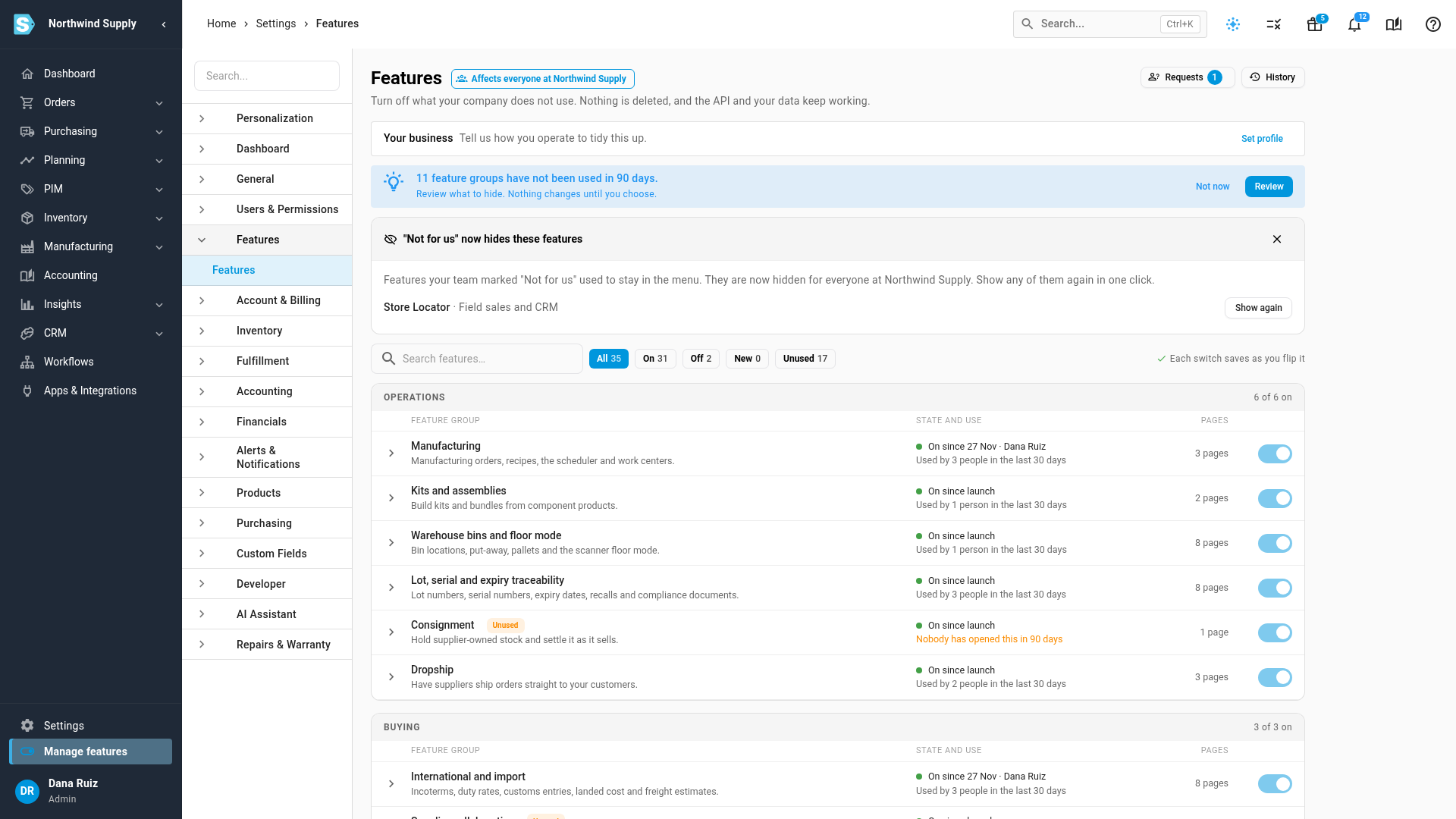
Open Settings → Features to see every feature group, sorted into sections such as Operations, Buying and Selling. Each row shows whether the group is on, who turned it on or off, how many people used it in the last 30 days and how many pages it covers. Flip a switch and it saves straight away.
Filters at the top show what is On, Off, New or Unused, and a group nobody has opened in 90 days is marked so you can decide whether to keep it. The page always says who a change applies to: everyone at your company.
See the impact before you turn anything off
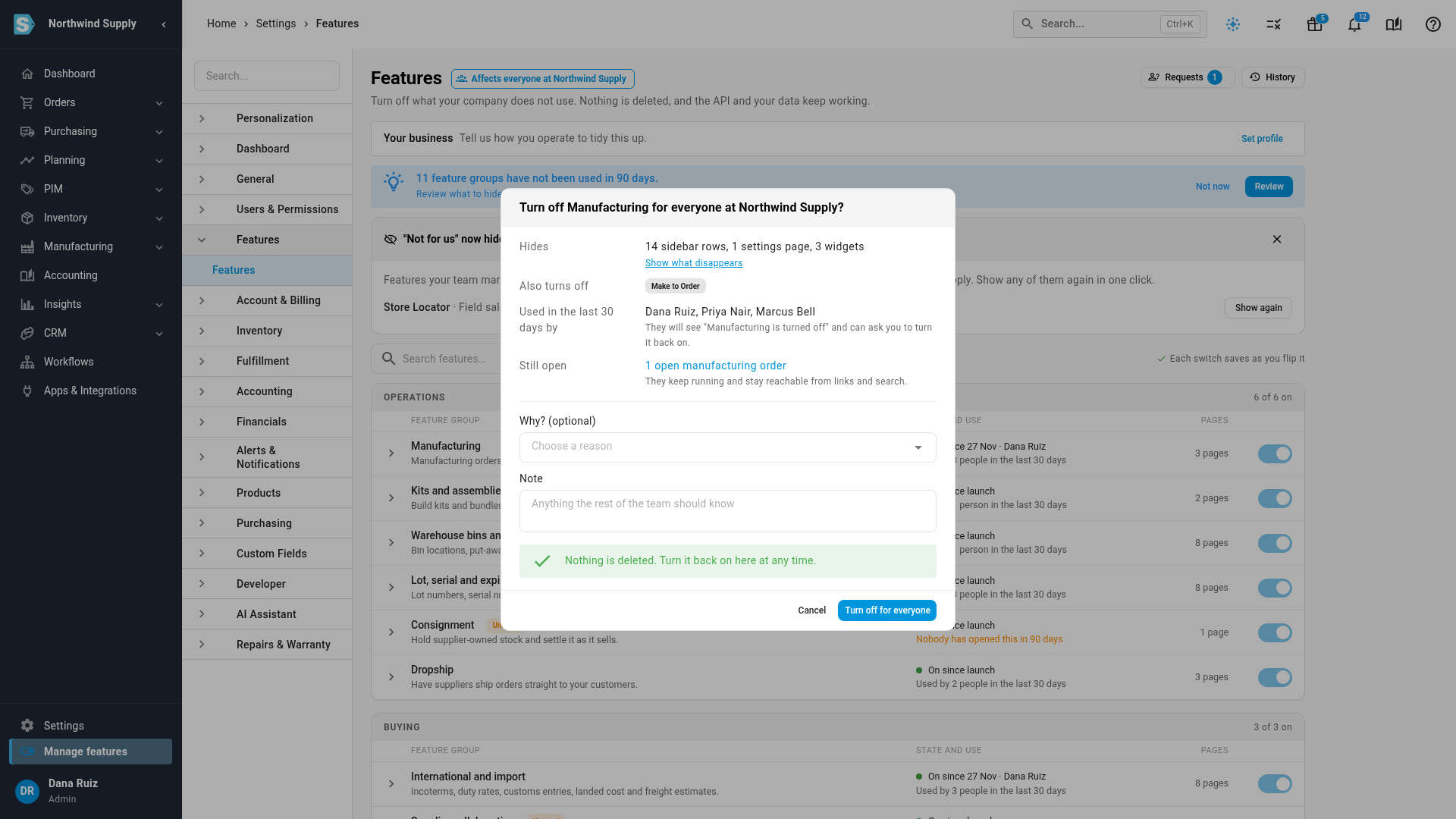
Turning off a group that people use asks you to confirm first. The dialog lists what will be hidden, any group that depends on it and turns off with it, who used it in the last 30 days, and any records that are still open. Open records keep running and stay reachable from links and search.
Start from how your business operates
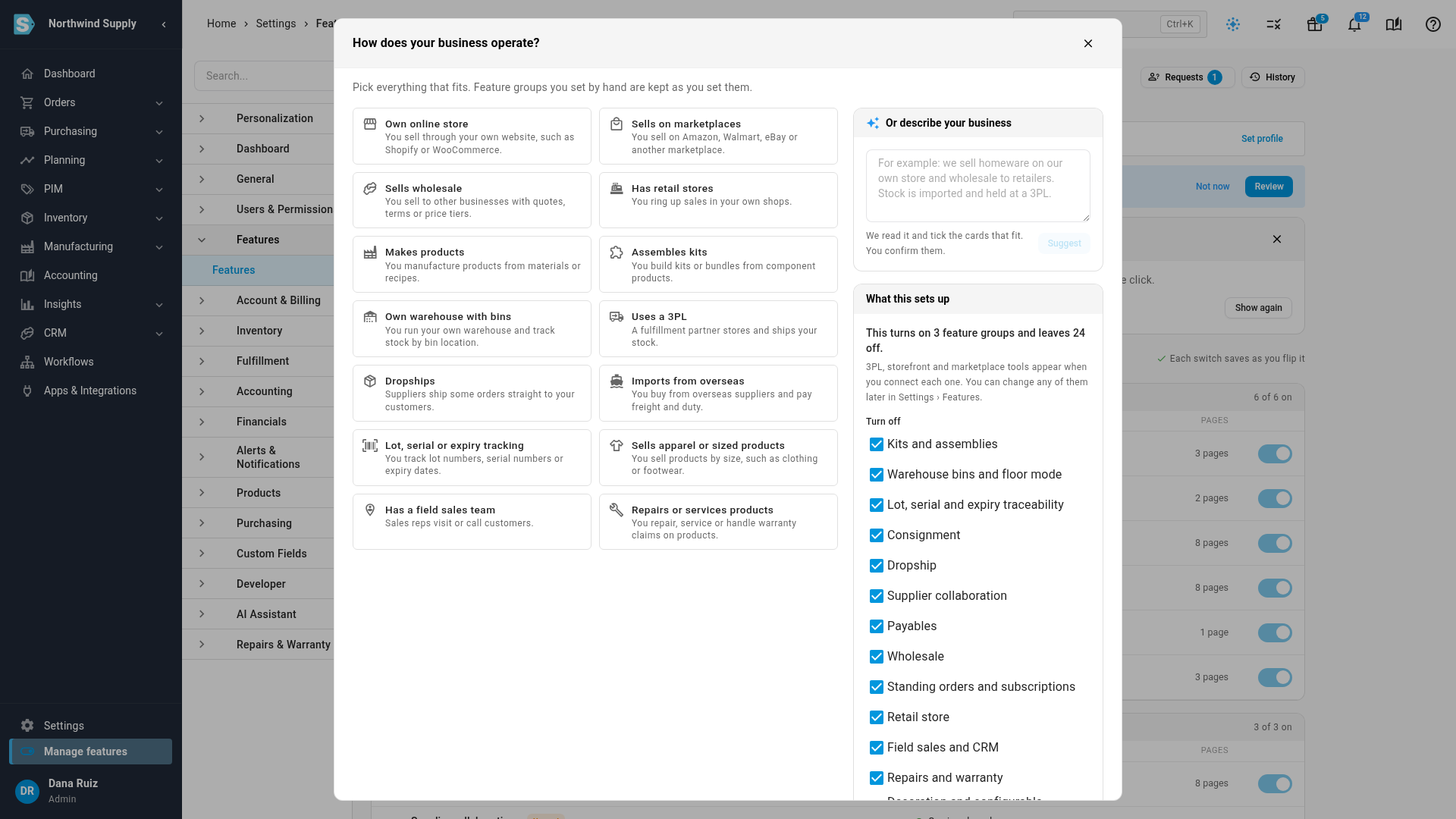
Choose Set profile and pick everything that describes your company: your own online store, marketplaces, wholesale, retail stores, manufacturing, a 3PL, lot tracking and so on. You can also describe your business in a sentence and let SKU.io suggest the cards that fit. Before anything changes, you see exactly which groups will turn on and which will turn off, and you can untick any of them. Groups you have already set by hand are left as you set them.
New accounts are asked the same question during setup, so they start with a menu that fits.
What your team sees
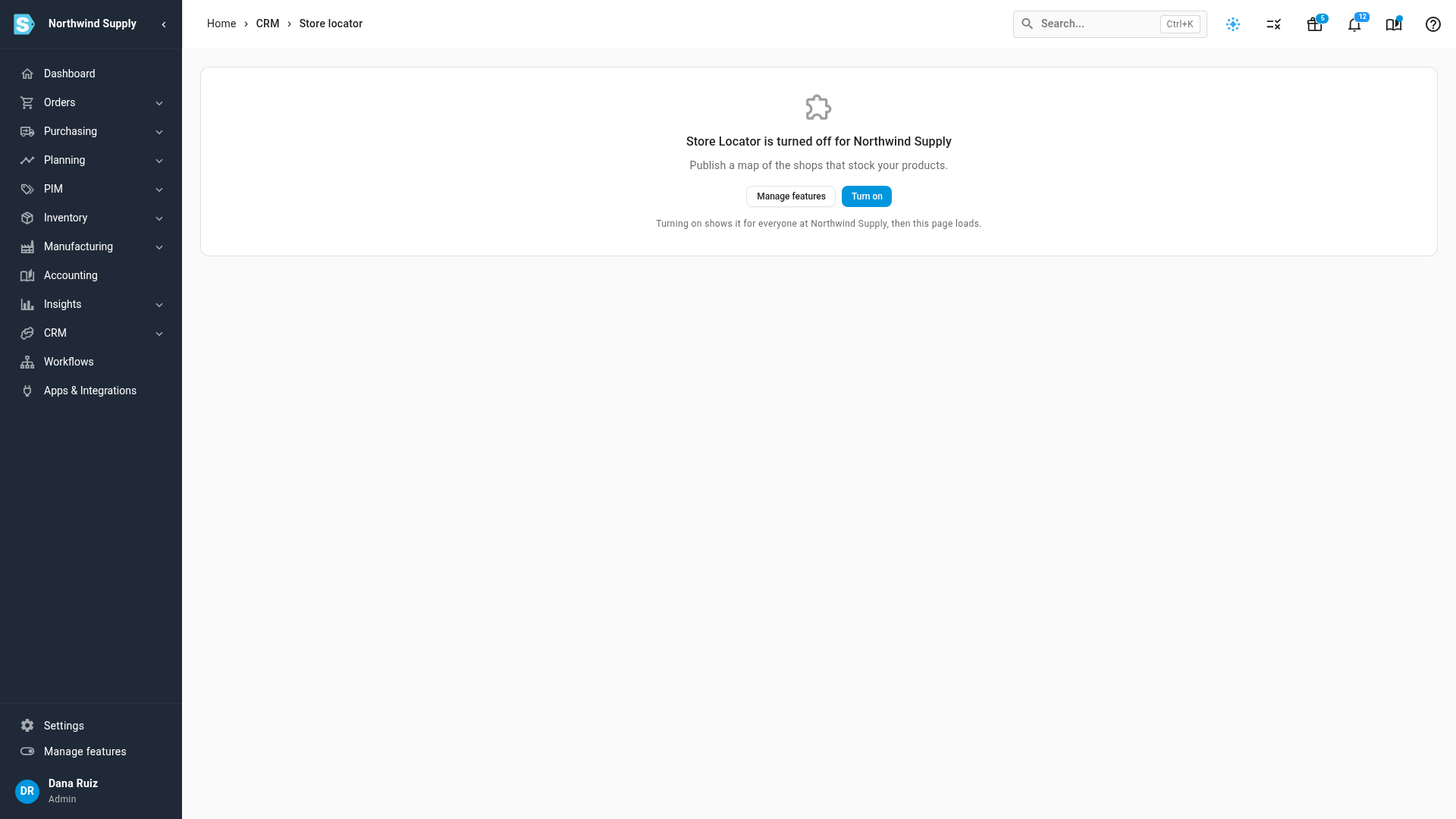
If someone follows an old link or bookmark to a page in a group that is off, they see a short page saying it is turned off for your company. Admins can turn it on from there. Everyone else can ask an admin, and the request appears under Requests on the Features page.
New features that SKU.io releases follow the group they belong to, and carry a New marker for 30 days so they are easy to spot.
Where to find it
Go to Settings → Features, or choose Manage features at the bottom of the sidebar. You need the Features Manage permission, which admins have by default.
Full guide: Turn features on and off