Shopify payments — PayPal, Sezzle and reserves land in the right account
Not every Shopify payment reaches you through a Shopify payout. A PayPal or Sezzle payment lands in your PayPal balance or your bank, yet until now an unmapped gateway's payment was booked as Shopify Payments money, and it sat in your Shopify Payments clearing account for good. And when Shopify held part of a payout back as a reserve, the hold posted as an expense and the release as a sale. Payment gateway mapping and Shopify Payments reserve accounts fix both.
✨ What this means for you:
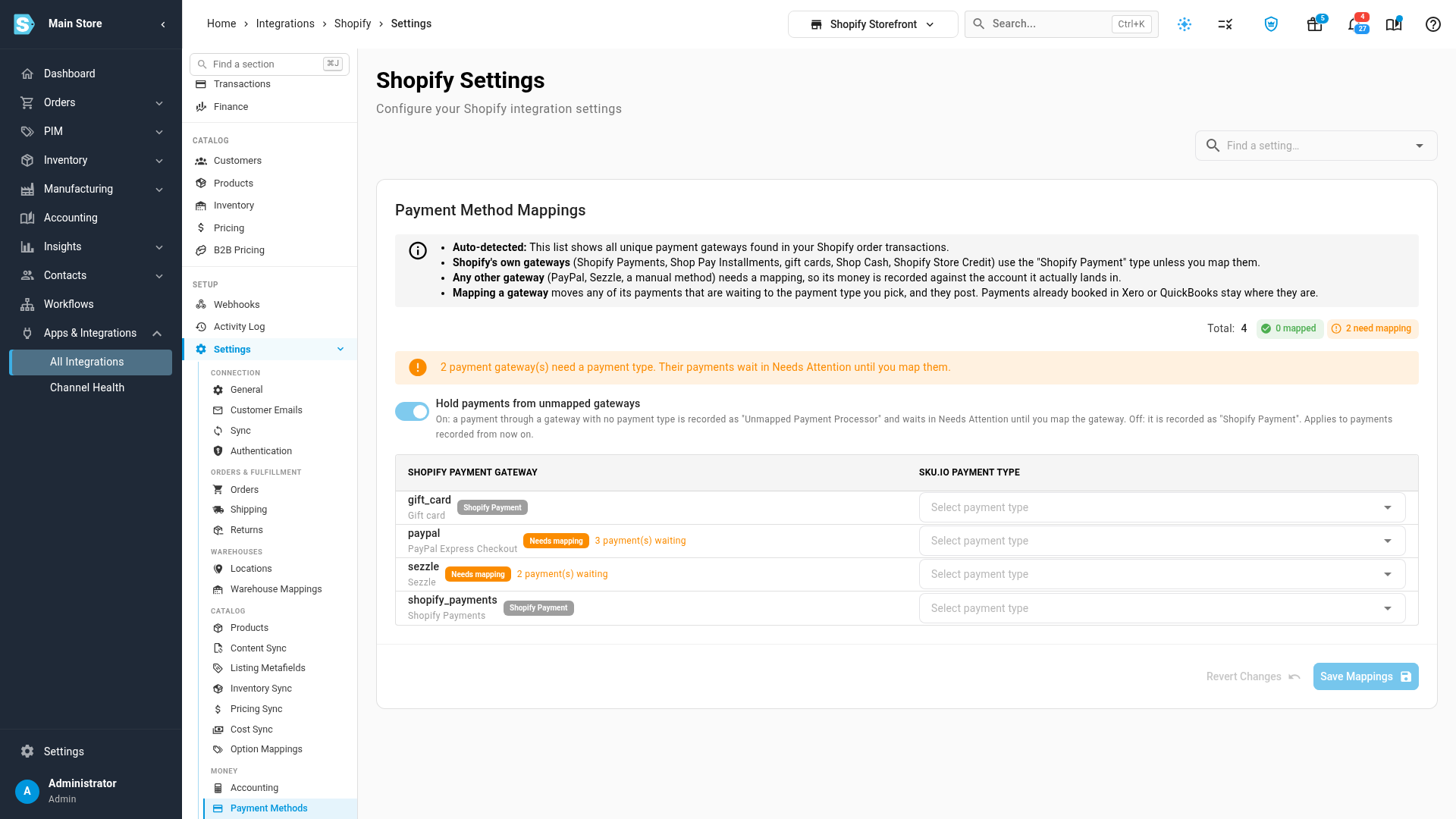
- Every gateway gets its own payment type. The Payment Methods tab lists each gateway found on your orders and flags the ones that need mapping.
- Nothing posts to the wrong account while you decide. With Hold payments from unmapped gateways on, payments from an unmapped gateway wait in Needs Attention, and move to the type you pick as soon as you map it. The switch is on for stores connected from now on; for stores you already have, it's off until you turn it on.
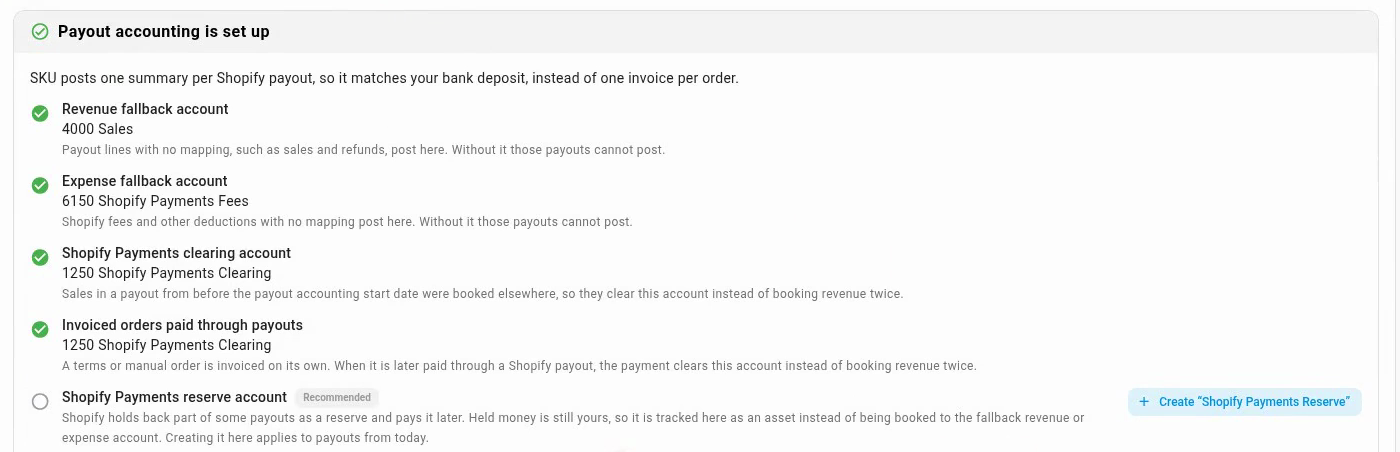
- Reserves stay on your balance sheet. On the payout setup card, one click creates a Shopify Payments Reserve asset account. Each hold adds to it and each release takes it back out, and the payout still equals the bank deposit.
- Month-end catches what's left. Two new close checks, Payment gateways mapped and Shopify Payments reserve reconciled, flag unmapped gateways and a reserve account that doesn't match what Shopify still holds.
Map your payment gateways
Open your Shopify connection's Settings → Payment Methods. Shopify's own gateways already use the Shopify Payment type. Pick a payment type for every other gateway and click Save Mappings.
Track Shopify Payments reserves
On the store's Finance tab, open Payout Mappings. Once Shopify has held funds back from a payout, the setup card offers a Shopify Payments reserve account, marked Recommended.
Where to find it
Go to Apps & Integrations, open your Shopify connection, and choose Settings → Payment Methods for gateways, or the Finance tab → Payout Mappings for the reserve account.
Full guides: Map Shopify payment methods · Track Shopify Payments reserves