Count Due — keep cycle counts rotating through everything you stock
Counting a whole warehouse at once is slow, so most teams count a few products at a time. The hard part is remembering which ones you counted last, and some products quietly go months without a count. Count Due keeps track for you. Set how often products should be counted, and SKU.io lists every product that's due in each warehouse, starts the stock take for you, and reminds you each morning.
✨ What this means for you:
- A count schedule: in Settings → Inventory → Count Schedule, choose how many days can pass between counts of a product in a warehouse.
- Count some stock more often: a warehouse or a product category can keep its own schedule, and subcategories inherit it. The most specific schedule wins, and 0 means never due.
- See what's due: the new Count Due tab on Inventory → Stock Takes lists products never counted first, then the most overdue, each with its warehouse, last count and due date. Switch between Due, Due soon, Up to date and Not scheduled, or narrow it to one warehouse or category.
- Start a stock take in one click: select the products and click Start stock take. SKU.io creates a draft full count for them, one per warehouse.
- A daily reminder: one "Products due for a count" alert each morning, grouped by warehouse. A product isn't repeated until it's counted, and the alert follows your alert preferences.
- A dashboard widget: Count due shows what's due now and this week, the warehouses with the most, and your oldest count.
See what's due
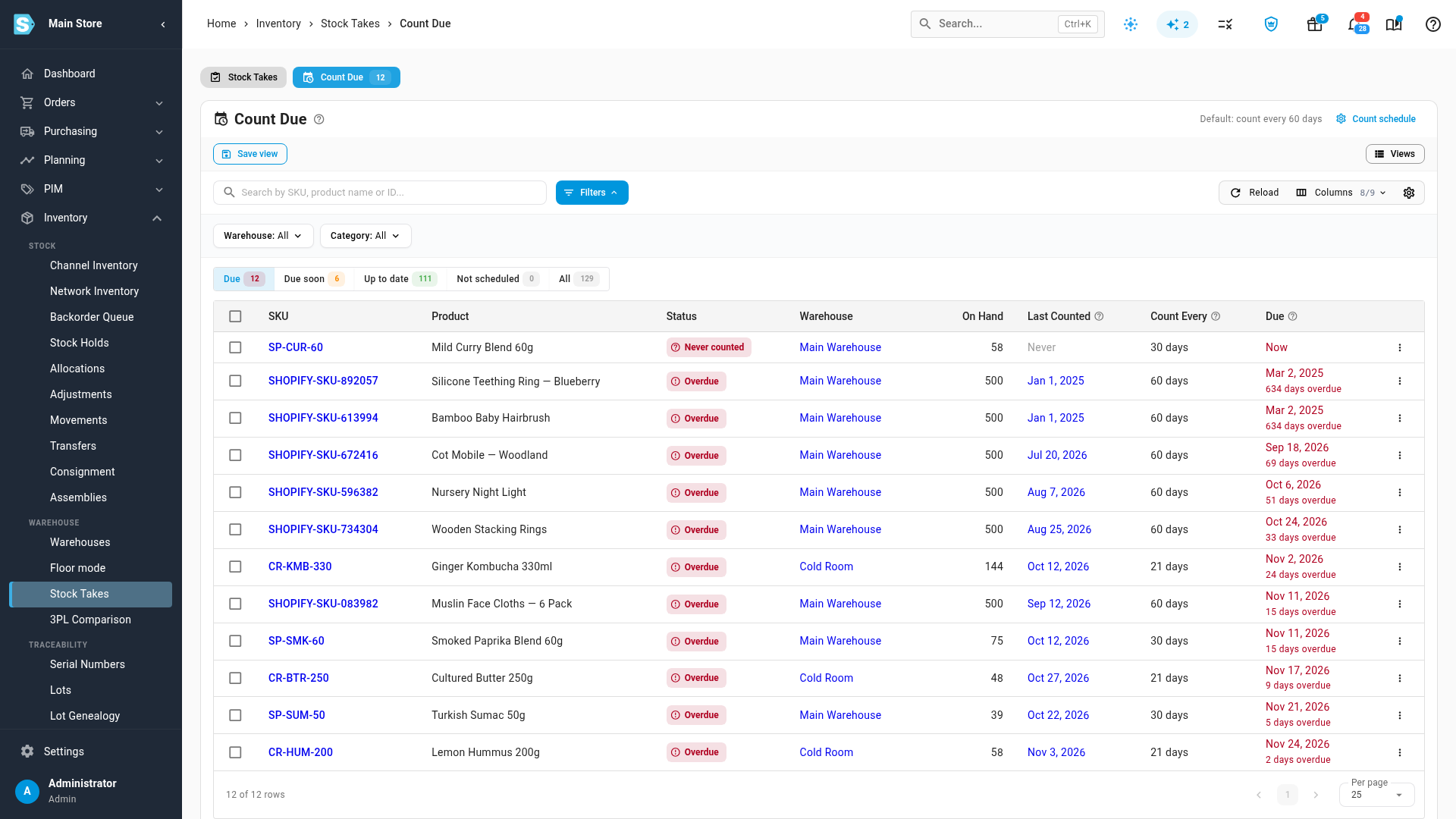
Last-counted dates come from your finished full counts, including the ones you already have, so the list is right from the first day.
Good to know
- Count Due is off until you set a schedule.
- It lists products that have stock in one of your own warehouses. Stock held by Amazon, Walmart, TikTok or a 3PL is counted by them, so it doesn't appear.
Read the guide: Rotate cycle counts with Count Due.