Resale and tax exemption certificates — tax comes off only where a certificate covers the sale
A reseller who ships to California, Texas and Florida needs a certificate for each state, but until now a customer could hold only one exemption, and ticking Tax exempt took tax off every order they placed, even when their certificate had expired or covered a different state. That's exactly what a sales tax audit finds. Resale and tax exemption certificates gives each customer a set of certificates with their states, dates and documents. An order is created without tax only when an approved, in-date certificate covers the state it ships to, and every order shows why it was or wasn't taxed.
✨ What this means for you:
- Keep as many certificates as a customer needs, each covering one or more states, with the signed document or a link to it on file for audits.
- Tax comes off an order only where an approved, in-date certificate covers the ship-to state. An expired, lapsed or out-of-state certificate no longer exempts anything.
- Each customer's Tax Exemption tab shows every state you collect tax in, and whether a certificate covers it.
- Every sales order records its tax decision, so you can see at a glance why it was taxed or exempt.
- Contacts → Exemption Certificates lists every certificate across your customers, so you can catch the ones about to expire and email customers for renewals.
See every state at a glance
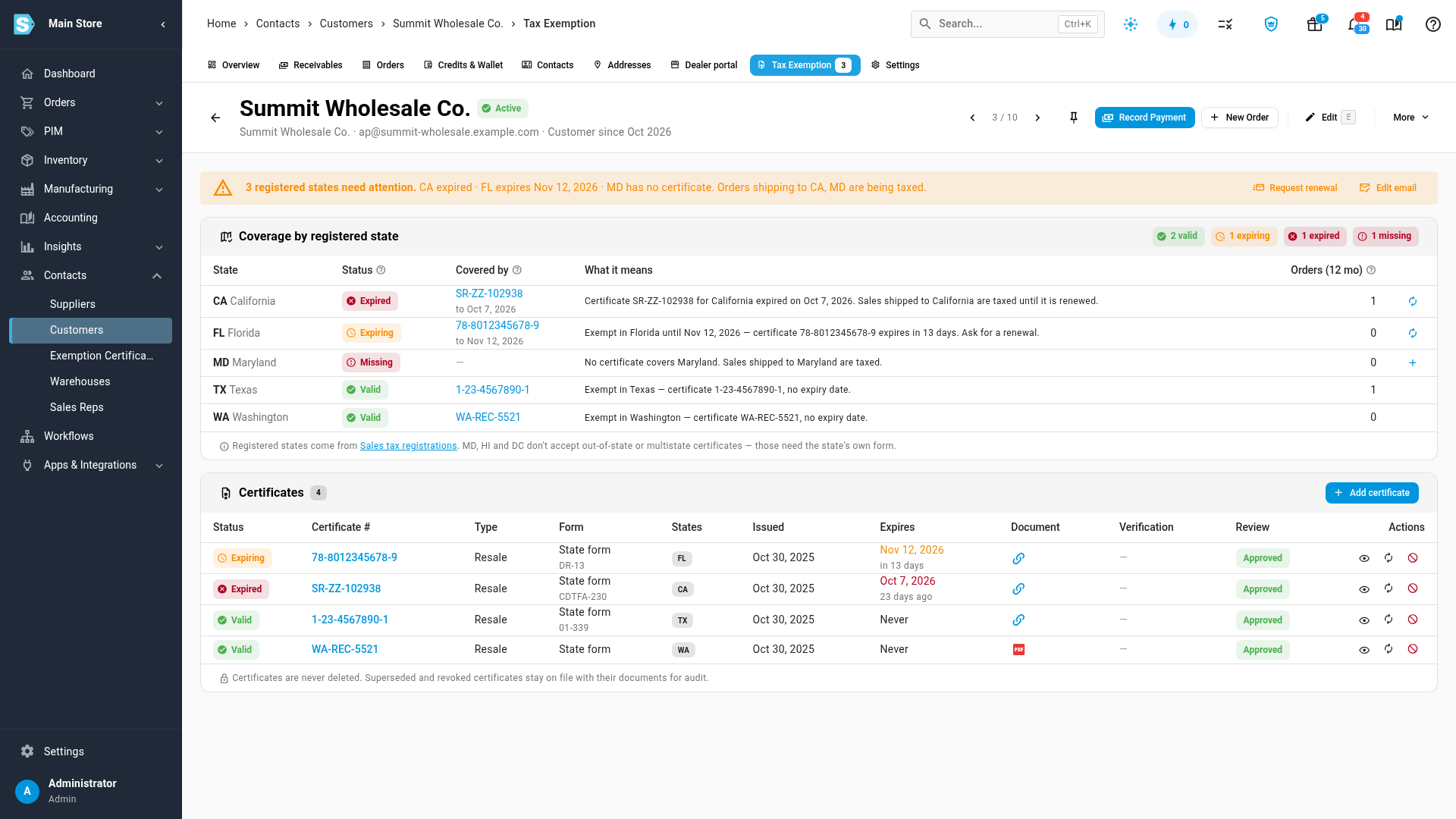
Open a customer and choose the new Tax Exemption tab. Coverage by registered state lists every state where you're registered to collect sales tax and shows whether a certificate covers it: valid, expiring soon, expired, lapsed, pending review, or missing. A banner at the top sums up the states that need attention and which orders are being taxed because of them.
Add a certificate and approve it
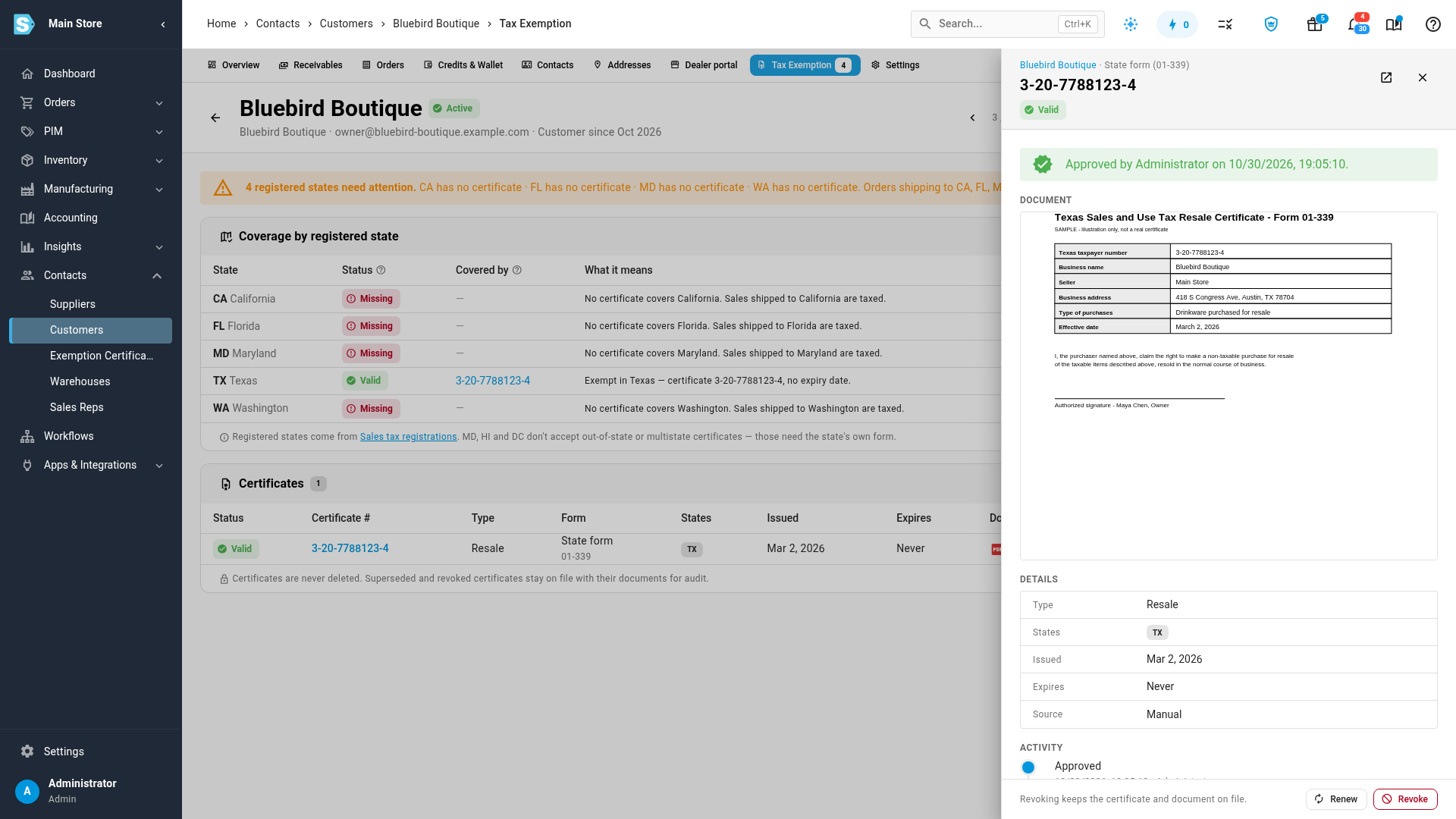
Click Add certificate, or the plus button next to an uncovered state, and upload the signed form or paste the link the customer sent. A short guided form takes the certificate number, form, states and dates, and suggests an expiry from each state's own rules. SKU.io also stops you recording a form a state won't accept, such as a multistate certificate for Maryland. Review the document side by side with the details, then click Approve. Your name and the time are recorded, and certificates are never deleted. Revoked and replaced ones stay on file with their documents.
Know why every order was taxed
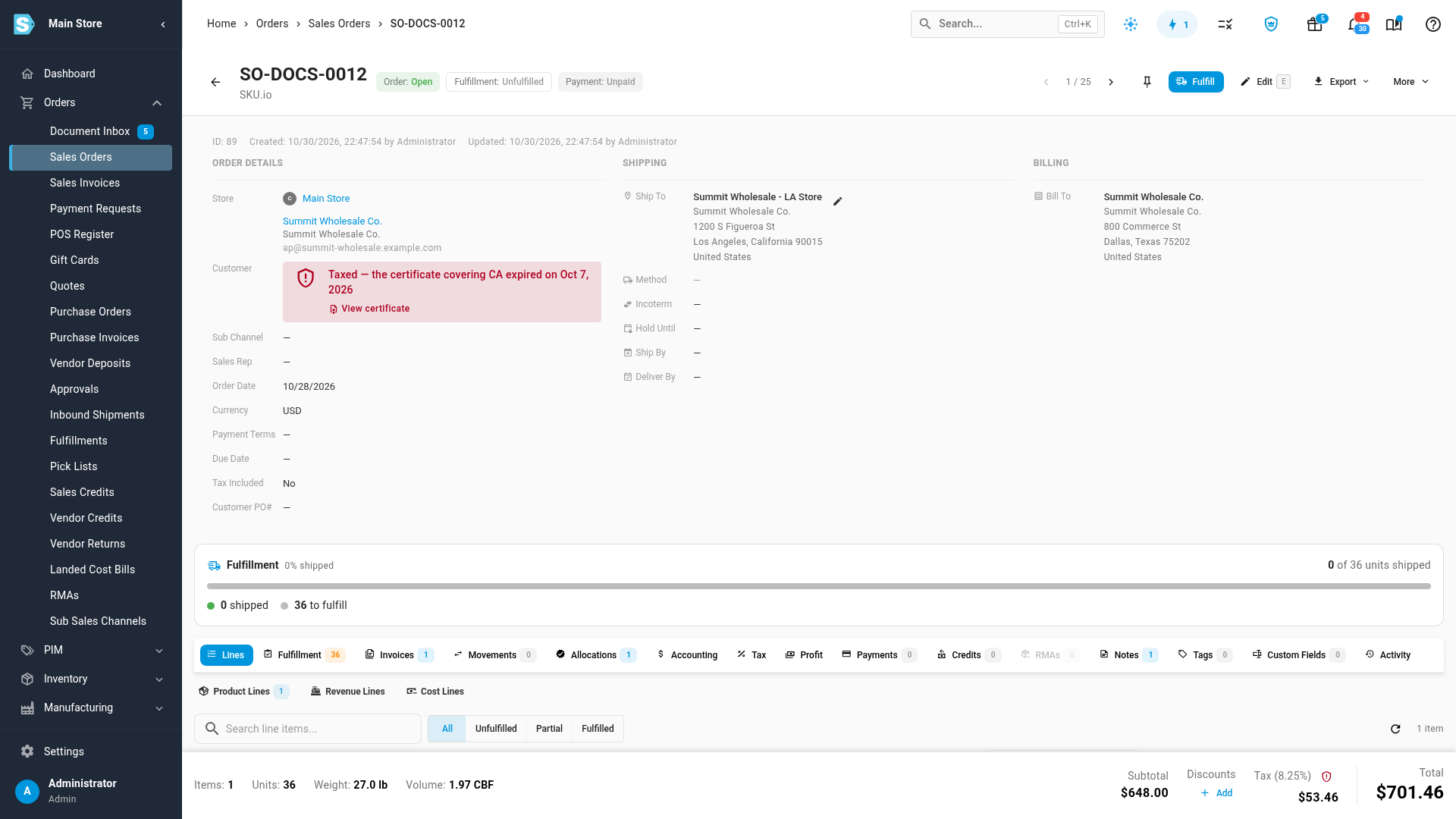
When an order is created, SKU.io checks the customer's certificates against the state it ships to and records the result on the order. At the point of sale it checks the register's location, and the register shows whether this sale will be exempt before you ring it up. The order page says Exempt in TX with the certificate that applied, or Taxed with the reason, such as a California certificate that expired, and links straight to the certificate.
Stay ahead of expiring certificates
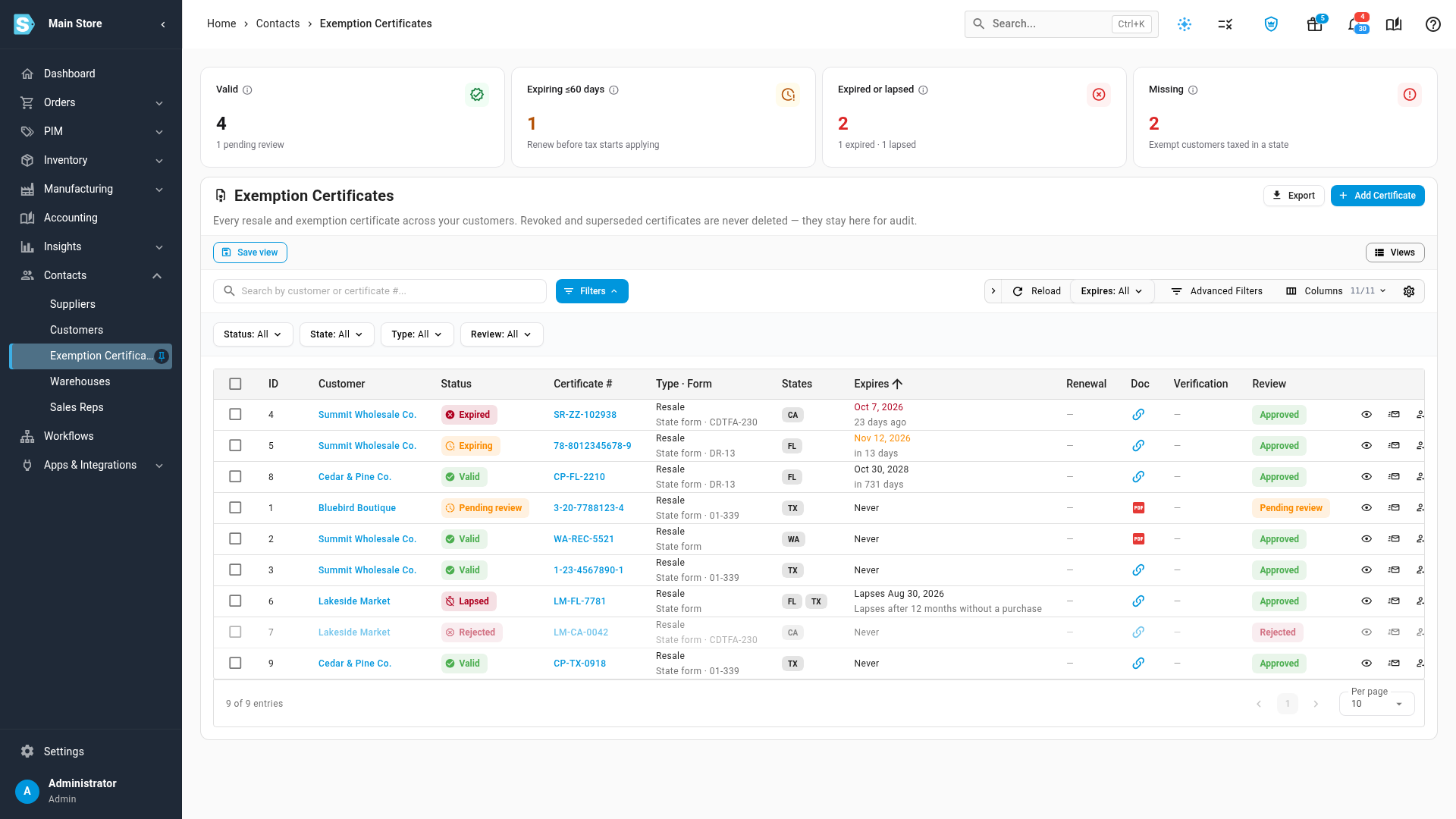
Contacts → Exemption Certificates lists every certificate across all your customers, with counts of the valid, expiring, expired or lapsed, and missing ones. Filter to the ones running out, tick them and click Request renewal to email each customer for a new certificate. The renewal email is an email template you can edit. A daily digest emails your team about certificates that are about to expire, and you can export the list, with documents, for an audit.
Where to find it
Open a customer from Contacts → Customers and choose the Tax Exemption tab, or go to Contacts → Exemption Certificates for every customer at once. Exemptions you'd already recorded were carried over as approved certificates, so no customer's tax changed when this arrived. A carried-over certificate with no state recorded covers every state until you set its states, so review those first.
Full guides: How tax exemption certificates work · Add and approve a resale certificate · Track expiring certificates and request renewals