Receive without a PO — record surprise deliveries properly, and match them later
Stock doesn't always wait for paperwork. A supplier ships early, samples turn up, or a delivery arrives from someone you only buy from now and then, and there's no purchase order to receive it against. Until now that meant raising a purchase order after the fact just to get the stock on the shelf, or adjusting it in without a cost. Receive without a PO records the delivery properly: the stock goes on hand at what it really cost, with its lots, bins and documents, and the receipt shows up in your receiving history like any other. When the real purchase order turns up, Match to a PO moves the delivery onto it at the order's prices, without receiving anything twice.
✨ What this means for you:
- Get unexpected stock on hand right away, at the right cost, so your stock value and cost of goods sold are correct from day one.
- Capture lots and expiry dates, bins, serial numbers and the delivery note as the delivery comes in.
- Keep supplier scorecards honest: a delivery nobody ordered never counts as open, incoming or overdue, and never drags down a supplier's on-time numbers.
- When the order turns up, match the delivery to it in a few clicks. The order shows it as received, on the day it really arrived.
Receive it as it comes in
Go to Purchasing → Inbound Shipments and click Receive without PO. Pick the supplier (or leave it empty, and it's filed under Default Supplier, which the page tells you before you receive), then add each product with its quantity and the unit cost it really cost. Lot-tracked products take a batch number and expiry date, and each line can go into a bin.
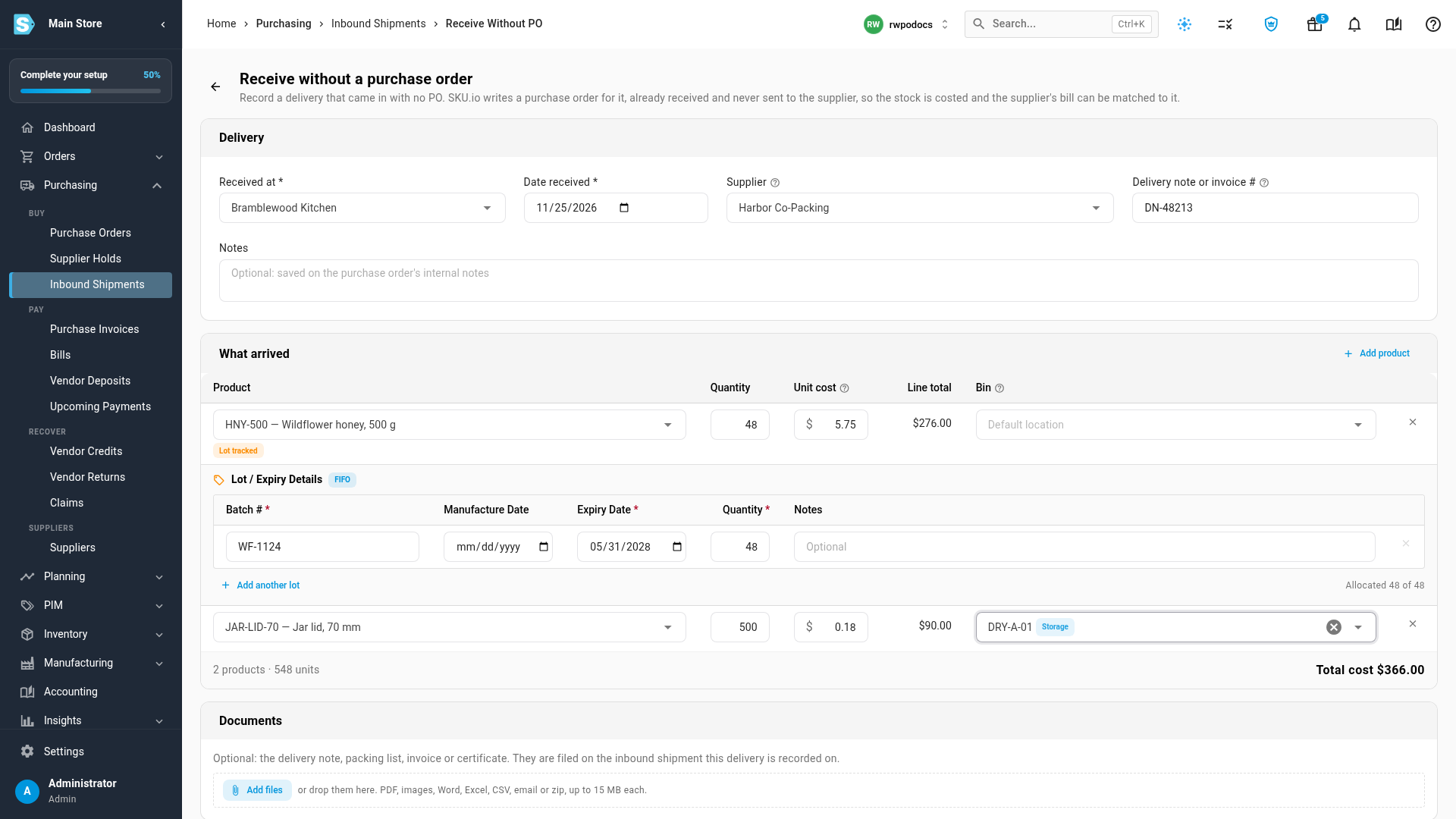
SKU.io keeps the receipt on a purchase order of its own, marked Received without a PO. It's never sent to the supplier, and it stays out of your open orders and supplier scorecards. Record the supplier's bill against it from the same screen.
Match it to the order it belonged to
When the purchase order turns up, open the delivery and choose Match to a PO. SKU.io lists the open orders from the same supplier, for the same warehouse, that order these products, and shows each line's price now beside the order's price. Lines move to the order whole; when more arrived than the order still has open, the dialog says so and lets you receive more than ordered.
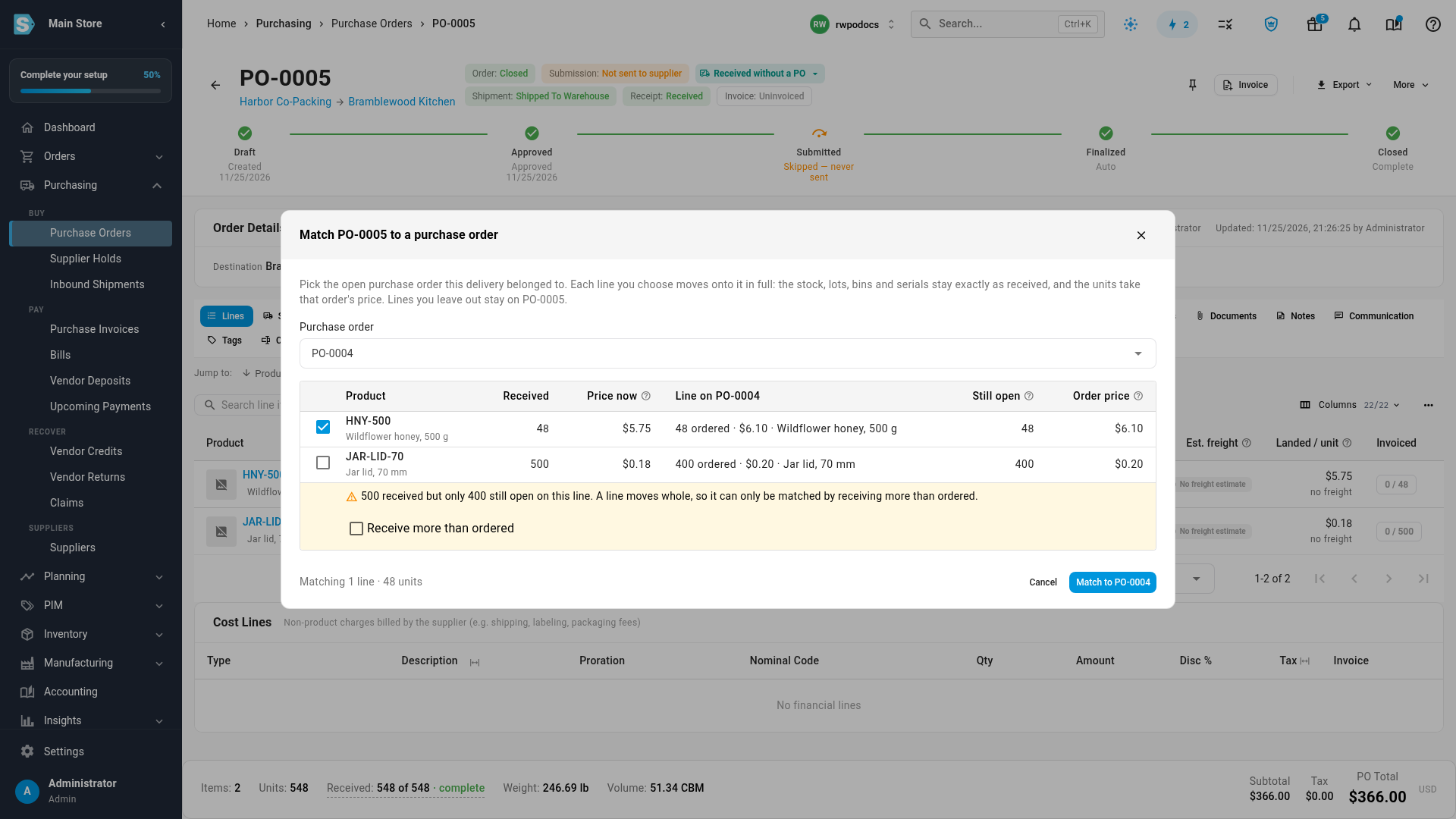
The order now counts the delivery as received, and its stock takes the order's prices through a cost adjustment, the same as editing a price on a received order. The receipt, its lots and its bins are never rewritten. Already have the supplier's bill on the delivery? The dialog tells you how to move it: delete the bill, match, then record it on the order.
Where to find it
Purchasing → Inbound Shipments → Receive without PO. To match a delivery later, open its purchase order and click the Received without a PO chip, then Match to a PO….
Full guide: Receive a delivery without a purchase order