Shipping cost estimates — real carrier rates on orders, quotes and your wholesale portal
When a wholesale order comes in, someone usually has to leave SKU.io, look up a carrier rate, work out a markup and type a shipping line onto the order by hand. Wholesale buyers checking out on your portal often can't see what shipping will cost at all. Shipping cost estimates fix both. Connect your own EasyPost account and SKU.io prices shipping from your warehouse to the customer's address with your carrier rates, contract rates included. You can quote it on sales orders and quotes, show it to buyers at portal checkout, and estimate transport costs for FBA inbound plans.
✨ What this means for you:
- Price shipping without leaving the order. Pick a rate, add your markup, and SKU.io writes the Shipping line for you.
- Your rates, your account. Estimates use your own EasyPost account and the carrier accounts on it.
- Buyers see shipping before they order. Each portal shipping method can show a live estimate, a flat price, free shipping, or "Calculated on review".
- Nothing slips through unpriced. Orders that still need a shipping price are flagged, with a filter on the sales order list.
- Compare FBA options on all-in cost. Transport estimates fill in alongside Amazon's placement options.
Quote shipping on a sales order or quote
Click Quote shipping on a sales order or quote. Check the parcels and the warehouse it ships from, choose a rate, and set your markup as a percentage or a fixed amount. Before you confirm, you see the exact line that will be written and the new order total. Quote again later and the new rate replaces the old Shipping line rather than adding a second one. When a quote becomes an order, its Shipping line carries over.
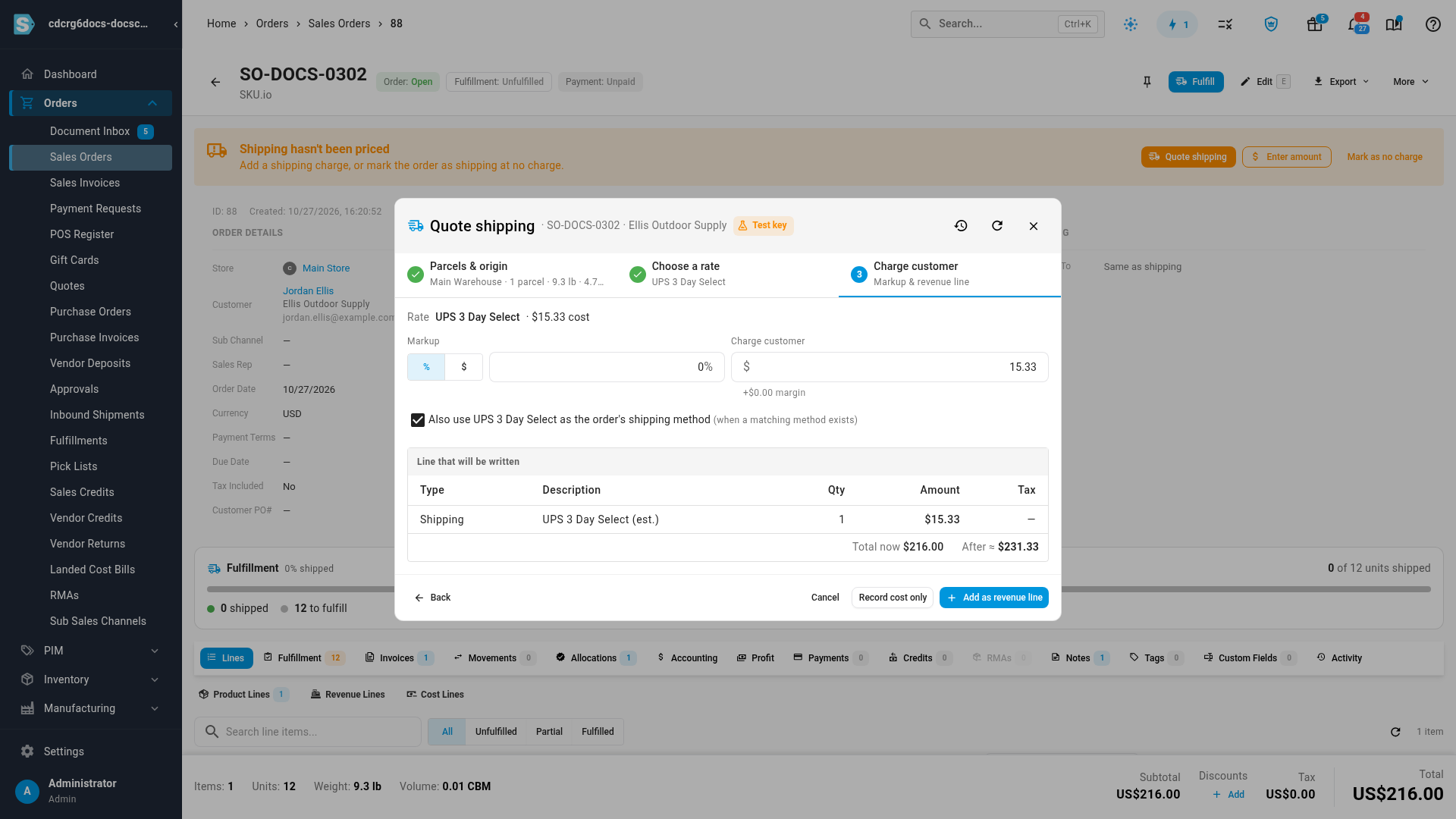
Orders still waiting for a shipping price show a Shipping hasn't been priced banner with three choices: Quote shipping, Enter amount, or Mark as no charge.
Price shipping on your wholesale portal
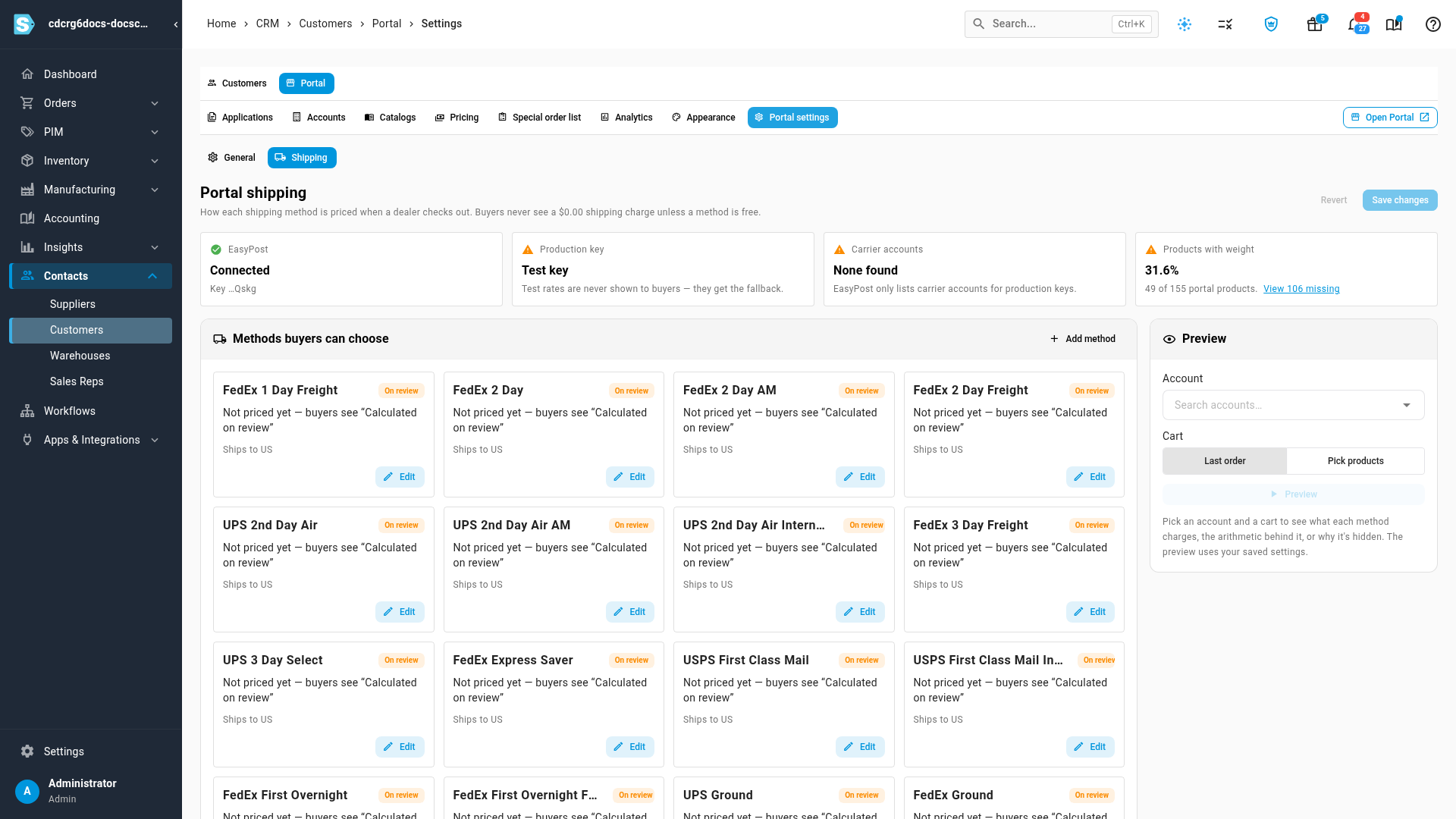
A new Shipping tab in Portal settings sets how each shipping method is priced when a buyer checks out:
- a live rate from EasyPost, with an optional handling fee, markup, rounding and price cap;
- a flat price;
- free shipping;
- calculated on review, where you price the order afterwards.
You can also limit methods to certain orders and set a free-shipping threshold. Each live-rate method needs a fallback price for when a live rate isn't available. Status cards at the top show whether everything is ready, and a preview shows what a chosen account and cart would pay, with the arithmetic.
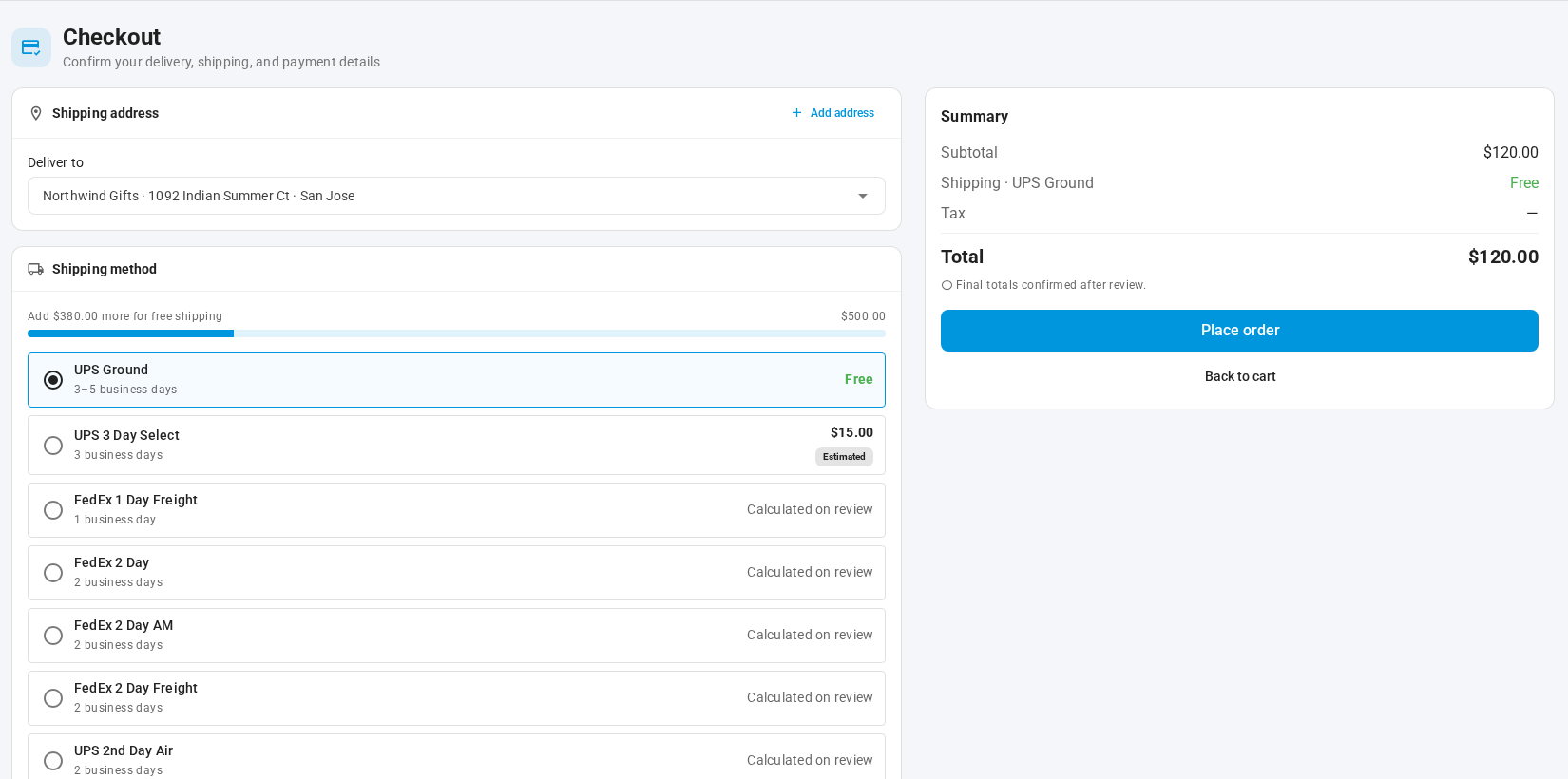
At checkout, buyers see each method's price, an Estimated label on live rates, and how much more they need to spend for free shipping. If a price changes before they order, they're asked to confirm the new one.
Estimate FBA transport costs
On an FBA inbound plan, Estimate transport costs prices getting your units to each option's fulfillment centers, so you can compare placement options on their all-in cost. It uses your EasyPost account when you've connected one. Until you do, it shows SKU.io's reference rates.
Where to find it
Connect EasyPost under Apps & Integrations → All Integrations → EasyPost. You can also connect from the Connect EasyPost prompt on the screens that use it. Then:
- Sales orders and quotes: Quote shipping on the order or quote.
- Wholesale portal: Contacts → Customers → Portal → Portal settings → Shipping.
- FBA inbound plans: Estimate transport costs at the placement step.
Full guides: Connect EasyPost · Quote shipping on a sales order or quote · Price shipping on the portal