Mercury bill pay — pay suppliers from your bank without leaving SKU.io
Paying a supplier used to mean two systems. You approved the bill in SKU.io, opened your bank, retyped the payee, the amount and the invoice numbers, then came back to SKU.io to record the payment by hand. Wires you sent straight from the bank, like a deposit to start production, never reached the purchase order at all. Mercury bill pay connects your Mercury business account to SKU.io. Pay a purchase invoice, a freight or duty bill, or a vendor deposit with a few clicks. Every payment is approved before any money moves, and SKU.io records it on the bill the day it leaves the bank.
✨ What this means for you:
- Pay with Mercury from the bill itself, by ACH, domestic wire or check, in full or in part. No retyping in your bank.
- Every payment is approved first, either by a teammate in SKU.io or by an admin in Mercury's own app. You choose which.
- A bill or deposit can only have one Mercury payment in progress, so it's never paid twice.
- When Mercury sends the money, the payment is recorded on the bill or deposit, dated on the bank date, and syncs to QuickBooks or Xero like any other payment.
- A new Bank transactions view matches every Mercury transaction to the bill or deposit it paid, including wires you sent from Mercury directly.
Pay a bill or deposit in a few clicks
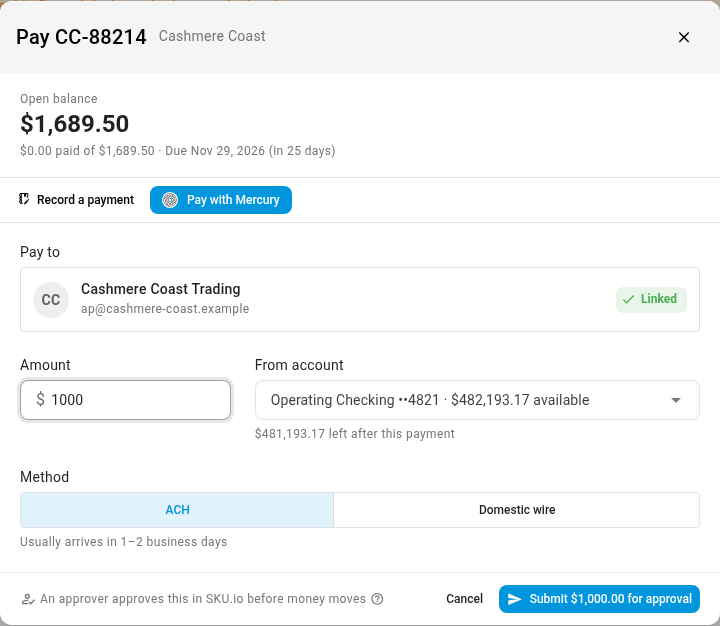
Open a purchase invoice, a landed-cost bill or a vendor deposit and click Add Payment, then Pay with Mercury. Choose the amount (the open balance, or less to pay part of it), the Mercury account to pay from, and the method. The dialog shows what's left in the account after the payment. The first time you pay a supplier, link them to their Mercury recipient, or invite them to add their own bank details. SKU.io never sees or stores their account numbers.
Approve before money moves
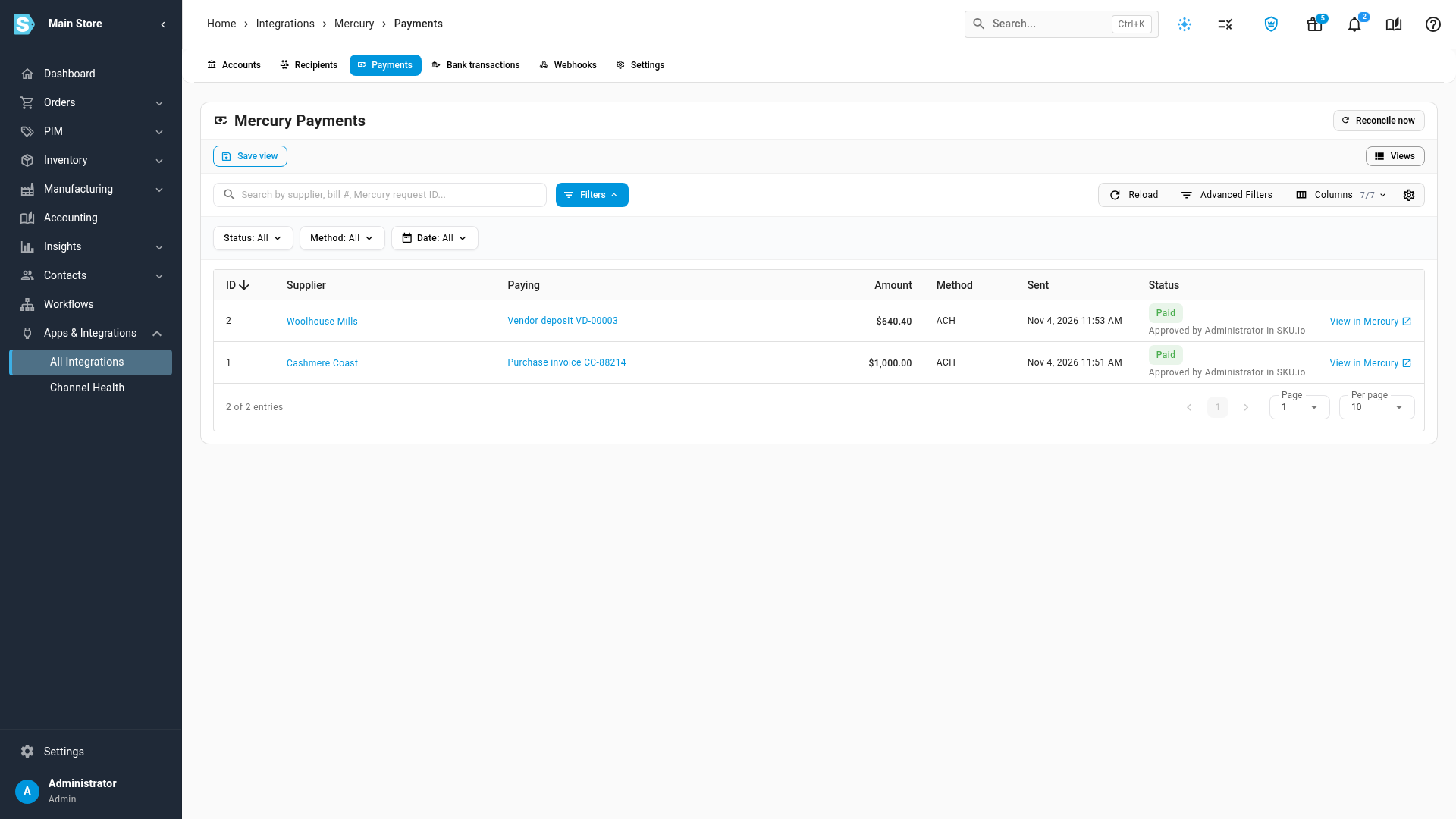
Each connection chooses where payments are approved. With In Mercury, SKU.io sends a payment request and an admin approves it in Mercury's app, with your Mercury approval rules. With In SKU.io, anyone with the new Approve payments permission approves on the Mercury Payments tab, and SKU.io sends the money straight from Mercury. Payments your bill or deposit approval policy has already approved go straight through, without a second approval.
Every Mercury transaction, matched to what it paid
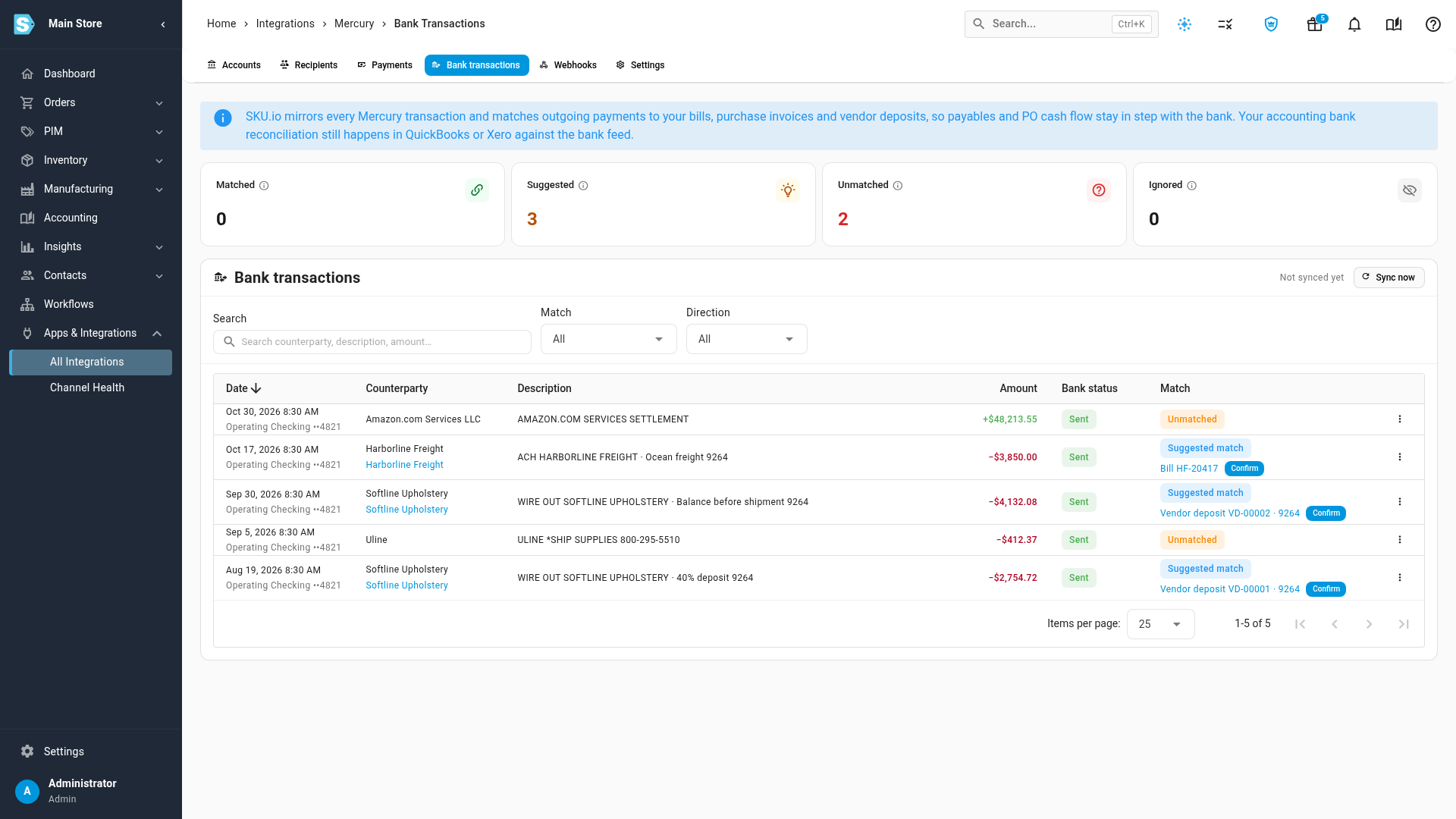
The Bank transactions tab mirrors every transaction in your Mercury accounts. Payments sent from SKU.io are matched automatically. For everything else, SKU.io suggests the bill or deposit that fits on amount, supplier and the numbers on the transfer, and you confirm it in one click. A deposit wire sent straight from Mercury is marked paid on its purchase order, dated on the day it left the bank. Payroll, transfers and fees can be ignored. Your accounting bank reconciliation still happens in QuickBooks or Xero, against the bank feed.
Where to find it
Go to Apps & Integrations → All Integrations and choose Mercury under Bill Payments to connect your account. Then pay from any purchase invoice, landed-cost bill or vendor deposit with Add Payment → Pay with Mercury. To open bills on Mercury by default, set Default payment method in Settings → Purchasing → Payment Approvals.
Full guide: Mercury. Walkthroughs: Pay a bill with Mercury and Review Mercury bank transactions.