Shiptheory — book UK carriers and print labels, with tracking and costs back in SKU.io
If you ship in the UK with Shiptheory, every order used to mean entering it in Shiptheory by hand, waiting for the label, then copying the tracking number back so your sales channel could tell the customer it shipped. Shipping costs stayed in Shiptheory, away from your fulfillment costs. The Shiptheory integration connects the two. Fulfillment orders from the warehouses you route to Shiptheory go straight to it, Shiptheory books each one with Royal Mail, DPD, Evri or any other carrier on your account, and the booking comes back to SKU.io as a shipment.
✨ What this means for you:
- No more re-keying orders. Submit a fulfillment order and Shiptheory receives the address, items, weight, value and parcels, plus the delivery service to book.
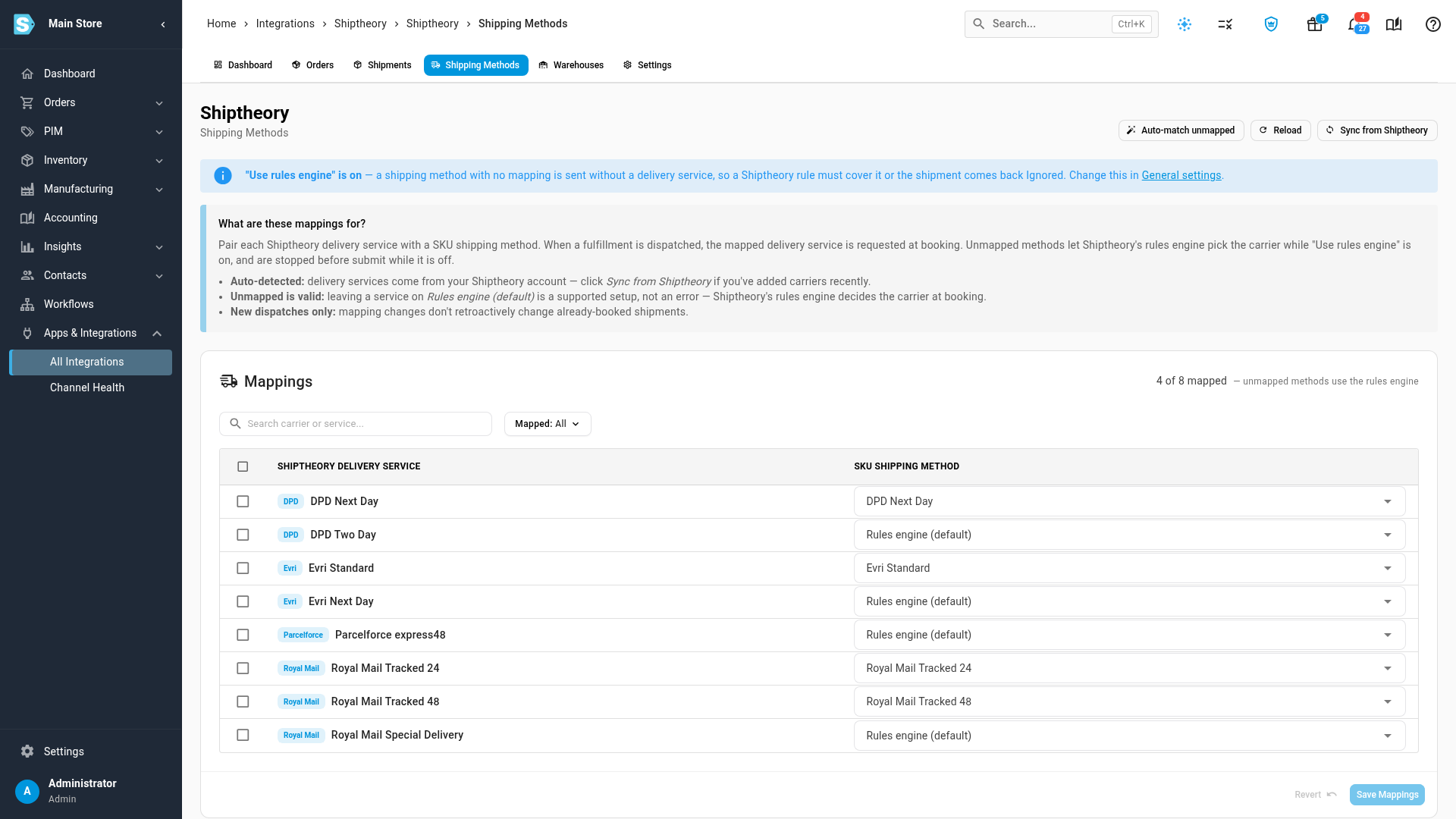
- Your carriers, your rules. Pair each Shiptheory delivery service with a SKU.io shipping method, or leave it to Shiptheory's own rules engine to choose. Auto-match unmapped pairs services and methods that share a name.
- Tracking flows back on its own. Once Shiptheory books an order, SKU.io records the shipment with its carrier and tracking number, and sends the tracking to your sales channel.
- Shipping costs where they belong. Each booking's cost is saved on its fulfillment, in your Shiptheory billing currency.
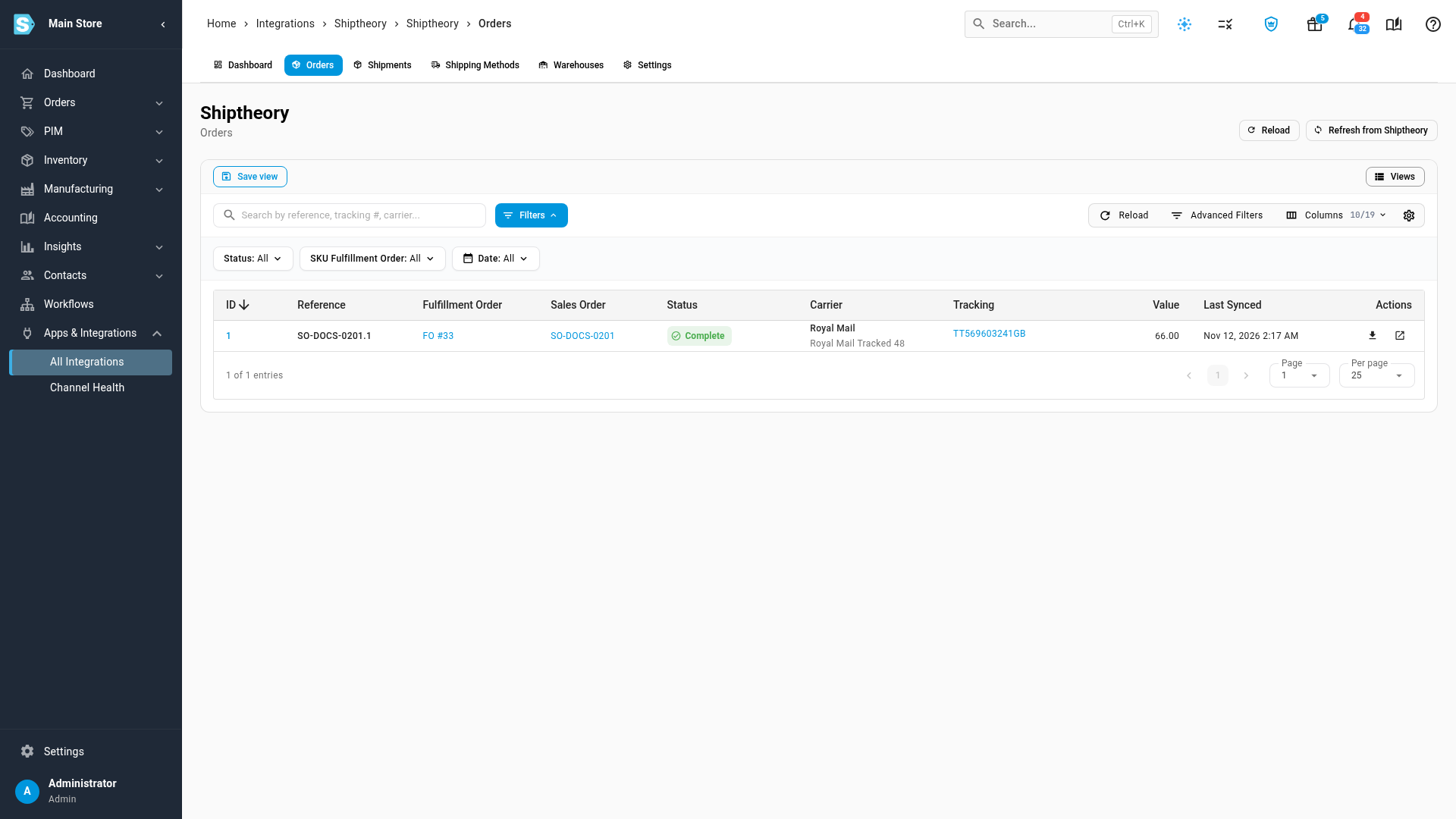
- Labels on demand. Download any booked order's label again from the Orders tab.
Connect with your Shiptheory login
Choose Shiptheory under Apps & Integrations, enter a Shiptheory user's email and password, and click Test Connection. There's no API key to generate. SKU.io downloads your delivery services and package sizes straight away, and the dashboard shows what's left to set up.
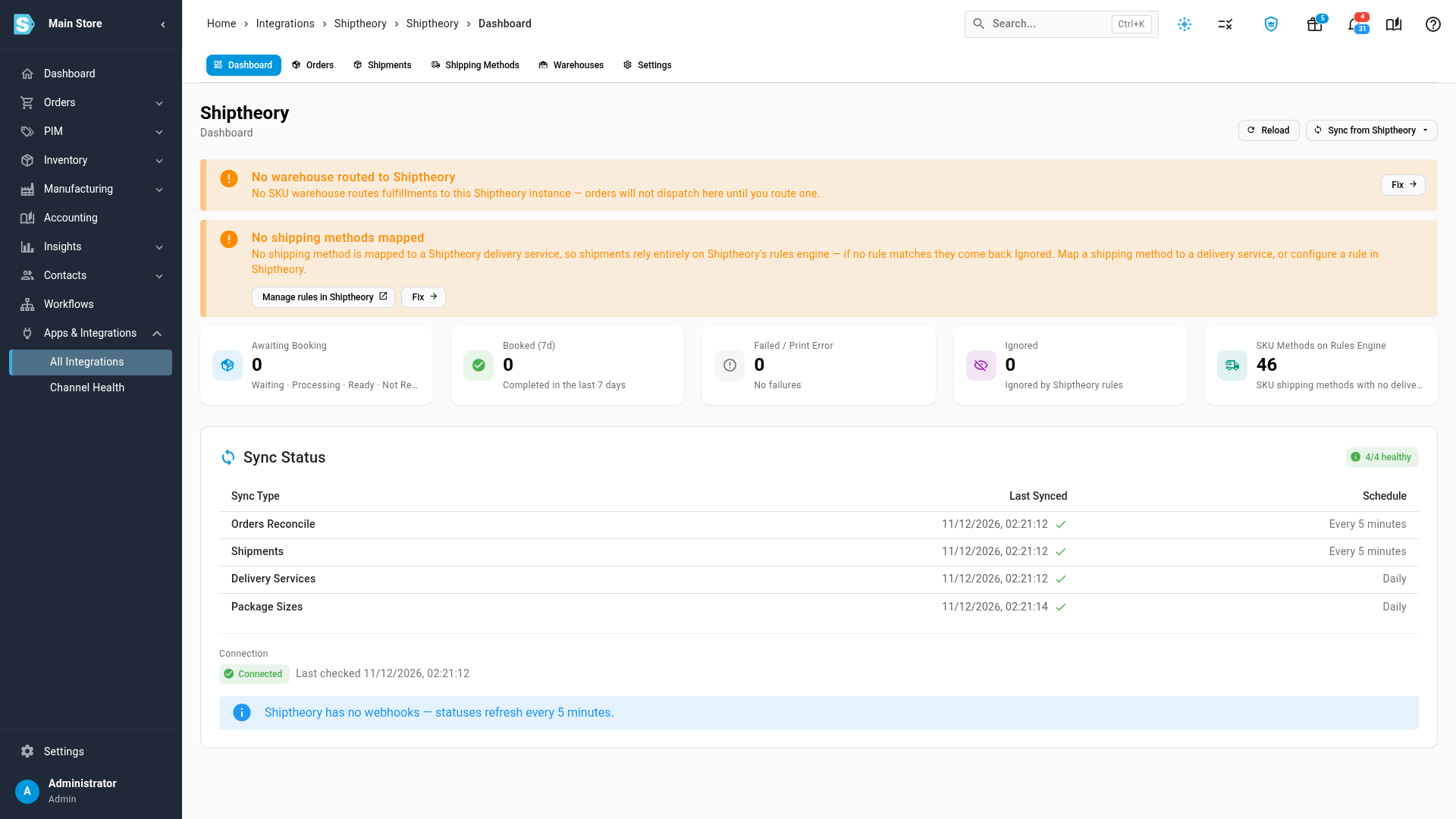
Map services and route your warehouses
On Shipping Methods, pair each delivery service with the SKU.io shipping method it stands for, or leave it on Rules engine (default). On Warehouses, turn on routing for each warehouse that ships through Shiptheory. Its address goes on the label as the sender.
From submitted to booked
Submit a fulfillment order from a routed warehouse and it appears on the Shiptheory Orders tab. Shiptheory has no webhooks, so SKU.io checks for bookings every 5 minutes, or straight away when you click Refresh from Shiptheory. A booked order shows Complete with its tracking number. One that Shiptheory can't book comes back to the fulfillment order with Shiptheory's reason.
Where to find it
Go to Apps & Integrations → All Integrations and choose Shiptheory under Shipping & Fulfillment. After you connect, its tabs cover Dashboard, Orders, Shipments, Shipping Methods, Warehouses and Settings.
Full guide: Connect Shiptheory