Dropship for retailers — ship your retailers' orders straight to their customers
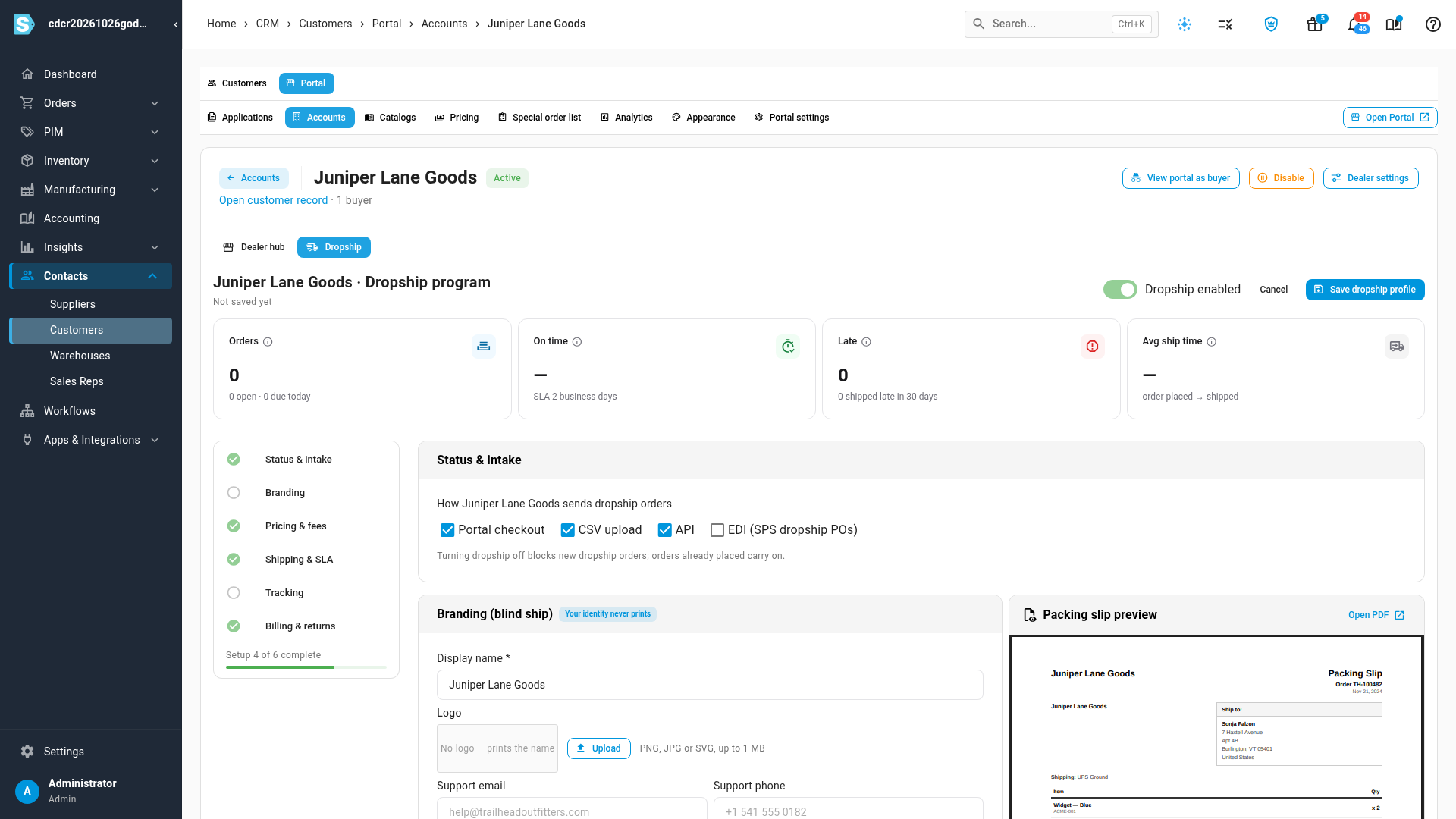
Many of the retailers you wholesale to don't want to hold your stock at all. They sell it on their own store and want you to ship each order straight to their customer, without a price or your name on the box. Until now that meant re-keying orders from emails and spreadsheets, hand-swapping packing slips, and chasing tracking numbers to send back. Dropship for retailers turns this into a proper program. You switch it on per retailer and choose how they send you orders. SKU.io ships each one blind, under the retailer's branding, and every shipment's tracking goes back to them automatically.
✨ What this means for you:
- Turn dropship on per retailer and set their fee, shipping charges, ship-by promise and return rules in one place.
- Every order ships blind. The packing slip carries the retailer's name and logo and never shows prices or details about you.
- Retailers send orders the way that suits them: at checkout on your Customer Portal, by uploading a CSV (including a Shopify order export), through the API, or as SPS Commerce EDI dropship purchase orders.
- Tracking goes back by itself. Retailers see it on the portal, can download it, or receive it in their own system through a webhook.
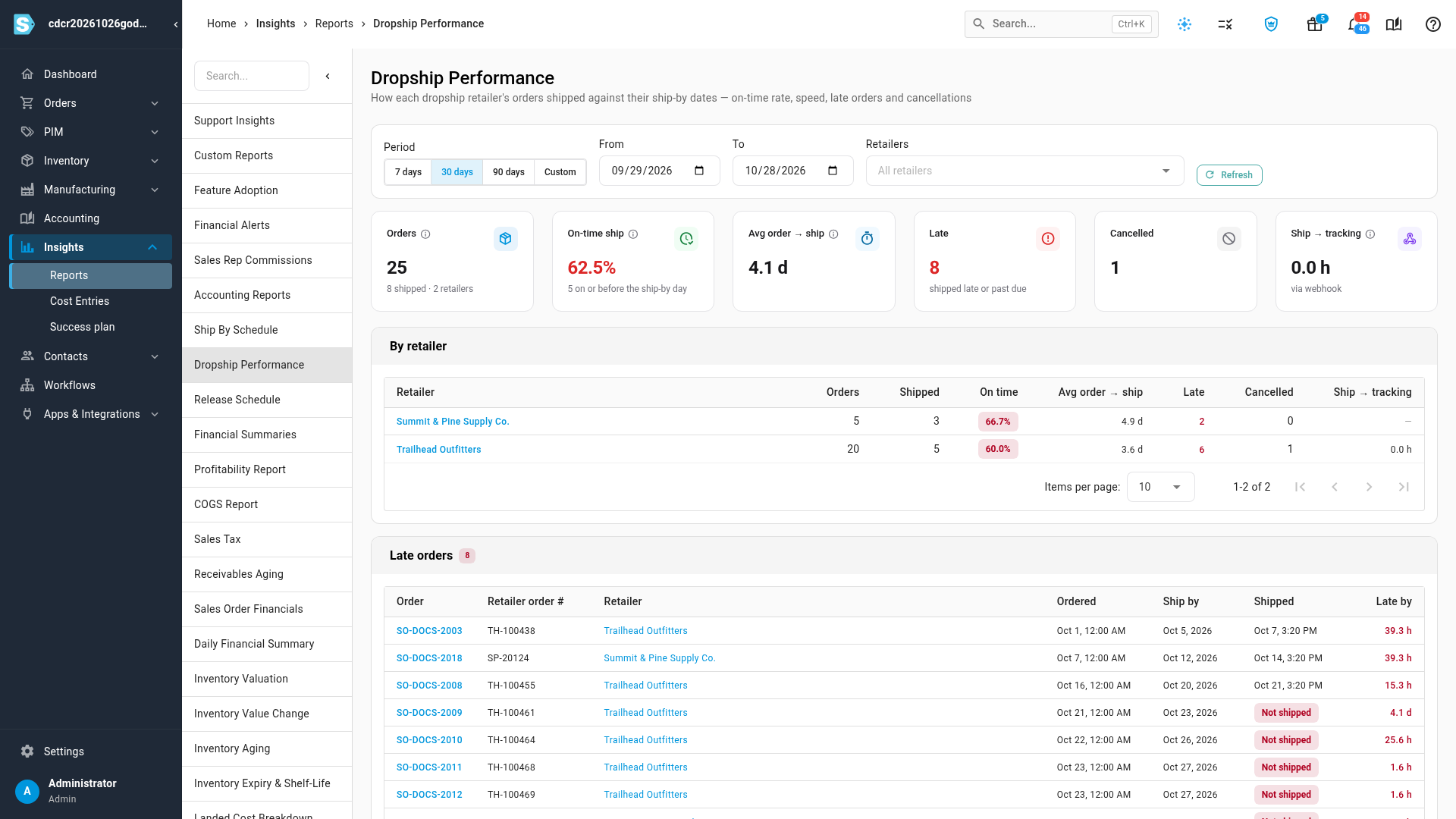
- See who's on time. A Dropship Performance report shows each retailer's on-time rate, ship speed, late orders and cancellations.
- Returns and cancellations are built in, with suggested credits that follow each retailer's return rules.
Set up a retailer in a few minutes
Open a portal account and go to its Dropship tab. Switch on Enable dropship, then work down the checklist: how the retailer can send orders, their packing-slip branding, pricing and fees, shipping and ship-by promise, tracking, and billing and returns. A live Packing slip preview shows exactly what their customer will receive. Tiles at the top track the retailer's orders, on-time rate, late shipments and average ship time.
Retailers place dropship orders at checkout
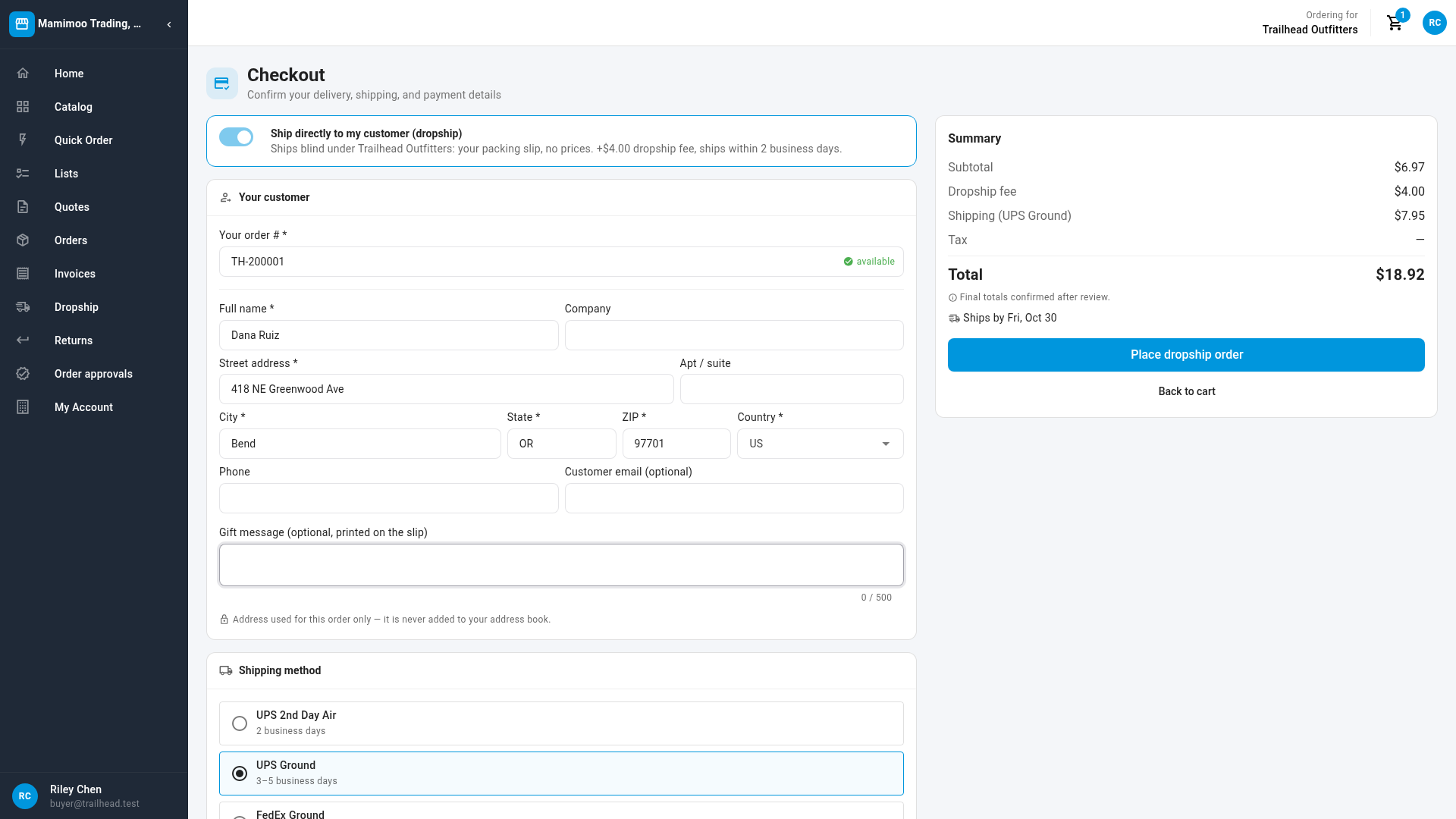
On your Customer Portal, retailers flip Ship directly to my customer (dropship) at checkout. They enter their own order number, which SKU.io checks so the same order is never placed twice, and their customer's address and an optional gift message. They also see the dropship fee, shipping and ship-by date before placing the order.
Bulk orders by CSV — even straight from Shopify
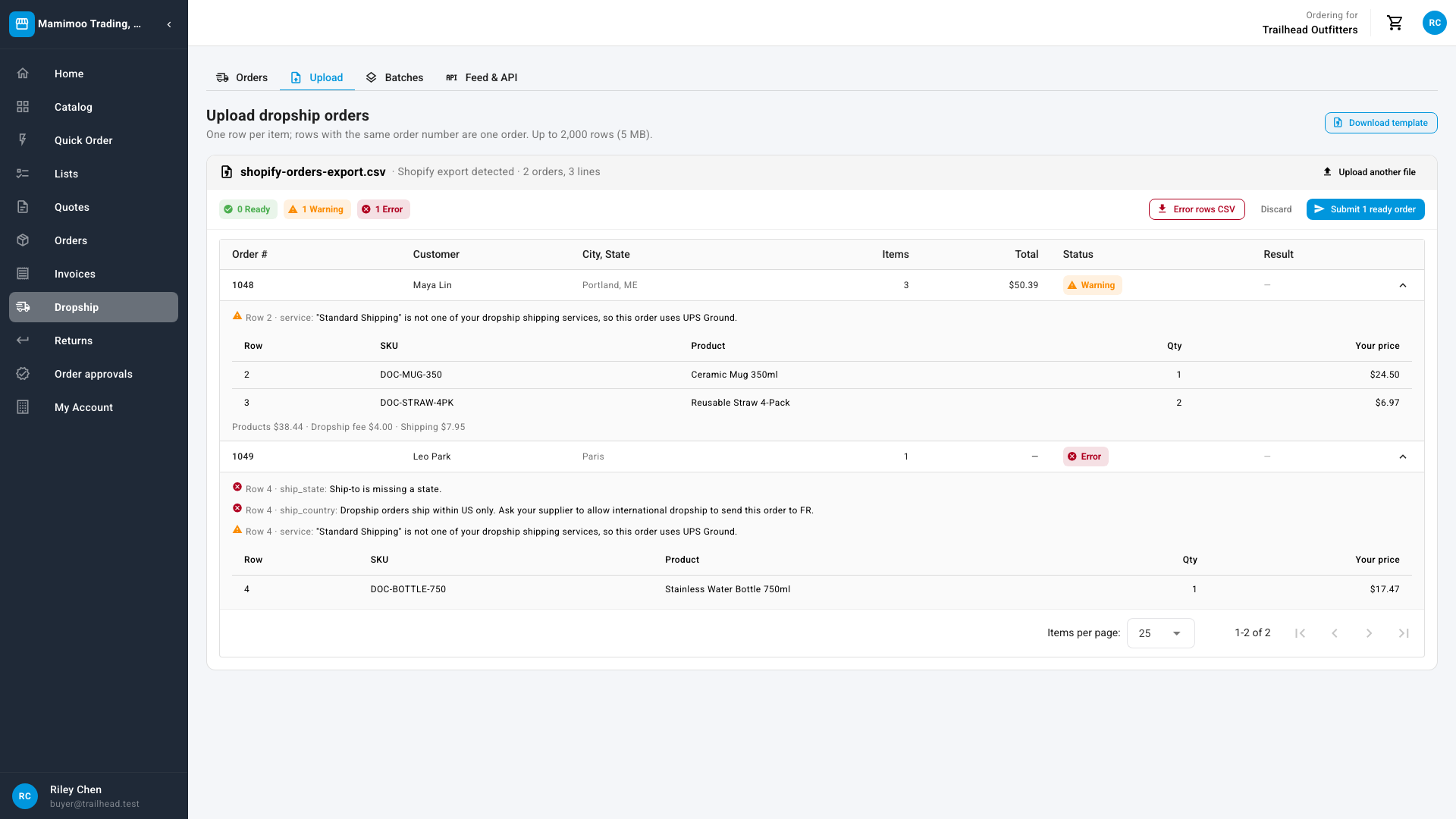
Retailers with many orders a day upload them in one file, either your standard template or the order export straight from their Shopify admin. Before anything is placed, a preview checks every row. It flags unknown SKUs, missing address details and orders already placed, then lets the retailer submit the ready orders and download the problem rows to fix. Retailers with their own systems can instead use the API, an availability feed of your stock, and webhooks that push tracking back the moment an order ships.
Keep every retailer's promise on time
Dropship orders are marked on your Sales Orders list, with quick filters for each retailer and for orders due today or late. If an order can't ship blind from any warehouse, it's held with a clear banner rather than going out under your name. The Dropship Performance report shows, retailer by retailer, how many orders shipped on time, how long they took and which are late.
Retailers get help inside the portal too: a help icon on each dropship screen opens the right guide, step by step.
Where to find it
- Set up a retailer: Contacts → Customers → Portal → Accounts → (retailer) → Dropship.
- Work dropship orders: Orders → Sales Orders, then use the Dropship for customer and Dropship SLA quick filters.
- See performance: Insights → Reports → Dropship Performance.
- For your retailers: the Dropship section of the Customer Portal (Orders, Upload, Batches and Feed & API) and the dropship switch at checkout.
Full guides: Set up dropship for a retailer · Work dropship orders · How dropship works on the portal (for your retailers)