Gorgias order support — see and fix orders without leaving the ticket
"Where is my order?" and "Can I still cancel?" are the questions your support team answers most, and the answers live in your warehouse, not your helpdesk. In Gorgias, an order looks "unfulfilled" right up until tracking comes back. It can't tell "not picked yet" apart from "packed and on the dock" or "already with the 3PL", so agents ask the warehouse or guess. And cancelling the store order doesn't stop the shipment. Gorgias order support puts SKU.io's view of every order in the Gorgias ticket sidebar and lets your agents act on it there. Each action follows rules you set, and SKU.io carries it through the warehouse, the 3PL and the sales channel.
✨ What this means for you:
- The real order status on every ticket — what has shipped with tracking, and what is still in the warehouse or at the 3PL, the moment a ticket opens.
- Act without switching tabs — cancel, hold, release a hold, change the address, send a replacement, start a return or refund items, right from the ticket.
- Cancelled means it won't ship — SKU.io holds the order, recalls it from the 3PL, cancels it and refunds it on the channel. If a step can't be confirmed, the order stays on hold for a teammate.
- You set the rules — choose what agents may do, and what Gorgias AI Agent may do on its own.
- Set up in one click — SKU.io builds the sidebar, buttons, macros, tags and views in your Gorgias account for you.
- A clear record — every action is logged in plain language, and the ticket is linked to the order in SKU.io.
Connect in one click
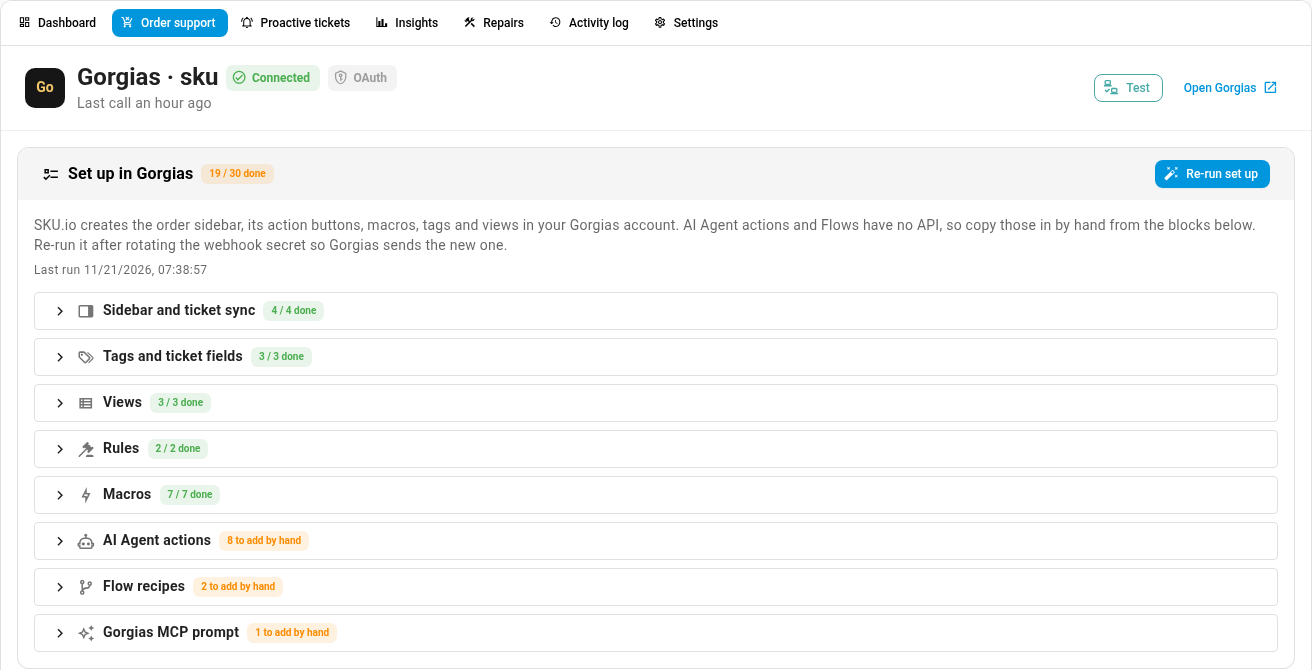
Gorgias now has its own place on the Integrations page, under a new Customer support category. Click Connect with Gorgias (OAuth), approve access in Gorgias, and you're connected. SKU.io then sets up everything on the Gorgias side:
- the order sidebar and its action buttons;
- macros your agents can use to act and reply in one step;
- tags, ticket fields and views such as SKU.io – Delivery exceptions and SKU.io – Backorders;
- ready-to-copy AI Agent actions and a Flow, for the parts Gorgias doesn't let apps create.
Every item appears on a checklist with its status, so you can see what was created and what's left to add by hand.
Your orders, right in the ticket
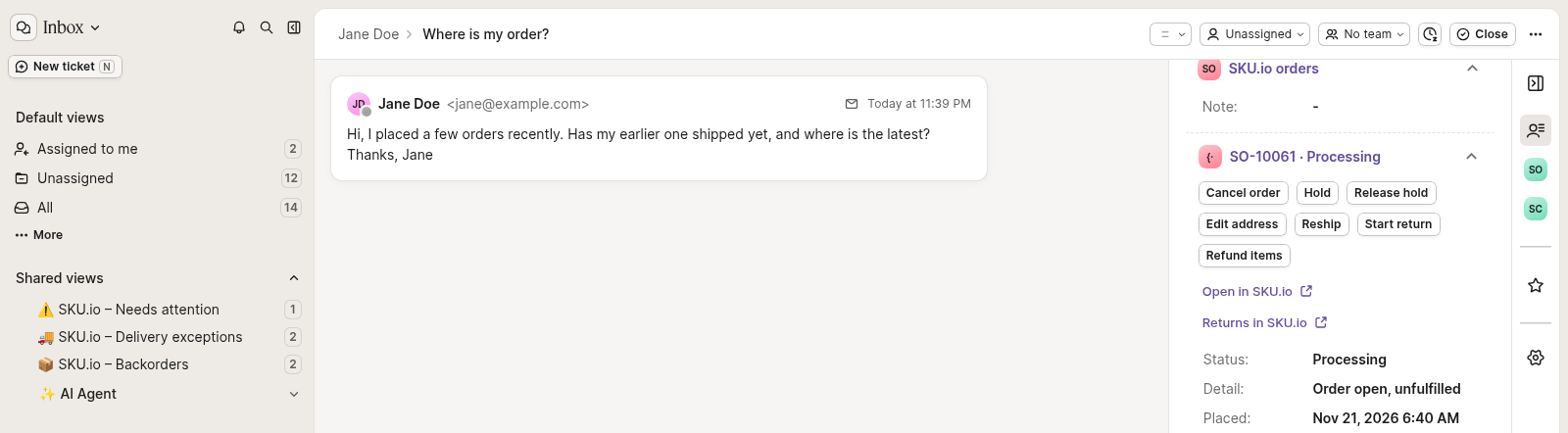
When a ticket opens, the Gorgias sidebar lists that customer's SKU.io orders. Each one shows its status, its lines, what has shipped and the tracking link, plus a link to open it in SKU.io. Agents can also check stock and the expected restock date for a product, so "when is it back in stock?" gets a real answer.
The buttons on each order do the work: Cancel order, Hold, Release hold, Edit address, Reship, Start return and Refund items. If an action isn't allowed for that order, the agent sees why. SKU.io adds an internal note and tags to the ticket so the whole team can see what happened.
Your rules decide what support can do
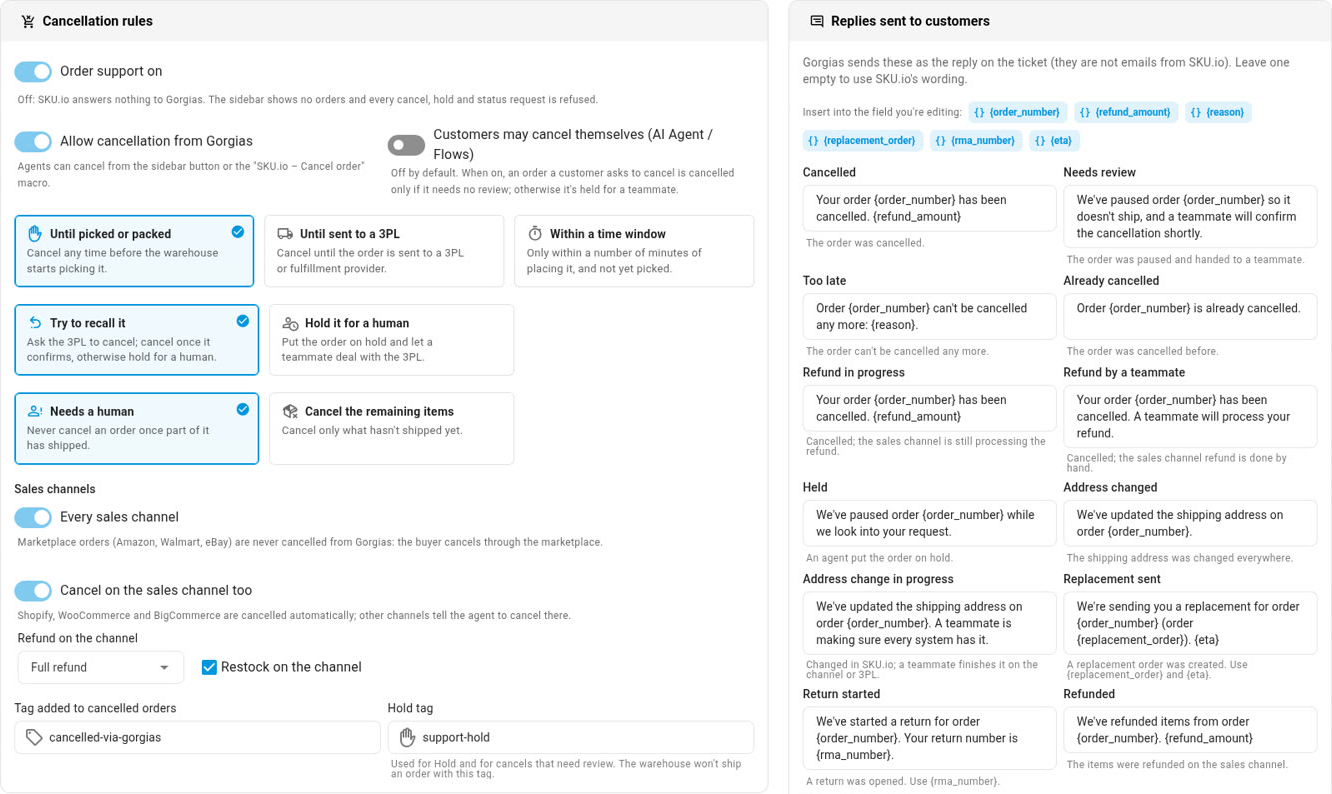
On the Order support tab you choose how late an order can still be cancelled (until it's picked, until it goes to the 3PL, or within a time window) and what happens when it's too late. You also choose whether the order is cancelled and refunded on the sales channel too. Address changes, replacements, returns and refunds each have their own switch and limits. Customers can cancel through Gorgias AI Agent or a Flow only if you allow it. You also write the reply the customer gets for each outcome.
Tickets that open themselves
SKU.io can open a Gorgias ticket for you when something goes wrong: a delivery exception, a new backorder, a purchase order arriving late, an order at risk of missing its ship-by date, a return received, or a cancellation that needs a person. Your team hears about the problem before the customer writes in. Turn each event on or off on the Proactive tickets tab.
Every action, in plain language
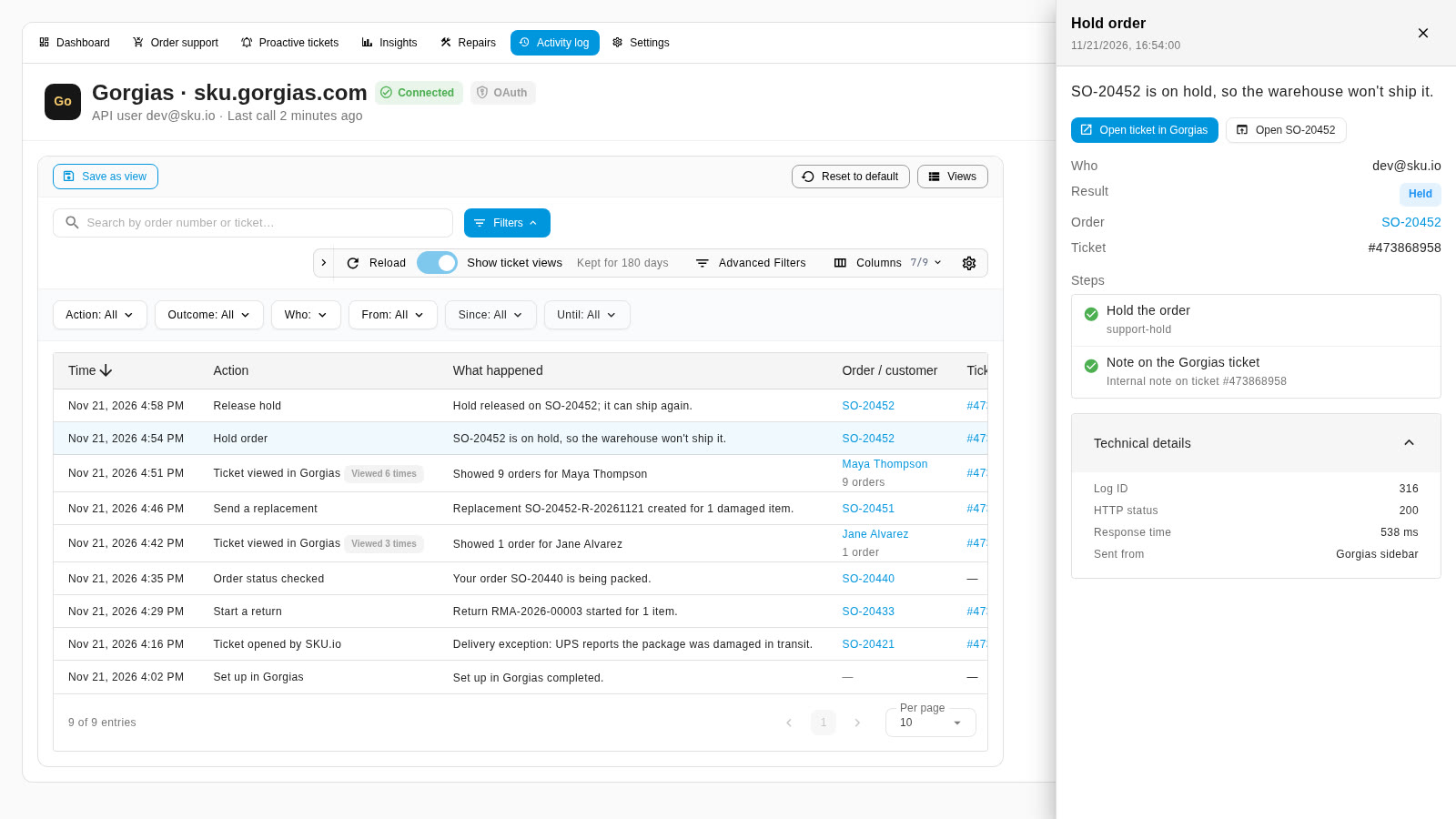
The Activity log shows who did what — an agent, a macro, Gorgias AI Agent, a customer in a Flow, or SKU.io — and what happened to the order. Repeat views of the same ticket fold into one row so the log stays readable. Click a row to see the result in one sentence, with Open ticket in Gorgias one click away.
Tickets on the order
Linked Gorgias tickets appear in a Support tickets card on the sales order, with each ticket's subject and status and a link to open it. Repairs keep their Gorgias ticket links too, and the same connection still posts repair updates to linked tickets.

Where to find it
- Connect: Apps & Integrations → Customer support → Gorgias.
- Once connected: the Gorgias page has tabs for Dashboard, Order support, Proactive tickets, Insights, Repairs, Activity log and Settings.
- In Gorgias: open any ticket from a customer with SKU.io orders and look for SKU.io orders in the sidebar.