Certificates of Analysis — prove what's in every batch, and stop the bad ones shipping
An email lands from a marketplace: your listing is suspended pending documentation for batch OO-2607-B. Or an auditor picks a batch at random and asks what you tested it for. If your Certificates of Analysis live in an inbox and a shared drive, the next hour is spent searching — and the honest answer to "did anyone check this batch met spec?" is often "probably".
Lot compliance puts that evidence where it belongs: on the batch. File a Certificate of Analysis against the lot it covers, record your own identity check, and enter the lab's numbers so SKU.io judges them against a standard you set. A result outside your limit doesn't just get flagged — it takes the stock off sale.
✨ What this means for you:
- Every COA, batch record and production photo filed against the batch it covers — searchable by batch number months later
- Lab results judged automatically against limits you define per product
- Out-of-spec stock quarantined the moment you save the result, so it can't be picked or shipped
- Reserve samples tracked with their retention clock worked out for you
- Supplier NSF, GMP, insurance and audit certificates tracked with renewal reminders before they lapse
Set the standard once
A product's Quality Spec lists what a batch of it gets tested for: the analyte, the method, and the limit each result has to fall inside. You set it once per product, and every certificate you enter afterwards is judged against it.
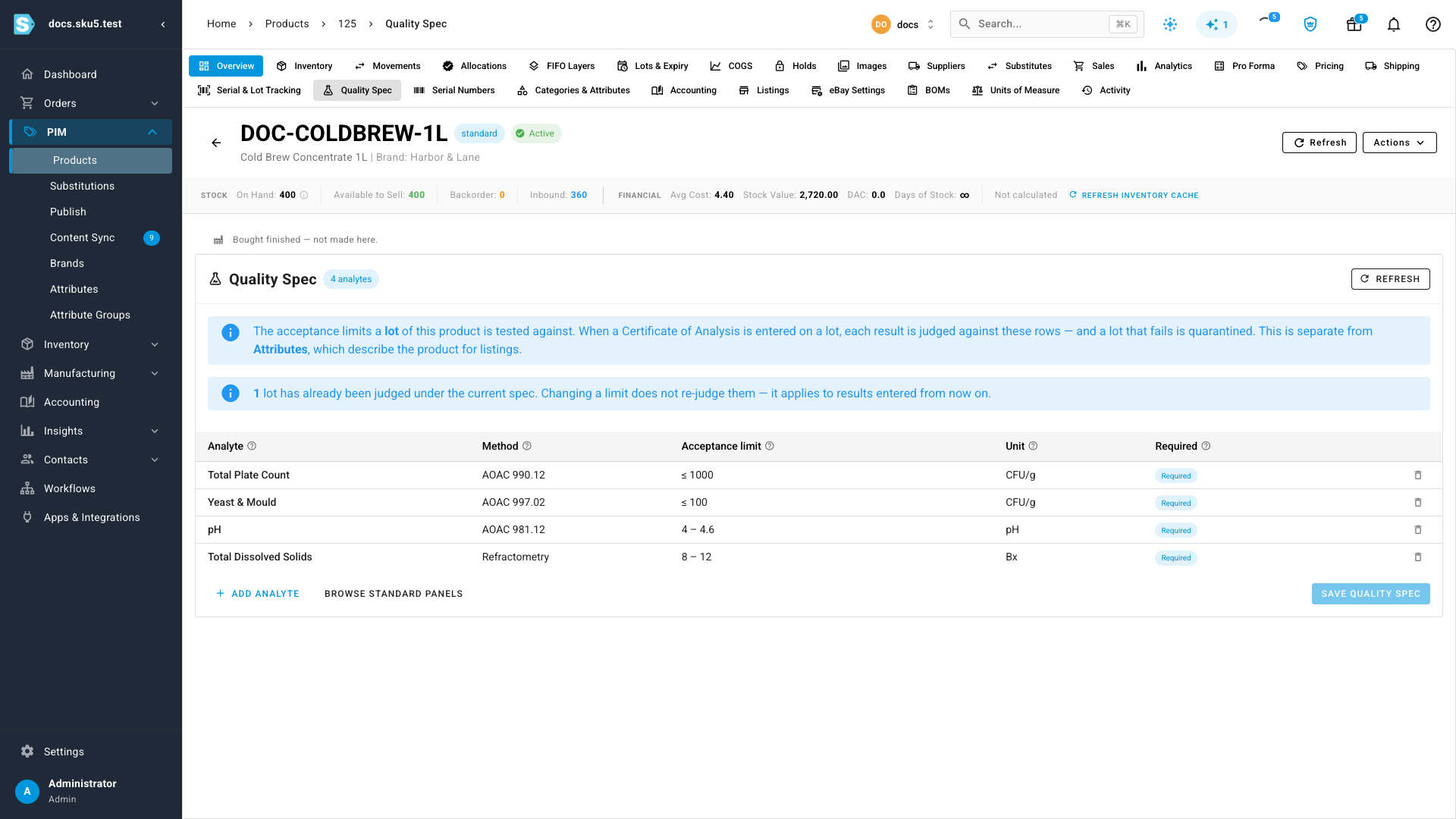
Changing a limit later never re-judges batches you've already assessed — each result keeps the limit it was measured against. A batch you released and shipped six months ago can't quietly turn red on a screen today.
Catch a failure before you commit to it
Open a lot's certificate and enter what the lab reported. Every analyte is already listed with its limit, so you type only the results — and each one is judged as you type.
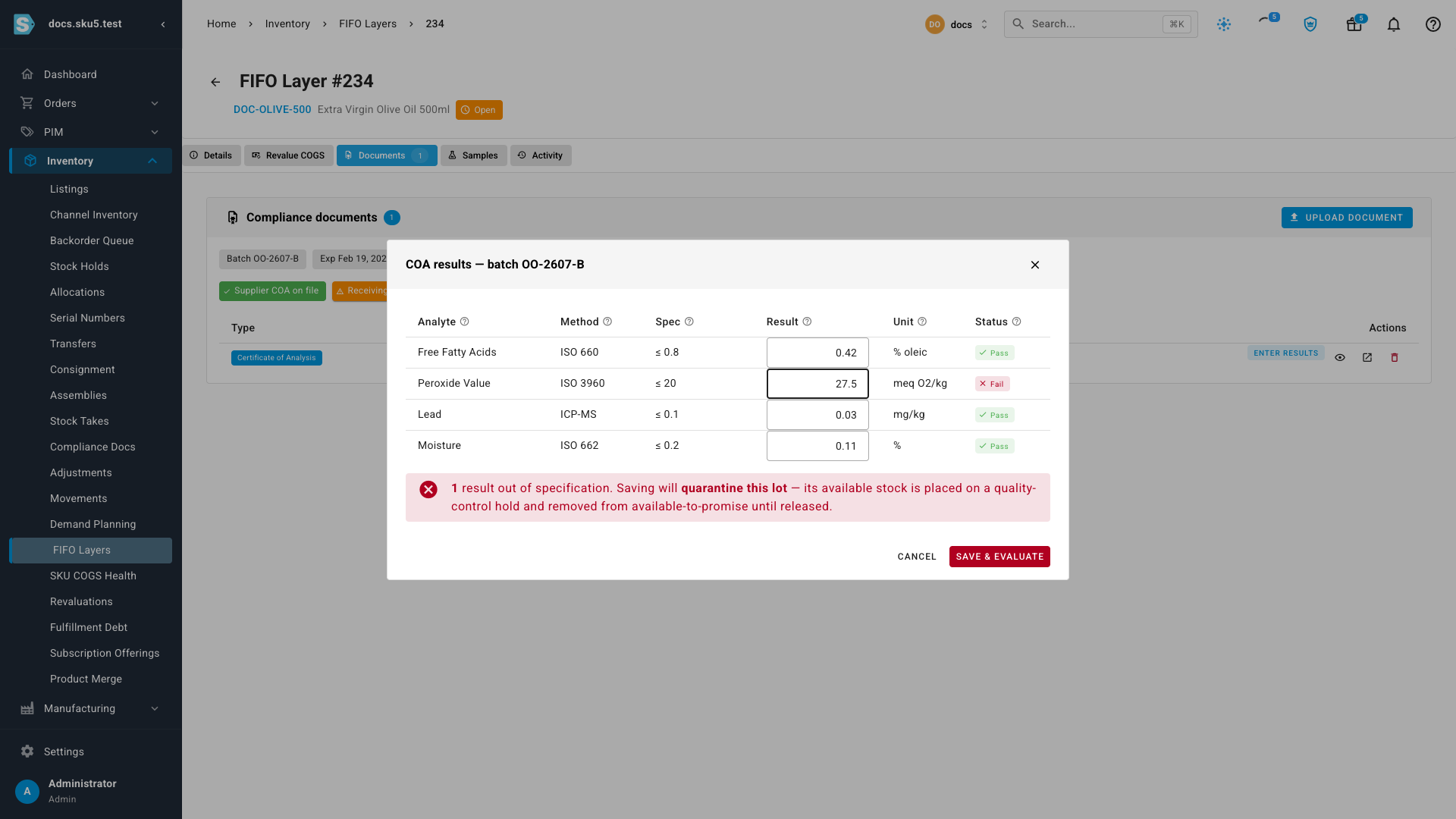
When something is out of spec, SKU.io spells out the consequence before you save: this lot will be quarantined, and its available stock removed from available-to-promise.
Failed stock comes off sale automatically
Save, and the lot is held.
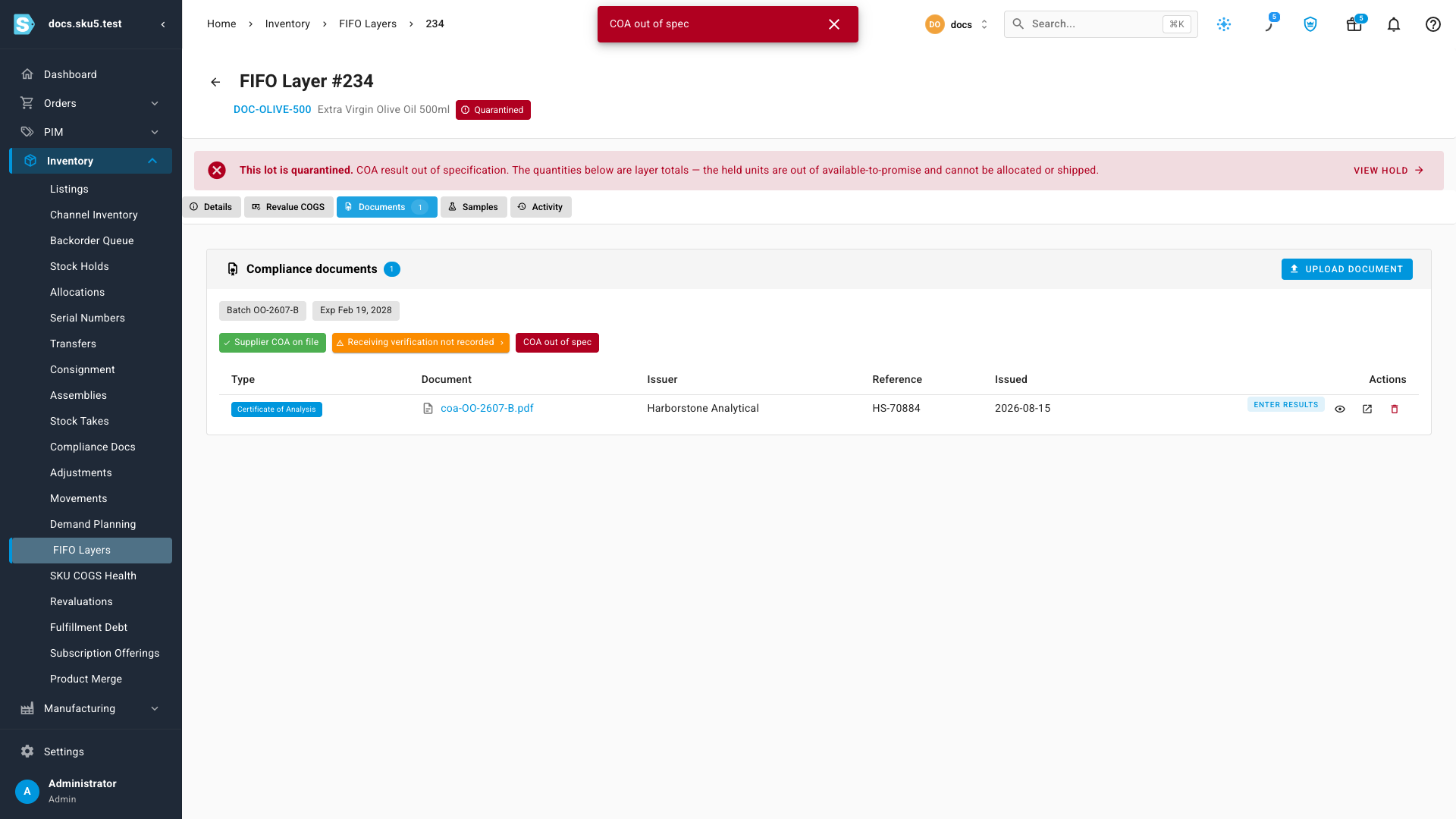
This isn't a flag on a screen — it's a real quality-control stock hold against the batch, so those units can't be allocated to an order or picked. Nothing is written off and nothing moves warehouse; the stock simply stops being sellable. If a retest clears the batch, correct the result and the hold lifts itself.
One deliberate exception is worth knowing: a lot that's missing a result is not quarantined. An unfinished data-entry job isn't a quality failure, and holding stock over one would only teach people to stop entering results at all.
Certificates that belong to the supplier
An NSF registration, a GMP certificate, a certificate of insurance or a third-party audit report isn't about any one batch — it's about the supplier, and it expires on its own clock.
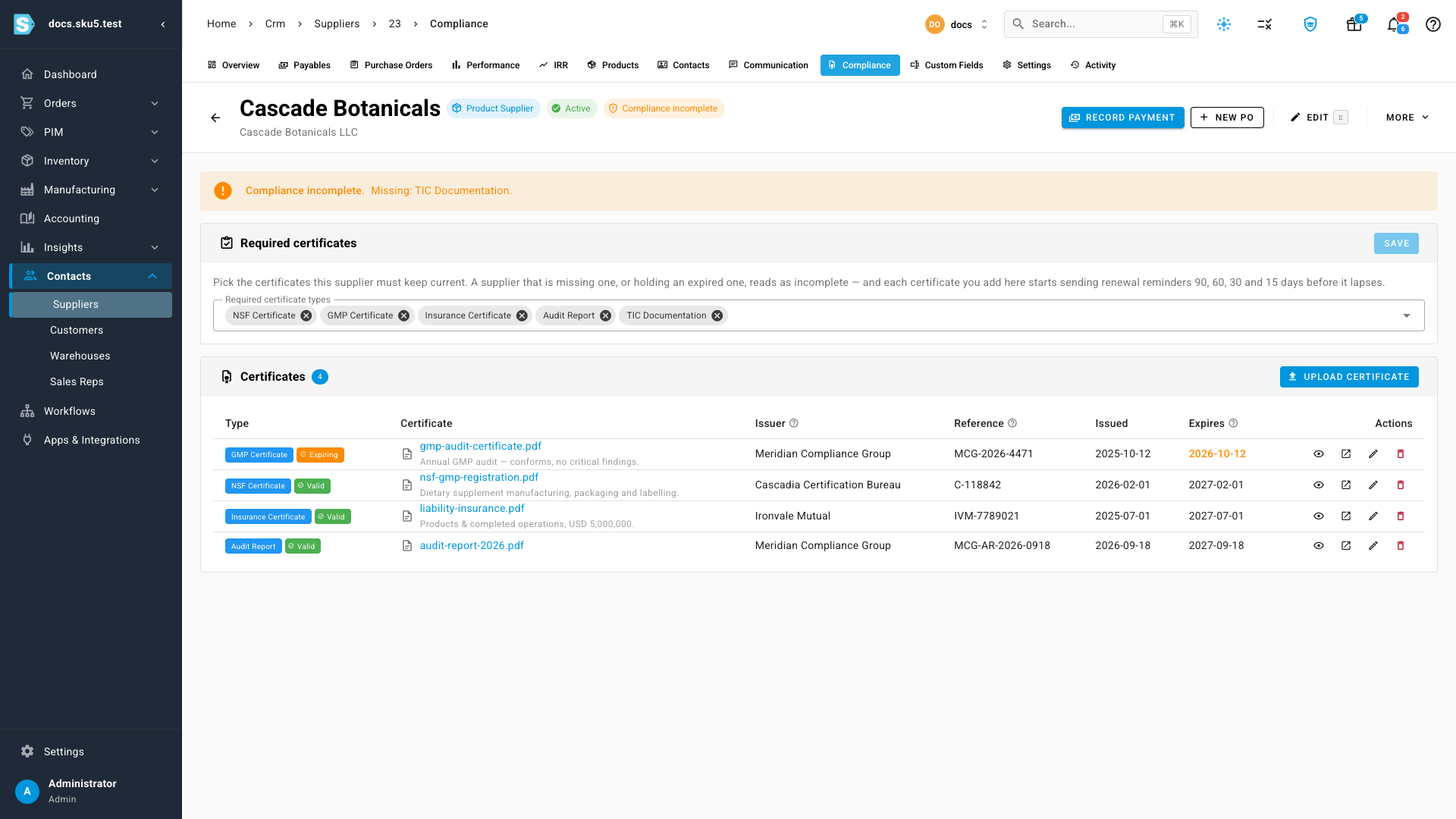
Mark which certificates each supplier must keep current, and SKU.io tracks the rest: a status on the supplier record and in your supplier list, and renewal reminders at 90, 60, 30 and 15 days before anything lapses. It's advisory throughout — a paperwork gap never blocks a purchase order.
Reserve samples, and finding any of it again
Reserve samples set physical units aside from a batch and work out how long you have to keep them — one year past the lot's expiry, the retention period 21 CFR 111.83 asks for. Those units go on hold too, so nobody sells the sample by accident.
And when someone finally does ask for batch OO-2607-B, Inventory → Compliance Docs holds every document filed against every lot, searchable by batch number, lab or report reference.
Where to find it
- Product → Quality Spec — set the limits a batch is judged against
- A lot → Documents / Samples — file certificates, enter results, hold reserve samples
- Inventory → Compliance Docs — search every document by batch number
- Supplier → Compliance — NSF, GMP, insurance and audit certificates
Full guide: Lot Compliance & Certificates of Analysis — including a 2½-minute walkthrough of the whole workflow.