Success plan — your goals for SKU.io, measured from your own data
When you start on SKU.io you have a reason: fewer oversells, fewer hours lost to purchase orders and stock counts, a faster month-end close. Six months later it's hard to say how far you've come, because nobody wrote down where you started. Success plan fixes that. Pick up to three goals, record where you're starting from, and SKU.io measures the ones it can see in your own orders and stock every month. For the rest, it asks you two quick questions at day 30, 90 and 180 and at year-end.
✨ What this means for you:
- A plan with up to three goals, each with where you started, where you are now and the target you're aiming for.
- Figures measured by SKU.io from your own data, and every one of them can be checked record by record.
- Every figure is labelled with where it came from, whether SKU.io measured it or you entered it, so a before-and-after is never mistaken for something it isn't.
- Two next steps in SKU.io beside every goal, and a weekly focus when a goal slips off track.
- Short check-ins that take under a minute, and a story that records milestones and your own words as you go.
- You decide whether SKU.io may ever ask to feature your results, and nothing is published without your OK on the actual draft.
Your goals, before and now
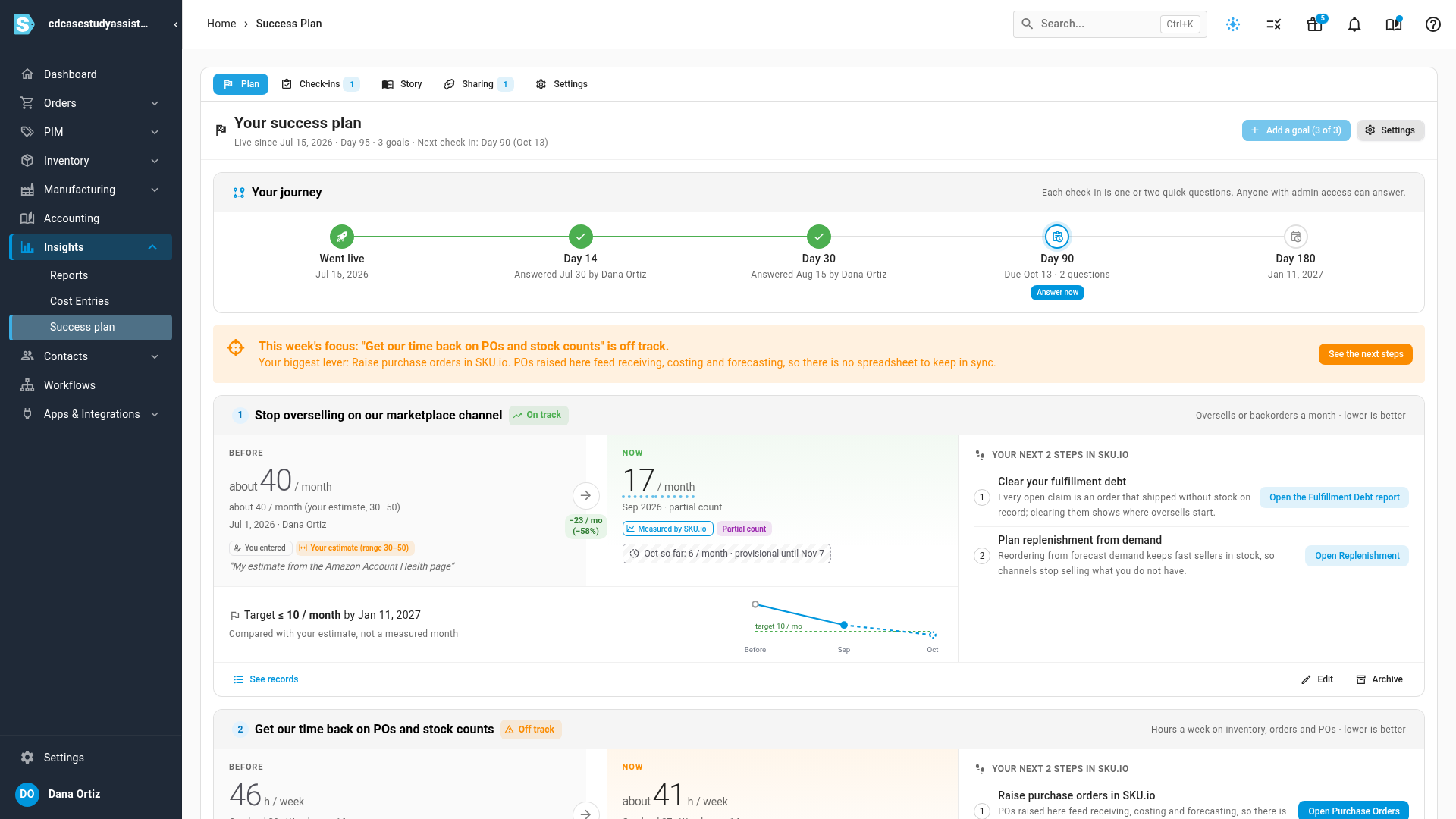
Open the plan and each goal shows its starting point under Before and the latest month under Now, with the change between them, your target and a small trend. A status of On track, Off track or Met tells you where you stand at a glance. When a goal is off track, This week's focus names it and points to the one change in SKU.io that would help most.
Pick goals that fit your business
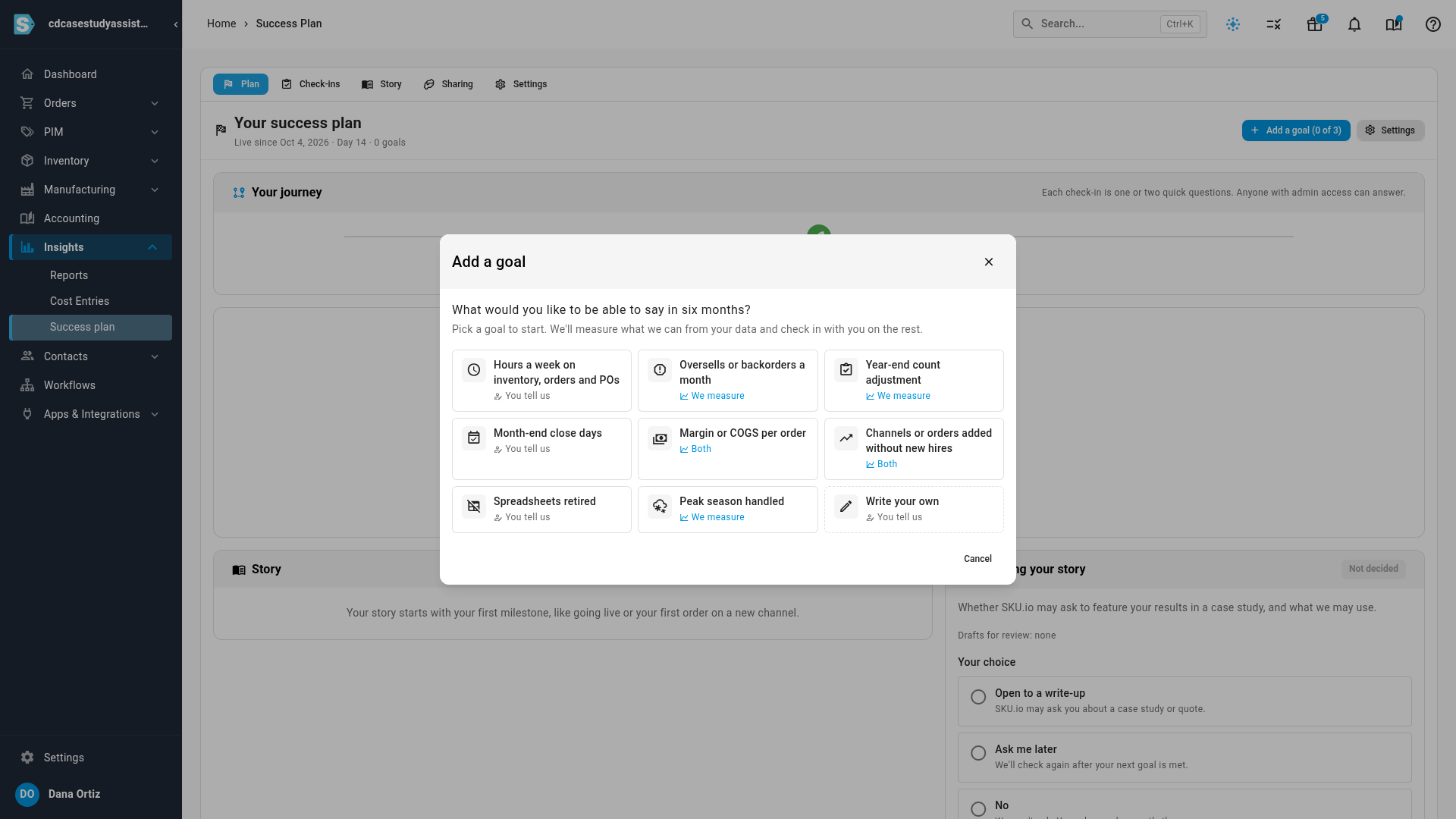
Click Set your goals and choose from goals like Oversells or backorders a month, Hours a week on inventory, orders and POs and Month-end close days, or write your own. Each one says who measures it. We measure means SKU.io counts it from your orders and stock. You tell us means you give the figure and SKU.io checks in on it. Describe each goal in your own words and set a target if you have one.
Already live on SKU.io? The plan looks back first, asking about the month before you went live, so your starting point is honest.
Check any figure record by record
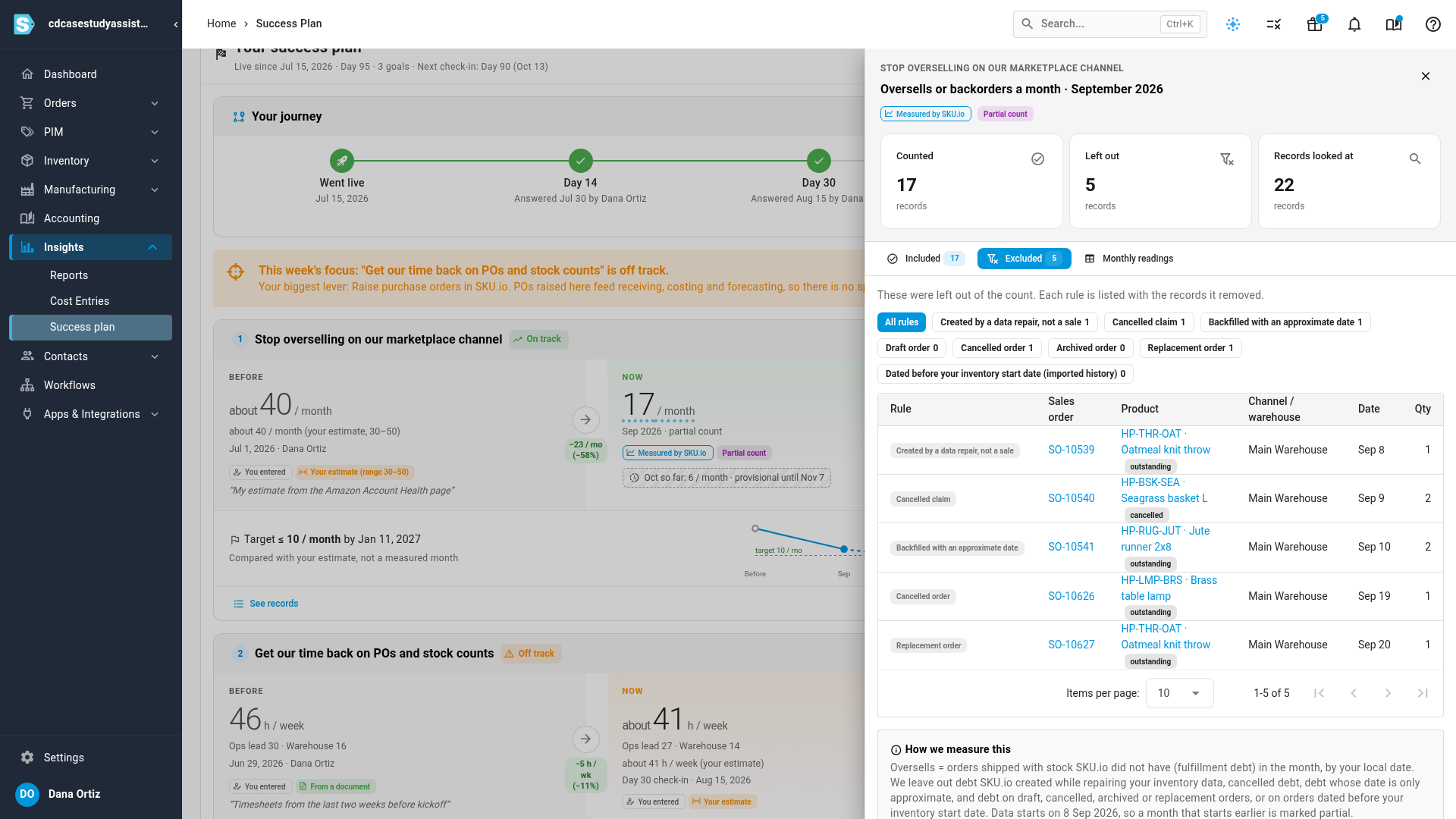
A measured figure is never a black box. Click See records to see every order counted that month, every record left out with the reason it was left out, and a plain explanation of exactly what counts. The current month stays provisional until it settles a week into the next one, and a month SKU.io only saw part of is marked as a partial count.
Your story, and your choice
The Check-ins tab asks one or two quick questions at each milestone, and your answers update the goals SKU.io can't measure. The Story tab keeps what happened: milestones like your first purchase order or a new sales channel, goals met, and your own words. You can withdraw anything you said.
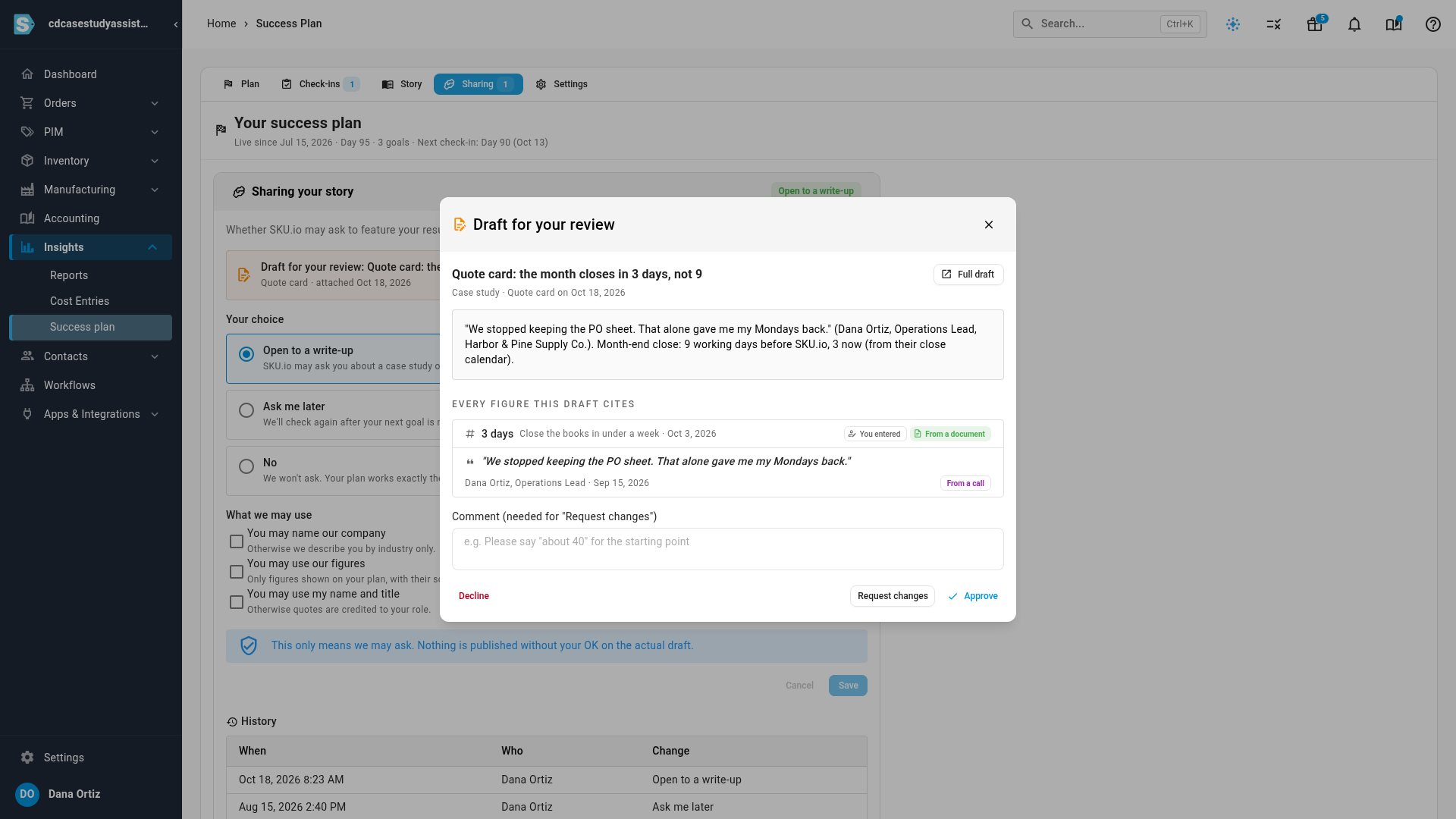
Whether SKU.io may ever ask to feature your results is up to you, on the Sharing tab: open to a write-up, ask me later, or no. If you're open to it, you choose what may be used. Any draft comes back to you first, listing every figure it cites and where each came from, and nothing goes out until you approve it.
Where to find it
- Go to Insights → Success plan. New accounts also see Your goals in the getting-started steps.
- Admins can set goals and answer check-ins. An admin can give other roles the Success Plan permissions under Settings → Users & Permissions.
Full guide: Success plan