Walmart labels for 3PL orders — ship on Walmart's rates, even when a 3PL packs the box
Ship with Walmart gives you Walmart's negotiated carrier rates, and Walmart regularly adds shipping credits on top. But if a 3PL packs your Walmart orders, a label you buy yourself never reaches them, and they buy their own postage anyway. So you either skip Walmart's rates or pay for shipping twice. Walmart labels for 3PL orders closes that gap: SKU.io buys the Walmart label for each order going to your 3PL, sends it to them with the order, and tells them plainly to ship on it.
✨ What this means for you:
- Walmart orders that your 3PL ships go out on Walmart's rates, and any Ship with Walmart credit is applied to them automatically.
- Your 3PL gets the label with the order: it's attached to the order in their system, marked "Walmart Label Provided", and can also be emailed to them.
- The order waits until the label has reached the 3PL, so they never start packing it without one.
- When the 3PL ships, the Walmart tracking number goes back to Walmart for you.
- A label that's no longer needed (the order is cancelled, or moved to another warehouse) is voided automatically, so you're not paying for postage nobody uses.
- Not every order has to use it. On any order you can send it without a Walmart label and let the 3PL ship it as usual.
Turn it on once, for every 3PL order
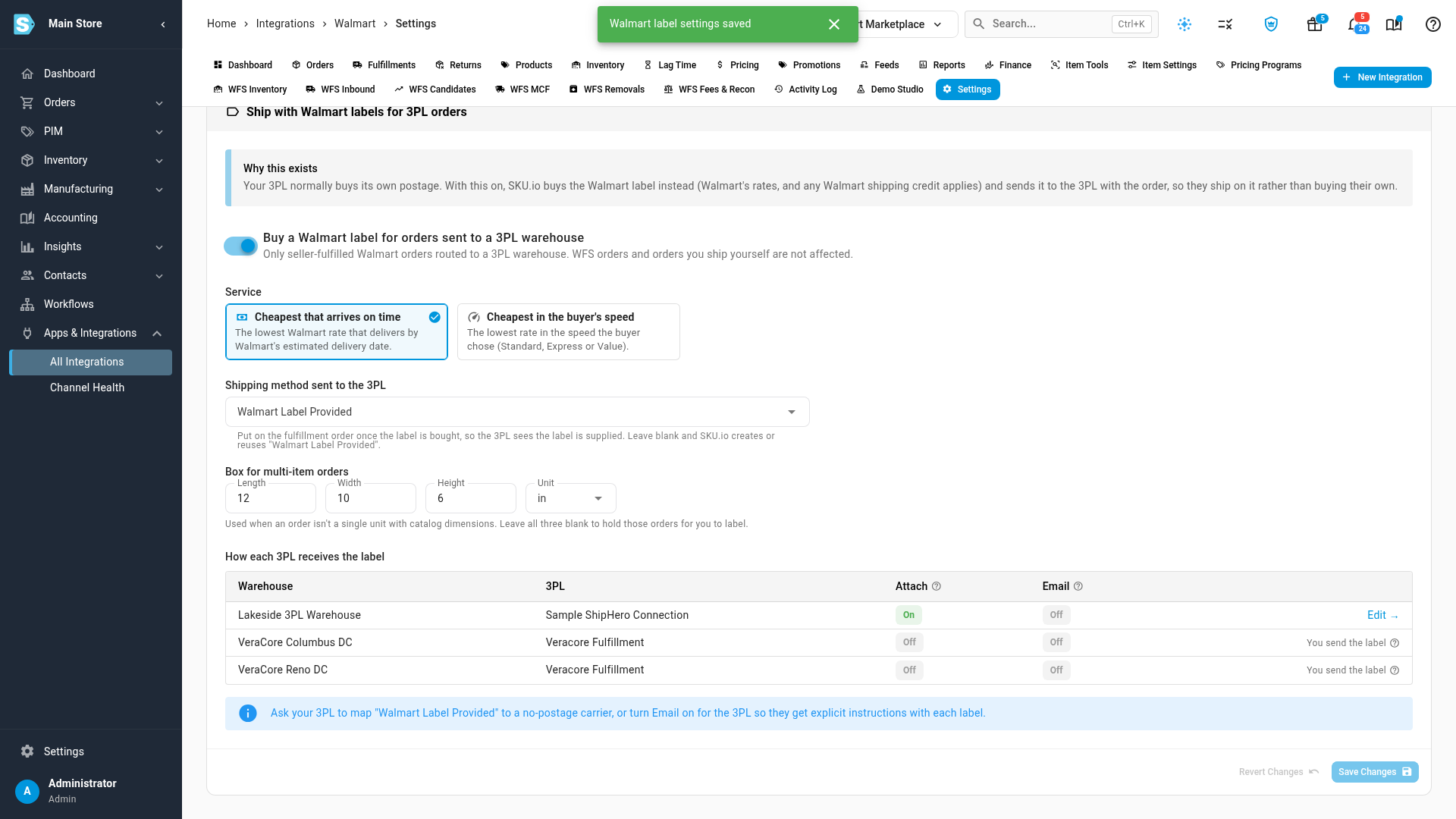
In your Walmart integration's settings, the new Labels for 3PL orders tab has one switch: Buy a Walmart label for orders sent to a 3PL warehouse. Pick how SKU.io chooses the service (the cheapest rate that still arrives on time, or the cheapest in the buyer's chosen speed), and the shipping method your 3PL will see. Single-item orders use each product's catalog weight and dimensions. Add a default box size and multi-item orders are labelled automatically too.
The same screen shows how each of your 3PLs receives the label, attached to the order, emailed, or both, so you can see at a glance which warehouses are set up.
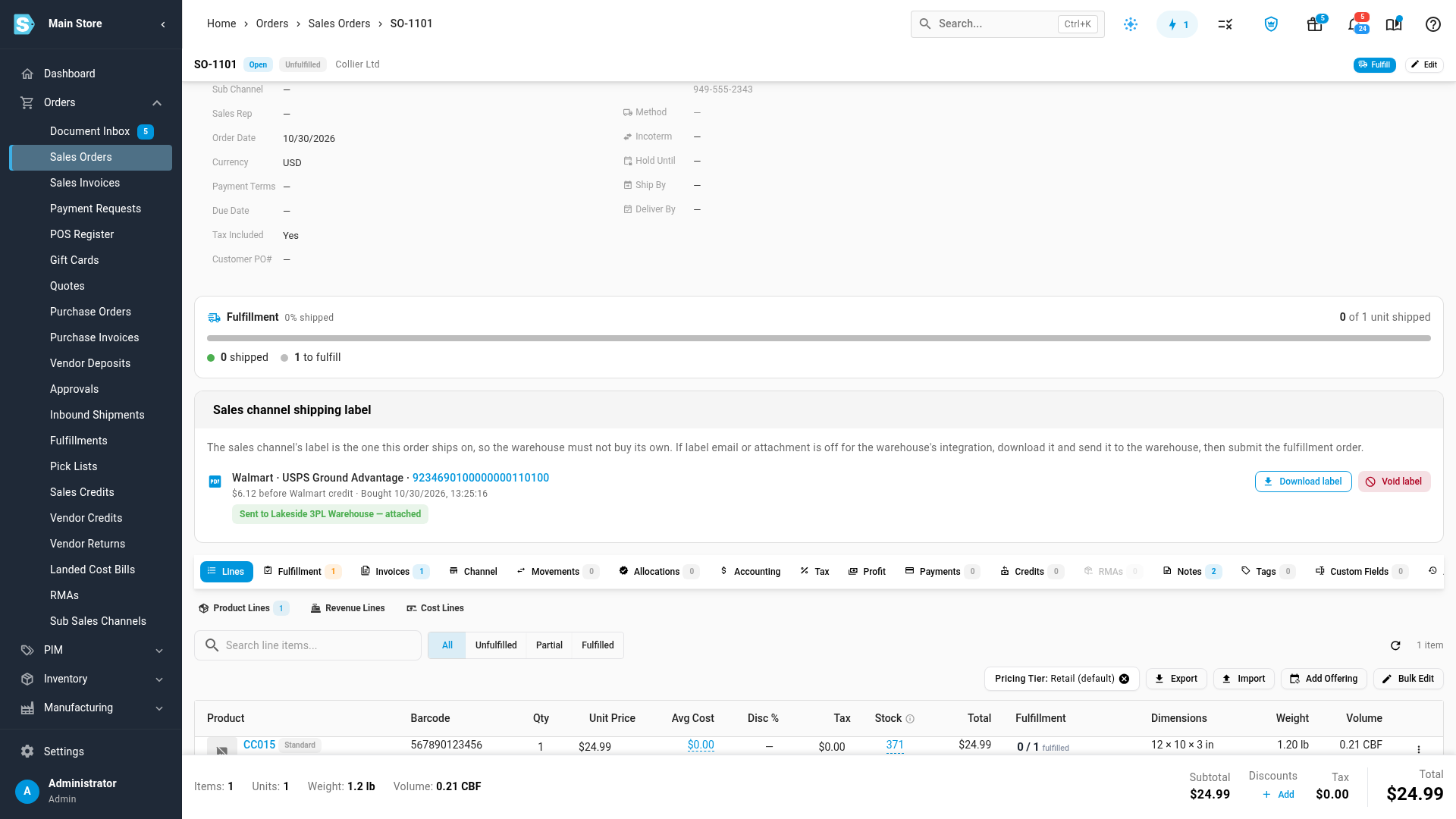
See every label on the order
Each sales order shows its Walmart label: the carrier, the service, the tracking number, what it cost, and where it went. You can download the label or void it from the same card.
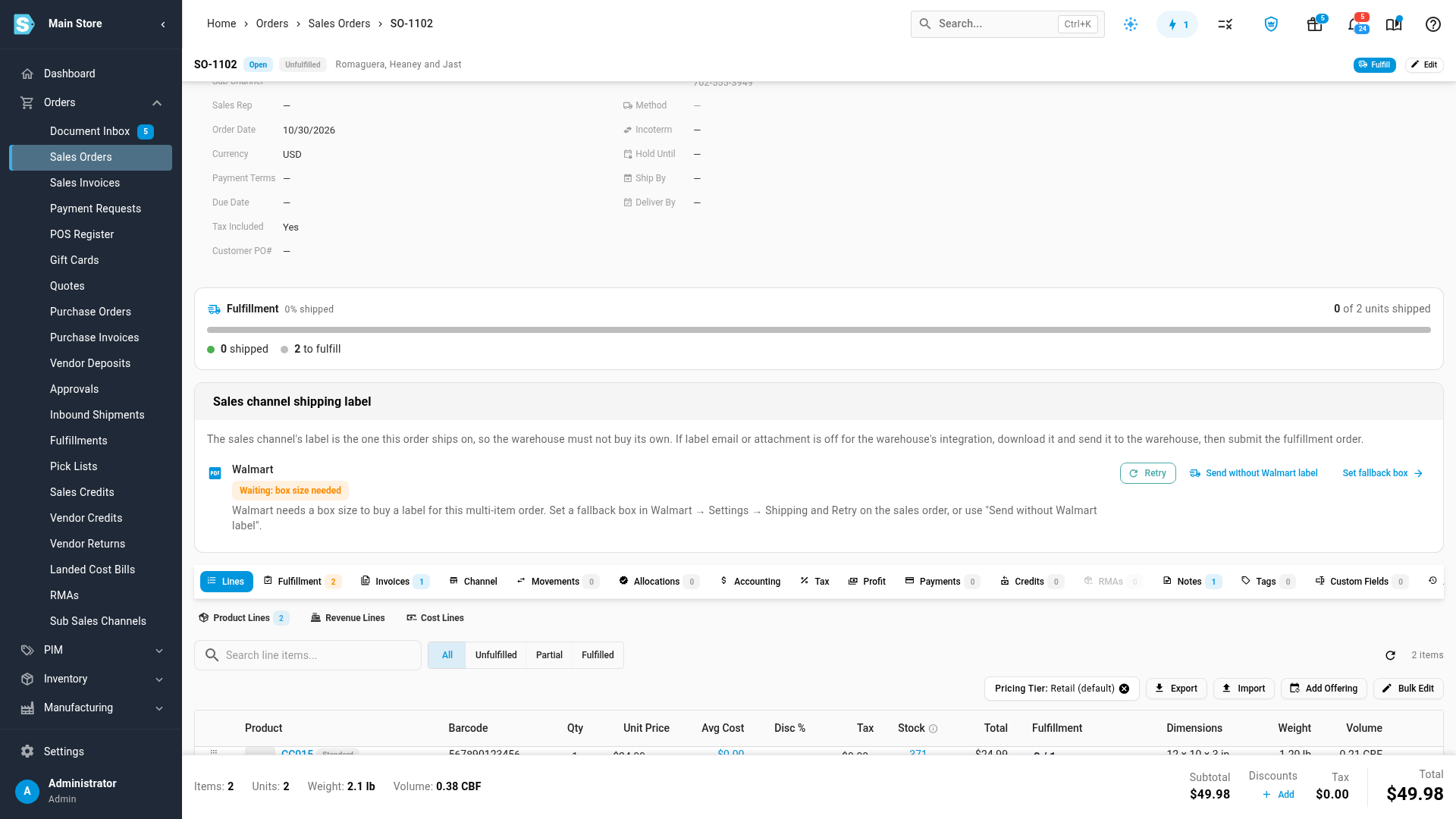
If SKU.io can't buy a label yet, the card says exactly why and what to do next. A multi-item order with no default box size, for example, offers Retry, Send without Walmart label or Set fallback box.
Where to find it
Go to Apps & Integrations → All Integrations, open your Walmart integration, then Settings → Shipping → Labels for 3PL orders. Each order's label is on the sales order page.
Full guide: Ship Walmart orders from a 3PL on Walmart labels