Final sale — mark items non-returnable, and see it on every order
Some things you sell can't come back: open-box stock, custom orders, clearance priced below cost. Until now, nothing in SKU.io said so, so a return request on a clearance item looked like any other and support approved it, giving back margin on stock you'd already marked down. Final sale fixes that. Mark a product final sale, or switch it on for a whole clearance plan. Every order line sold from then on records it, your team sees a red Final sale chip on the order and a warning before they take one back, and customers can't return it from the customer portal.
✨ What this means for you:
- Mark anything final sale in two clicks: open-box items, custom orders or anything else, from the product's Actions menu.
- Clearance plans do it for you: turn on Final sale in a plan's settings and its products are final sale while the plan runs.
- It sticks to what was sold: each order line records final sale when it sells, so ending a plan or removing the mark never changes past orders, and orders taken before stay returnable.
- Support sees it before approving a return: the order line carries a red chip, and Create RMA warns before a final-sale line is included. It's a warning, not a block, so a genuine exception can still go through.
- Customers can't send it back on their own: the customer portal greys out final-sale items when a buyer starts a return.
Mark a product final sale
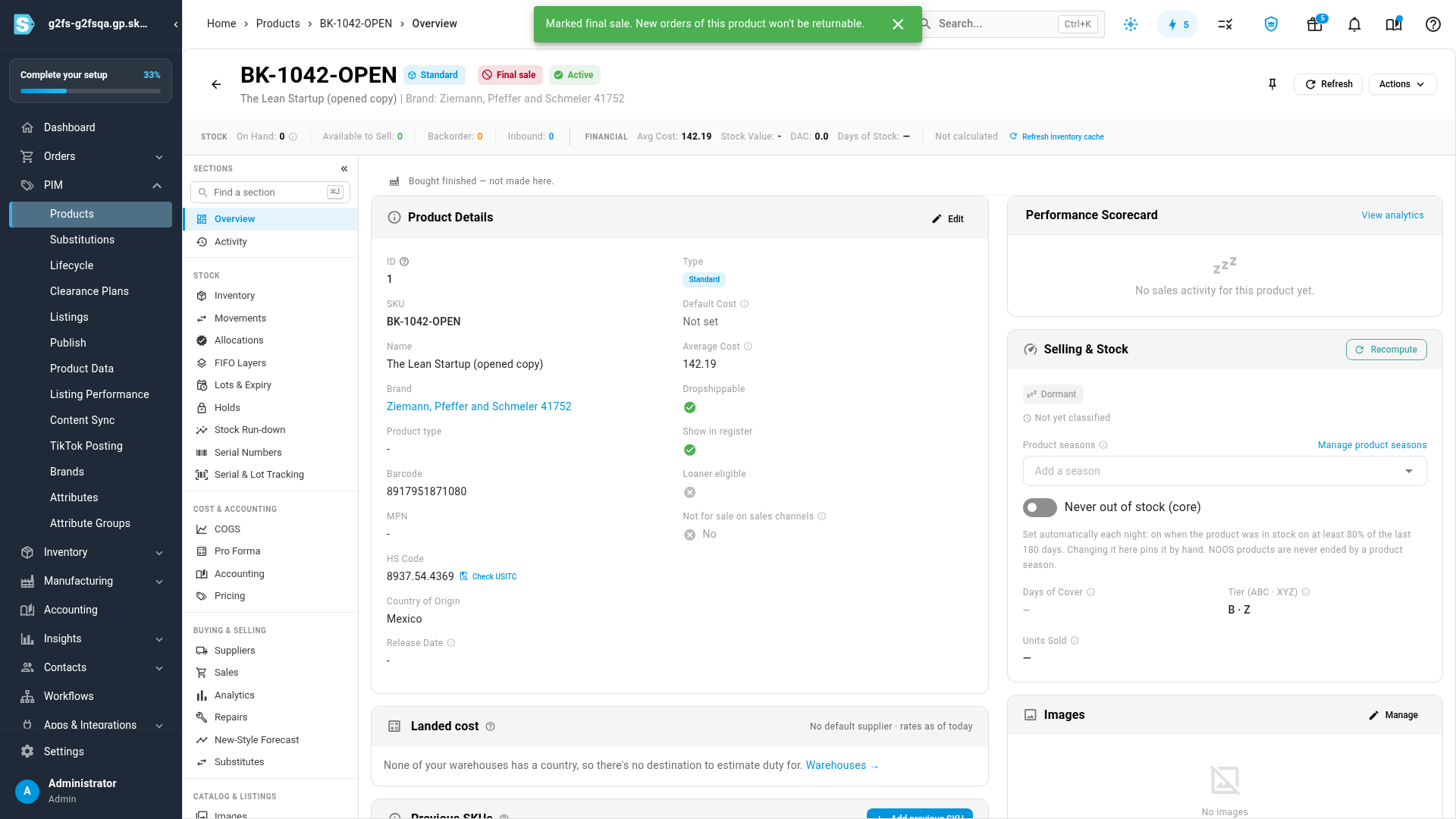
Open the product, click Actions and choose Mark as final sale. A red Final sale chip appears next to the product's name. Remove final sale in the same menu takes it off.
Make a whole clearance plan final sale
A clearance plan's Settings now have a Returns choice. Pick Final sale and every order line sold while a product is on the plan is marked final sale. The default stays Returnable as normal.

See it on the order
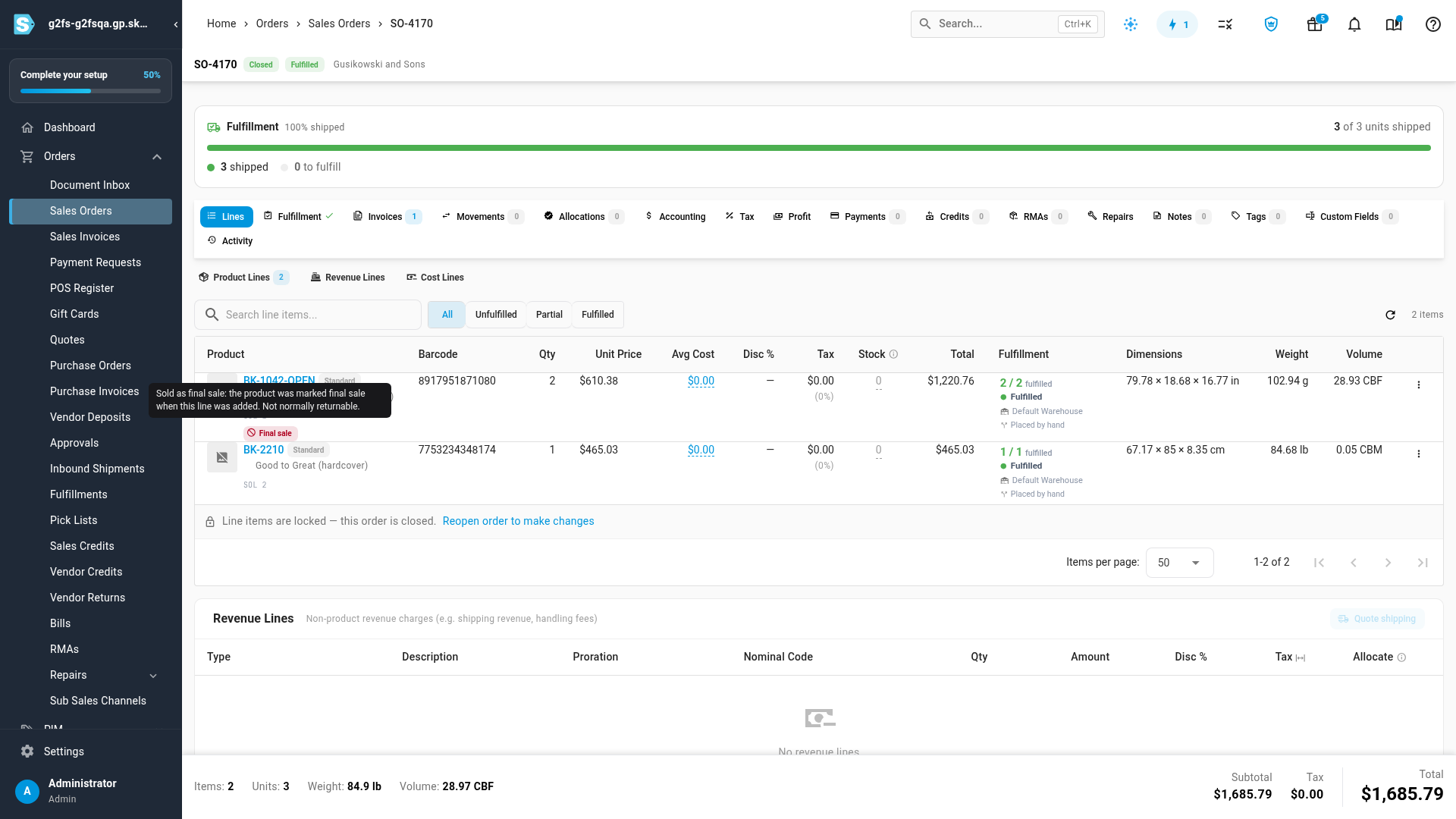
On a sales order, a final-sale line shows a red Final sale chip under its product. Hover over it to see why: marked by hand, or sold on a clearance plan (click the chip to open that plan).
Returns: a warning for your team, a block for customers
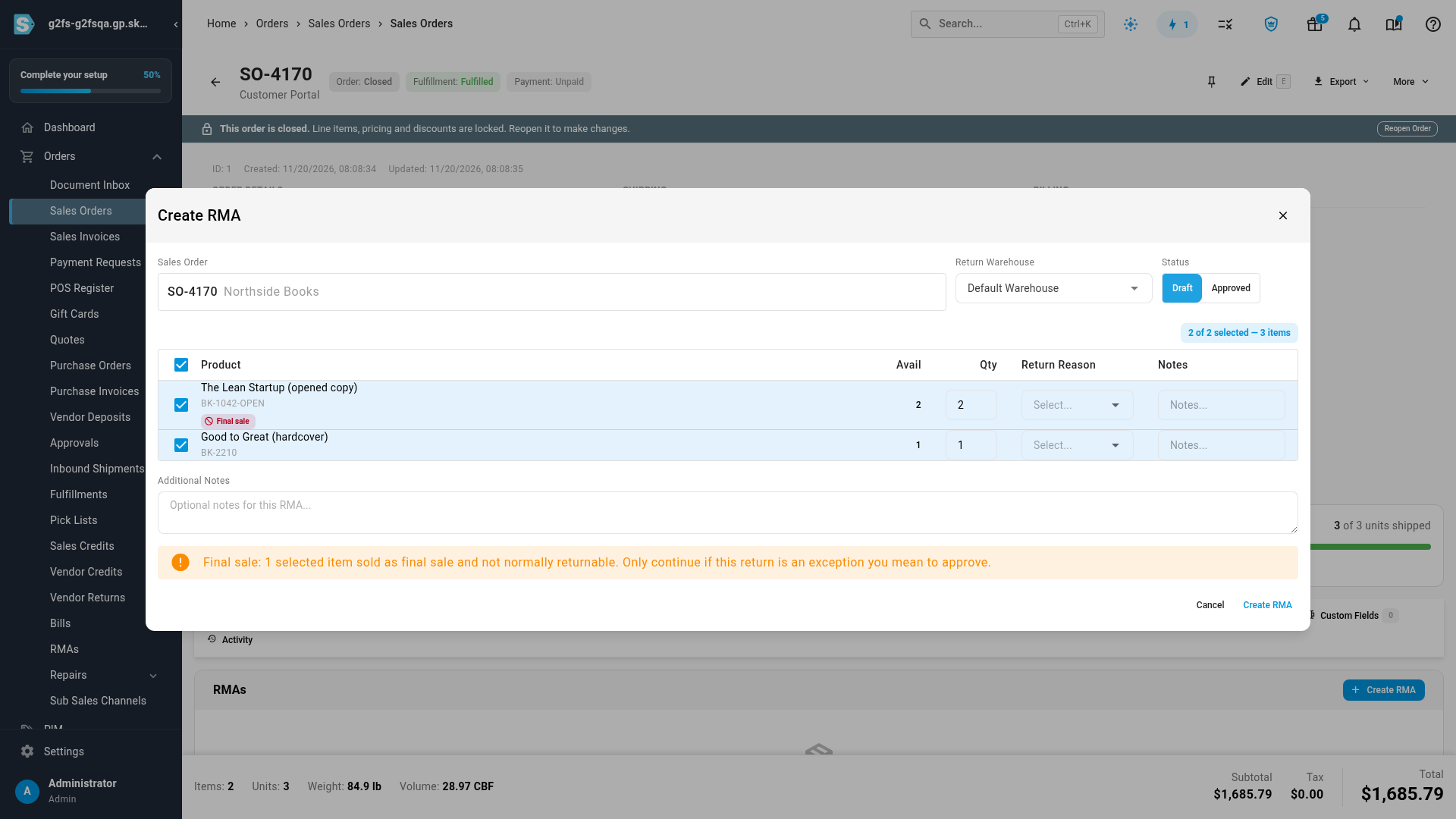
In Create RMA, a final-sale line starts unselected. Selecting it shows a warning that the item isn't normally returnable, and the RMA can still be created when you decide to make an exception.
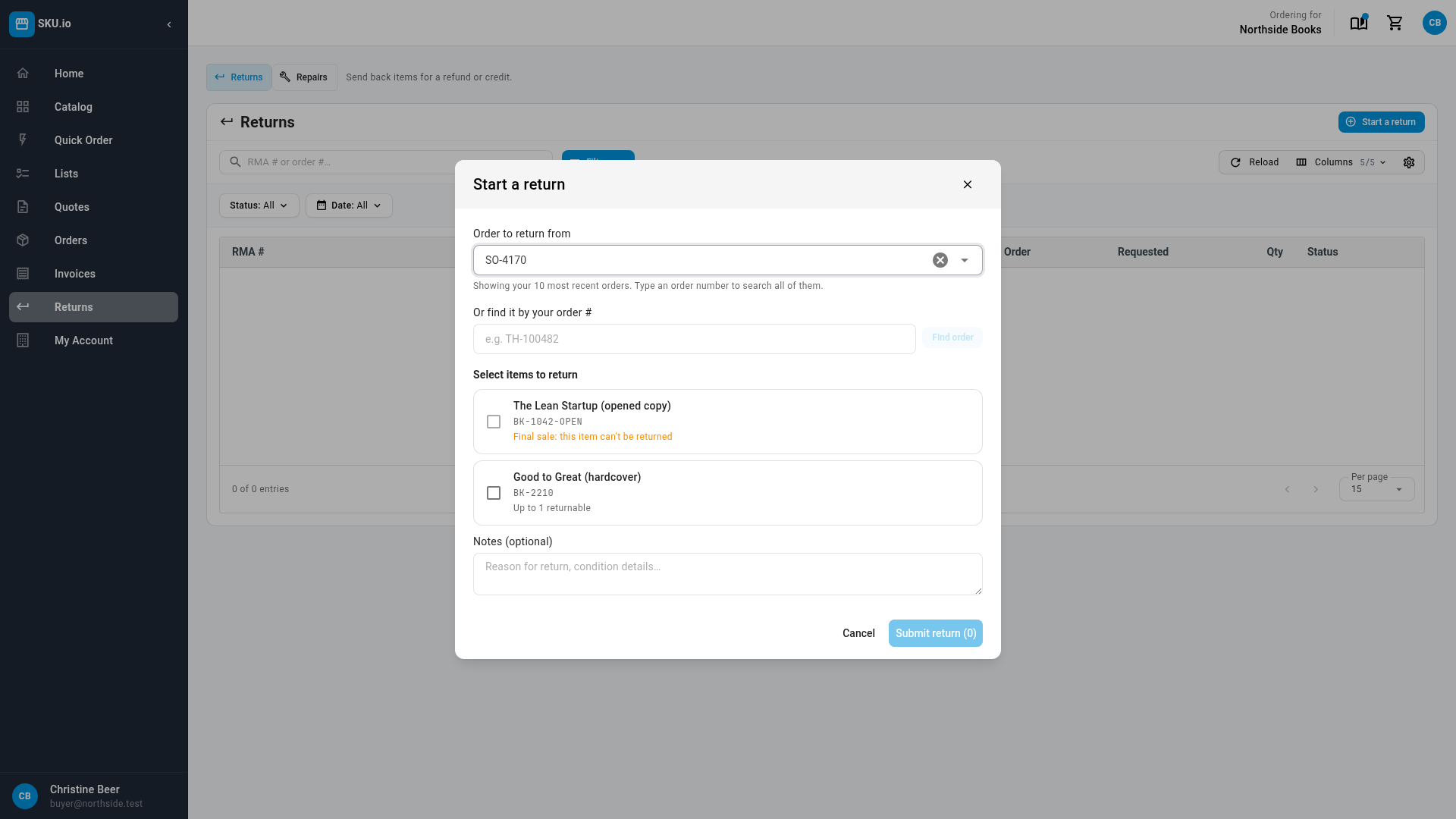
In the customer portal, buyers see the item greyed out with "Final sale: this item can't be returned", while the rest of the order can be returned as normal.
For developers
Products report final_sale and where it comes from on the product API, order lines report final_sale on the line-items API, and you can set the mark with PUT /api/products/{product}/final-sale. See the API reference on developer.sku.io.
Where to find it
- A product: PIM → Products, open the product, then Actions → Mark as final sale.
- A clearance plan: PIM → Clearance Plans, open the plan, then Settings → Returns.
- On orders: the red Final sale chip on a sales order's lines, and the warning in Create RMA.
Full guide: Make products final sale