Ship retailer EDI orders through your 3PL, with labels, routing and per-store cartons ready
Retailers that order through SPS Commerce expect a label on every carton, a carrier they chose, and cartons that match the ship notice store by store. When a 3PL ships those orders for you, all of that has to reach the 3PL before it picks. Until now it had to be emailed separately, or it didn't get there at all. Retailer orders now reach your 3PL ready to ship. SKU.io holds each one until its cartons, carton labels and routing are in place, then sends it with a note that carries everything the warehouse needs. It packs every carton for one store. And when a 3PL ships an order it got from the retailer directly, its shipment is recorded in full and kept exactly as the 3PL reported it.
✨ What this means for you:
- An order for a retailer that needs carton labels waits until it's ready: packed, routed and labelled. SKU.io doesn't send it to the 3PL without its labels and the retailer's carrier.
- Turn on Prepare automatically for a retailer, and SKU.io packs the cartons by case, one store per carton, assigns their SSCC numbers, and prints the labels as soon as you enter the routing.
- The 3PL's order carries a note with the routing, the PO and your vendor number, a pack list for each store, and a link to the labels that the warehouse opens without signing in.
- Send without labels still lets an urgent order go now. SKU.io adds the labels link when they're printed.
- Cartons never mix stores, whether packed automatically, with One carton per store, or by hand.
- For a 3PL that gets its orders straight from the retailer, every shipment it confirms is recorded with all its inventory movements, and it can't be edited or voided by mistake.
Orders wait until they're ready for the warehouse
When a retailer order for a label-requiring retailer is released to a warehouse that ships through Trackstar, SKU.io holds it and says what it's waiting for: Waiting for cartons & labels, Waiting for routing, or Waiting for carton labels. The banner's own buttons take you to the work: Cartons & labels opens the shipment's Cartons tab, and Preview order shows exactly what the 3PL will get.
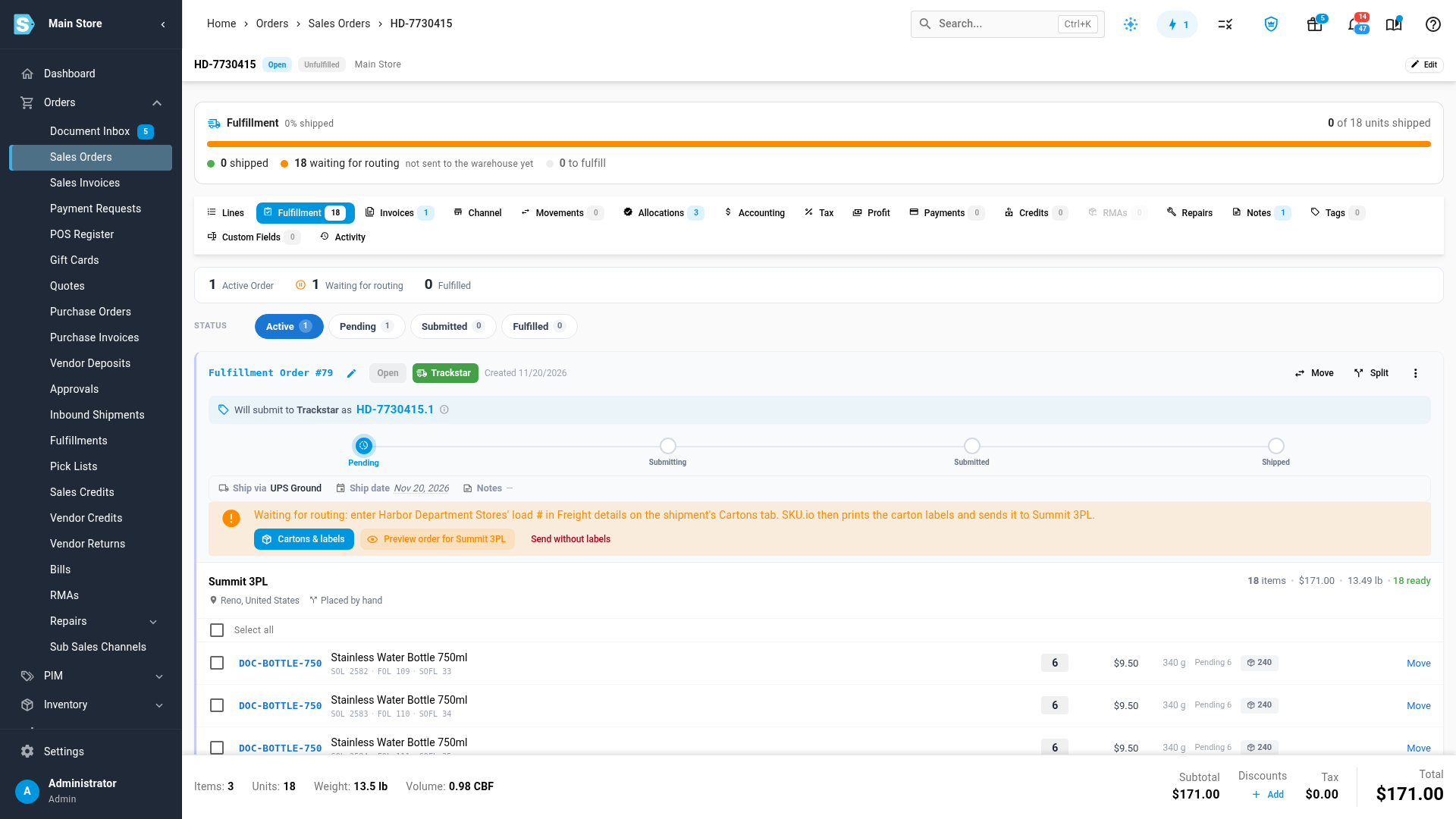
Packed one store per carton, labelled the moment routing is in
With Prepare automatically on, the cartons are packed and numbered before you open the order. Once the retailer routes the load, enter its load number, bill of lading, PRO and carrier in Freight details and click Save packing. SKU.io prints the carton labels and sends the order to the 3PL. Every carton shows its label, ready for your own thermal printer too.
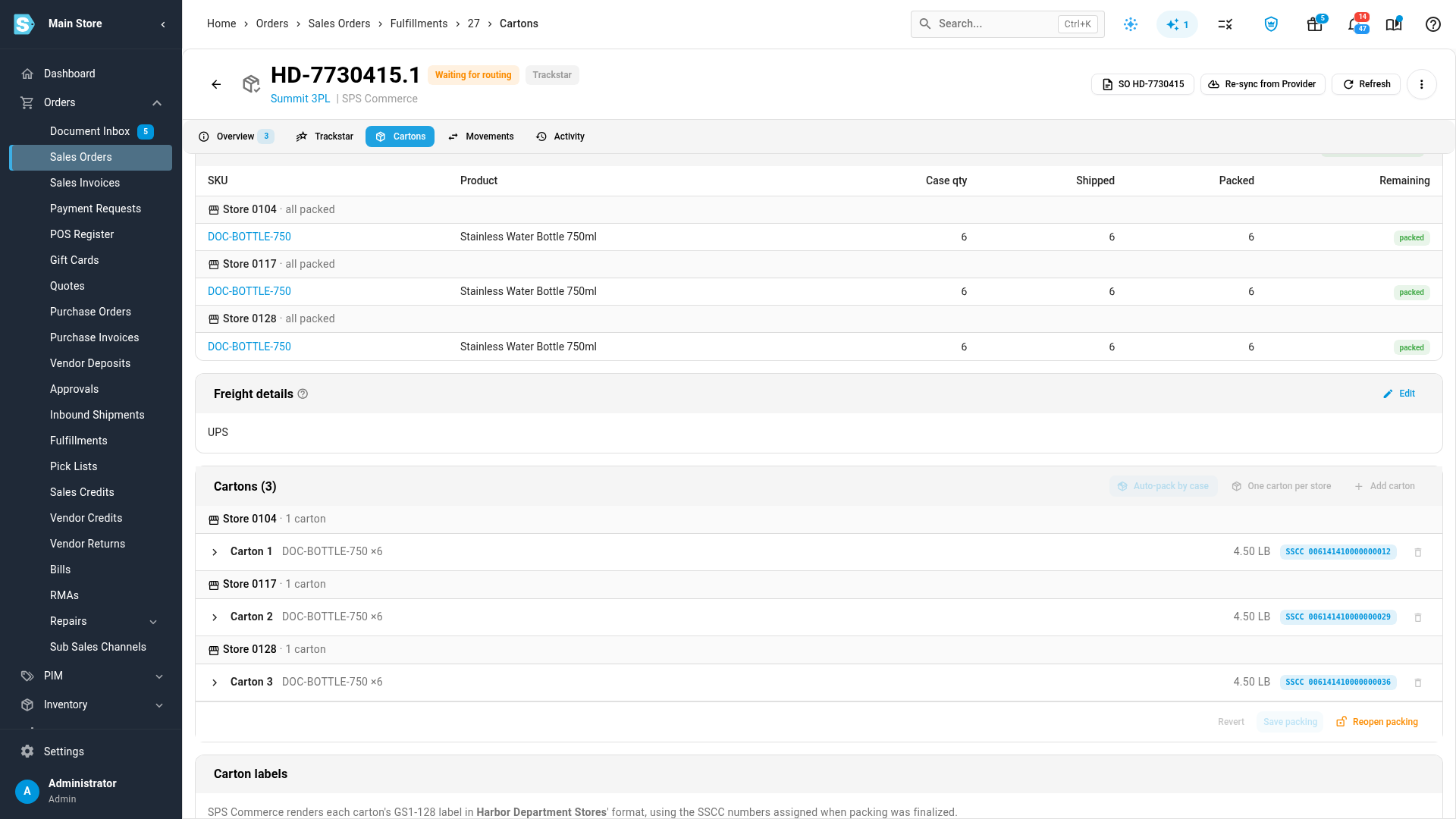
Everything the 3PL needs, in one note
Click View note to see what the 3PL received: the purchase order and your vendor number, the routing the retailer chose, a link to the carton labels, and what goes in each store's carton. If the cartons or the routing change while the 3PL hasn't started on the order, the labels are printed again and the note is updated.
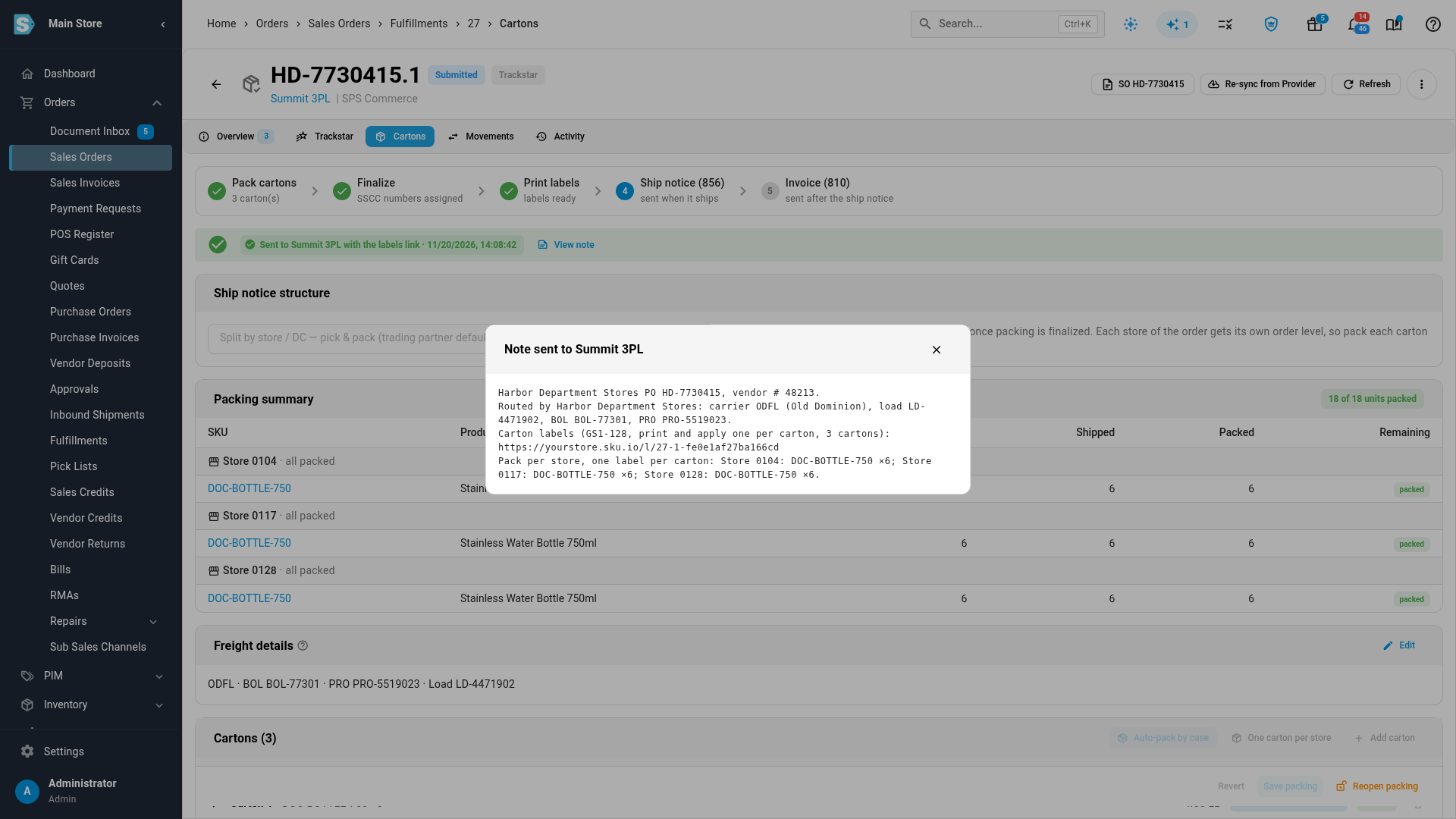
A 3PL's own shipments stay its record
Some 3PLs get a retailer's orders directly and send the ship notice themselves. On SKU.io's Receive only flow, each order now says who ships it and follows it on a timeline, from the 3PL's confirmation to your invoice. The shipment SKU.io records from that confirmation takes the stock out of inventory like any other, but it's read-only: no dispatch, no edits, no void. A shipment you record by hand, for a confirmation that never arrived, can still be voided.
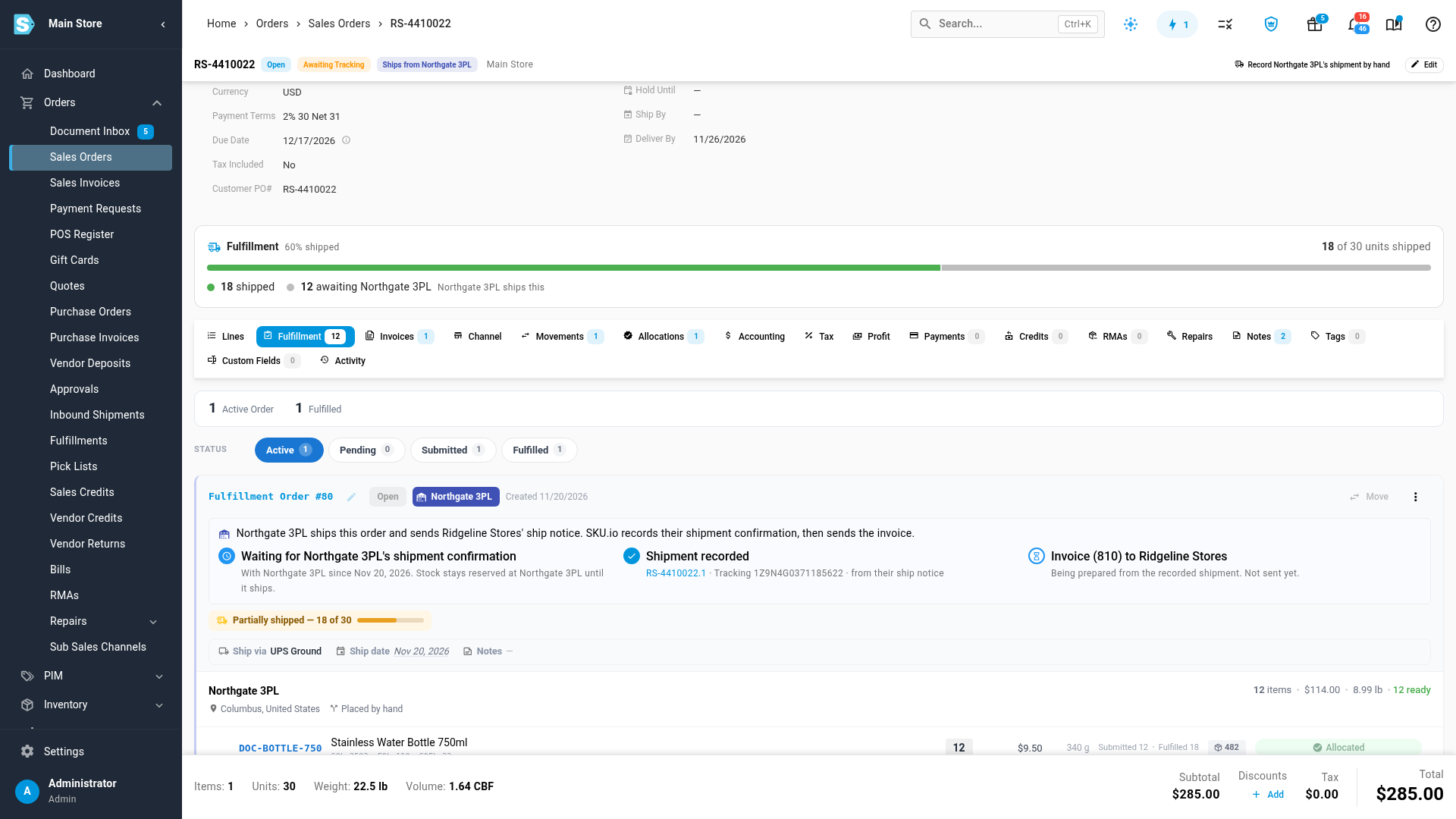
Routed freight and invoice references
- A routed freight load goes to the 3PL as freight. When a retailer routes a load to a freight carrier, the order goes to the 3PL on your freight (LTL) shipping method, never on a parcel method. If the connection has no freight method yet, the order waits, with a link to choose one under Freight method for routed loads on the Trackstar connection's Shipping Methods page.
- The 3PL's shipment counts as the carrier pickup. For a retailer whose ship notice waits for carrier pickup, the 3PL's shipment of a freight load now records the pickup, so the ship notice moves on.
- The invoice can carry the shipment ID. A new retailer document rule, Invoice references the ship notice's shipment ID (REF IV), puts the ship notice's shipment ID on the invoice. See Set a retailer's document rules.
- A freight ship notice waits for the PRO number. A ship notice for a freight shipment isn't sent until it has the carrier's PRO number. When the 3PL reports the PRO through Trackstar or its 945, SKU.io fills it in, so the ship notice doesn't wait for someone to type it. A PRO someone has already entered is never overwritten.
Where to find it
- Prepare automatically: Apps & Integrations → SPS Commerce → your connection → Settings → Shipping Labels.
- A held order: the sales order's Fulfillment tab, then Cartons & labels for its shipment's Cartons tab.
Full guide: Hand a retailer order to a 3PL with labels and routing ready. See also Ship multi-store purchase orders by store and Use the Receive only flow for a 3PL.