Temu payouts — every statement posts to your books, reserve included
Temu pays you every couple of weeks, and it holds part of each payout back as a rolling reserve that it releases on a later statement. Booking each order as its own invoice never matches what lands in your bank, and the reserve makes it worse: money you've earned but haven't received yet ends up looking like a fee or a shortfall. Temu payouts fixes that. You record each statement from Temu Seller Center, and SKU.io posts it as one invoice that adds up to the deposit to the cent, with the reserve kept on your balance sheet as money Temu still owes you. It works like Shopify, eBay and Walmart payouts, so every channel now reconciles the same way.
✨ What this means for you:
- Every Temu deposit becomes one invoice (plus a fee bill when there are other charges) that matches your bank statement exactly.
- Sales are booked as revenue in full, when Temu settles them, not when the reserve is finally paid.
- The reserve goes to a balance-sheet account you choose, so it's never counted as revenue or a fee, and that account always shows what Temu is still holding.
- A statement that crosses a month end posts one part per month, so revenue lands in the month you earned it.
- You pick the start date, so deposits your books already cover are never posted twice.
- Each payout shows where it stands, Posted, Pending or Held, with the reason when it can't post yet, and whether its deposit has been matched in your accounting software.
See every Temu payout in one place
Open your Temu store's Finance tab. Payouts lists one row per statement: the payout date, the period it covers, its accounting status, the amount deposited, and its sales and reserve. Temu doesn't share statements with other apps, so Record Statement is where you add each one.
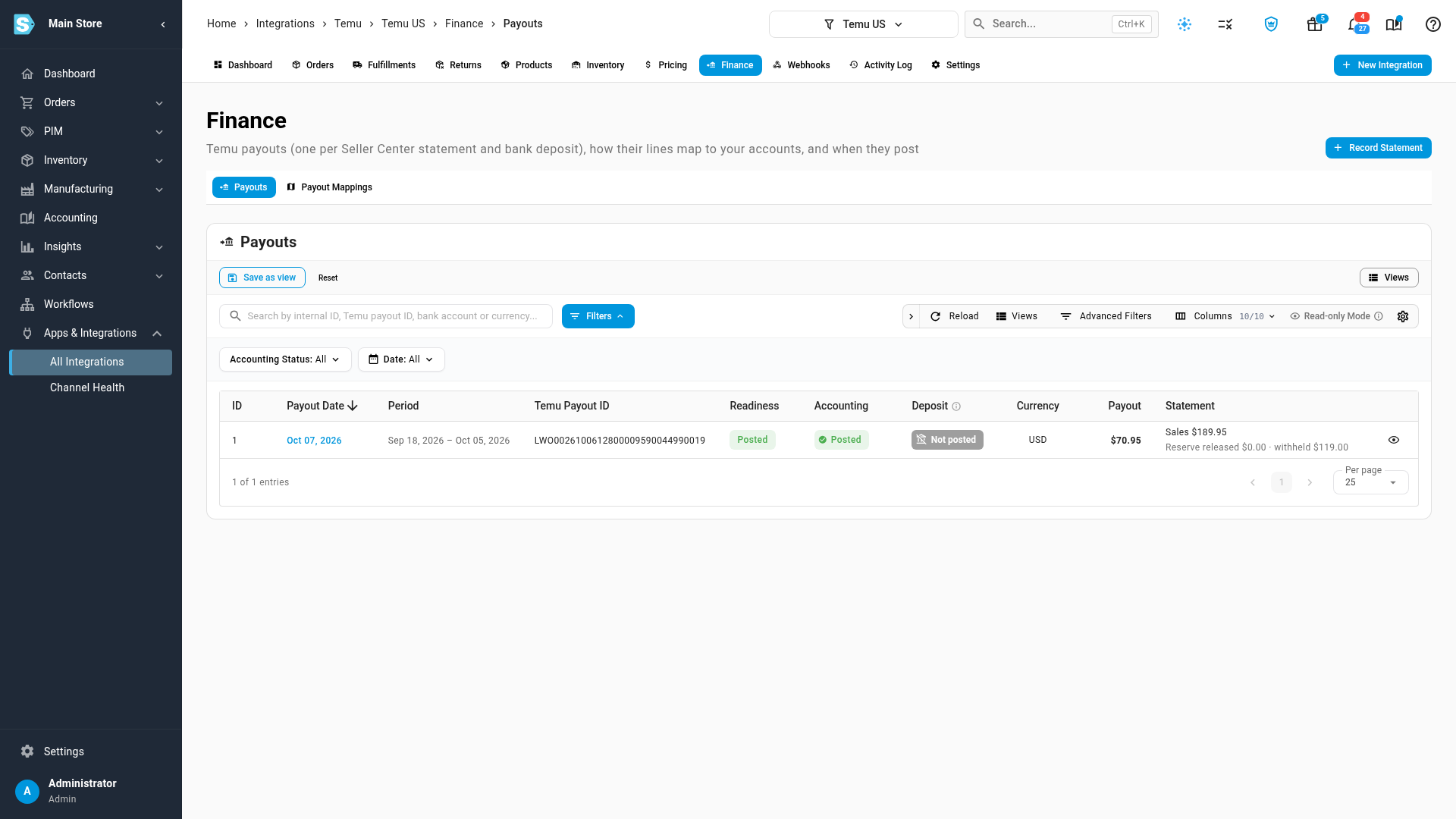
Record a statement in under a minute
Copy the statement's columns from Seller Center exactly as Temu shows them: the beginning balance, sales, refunds, others and the reserve withheld, plus the payout amount. A check below the columns confirms they add up before you save, and shows how the payout will post. If the period crosses a month end, the form also asks for the earlier month's figures, so each month is booked in its own month.
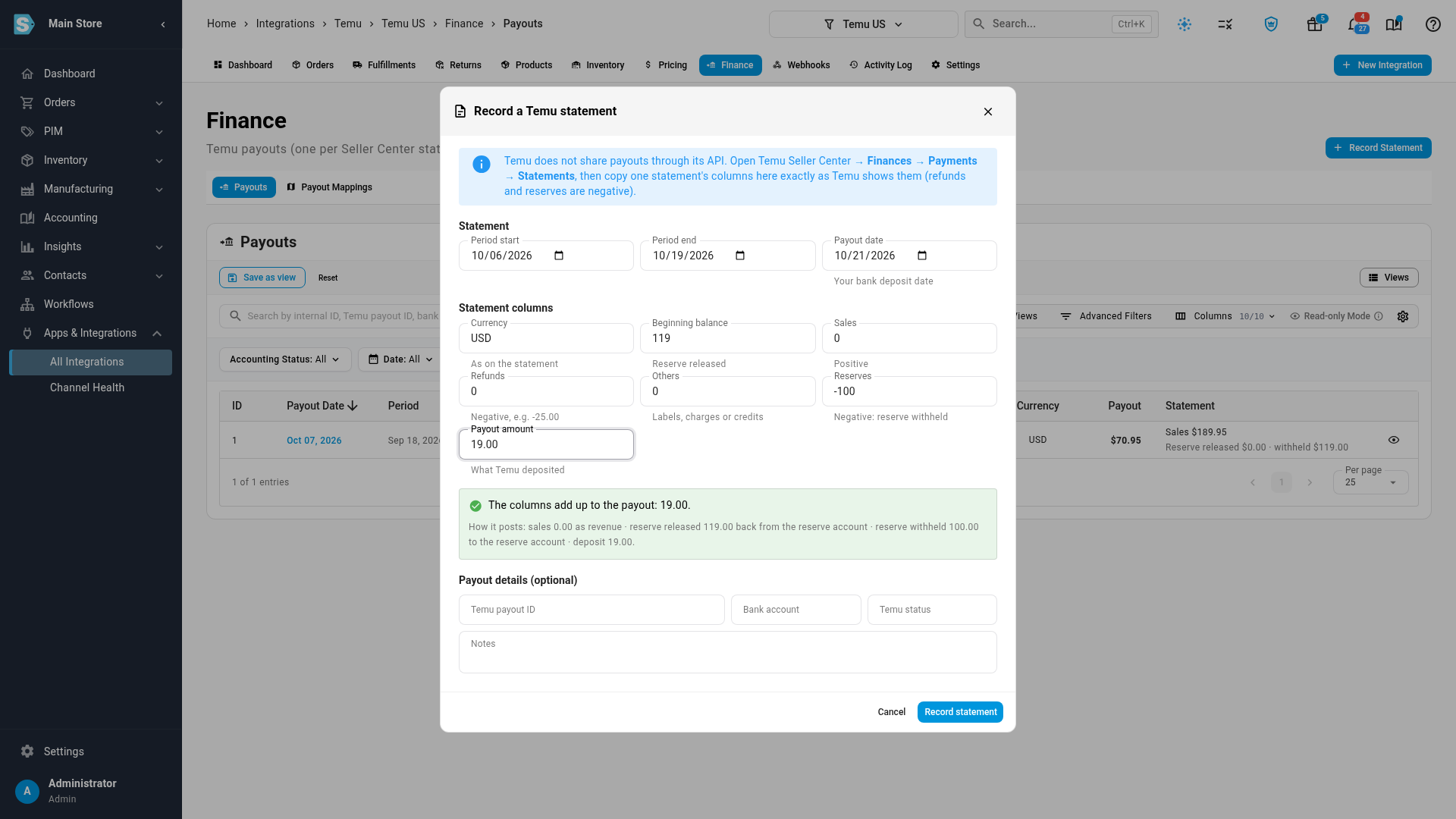
Know exactly what's behind every deposit
Open a payout to see each column of the statement and what it posts as, every check it has to pass, and the documents it posted. The reserve Temu released comes back out of your reserve account, the new reserve goes in, and the invoice still equals the deposit.
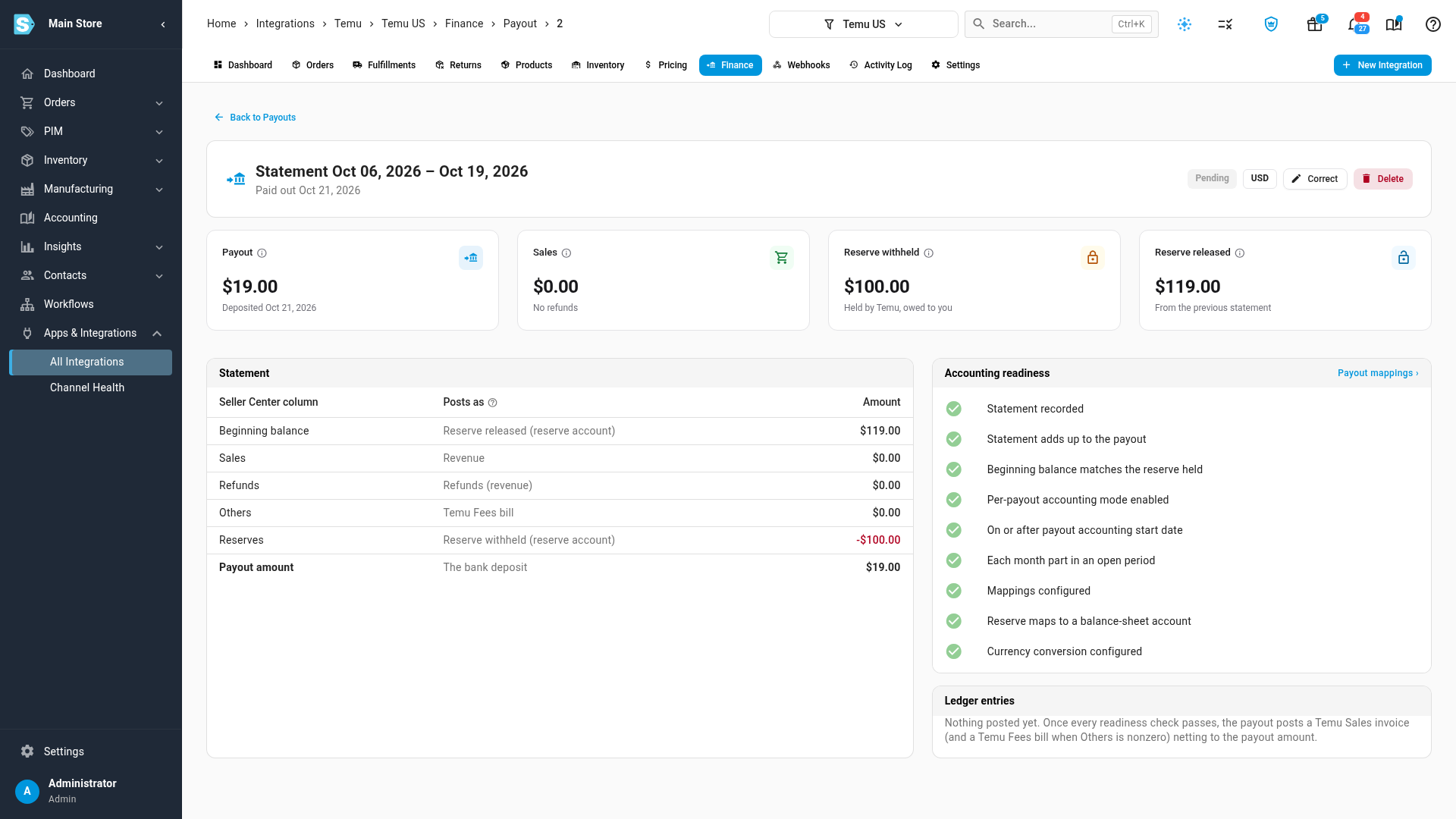
Where to find it
Go to Apps & Integrations, open Temu, choose your store and open the Finance tab. Payouts and Payout Mappings are both there: map each statement line to an account, map the reserve to a balance-sheet account, set a start date and switch the store to Per Payout.
Full guide: Account for Temu payouts