Month-end close — one place to check, sign off and lock a month
Closing a month has always been the part of the books that lives outside the software. You check the ledger reconciles, chase the entries that never synced, glance at inventory against the GL, export a few reports for the file — and then hope nobody posts into the month afterwards. None of that was written down anywhere, and nothing stopped a late invoice landing in a month you had already reported on. Month-end close turns that routine into a workspace: a checklist that grades the month's data for you, a sign-off that records what you accepted and why, and a lock that freezes the figures you approved as the month's numbers of record.
✨ What this means for you:
- You can see whether a month is actually ready — fourteen automated checks grade the data and tell you what is wrong, not just that something is.
- Nothing quietly changes after you sign off. Closing locks the period, so new entries can no longer post on or before the month end.
- The numbers you approved are kept. The month's reports are saved at close, and Verify proves later that they still match.
- The judgement calls are on the record. Anything you close over is acknowledged by name, and reopening a month asks you why.
- One export, not five. The whole pack — cover sheet, checklist outcomes and every report — comes out as a single workbook.
A checklist that grades the month
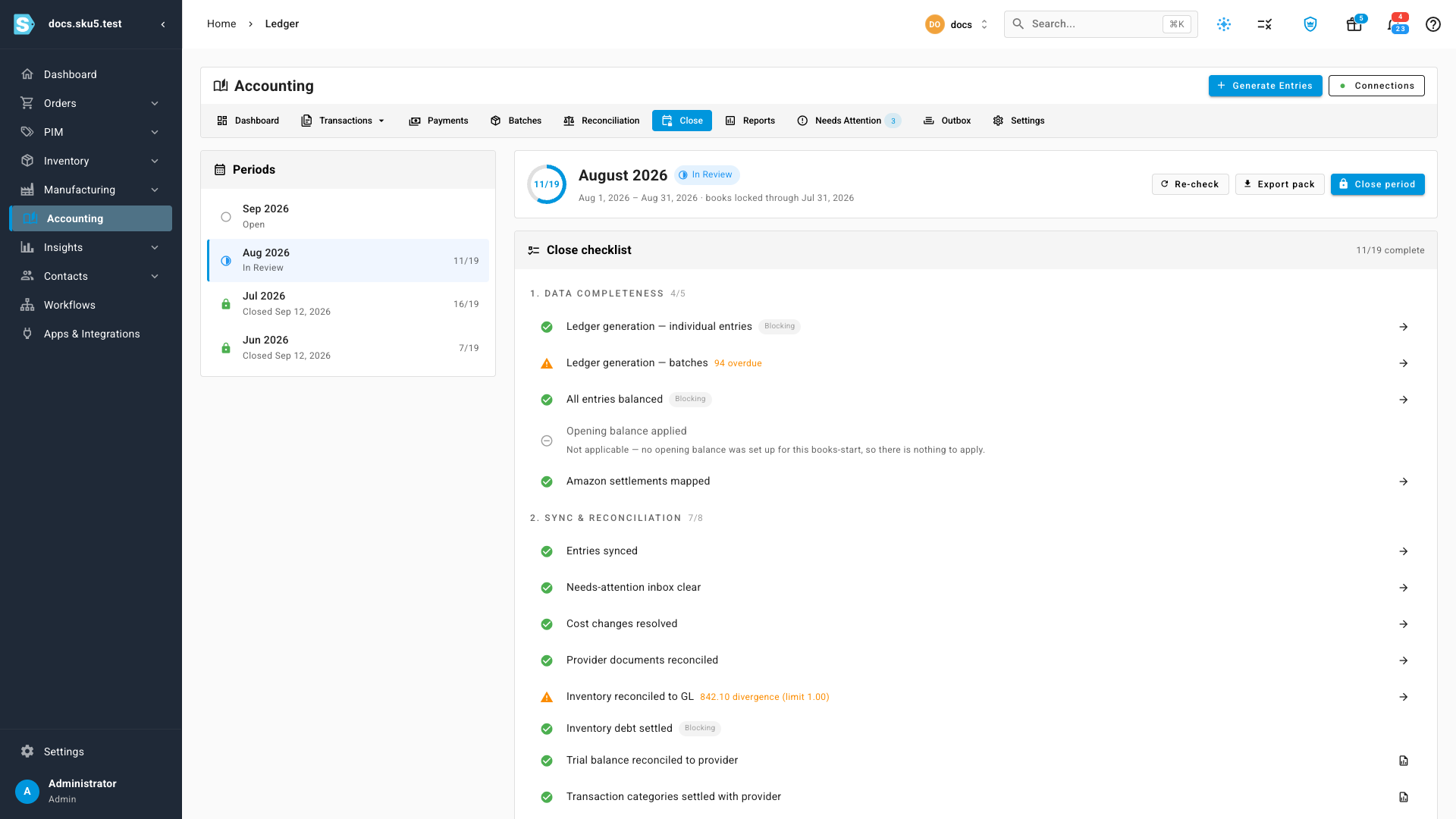
Open Accounting → Close and pick a month. The checklist is grouped the way a close actually runs: data completeness first, then sync and reconciliation, then review, then sign-off — plus any checklist items your business has added of its own.
Each row does the work for you. Rather than telling you to "check the ledger balances", the row says 2 unbalanced, or 842.10 divergence (limit 1.00), or 4 still in flight — and its arrow opens exactly the records behind that number, scoped to the month. A row marked Blocking has to be resolved before the month can close. Everything else you can close over, as long as you say you know about it.
A sign-off that records what you accepted
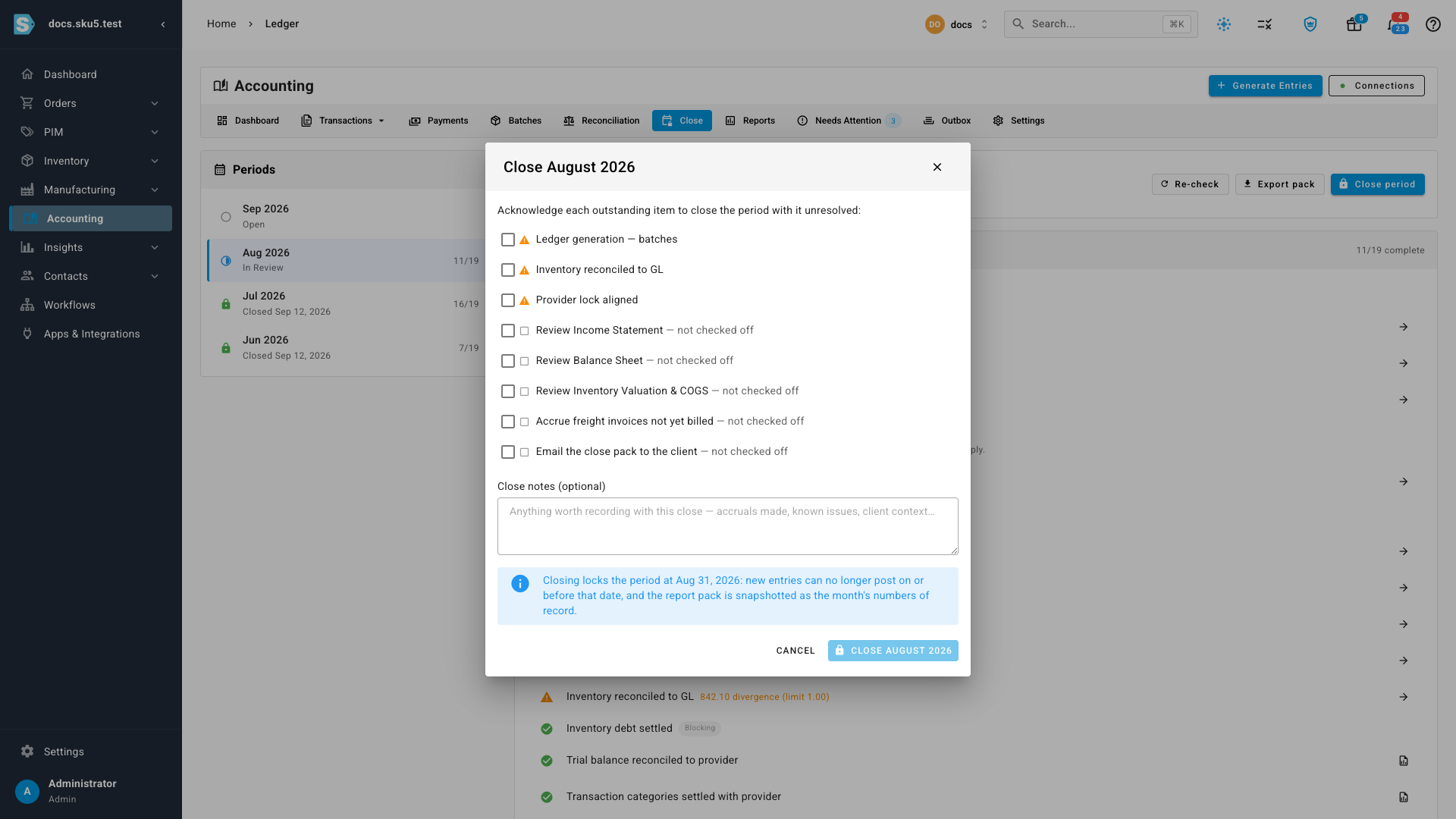
Close period opens the sign-off. Anything still outstanding — a warning, or a manual item you have not ticked — gets its own acknowledgement, and every one has to be ticked before the close will go through. Acknowledging records that you closed with the item unresolved; it does not resolve it, and the checklist keeps an Acknowledged at close stamp against each one afterwards.
There is a notes box for the things a checklist cannot capture: accruals made, known issues, context for whoever reads the month later. The dialog also spells out exactly what closing will do before you commit to it.
Locked, and provably unchanged
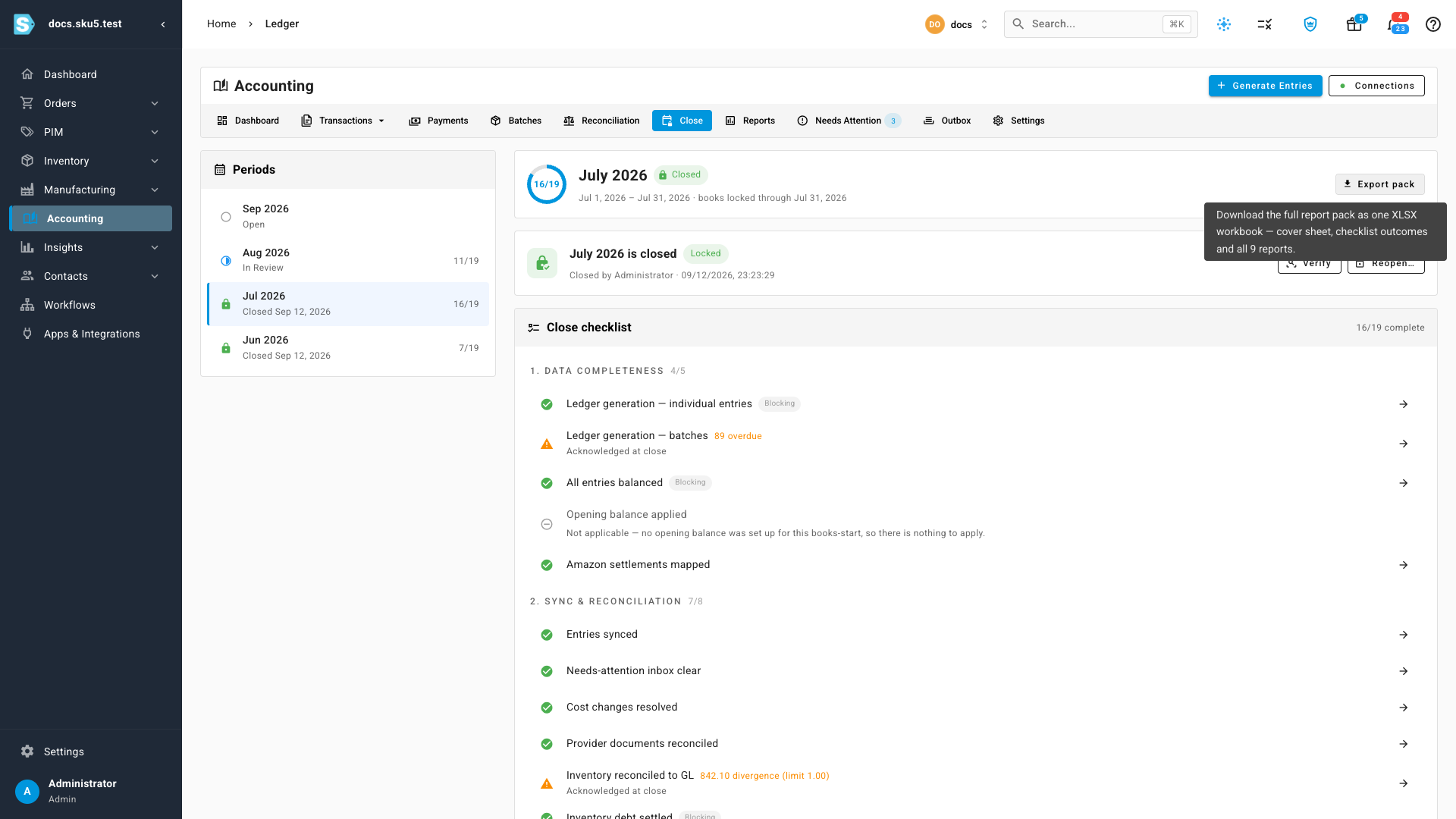
Once the close finishes, the month shows who closed it and when, and the books are locked through the month end. The report pack stops being Preliminary and is marked As at close — those are now the month's numbers of record.
Months close oldest first, so you cannot sign off September while June is still open. If something does have to change afterwards, Reopen removes the lock and asks for a reason, which is kept with the month.
Verify is the answer to the question every bookkeeper eventually asks: are these still the numbers I signed off? It recomputes each saved report and compares it to the copy taken at close, and tells you which figures moved and by how much — separating a real change to the books from reconciliation work that was always expected to continue.
Where to find it
Accounting → Close. The tab sits between Reconciliation and Reports, and the Accounting dashboard's Current close tile links straight to the month whose turn it is next.
Full guide: Month-end close — including closing a month end to end (with a two-minute walkthrough video), what to do when a check fails, and a reference for all fourteen checks.