Supplier order cycles: plan every order to last until the next one
Distributors order each supplier on its own rhythm: one by sea every 8 weeks, another by air every 4. Demand planning knew each supplier's lead time but not that rhythm, so a forecast sized for 30 days left you short on a supplier you can only reorder every 8 weeks, and buyers kept the order calendar in a spreadsheet. Supplier order cycles fix that. Give a supplier its cycle and next order date, and demand planning sizes each order to last until the next one arrives, shows which suppliers are due, and can run on each supplier's own order dates.
✨ What this means for you:
- Orders sized to the rhythm. On an order day, suggestions cover the lead time plus the full cycle, plus any safety days you add.
- No over-ordering between cycles. Order early and SKU.io only tops up stock until the next cycle order arrives.
- See who's due. Each supplier's forecast shows Order day, Order overdue or Next order … in N days, with a link to edit the cycle.
- Schedules on supplier dates. A schedule can run On each supplier's order cycle, planning only the suppliers due that day, instead of every week.
- Nothing changes without a cycle. Suppliers without one are planned with Target Stock Days, exactly as before.
Set the cycle on the supplier
Under the supplier's Settings → Purchasing Defaults, enter Order every (weeks or days), the Next order date and any Safety days. The preview lists the next three order dates and how many days a cycle order covers.
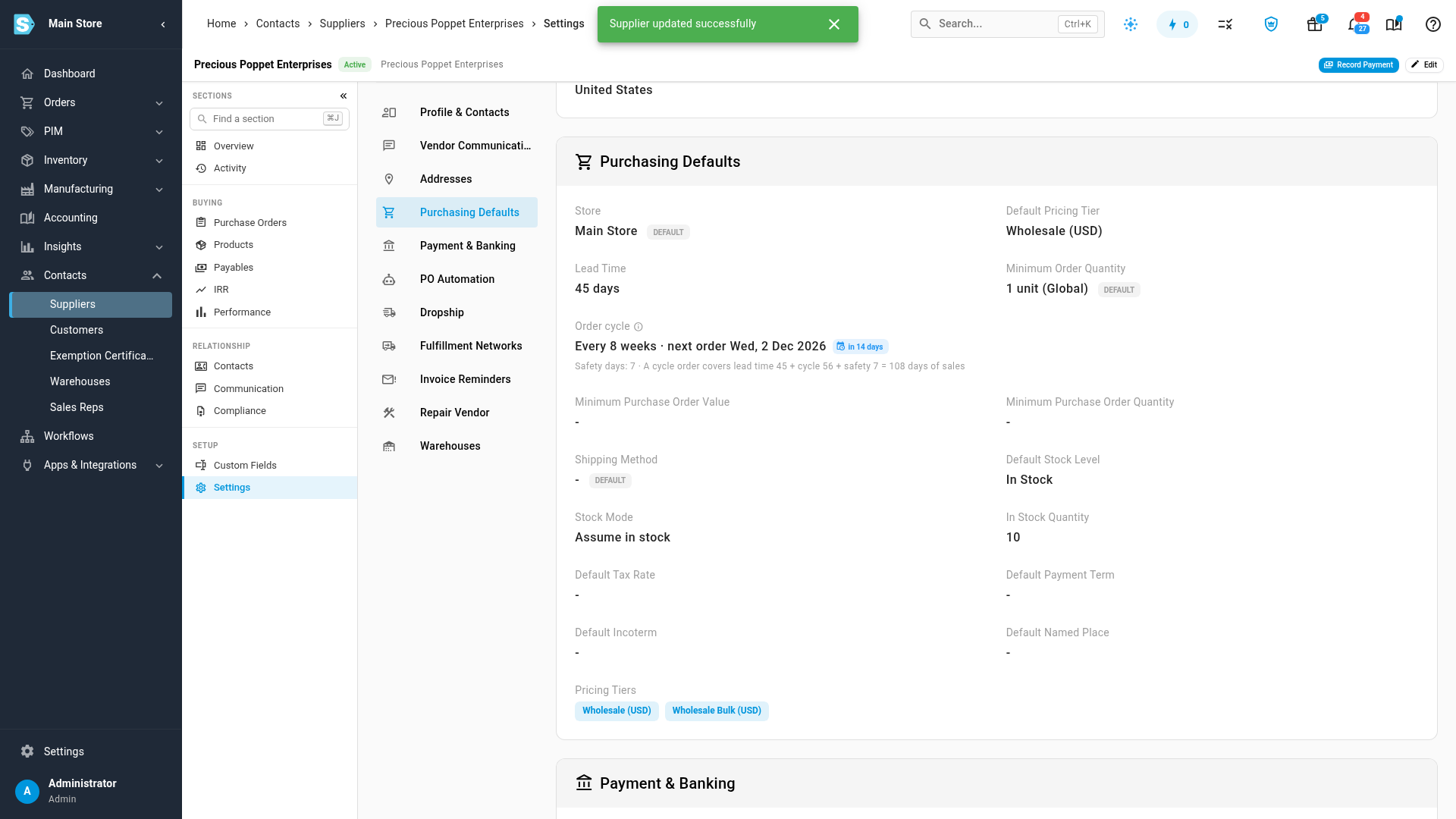
See it in Demand Planning
Build a forecast and each supplier with a cycle gets a banner saying when it's next due and what its suggestions cover. A line's calculation details show Target Days set by the Order cycle.
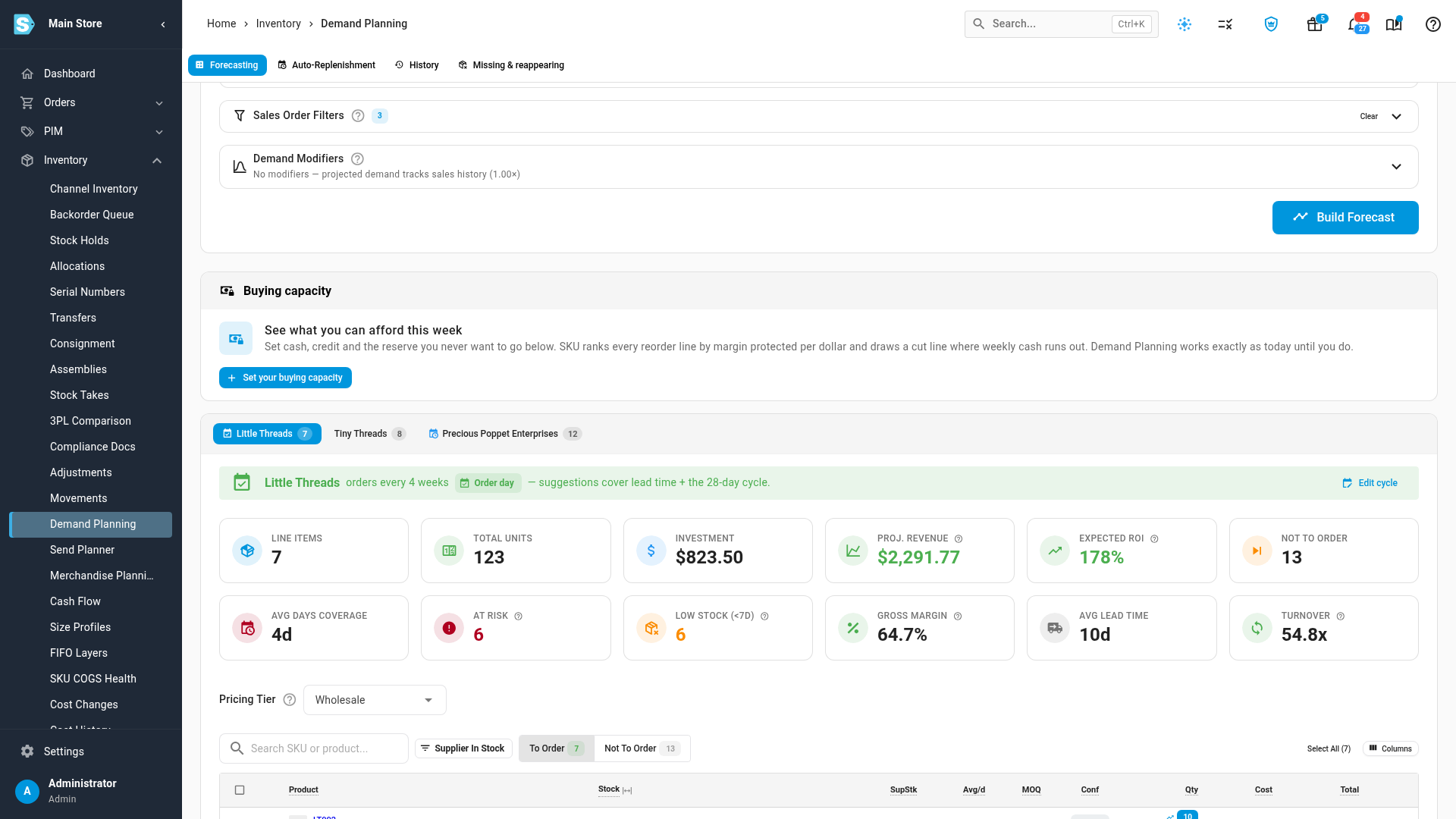
When you raise purchase orders from Demand Planning for a supplier that's due, its next order date moves on by whole cycles.
Where to find it
Set a cycle under Contacts → Suppliers → the supplier → Settings → Purchasing Defaults. Plan with it on Inventory → Demand Planning, and schedule it on the Auto-Replenishment tab.
Full guide: Plan purchases on each supplier's order cycle