Support is built into SKU.io — raise a ticket from the page you're on
Something looks wrong on an order. You open a separate support portal, sign in again, and then try to describe from memory which screen you were on, which record, and what you clicked. Half the reply thread is us asking for the details you already had in front of you. From today, support lives inside SKU.io. Press the help icon — or N — on the page where you noticed the problem, and the ticket arrives with that page, that record, your browser and your recent steps already attached. Every ticket anyone at your company raises is listed under Support, where you can follow it, reply, and bring a colleague in.
✨ What this means for you:
- Raise it where you found it. The help icon is on every screen, and so is the N shortcut. No second login, no portal.
- Stop describing your screen. The page, the record, your browser and the last few minutes of pages you opened travel with the ticket — and you can review, edit or remove any of it before you send.
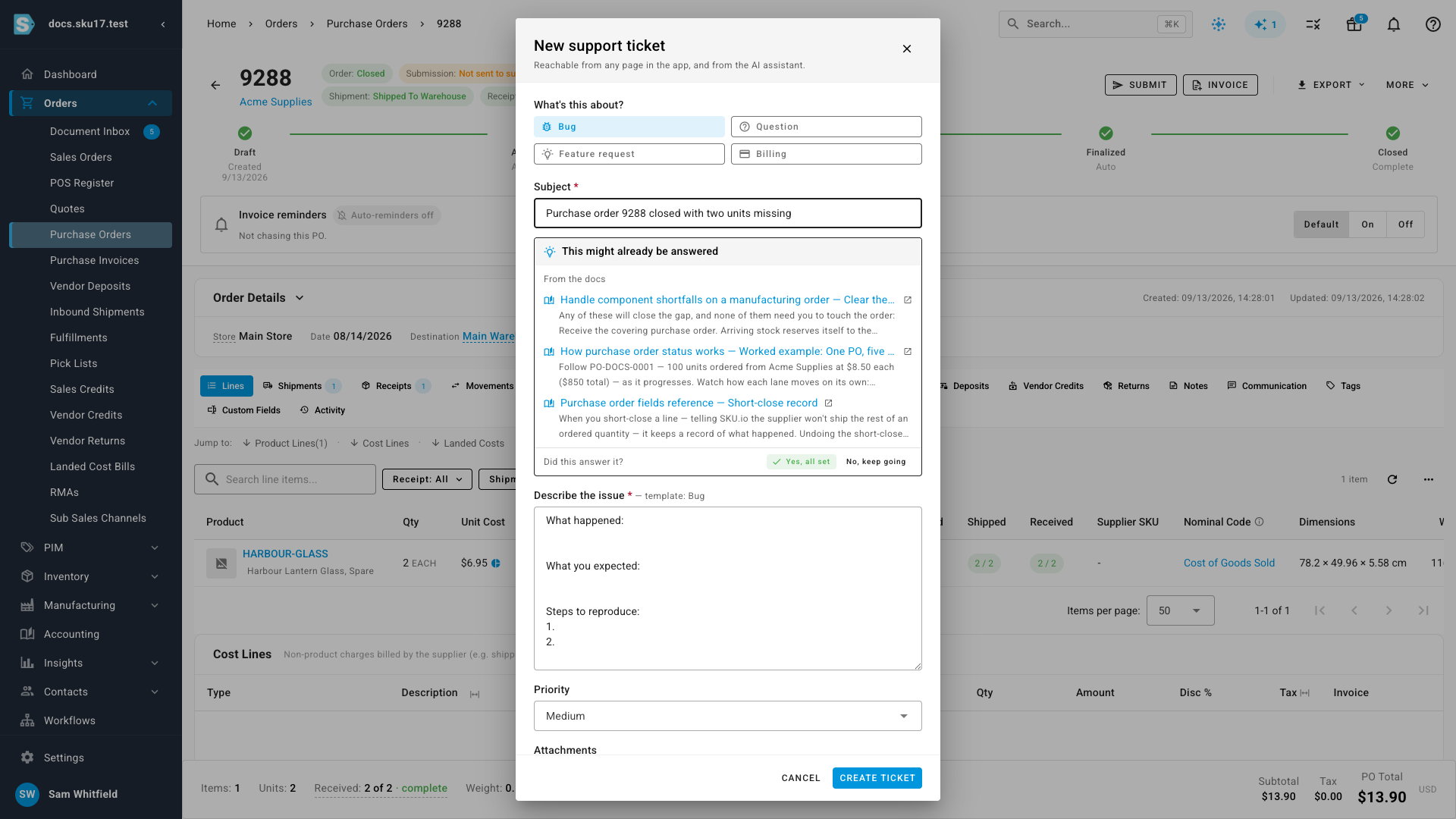
- Answers before you ask. As you type a subject, matching help articles and tickets your company already raised appear underneath. Sometimes the answer is there and you never send the ticket.
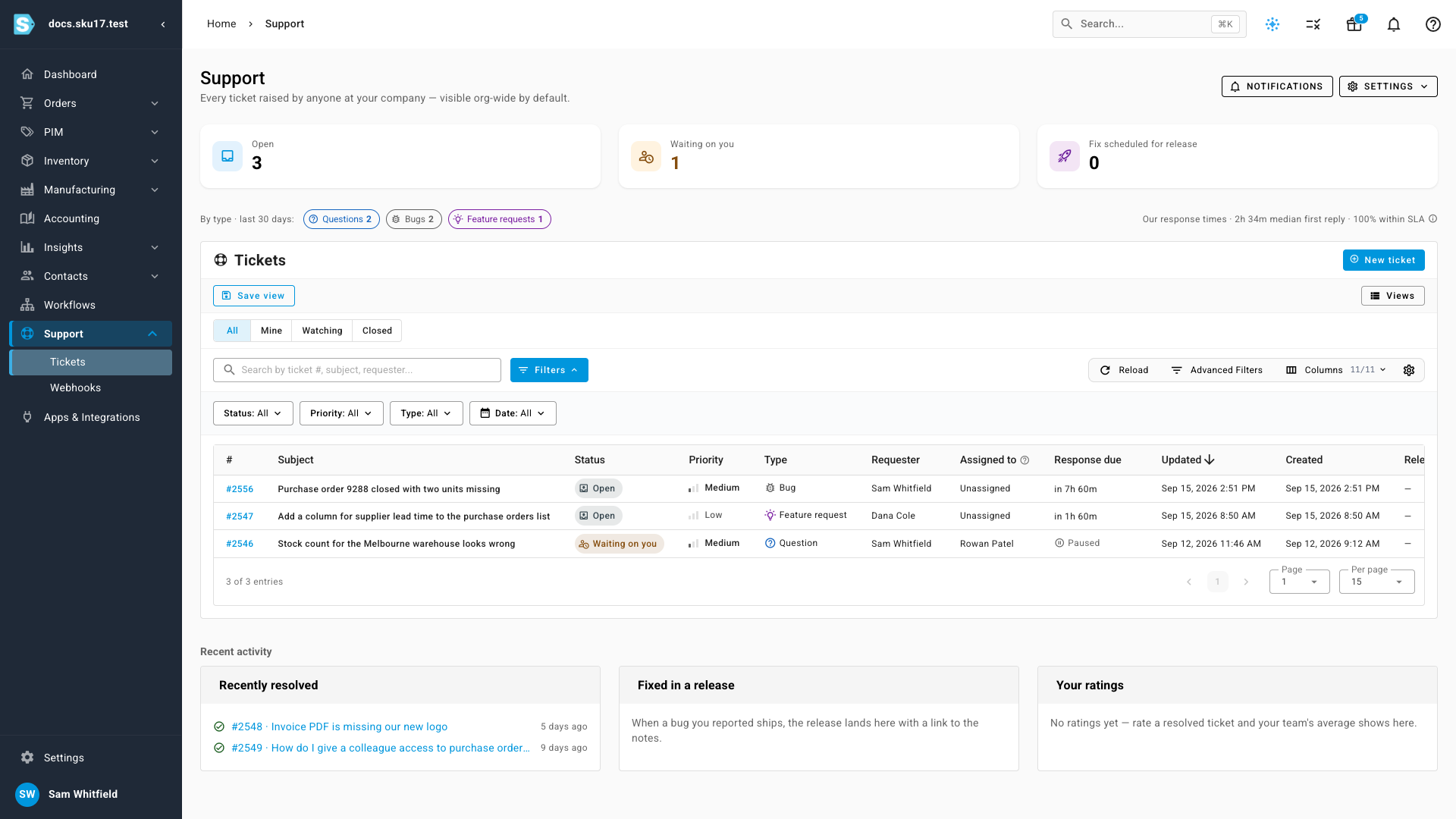
- One list for the whole company. Every ticket your colleagues raise is visible by default, with counts for what's open, what's waiting on you, and what's fixed and scheduled for release.
- Reply however suits you. Answer in the app, or reply to our email — both land on the same ticket.
- Email still works. Write to support@sku.io from the address you sign in with and it becomes a ticket the same way.
Raise it from the page you're on
Choose what the ticket is about — a bug, a question, a feature request, or billing — and the description box fills with a short template for that choice, so you know what's worth including. As you write the subject, SKU.io looks for an answer you can use straight away.
The details we collect, so you don't have to
Underneath the description, the technical details are already gathered: the page you were on, the record you were looking at, your account, your browser, and the last few minutes of pages you opened. Click Review to read every item — the pencil edits one, the cross leaves it out, and a single tick stops the activity recording entirely.
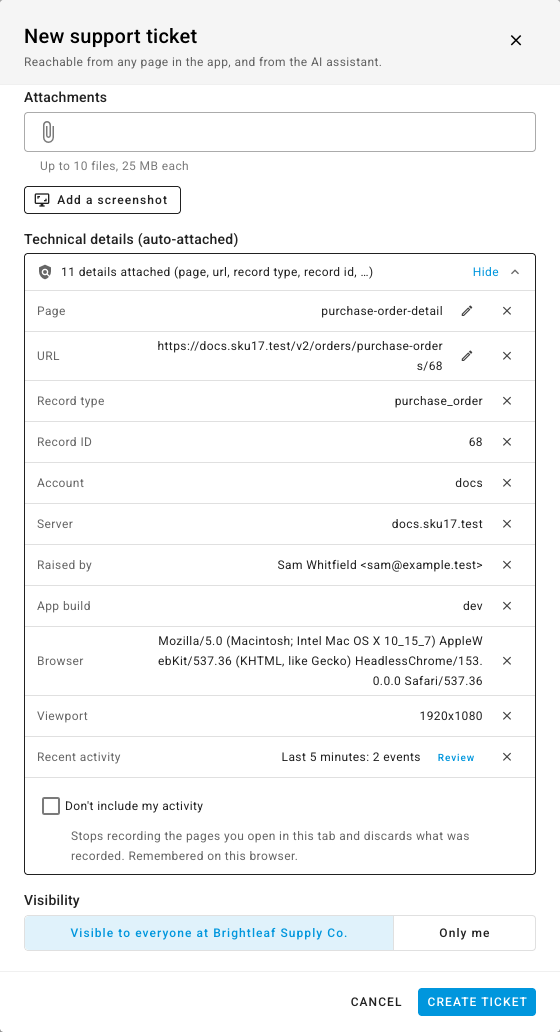
You also choose who can see it: visible to everyone at your company, so colleagues can follow and reply, or only me.
Follow everything in one place
Support lists every ticket your company has raised. The cards along the top count what's open, what's waiting on your answer, and what's already fixed and scheduled for release. Filter by All, Mine, Watching or Closed, or search by ticket number, subject or requester.
Reply, add a colleague, resolve
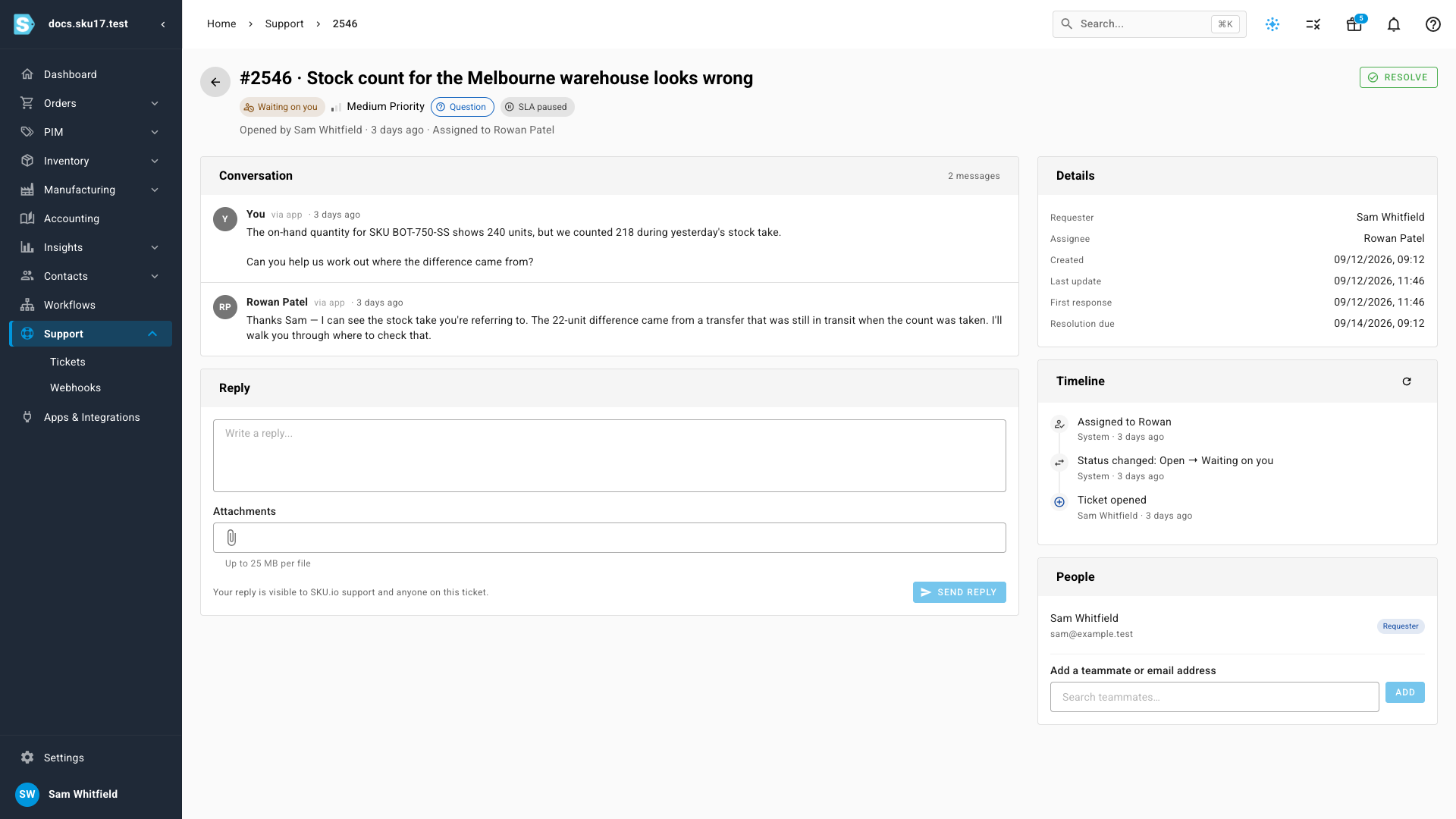
Open a ticket to read the conversation. The panel on the right shows who's on it, when we're due to respond, and everything that has happened so far. Write your answer in the reply box, or add a teammate under People so they get the updates too. When it's sorted, resolve it — and a later reply reopens it.
Where to find it
Support in the left-hand menu, or the help icon in the top right of any page — N does the same thing. To choose how updates reach you, open Support → Notifications: in-app alerts, every reply by email, or one daily digest.
Full guide: Get help and track your support tickets