Provider cutover — switch your 3PL to SKU.io without ever shipping an order twice
Most merchants arrive at SKU.io with their 3PL or shipping app already plugged straight into their store. Moving that channel over to SKU.io used to be a careful, manual hand-off: switch off the provider's store connection, work out which was the last order it imported, wait for that order to ship, and only then let SKU.io start sending. Get the timing wrong and an order goes to the warehouse twice — and the customer gets two parcels. Provider cutover turns that hand-off into a guided step on every shipping provider, and SKU.io now refuses to send an order your provider already has, so you never ship an order twice when you switch to SKU.io.
✨ What this means for you:
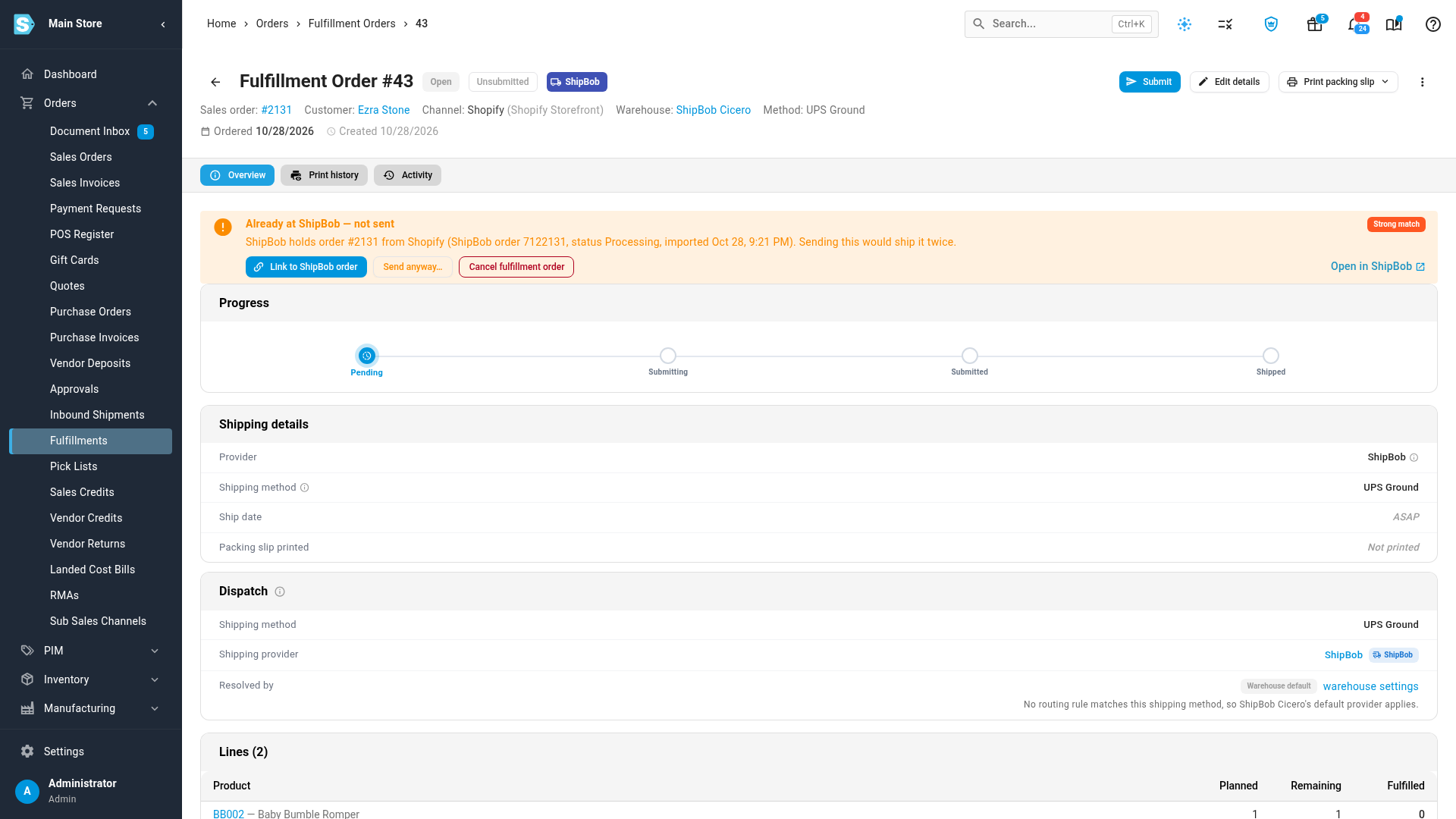
- Never ship an order twice. Before SKU.io sends any order to your 3PL or shipping app, it checks whether the provider already holds that same store order. If it does, SKU.io holds it for you instead of sending a second copy.
- A guided switch, not a spreadsheet. A new Cutover tab on each provider walks you through planning the switch, turning off the provider's own store connection, and starting SKU.io dispatch — with a checklist that won't let you start too early.
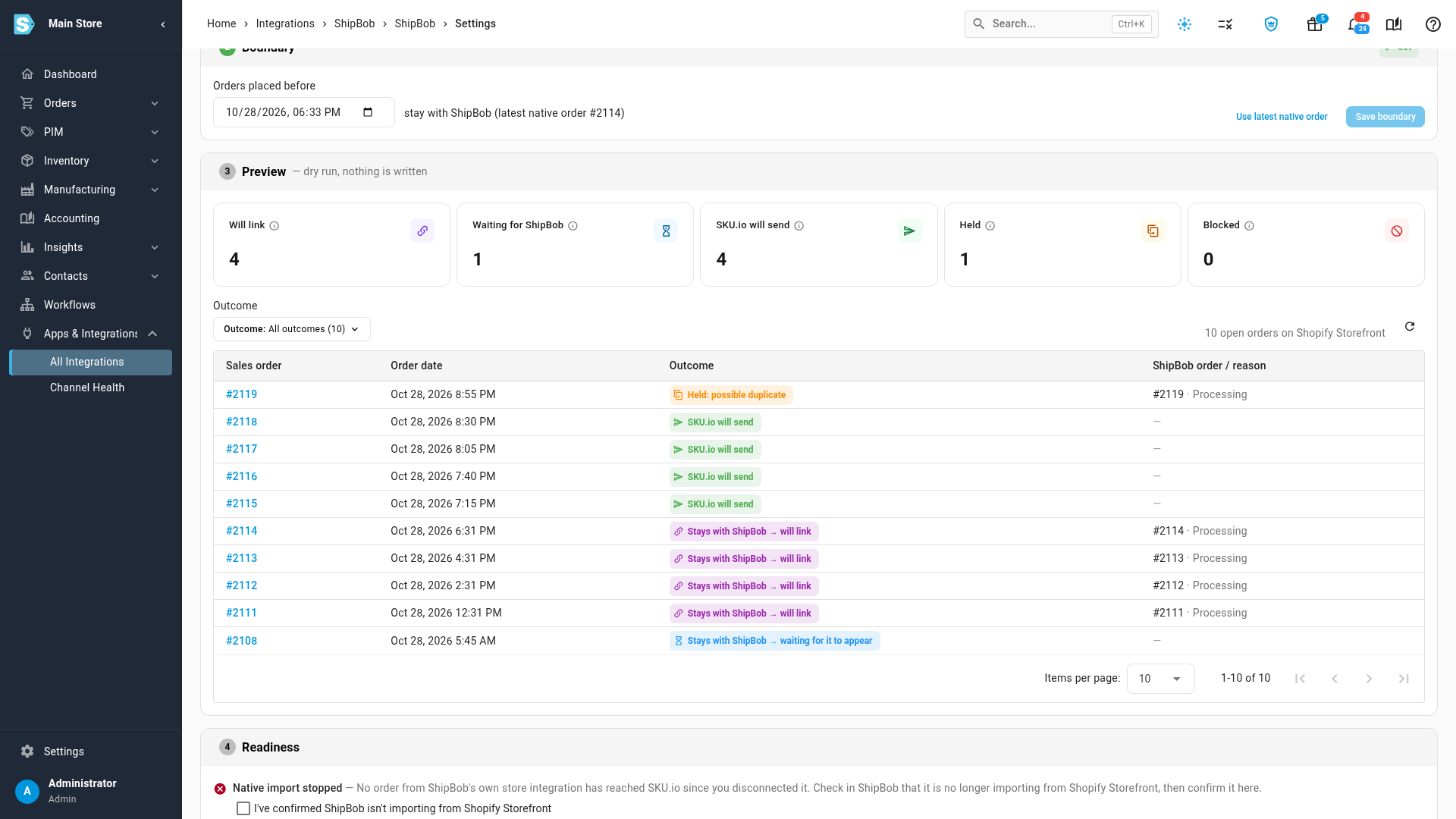
- See every order's fate before anything changes. A dry-run preview shows which orders stay with your provider, which SKU.io will send, and which look like duplicates.
- Orders placed before the switch close themselves. SKU.io links them to the provider's order, and the provider's shipment and tracking flow back automatically.
- Works with every provider and every channel — ShipBob, ShipHero, ShipStation, Trackstar, Shipfusion, Starshipit, Shippit, VeraCore, Pinnacle, Shippo and more, whether the orders come from Shopify, Amazon, WooCommerce or any other sales channel. (A few providers, such as Shippit and ShipRush, can't share their order list with SKU.io — for them the Cutover tab runs as a guided checklist.)
Plan the switch and see what will happen
Open your provider's settings and choose the new Cutover tab. Pick the sales channel you're moving over, a date and an owner — SKU.io warns you if you've picked the busiest week of the holiday season. Then follow the steps: turn off the provider's own store connection (the tab shows you how for your provider), and SKU.io watches for a quiet period to confirm no new orders are still arriving from the store.
The boundary is filled in for you from the last order your provider imported. Below it, the Preview shows every open order on that channel and what will happen to it — nothing is changed until you start.
Start, then watch it finish on its own
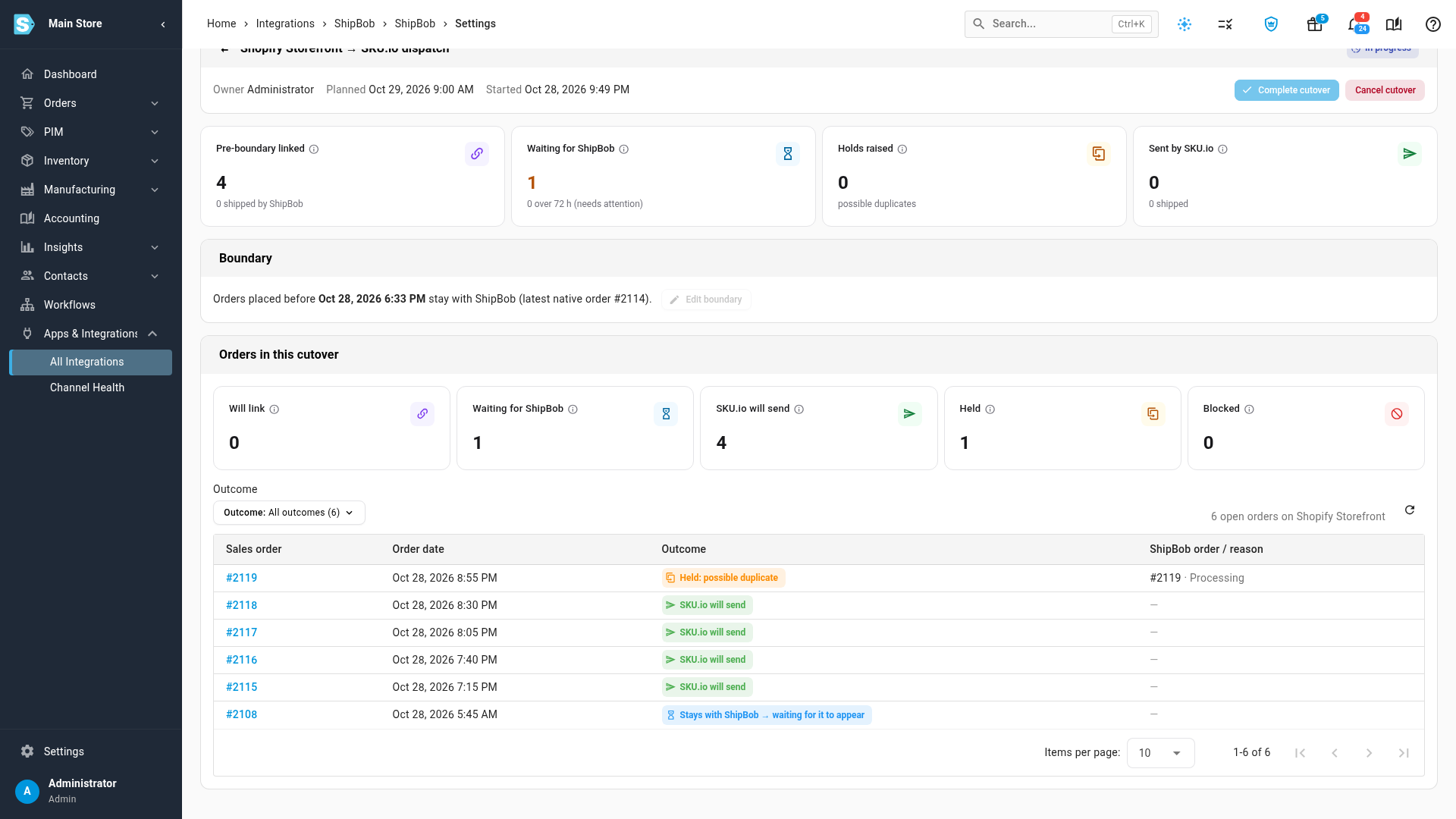
Once the readiness checklist is green, click Start cutover. Orders placed before the boundary are never sent by SKU.io — they're linked to the order your provider already has, and close when the provider ships them. Everything after the boundary goes out through SKU.io. A live summary tracks the switch, and if an order before the boundary never reaches your provider, SKU.io flags it after three days so nothing falls through the gap. When everything has settled, click Complete cutover.
"Already at your provider — not sent"
The protection doesn't stop when the cutover ends. Any time you or an automation sends an order, SKU.io first checks whether your provider already holds it. If it does, the fulfillment order shows Already at your provider — not sent, with how close the match is and a link to open the order in your provider's app. From there you choose: Link it to the provider's order, Send anyway with a reason (for a genuine replacement shipment), or cancel it. Held orders also appear in the Needs attention column of the Orders Board, and in their own Duplicate hold filter on the fulfillment orders list.
Where to find it
- Switch a channel over: Apps & Integrations → All Integrations → (your provider) → Settings → Cutover.
- Find held orders: Orders → Fulfillments, then click Duplicate hold — or open the Orders Board tab and look in Needs attention.
- Press H on either screen to open the guide right there in the app.
Full guides: Switch a provider to SKU.io dispatch · Resolve an "Already at" hold · How SKU.io spots an order your provider already has