Amazon Business pricing — Business prices and quantity discounts that follow your consumer price
Business buyers on Amazon see their own price: a separate Business price, plus up to five quantity discounts that lower the unit price for bigger orders. Those prices are set by hand in Seller Central, so they drift. Your consumer price changes, and the Business price doesn't, until a business buyer is paying more than everyone else, or a discount quietly takes the price below what you can afford. Amazon Business pricing lets SKU.io manage both for you. It works out the Business price and every quantity discount from your consumer price on each push, checks them against your floor, and shows you every Business offer that has gone stale.
✨ What this means for you:
- Your Business price follows your consumer price automatically, as a percentage off, from a pricing tier such as Wholesale, or equal to it.
- Quantity discounts (up to five tiers) are worked out for you, and every tier is checked against your floor before it's sent.
- A Business price is never sent above your consumer price or below your floor.
- You choose which marketplaces SKU.io prices, one at a time, and can hand any of them back to Seller Central.
- One screen shows every Business offer that's above your consumer price or has a tier below your floor, so you can fix it.
- Products with different margins can have their own Business price, without touching their consumer pricing.
- The first push is a dry run, so you see exactly what would be sent before anything changes on Amazon.
Set your Business price and quantity discounts once
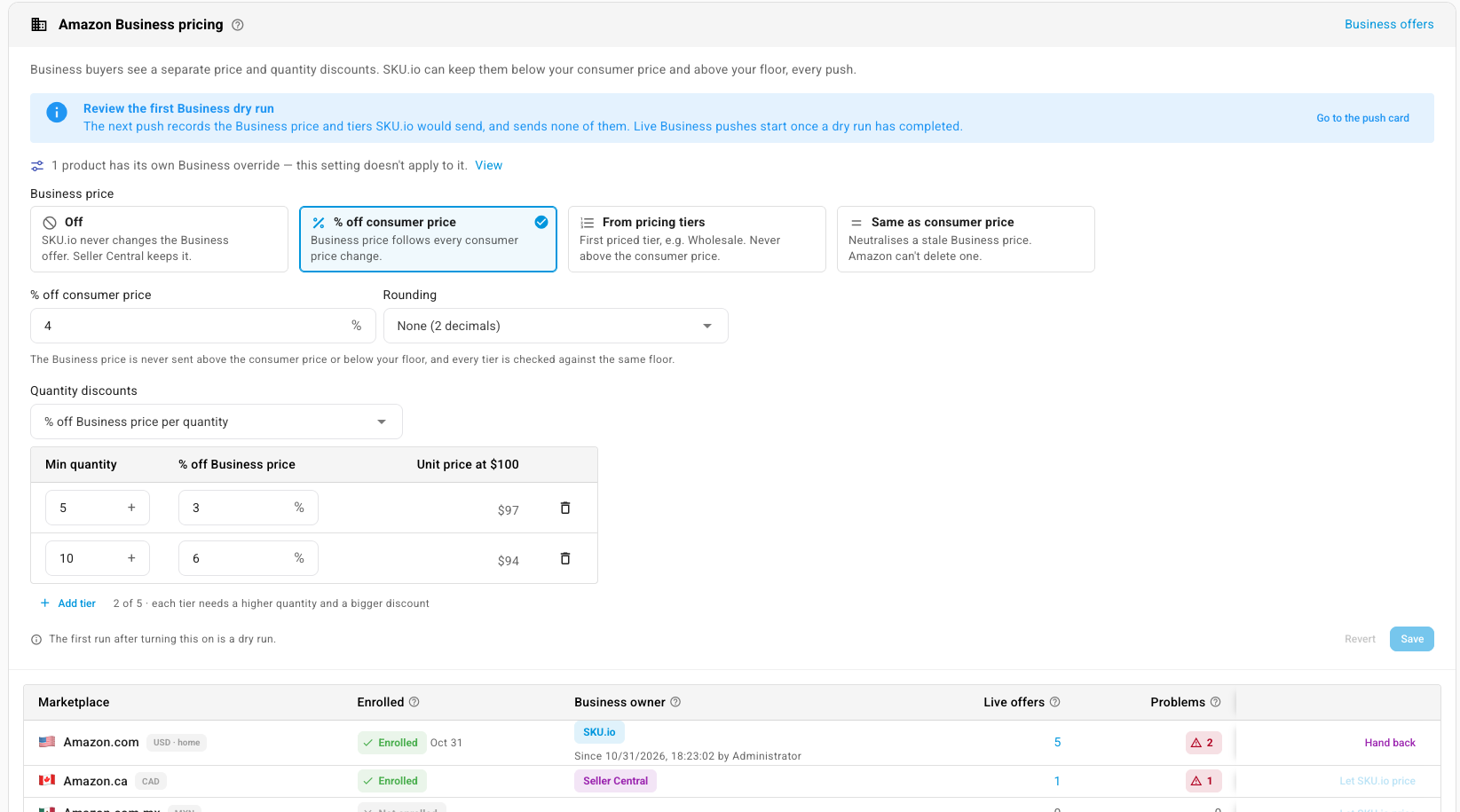
The new Amazon Business pricing card in your Amazon settings is where you choose how the Business price is set: a % off consumer price, from pricing tiers, or the same as consumer price (handy for clearing out a stale Business price, since Amazon can't delete one). Add quantity discounts, and the card shows the unit price each tier works out to as you type.
Below that, every marketplace shows whether your seller account is enrolled in Amazon Business and who owns its Business price: SKU.io, or Seller Central. Click Let SKU.io price to take a marketplace over, or Hand back to return it. Until you do, SKU.io never touches the Business offers in that marketplace.
See every Business offer that's gone stale
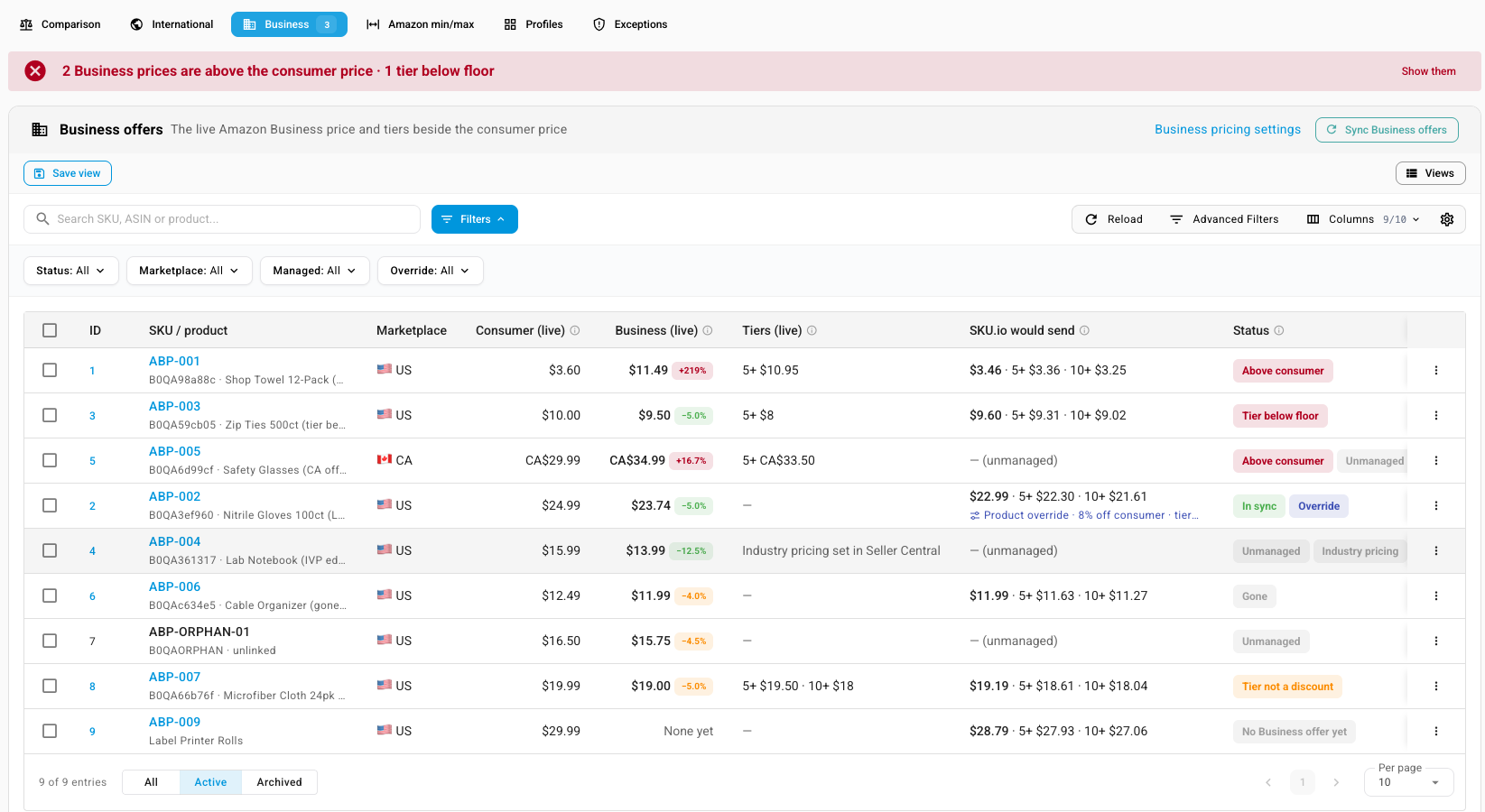
The Business tab on the Amazon Pricing page lists every live Business offer beside its consumer price, the tiers Amazon has now, and what SKU.io would send. A banner at the top counts the problems, such as Business prices above the consumer price and tiers below your floor, and Show them filters straight to them. From any row you can preview the push, push it now, or neutralise a stale Business price.
Give one product its own Business price
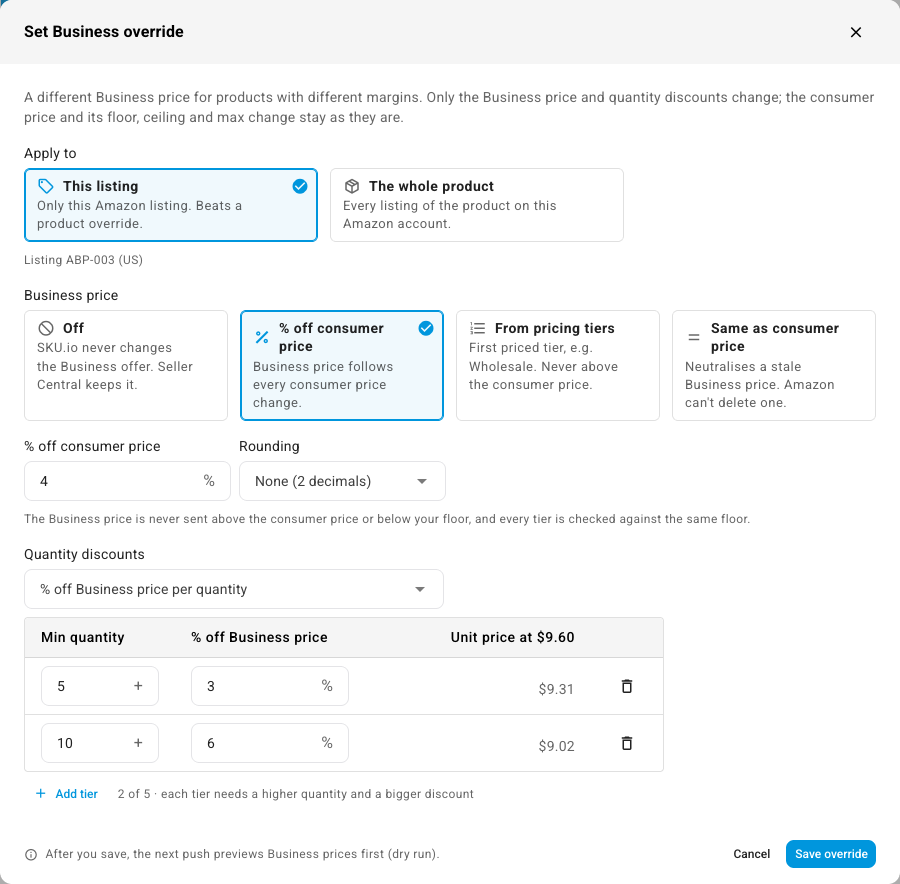
Different products carry different margins, so one rule rarely fits them all. Set Business override… gives a single listing, or every listing of a product, its own Business price and quantity discounts. A listing override beats a product override, and the consumer price, floor and ceiling stay exactly as they are. You can override several products at once from the table too.
Where to find it
- Set up Business pricing: Apps & Integrations → your Amazon connection → Amazon Settings → Pricing Sync, then the Amazon Business pricing card. Your Amazon connection needs SKU.io as its price source, with price push set up.
- Review and fix Business offers: your Amazon connection → Pricing → Business.
- Override one product: on the Business tab, open a row's ⋮ menu and choose Set Business override….
Full guides: Price your Amazon Business offers · Fix stale Amazon Business prices · Set a Business price for one product