Amazon min/max allowed price — stop Seller Central limits from deactivating your listings
Amazon lets every offer carry a minimum and a maximum price, and it quietly deactivates a listing whose price falls outside them. Those limits often get set in Seller Central, sometimes with the minimum and maximum equal to pin a price, and the next price SKU.io sent could land outside them. The listing stopped selling, and nothing in SKU.io said why. Amazon min/max allowed price fixes that: SKU.io now reads Amazon's limits back for every listing, checks each price against them before it goes out, and shows you every listing that's outside its limits, with a one-click fix that doesn't change your prices.
✨ What this means for you:
- See every Amazon listing that's outside its minimum or maximum, including the ones Amazon has already deactivated, in one place.
- Know who set each limit: Seller Central, or SKU.io.
- Fix them in bulk after a preview. The usual fix moves the conflicting limit to the listing's current price, so your prices don't change.
- A new price that would land outside a limit set in Seller Central is held instead of sent, so the listing stays live.
- Manage Amazon's minimum and maximum separately from your SKU.io price guardrails, which still protect your prices on every channel.
Every listing outside its limits, in one place
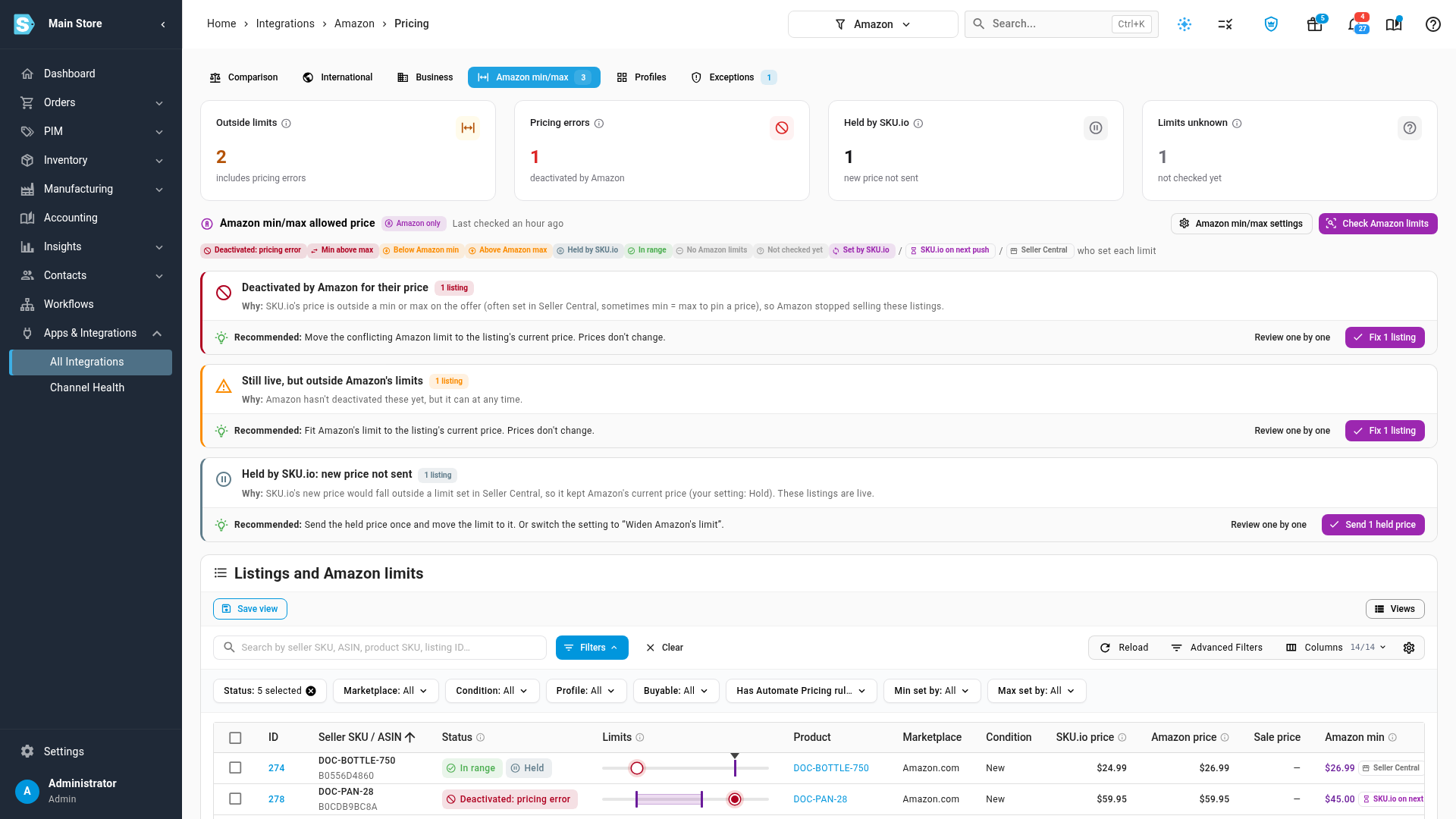
The new Amazon min/max tab on your Amazon Pricing page opens with the answer: how many listings are outside their limits, how many Amazon has deactivated, how many prices SKU.io held, and how many it hasn't checked yet. Below that, the problems are grouped by cause, each with a plain explanation and a recommended fix. The table shows each listing's price drawn on Amazon's allowed range, and a chip on every minimum and maximum says whether it was set in Seller Central or by SKU.io.
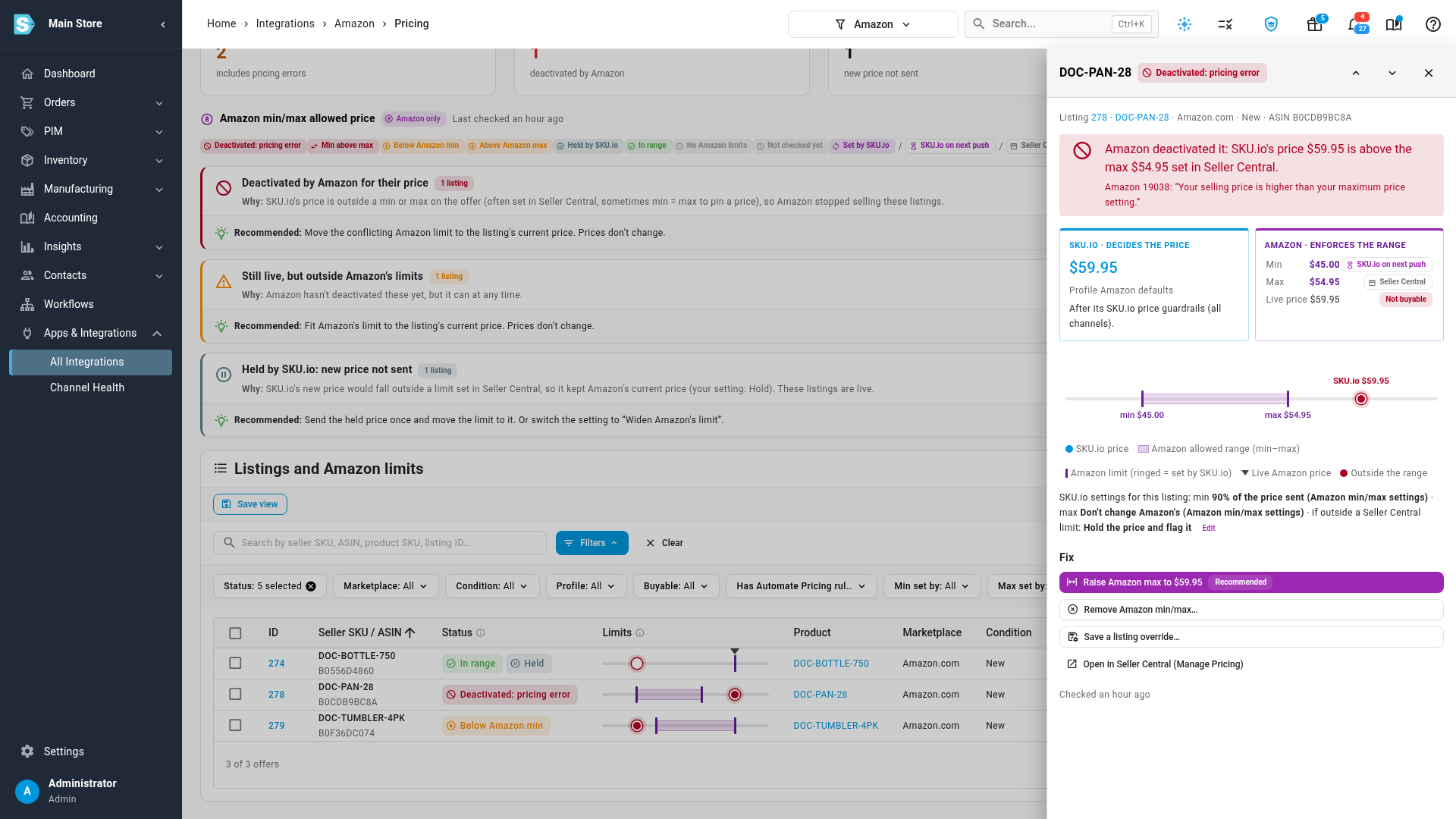
Compare SKU.io and Amazon side by side
Click a listing to see both halves of the story: the price SKU.io decided on the left, and the range Amazon enforces on the right, with Amazon's own message when it deactivated the listing. From there, Fix previews exactly what will be sent before anything reaches Amazon.
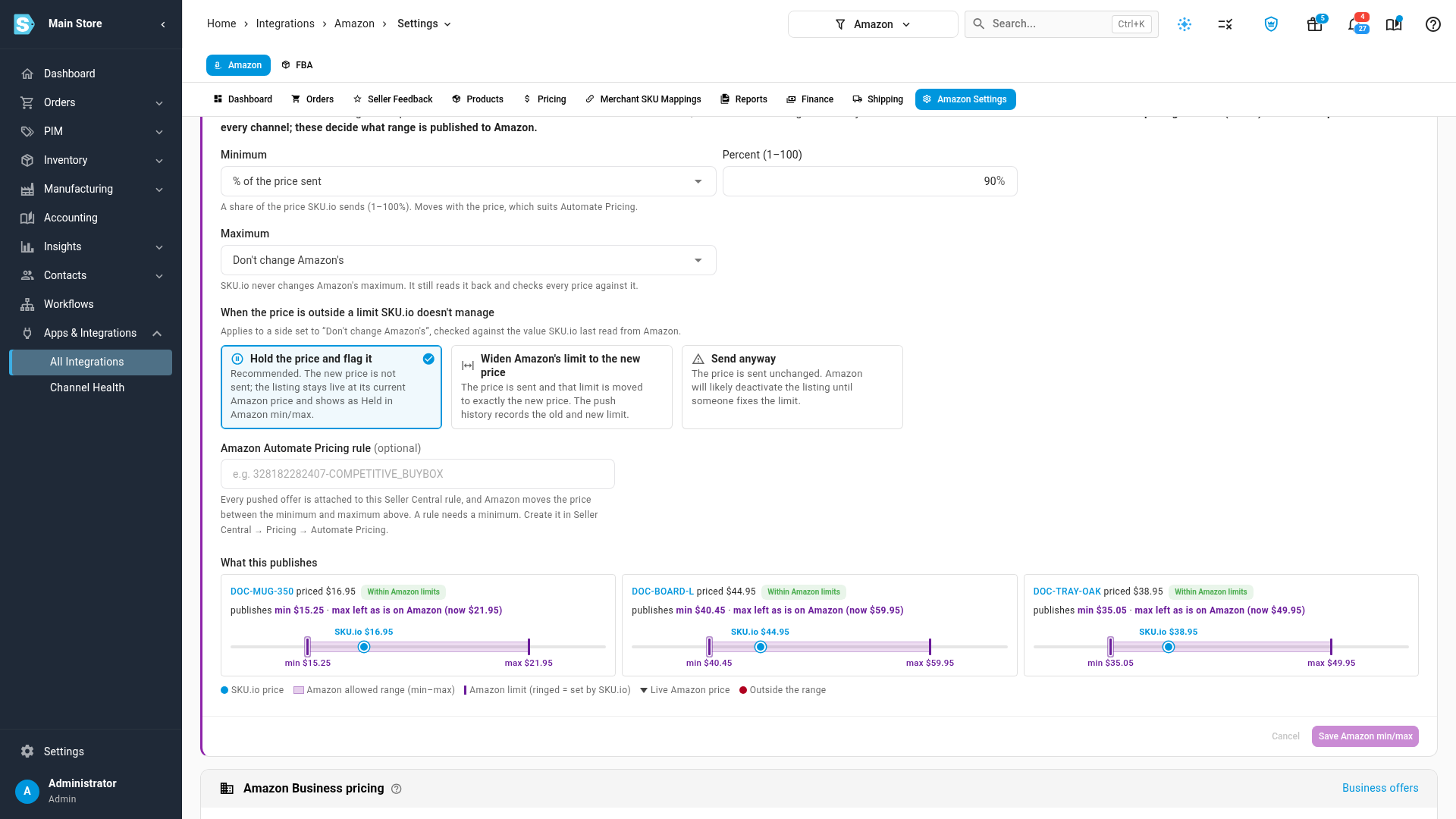
Amazon's limits, kept apart from your price guardrails
Your SKU.io price guardrails (floor, ceiling and maximum change) decide what price SKU.io sends to every channel. Amazon's minimum and maximum are now a separate, Amazon-only card under Pricing Sync. For each limit you choose whether SKU.io leaves Seller Central's value alone, removes it, or sets it, for example as a percentage of the price sent. You also choose what happens when a new price falls outside a limit SKU.io doesn't manage: hold it, widen Amazon's limit to it, or send it anyway. Profiles, marketplaces and single listings can override it, and the Amazon Automate Pricing rule now lives here too.
What changed for your account
- If you used a price floor or ceiling on Amazon, SKU.io used to copy it into Amazon's minimum and maximum. It still does, now shown as Use the SKU.io guardrail floor and ceiling on the new card, set to send prices as before. Nothing you send has changed.
- If you didn't, SKU.io leaves Amazon's limits as Seller Central has them, and now holds a new price that falls outside them instead of sending it. Held listings stay live at their current price and appear on the Amazon min/max tab.
Where to find it
Go to Apps & Integrations → All Integrations → Amazon → Pricing → Amazon min/max to see listings outside their limits, and Amazon → Amazon Settings → Pricing Sync for the Amazon min/max allowed price card.
Full guides: Amazon min/max and SKU.io price guardrails · Set Amazon min/max allowed prices · Fix Amazon listings outside their min/max