Amazon pallet delivery — know which orders ship by freight before you pack them
Amazon now lets business buyers require that bulky items, such as racking, decking and workbenches, arrive on a pallet. If one of those ships as an ordinary parcel, it can be refused at the dock, and that hurts your seller metrics. Until now nothing in SKU.io told you which orders needed a pallet. Amazon pallet delivery fixes that. When an Amazon order requires a pallet, SKU.io flags it on the order and on each affected line. It warns you again in the fulfill dialog, and lets you filter your whole order list down to pallet orders.
✨ What this means for you:
- An amber Pallet delivery chip on the order header (it stays visible while you scroll) shows that an order needs freight before anyone starts packing.
- Each line that needs a pallet carries its own Pallet chip, so in a mixed order you know exactly which items go by freight.
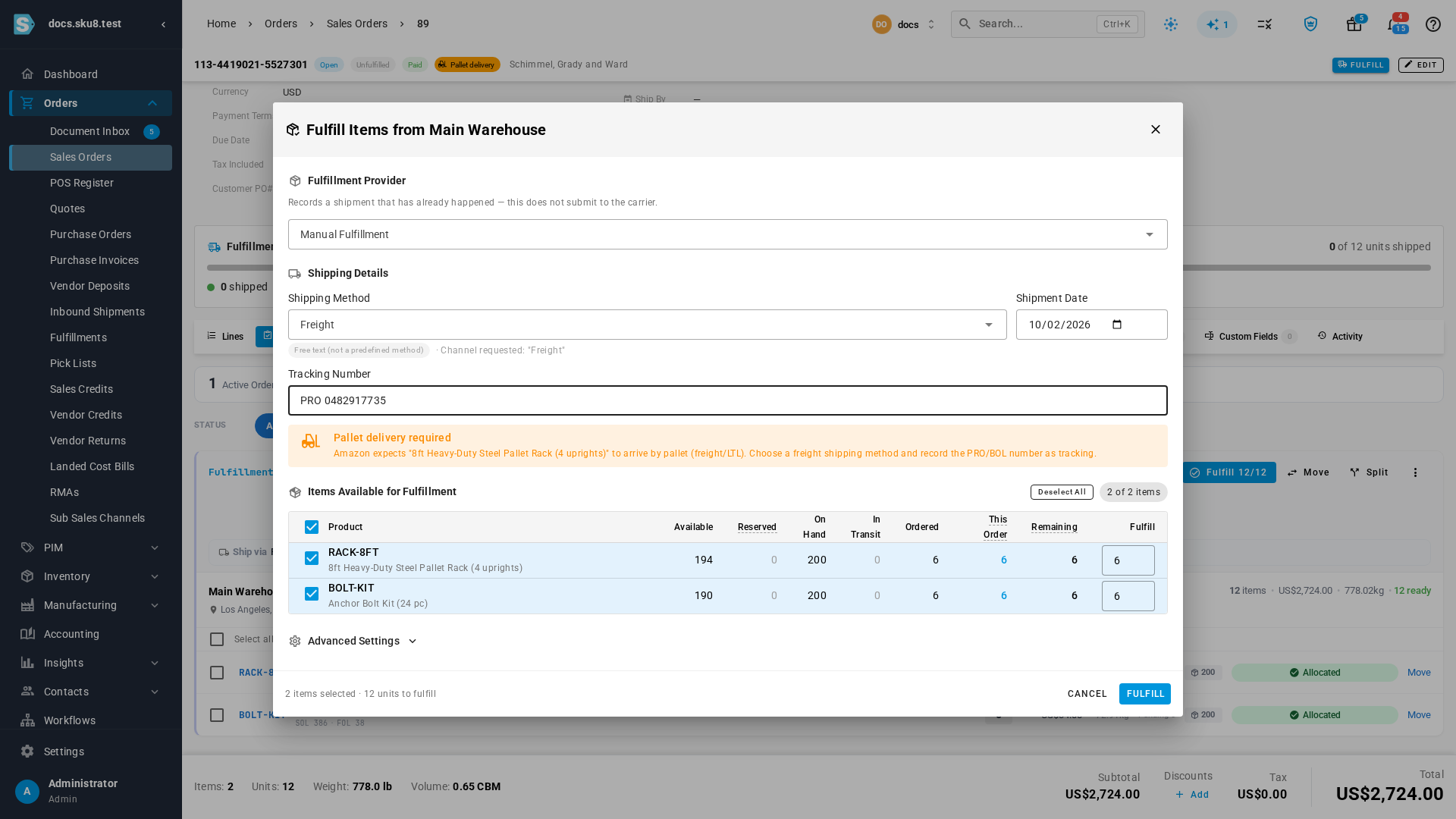
- The fulfill dialog shows a Pallet delivery required warning naming the item. It asks you to pick a freight method and record the PRO/BOL number as tracking.
- A new Pallet Delivery filter on Sales Orders lists every pallet order for your freight team.
- Amazon signature confirmation now carries through as well, so those orders show Signature required without anyone setting it by hand.
- This covers orders you fulfill yourself. Fulfilled-by-Amazon orders are never flagged, because Amazon ships them.
See it on the order, before you pack
When Amazon marks an order item for pallet delivery, the sales order shows an amber Pallet delivery chip next to its status. The chip stays in the compact header as you scroll down through the lines, and each affected line gets a Pallet chip of its own.

A reminder right where you ship
Open Fulfill on a pallet order and a Pallet delivery required warning appears above the items. It names the product and reminds you to choose a freight shipping method and record the PRO/BOL number as tracking. The same warning shows when you submit a fulfillment order to your warehouse or 3PL. It only appears for items you're actually shipping in that fulfillment.
Find every pallet order in one view
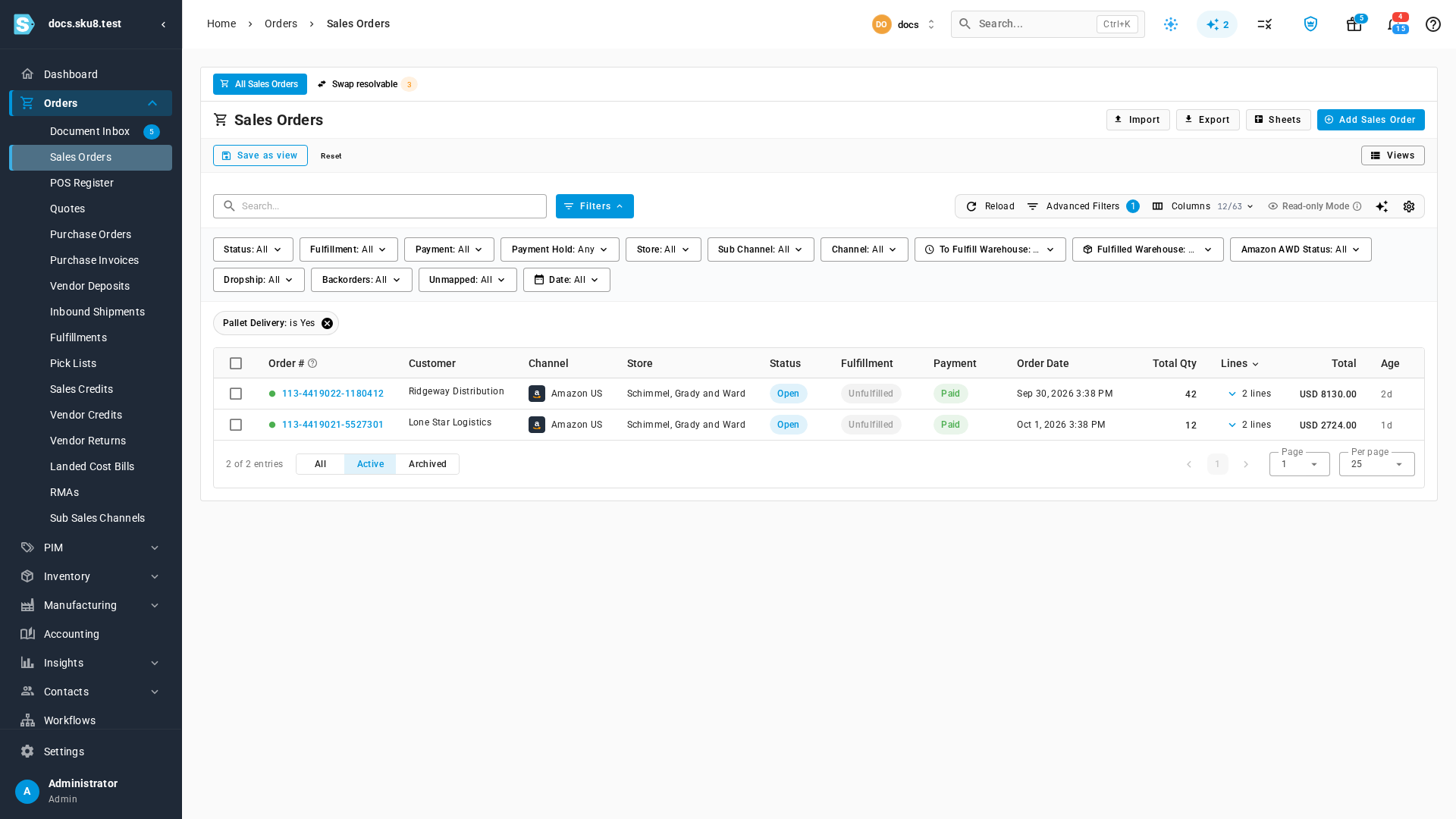
On Orders → Sales Orders, open Advanced Filters and add Pallet Delivery is Yes to list only orders that need a pallet. Save it as a view and your freight team has a standing queue. A matching Signature Required filter works the same way.
The Amazon order page also lists every shipping requirement Amazon sent for each item, including pallet delivery, signature, and age or ID checks.

Where to find it
Open any Amazon sales order under Orders → Sales Orders and look for the Pallet delivery chip. To see them all at once, use Advanced Filters → Pallet Delivery. If Amazon later drops the requirement before you've shipped, the flag clears on the next sync. Once the order has shipped, the flag stays and SKU.io adds a note to the order.
Full guide: Ship Amazon pallet delivery orders