Pre-orders by release date: take orders early, ship on release day
Publishers and brands often deliver stock days or weeks before the on-sale date. When it lands, it's allocated to your pre-orders and goes straight to the warehouse, so customers get the title before it's meant to be out. Until now the only way to stop that was to put a hold on every order by hand, then change them all again when the date moved. Pre-orders by release date puts the date on the product instead. While the release date is in the future, the product is a pre-order: its orders are allocated stock as usual, but nothing is sent to your warehouse or 3PL. On the release date SKU.io releases the orders, and they ship like any other order.
✨ What this means for you:
- Nothing ships early. A pre-order line keeps its allocated stock, so the units can't be sold twice, but it never reaches your warehouse or 3PL before the release date, even when the warehouse dispatches automatically.
- No one has to release it. SKU.io checks release dates every hour and releases the held orders on the day, in your account's time zone.
- One date to change. Move a product's release date and its open orders follow. Clear it, or set it to today, to release early.
- Mixed orders follow your partial dispatch settings. In-stock items ship now and the pre-order follows on its release date, or everything waits and ships together.
- You can see what's waiting. A Pre-order · releases chip on the product, the order and its line, a Held pre-orders view of your sales orders, and the Release Schedule report.
Set the release date on the product
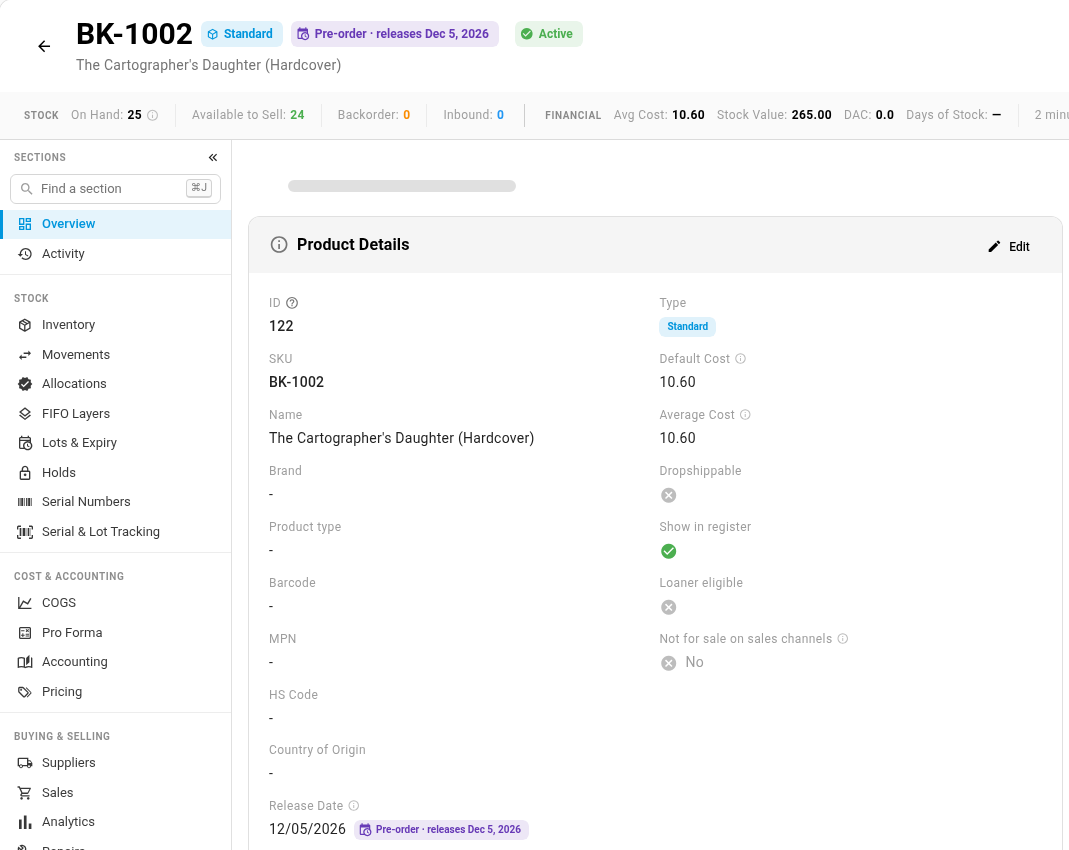
Open a product, click Edit on the Product Details card, and enter its Release Date. While the date is in the future, a purple Pre-order · releases Dec 5, 2026 chip shows next to the product's name and next to the field. Open orders for the product are updated within seconds. To date many products at once, use bulk edit or the release_date column of a product import.
Orders keep their stock and wait
An order with a pre-order product carries the same chip in its header and on the product's line. The line is allocated, so the stock is set aside for this customer, but it isn't sent to the warehouse. Other items on the order follow your partial dispatch settings, exactly as they would next to a backordered line: with partial dispatch on, the in-stock items ship now and the pre-order follows on its release date as a second shipment. With it off, everything ships together on the release date.

Drop-ship lines, and lines fulfilled from stock a sales channel holds (such as Amazon FBA), are never held. The supplier or channel ships them on its own schedule.
See every held pre-order
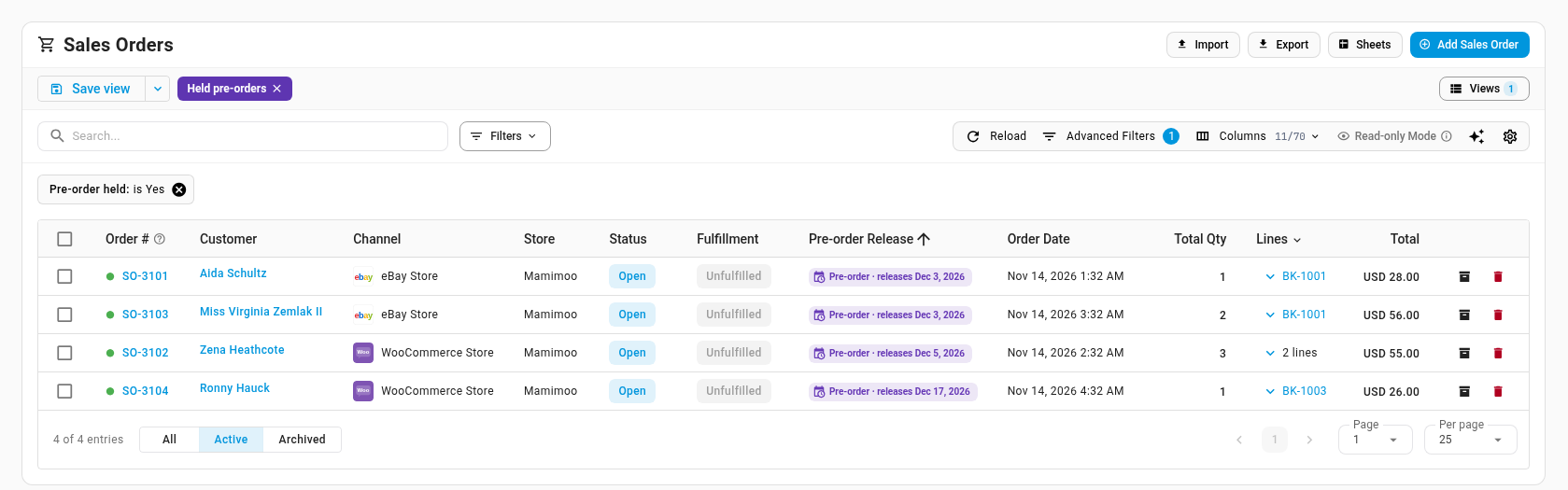
On Orders → Sales Orders, click Views and choose Held pre-orders. SKU.io adds this saved view for you. It lists every open order waiting for a release date, soonest first, with a Pre-order Release column. You can add that column to any view, or filter any view with the Pre-order held advanced filter.
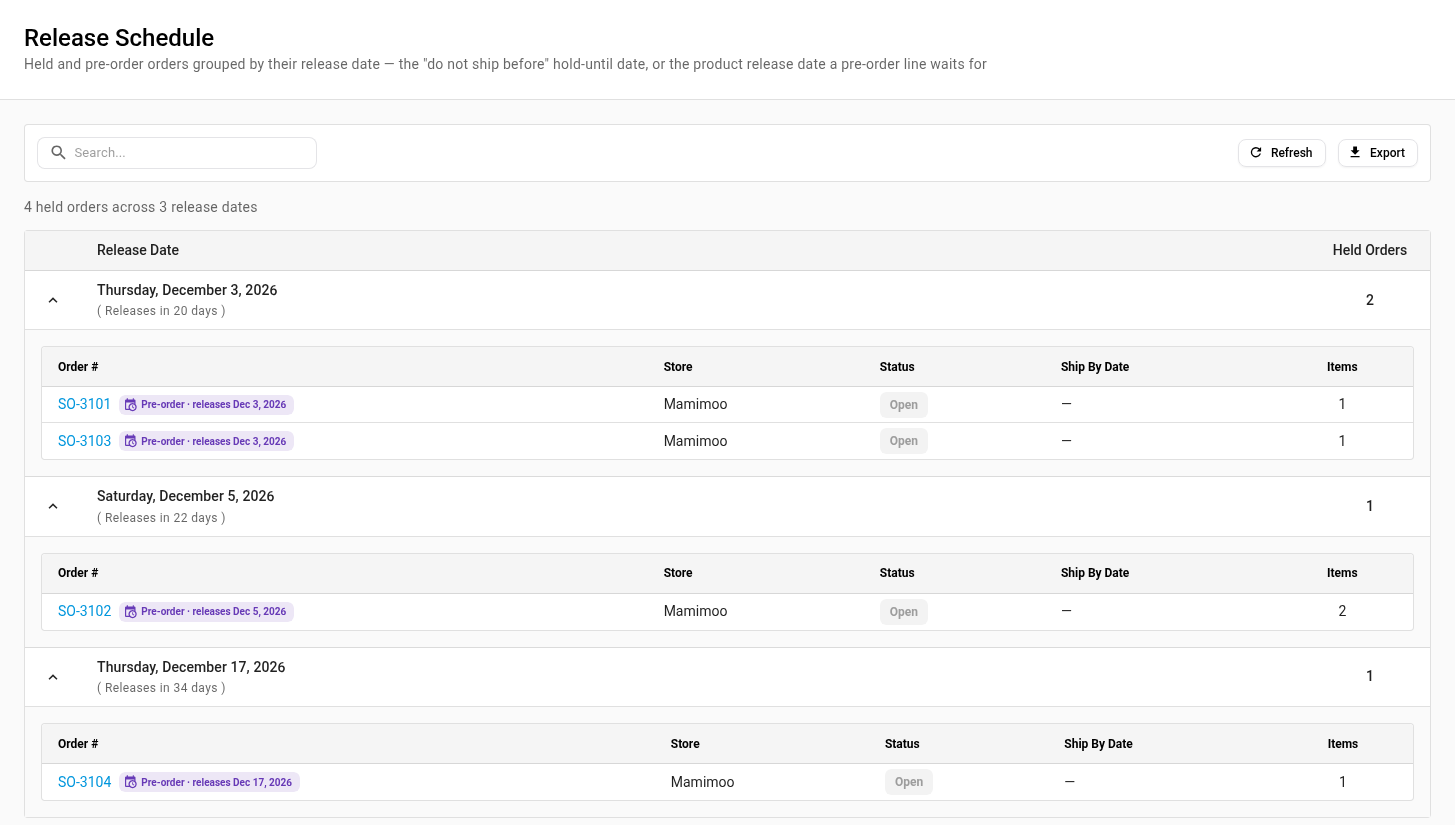
For a calendar, open the Release Schedule report. Held orders are grouped under the day they release, with the number of days left.
When a title stops being available, there's also a new Out of print lifecycle state. It works like Discontinued: you sell through the remaining stock, but it isn't reordered.
Where to find it
Set a release date on any product under PIM → Products (open the product, then Edit on Product Details). Find held orders under Orders → Sales Orders → Views → Held pre-orders, and the calendar under Insights → Reports → Release Schedule.
Full guide: Take pre-orders with a release date