Create a PO from a supplier document — upload the CSV, PDF or photo instead of retyping it
Orders often start outside SKU.io: an order sheet filled in at a trade show, a PDF confirmation from a supplier, a market app's export. Retyping every line, size by size, is slow, and one wrong code means the wrong stock arrives. Create a PO from a supplier document skips the retyping. Upload the file, or snap a photo of the paper sheet. SKU.io reads the supplier, order number, dates and lines, matches each line to your products, and builds a draft purchase order for you to check before anything is created.
✨ What this means for you:
- Any format your supplier sends: CSV and XLSX spreadsheets, market-app exports, PDFs, and JPG or PNG photos, up to 20 MB.
- The order details are read for you: supplier, vendor order number, order date and expected delivery.
- Lines matched to your products on the supplier's code first, then barcode, then name, size and colour.
- Nothing is guessed: loose matches are flagged, and a line with no match stays out until you pick its product.
- It learns: the supplier codes you match are remembered, so the next sheet from that supplier matches on its own.
Upload the sheet, or take a photo
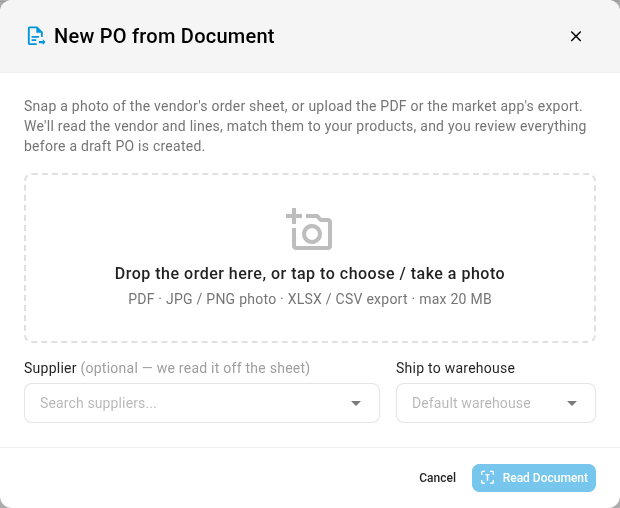
On Orders → Purchase Orders, click New PO from Document. Drop the file in, or tap to choose one or take a photo. Picking the supplier is optional, since it's read off the sheet. Choose the warehouse to ship to and click Read Document.
Check the matches, then create the draft
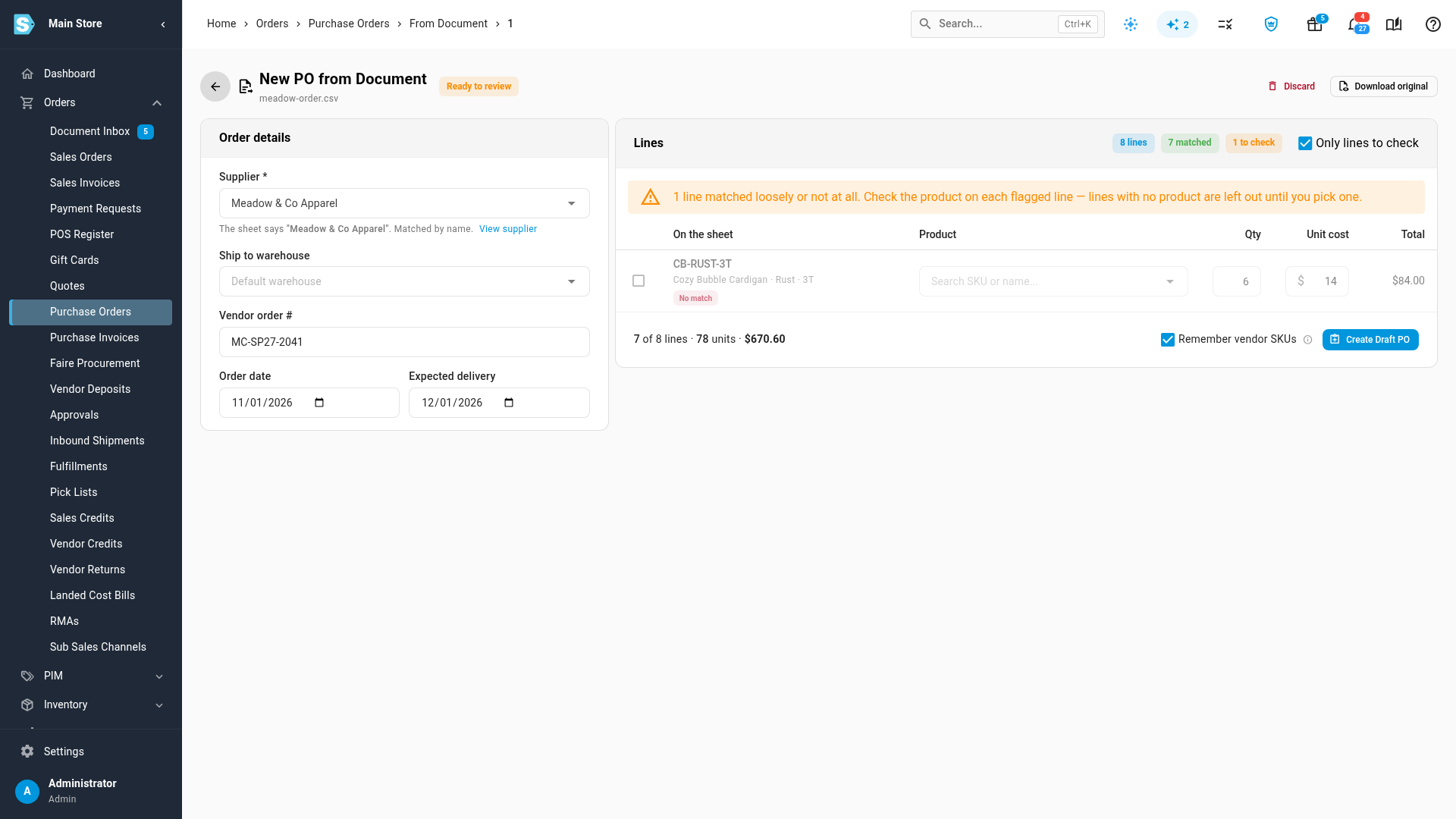
The review page shows the Order details it read and every line: what was On the sheet beside the Product it matched. Tick Only lines to check to see just the lines that need you. A line with no match is left out until you pick its product, and lines that matched loosely are flagged. When it looks right, click Create Draft PO. Spreadsheets and exports work as they are. PDFs and photos are read with document OCR, which is turned on per account.
Where to find it
- Orders → Purchase Orders → New PO from Document.
Full guide: Create a purchase order from a supplier document