Revenue at fulfillment, now for marketplace payouts — and see the effect before you switch
In July we added fulfillment-based revenue recognition: sales wait in Deferred Revenue and count as revenue when they ship, in the same entry as their cost of goods. It had one big gap. If your Amazon, eBay, Shopify or Walmart sales are accounted for through their payouts, as most multichannel stores' are, switching on would have counted that revenue twice: once at shipment and again on the payout. Those stores had to stay on order-date revenue. Now they don't. And before anyone switches, SKU.io shows you exactly what would change, month by month, using your own recent orders.
✨ What this means for you:
- Marketplace sales recognize revenue when they ship, even when the marketplace pays you days later in one batch.
- Every payout still ties to your bank deposit to the cent. The payout's sales invoice and fees bill in QuickBooks or Xero don't change.
- Preview before you commit. See how much revenue moves between months, what would sit in Deferred Revenue, and which orders are still open, without saving anything.
- Pick the day it starts, such as the first of next month, instead of switching the moment you save.
- Amazon FBA and Walmart Fulfillment Services use the shipment date the marketplace reports.
Marketplace payouts, on the shipment date
When a store accounts for its sales through payouts, each shipment now moves its revenue into Sales and holds the other side in a new Unsettled Channel Sales account. When the payout arrives, a journal settles it. For an order that ships before it's paid out, the two cancel and the revenue lands on the day it shipped. Pre-orders the marketplace has already paid out wait in the same account until they ship. Refunds before shipment reduce what's waiting.
See the effect before you switch
Under Accounting → Settings → General, Preview the switch replays your recent orders both ways. Ready to switch? lists anything you still need to set up, such as mapping Unsettled Channel Sales.
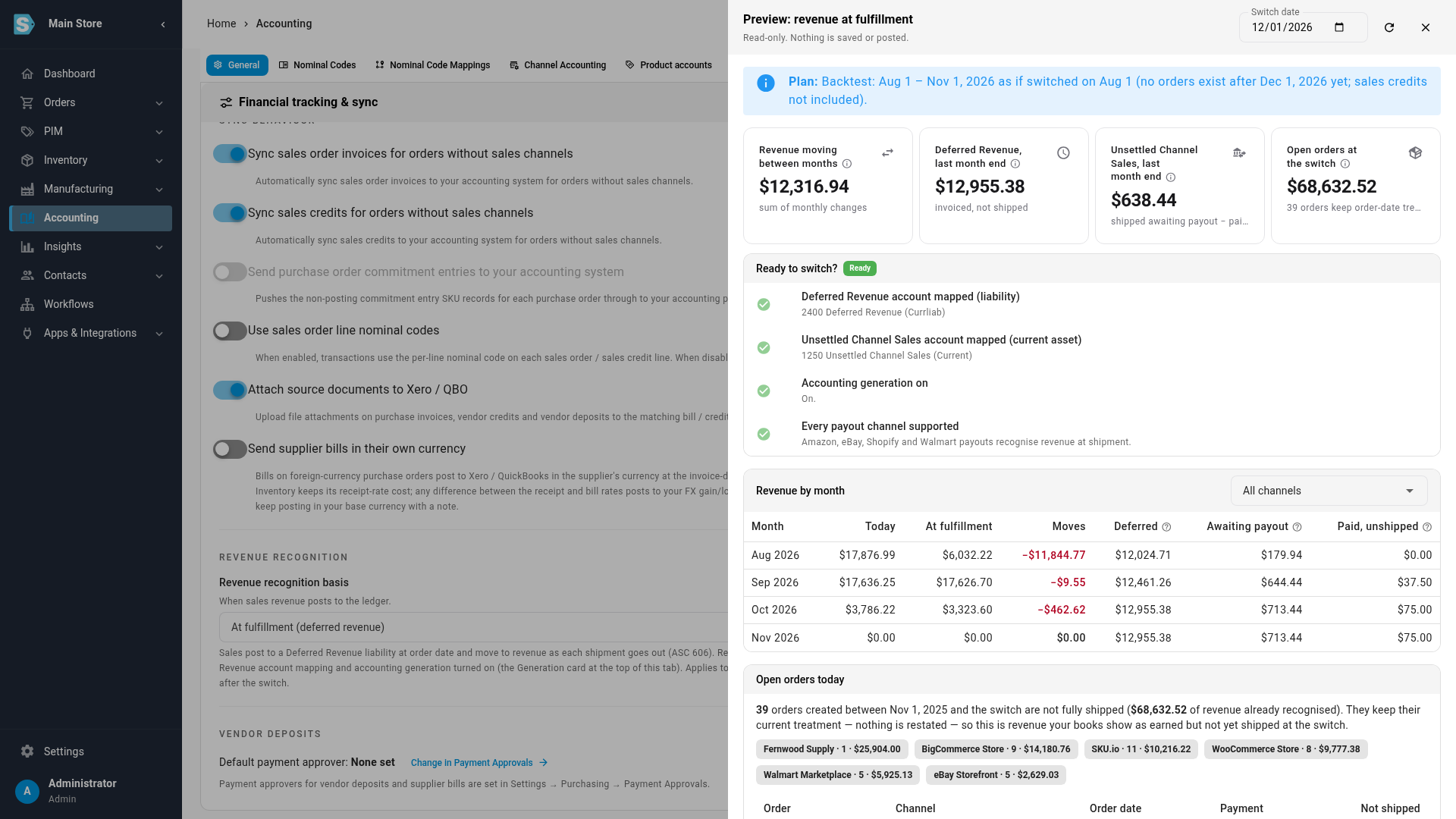
Revenue by month puts today's timing next to fulfillment timing, with what moves, what's still waiting for a shipment, and what's shipped but not yet paid out. Filter it to one store at a time.
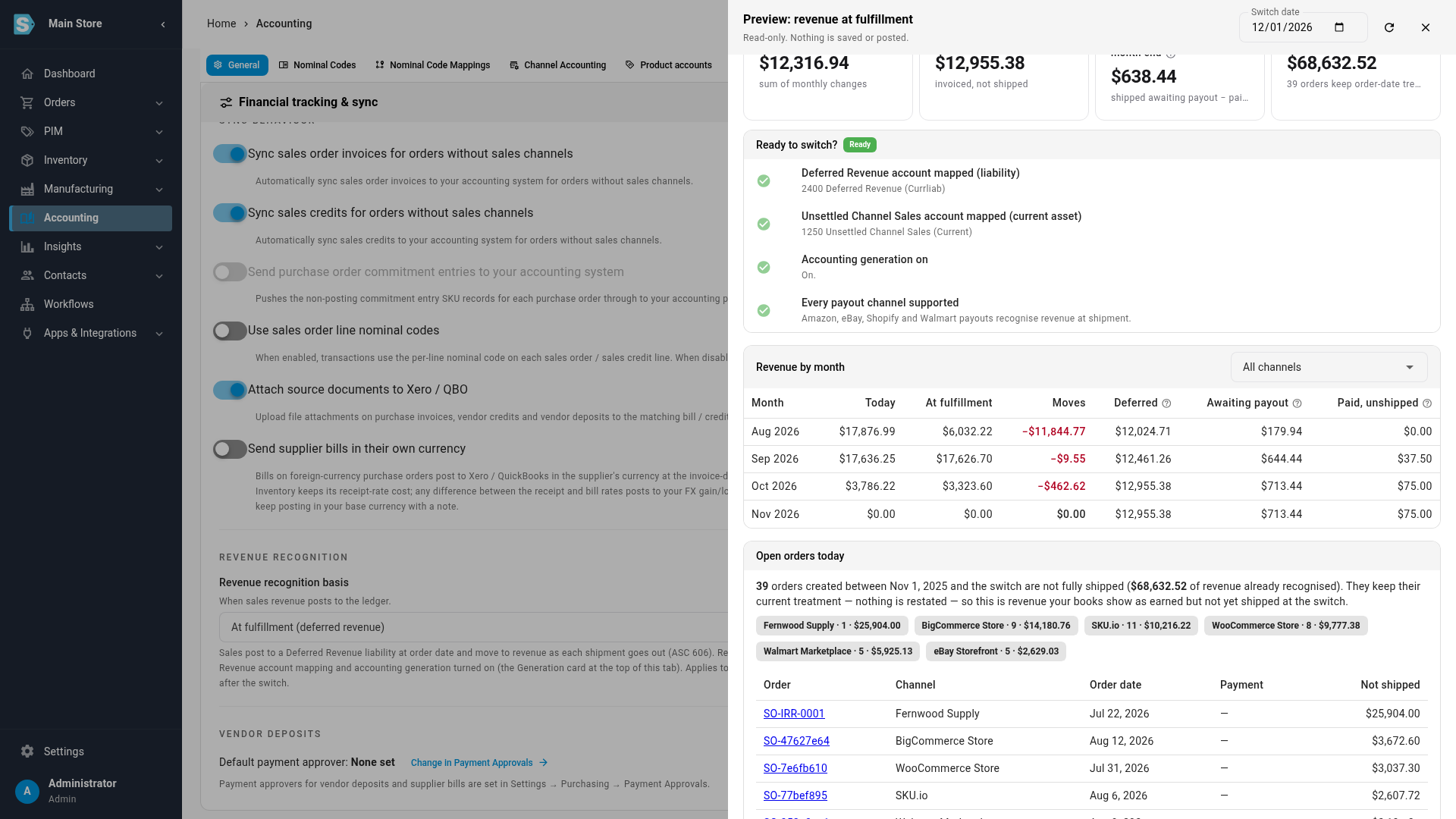
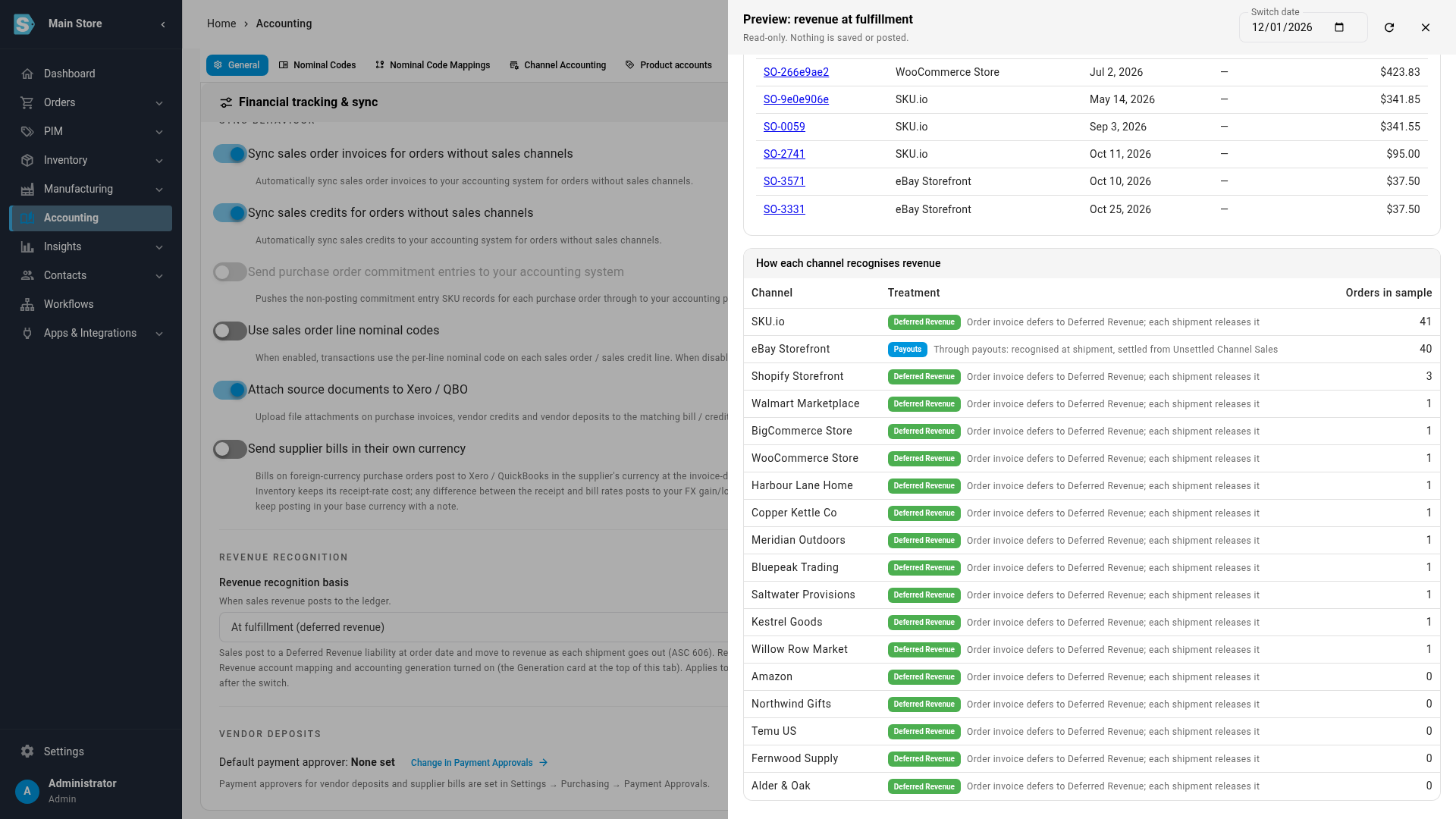
It also lists the orders already counted as revenue but not yet shipped. They keep their current treatment after the switch, so nothing is counted twice. It also shows how each store's revenue will be recognized. The preview never changes anything, so open it as often as you like, before or after you switch.
Choose when it starts
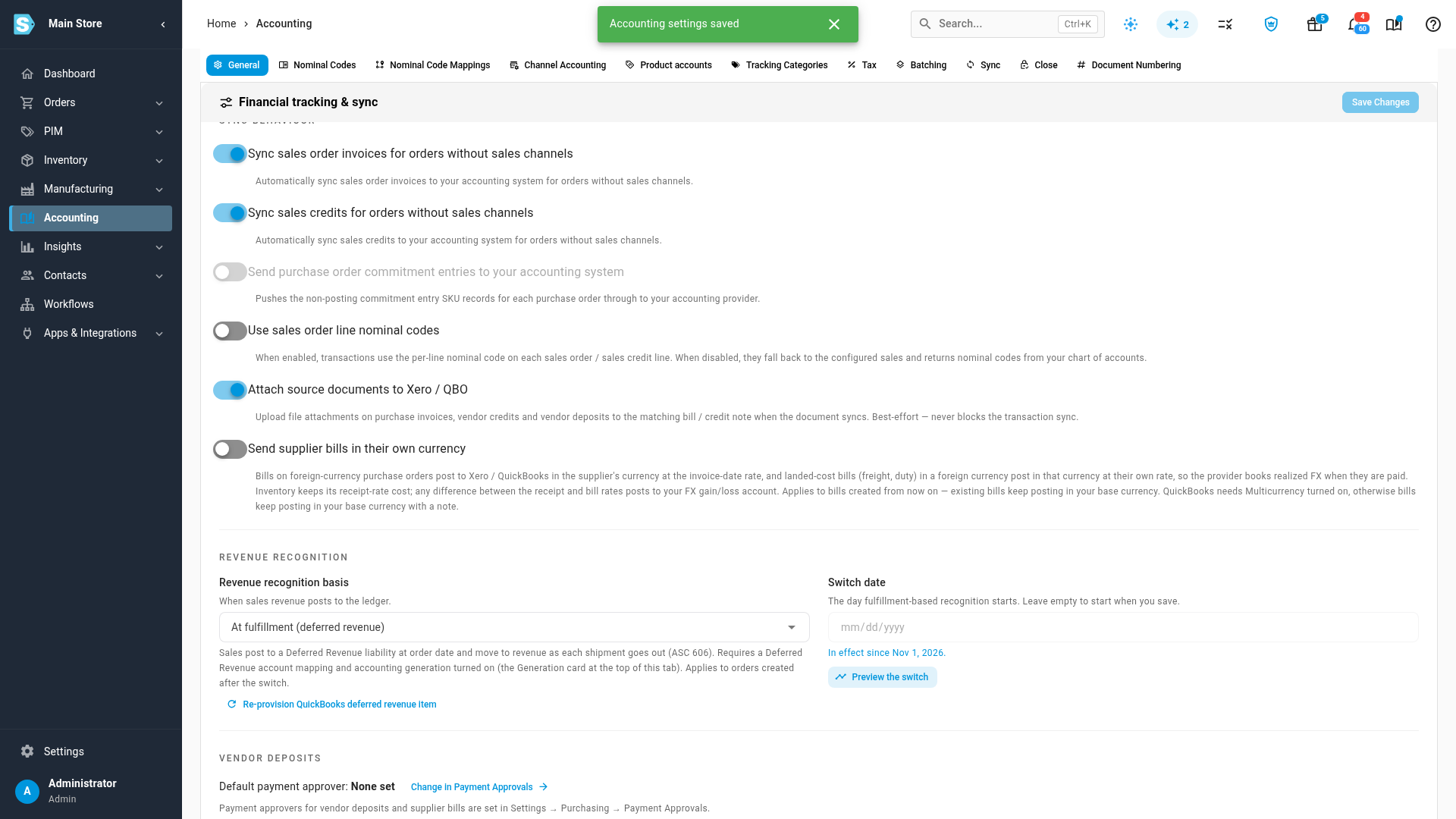
Set a Switch date and the change begins at midnight on that day, in your account's time zone. Until then the card says Switches on that date, and you can move or clear it. Orders created before the switch date keep order-date recognition.
Where to find it
Go to Accounting → Settings → General and scroll to Revenue recognition. If any of your stores account through payouts, first map an Unsettled Channel Sales account under Accounting → Settings → Nominal Code Mappings. Nothing changes until you switch.
Full guide: Recognize revenue at fulfillment · Video: Watch the walkthrough