Editable Mode — Edit Your Lists Like a Spreadsheet, Then Save in One Go
Changing a handful of values across a list used to mean either opening each record or trusting that every keystroke in the grid was the one you meant. Editable Mode is now a real spreadsheet, and nothing you type is saved until you've seen it. Make all your changes, open Review & save, check each old value against the new one, and save them together, or throw them all away.
✨ What this means for you:
- Edit many records at once without opening a single detail page
- Paste straight from Excel or Google Sheets, fill a value down a column, and undo as far back as you need
- See every change before it's saved: each cell is marked until you save it, and Review & save lists them all
- Nothing is lost by accident: leaving the page with unsaved changes always asks first
Turn any list into a spreadsheet
Click the Read-only Mode chip next to Columns and the list becomes a sheet, with column letters, row numbers, a formula bar and the keyboard shortcuts you already know from Excel.
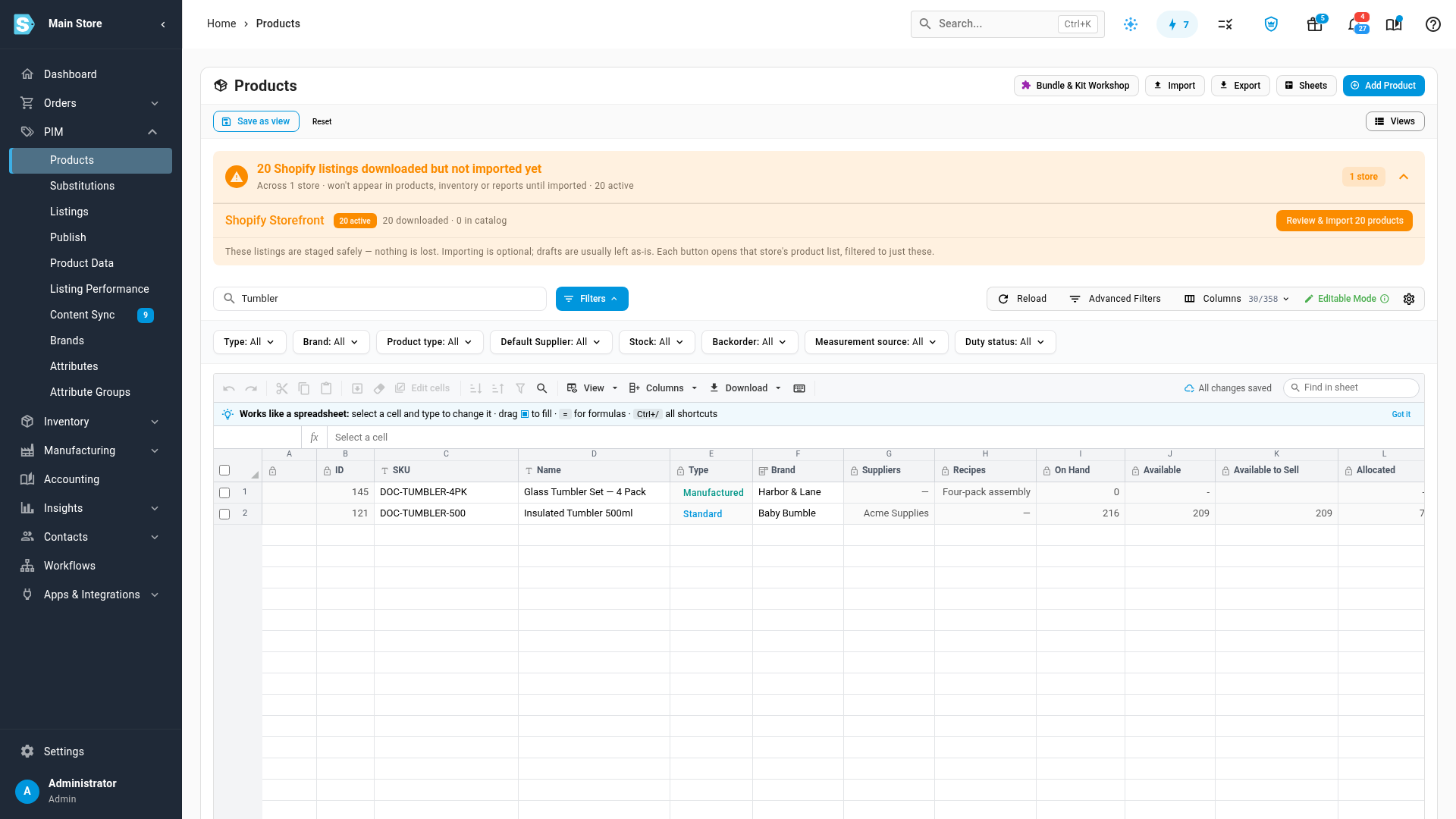
Edit freely, save when you're ready
Type into a cell, press F2 to change the text that's there, or paste a whole block. Every cell you change gets an amber corner, and the toolbar counts what's waiting.
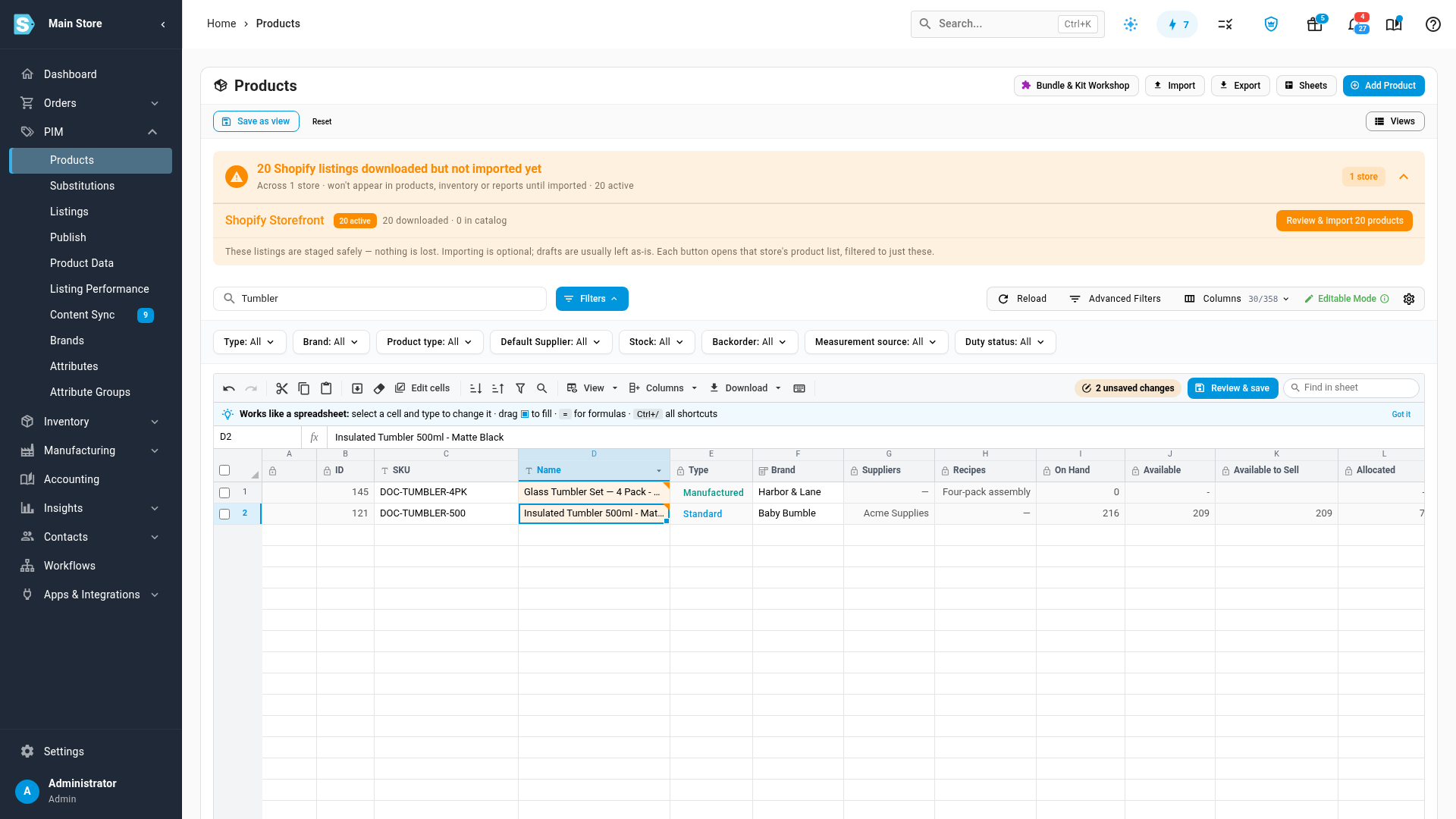
Check every change, then save them together
Review & save (or Ctrl+S) lists each change with the value it had and the value it will have. Save them all, keep editing, or Discard all to put every cell back.
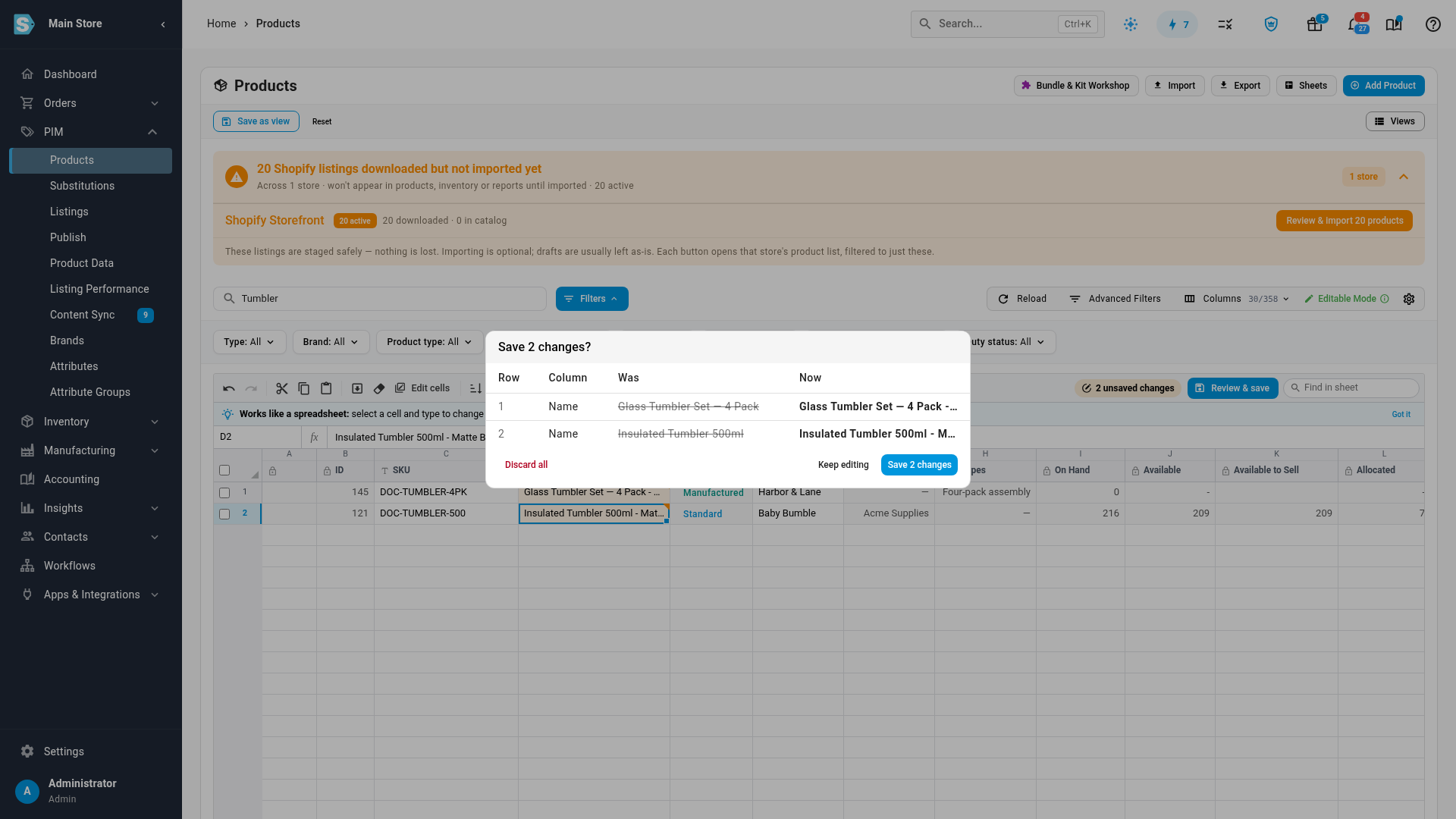
Prefer each change to save the moment you make it? Open View → Saving and choose Save straight away.