Density conversions — buy a liquid by the gallon, consume it by the gram
Suppliers sell liquids by volume — a gallon of agave syrup, a drum of oil, a pint of extract. Recipes and stock counts use weight. Those are different kinds of measurement, and the number that connects them is different for every ingredient: a gallon of syrup and a gallon of oil do not weigh the same. Until now, the only way through was to invent a unit per ingredient and type the factor in yourself — a step that quietly goes wrong at receiving and turns into an argument with a supplier about what the purchase order should have said. Density conversions replace that with one number per product. Set the density, and every conversion between a volume unit and a weight unit is worked out for you, with its arithmetic shown on the row.
✨ What this means for you:
- Record a product's density once and SKU.io derives every volume-to-weight conversion on it — no hand-typed factors, no invented units.
- Enter the figure in whichever form your supplier printed: g/mL, lb/gal (US) or specific gravity. The card shows all three.
- The full US liquid family is now available — fluid ounce, cup, teaspoon, tablespoon, pint, quart and gallon — and the weight ounce is labelled Ounce (weight) so it can never be confused with a fluid ounce.
- Every derived row shows its working, and a chip says where the factor came from: standard, from density, or manual.
- A missing conversion is now an error, not a guess. Nothing silently treats one fluid ounce as one gram.
- Don't have a figure? Weigh a sample and let SKU.io divide, or ask it to look the ingredient up and confirm what it suggests — nothing is saved until you press Use this value.
One number, and the conversions follow
Open a product's Units of Measure tab and record its density in the Density card, along with where the figure came from and the conditions it was quoted at. Every volume unit on the product then converts to the stock unit on its own.
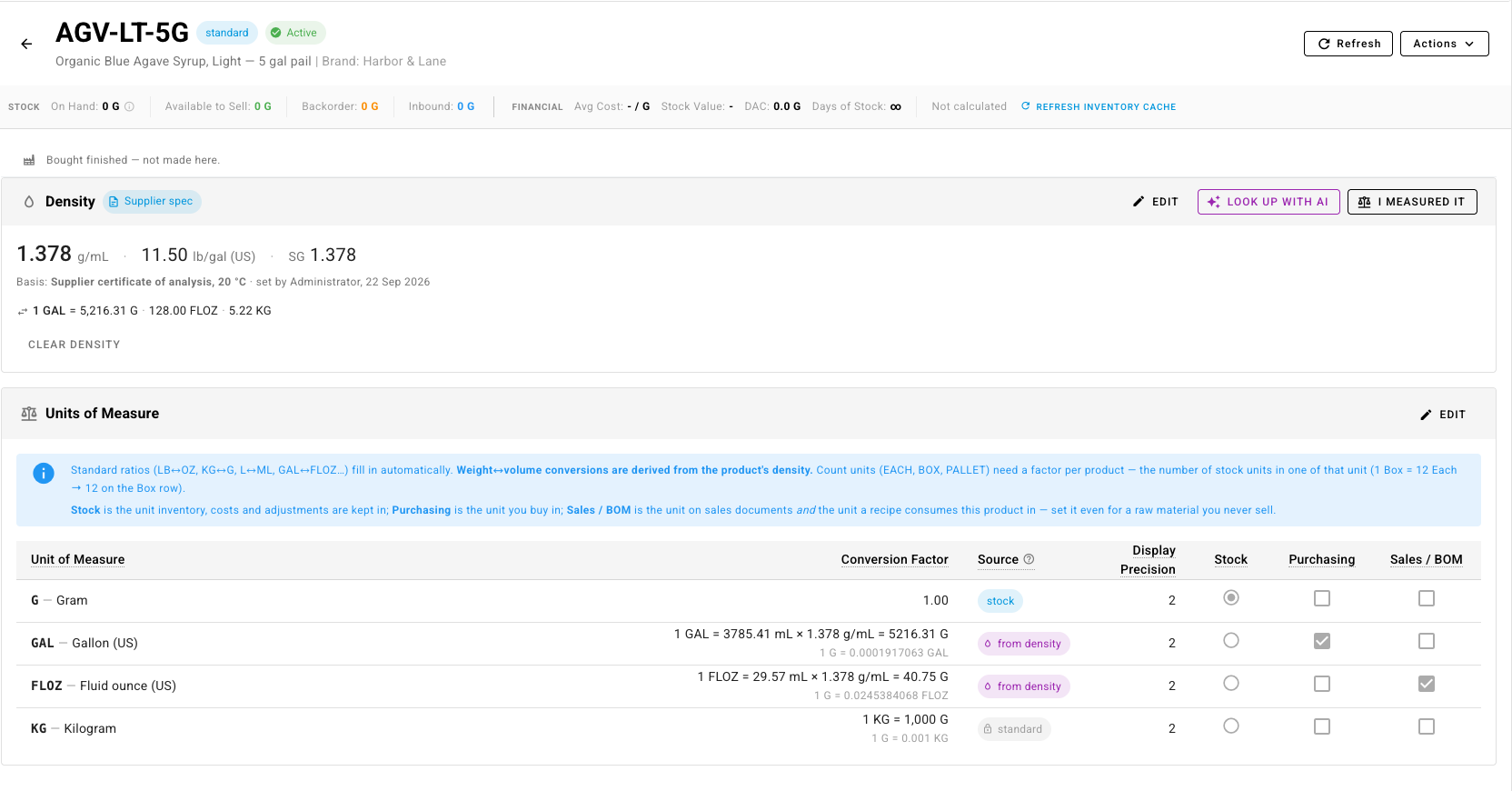
Each derived row spells out how it got there — 1 GAL = 3785.41 mL × 1.378 g/mL = 5216.31 G — so the number is auditable rather than mysterious. Rows marked standard are fixed arithmetic (a kilogram is always 1,000 grams). Rows marked manual are ones you typed, which is what count units like Box and Pallet need, because how many fit in a box is a fact about your packaging, not about physics.
Recipes stop guessing
This matters most on recipes, where volume meets weight. A recipe line can consume an ingredient in a different unit than the one the product is stocked in — 1.5 fluid ounces of a vanilla extract you count in grams — and until the conversion exists, that line has no defensible meaning.
So a recipe with a volume line on a weight-stocked product cannot be made live until you set the density. The message names the fix rather than assuming a factor:
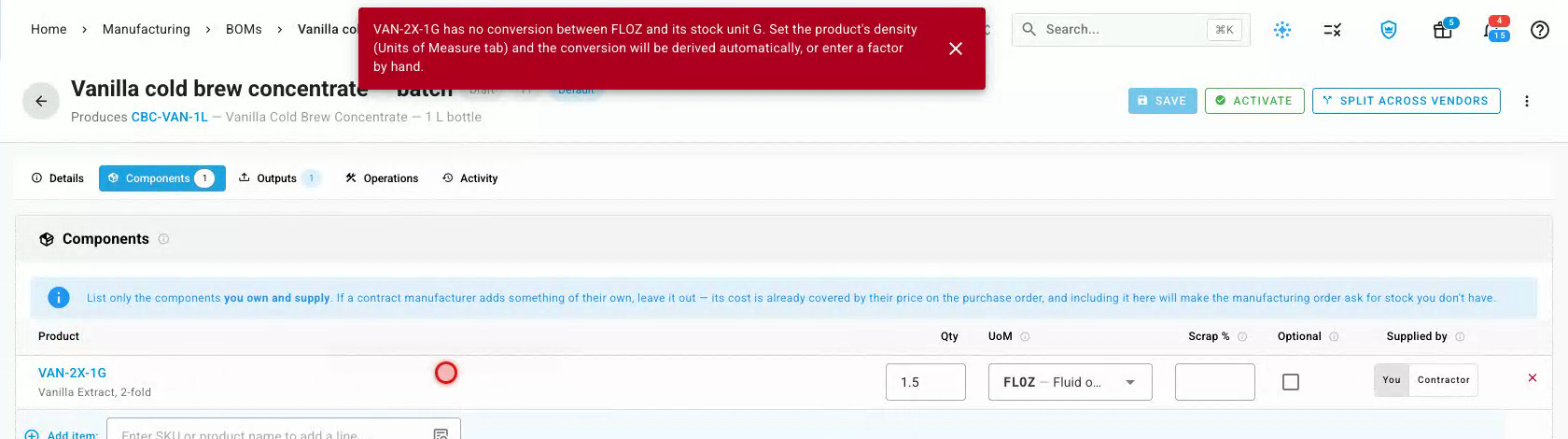
Set the density and the line resolves, showing exactly what the recipe will consume:

Manufacturing orders raised from that recipe, the stock they allocate and the cost they carry all follow the same figure.
Fluid ounces are their own unit
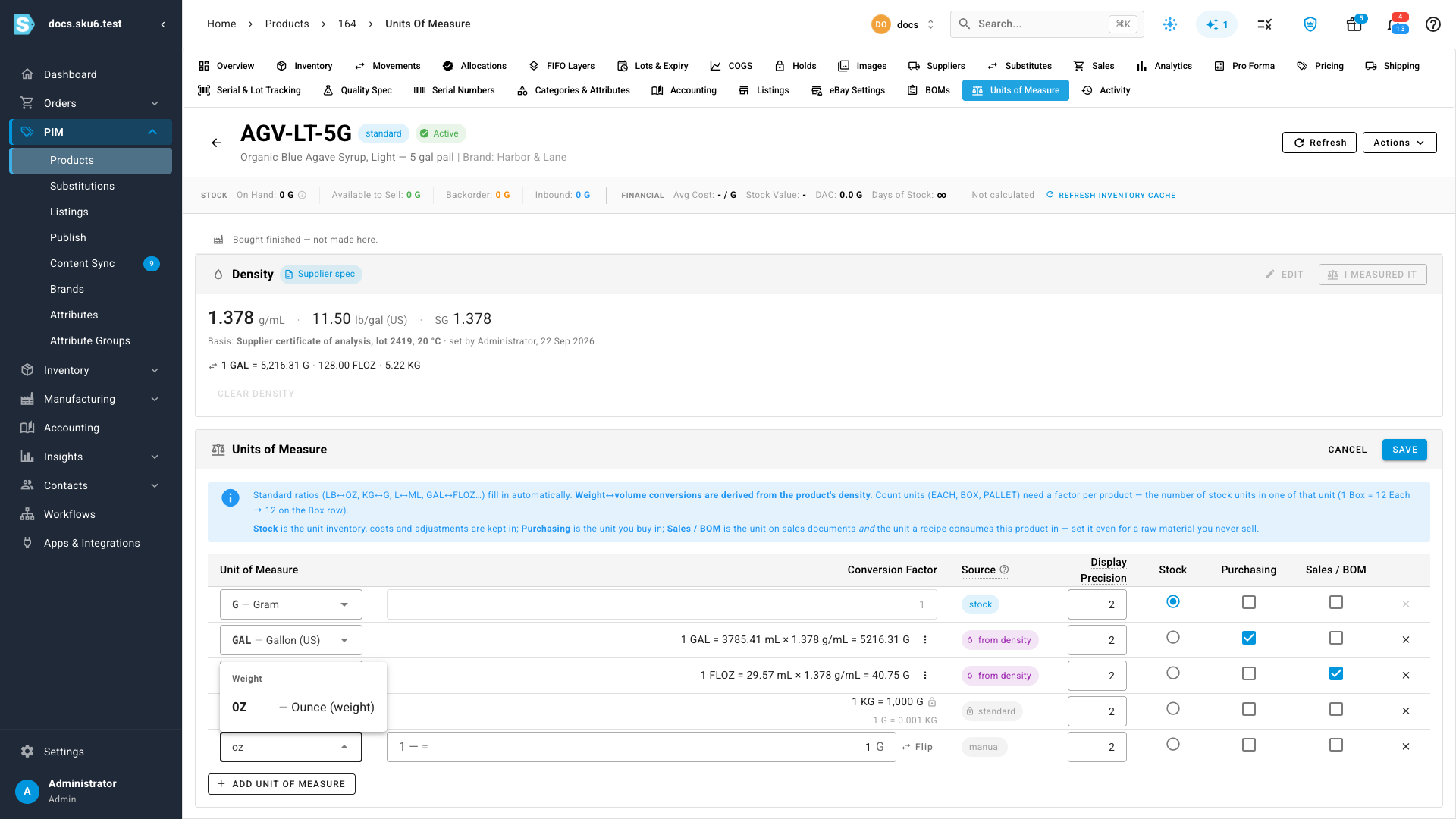
Ounces are the classic trap: a fluid ounce measures volume, an ounce measures weight, and eight fluid ounces of oil do not weigh eight ounces. The unit list now groups everything under Weight, Volume and Count, so you pick the one you meant.
Change it later, safely
Change a product's density and the derived rows recalculate; documents you have already completed keep the quantities they were made with, and new ones use the new figure. If any active recipe uses a re-derived unit, SKU.io tells you which ones. Individual rows can still be overridden by hand when one conversion genuinely needs to differ — an aerated product, or a figure quoted at another temperature — and an overridden row is left alone when the density changes.
Where to find it
Open any product, then its Units of Measure tab. The Density card sits above the units table; set a density there and the volume rows convert themselves.
Full guide: Convert between volume and weight with density