Numeral — send every sale to your sales tax filing service
SKU.io already tells you where you owe sales tax. Acting on it has meant exporting a report and re-keying it into a filing service, which only ever sees the one channel it's connected to. Wholesale and B2B orders you create in SKU.io aren't on any channel, so a filing service connected to Shopify or Amazon never sees them at all. Numeral is now a SKU.io integration. Connect your own Numeral account, and SKU.io sends it every sale and credit from every channel, including the orders you create in SKU.io. Numeral then handles your registrations, filings and payments.
✨ What this means for you:
- One complete feed. Marketplace, store, wholesale and B2B sales all reach Numeral from one place, with edits and credits included.
- No double counting. SKU.io is the only connection Numeral needs, and marketplace sales are flagged so Numeral knows the marketplace already collected the tax.
- Nothing slips through quietly. Every sale SKU.io holds back is listed with the reason and how to fix it.
- Accurate tax on your own orders. Optionally, Numeral can calculate the tax on B2B portal and manual orders from the ship-to address, instead of a flat rate.
Connect in a few minutes
Add Numeral from Apps & Integrations, paste your Numeral API key and test the connection. A test key is marked TEST everywhere, so you can try everything against Numeral's sandbox first. You confirm that no sales channel is connected to Numeral directly, choose the date to start sending from, and turn on Send sales to Numeral. Sales from that date onward are sent in the background, and new or changed sales follow within a minute.
Every sale, kept up to date
Each channel is sent with its tax responsibility. Amazon, eBay, Walmart and other marketplace facilitators are flagged, because the marketplace collects and remits that tax. Lines that are added, changed or cancelled after a sale are re-sent, and credits go to Numeral as refunds. If you edit a sale from a period Numeral has already filed, SKU.io warns you that the change will appear on the next filing. Give products a Numeral tax category, one at a time or in bulk from the products list, when they aren't taxed like your other goods.
See what's sent and what's waiting
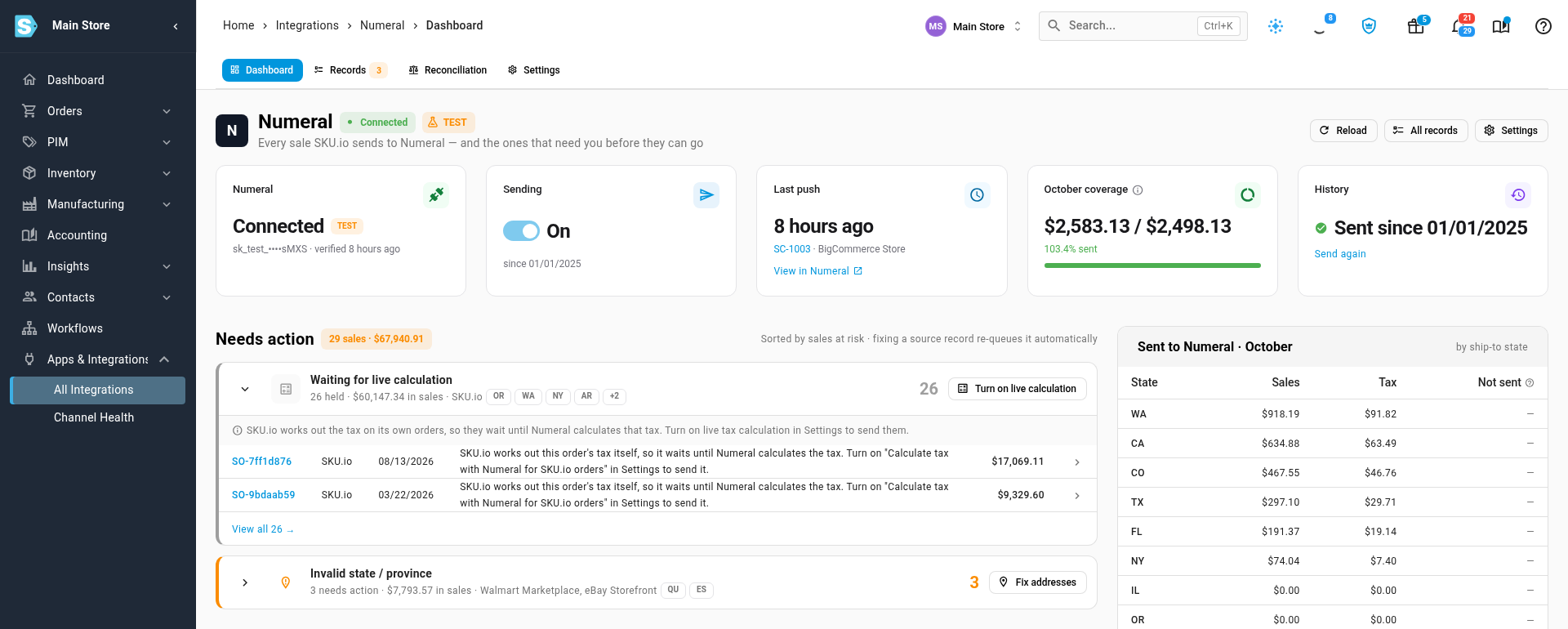
The Numeral Dashboard shows the connection, sending status, the last push and how much of this month's sales have reached Numeral. Needs action groups held sales by cause and ranks them by the sales at risk, such as an invalid state on a ship-to address, with a button to fix each group.
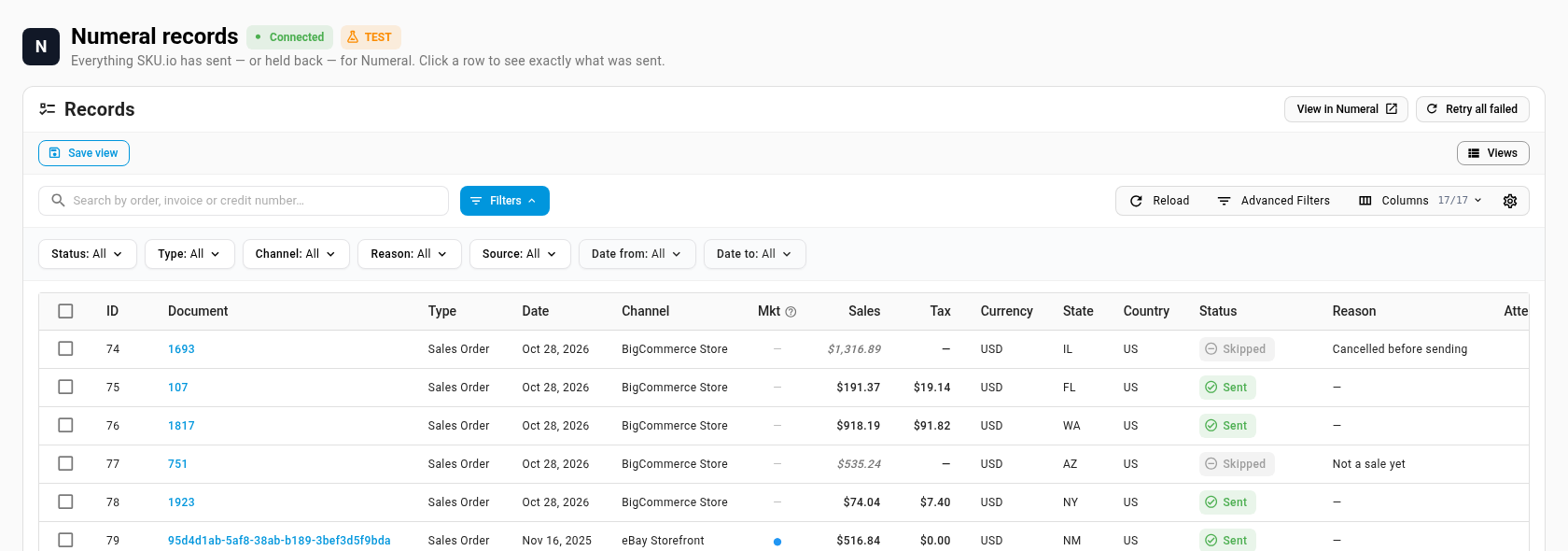
Records lists every sale and credit, whether it was sent, skipped or held, and why. Open a record to see exactly which lines were sent and Numeral's response. On any sales order, the Tax tab shows the order's tax and its Numeral status.
Live tax calculation for your own orders
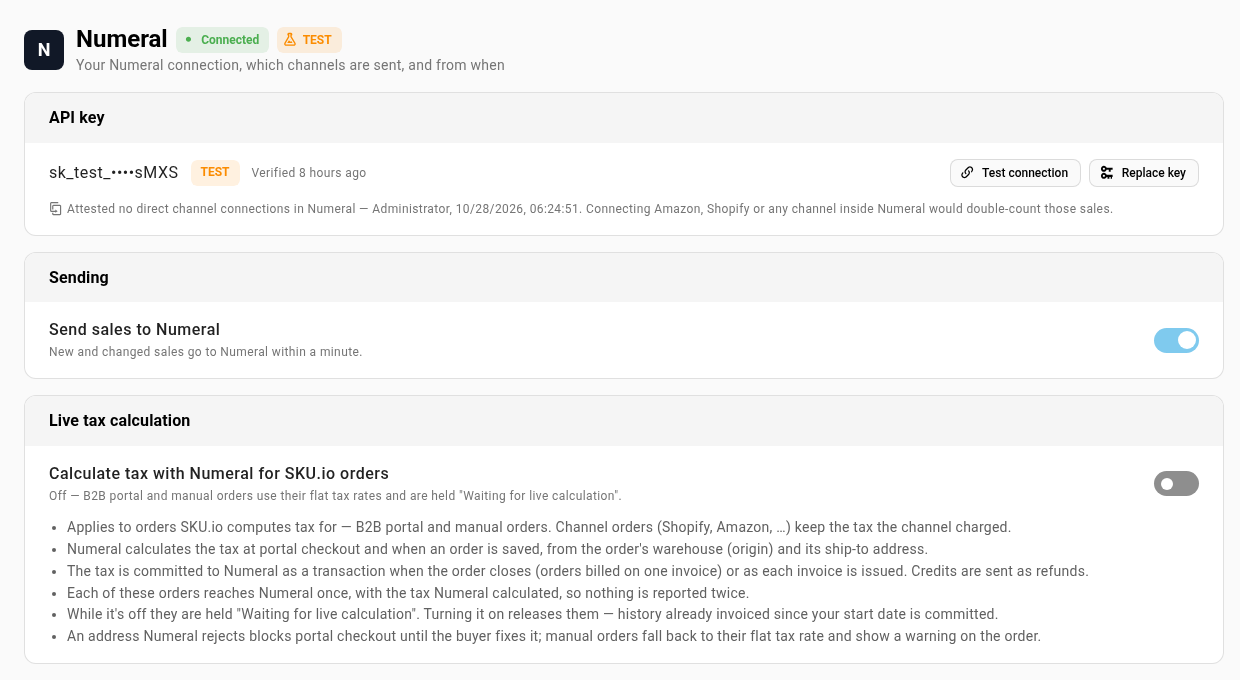
SKU.io works out the tax on B2B portal and manual orders itself. Turn on Calculate tax with Numeral for SKU.io orders in Numeral Settings, and Numeral calculates that tax at portal checkout and whenever the order is saved, from the order's warehouse and its ship-to address. Each order is then committed to Numeral once, as it's invoiced, so nothing is reported twice. Until you turn it on, these orders keep their flat tax rate and wait in Needs action. Orders from your sales channels keep the tax the channel charged.
Check it against Numeral
The Reconciliation tab totals what SKU.io sent to Numeral by month and state, next to what Numeral reports, and points you at any held sales in that period. The states you're registered in come back from Numeral too. They show as Registered on the Nexus report, which stops the "threshold met" warnings for them, and the dashboard lists your filings in Numeral.
Where to find it
Go to Apps & Integrations, choose Numeral and follow the setup. After that, the Numeral Dashboard, Records, Reconciliation and Settings tabs are all in the integration, and each sales order has a Tax tab.
Full guide: Connect Numeral. See also Why sales are held and Reconcile with Numeral.