Feature Adoption report — see what your team really uses in SKU.io
You rolled out SKU.io to your team, but did it stick? Is the purchasing team actually receiving POs in SKU.io, or still working from a spreadsheet? Which features are you paying for and never touching, and which ones could save you hours if someone switched them on? Until now there was no single place to answer that. The new Feature Adoption report maps every SKU.io feature by area, shows which ones your team uses and who uses them, and points out what you haven't tried yet. When a feature will never fit your business, you can hide it so the report stops suggesting it.
✨ What this means for you:
- See at a glance how many of the features relevant to you are in use: Using 33 of 75, plus how many of your seats were active.
- Every feature carries a clear status: Active, Set up, not used yet, Lapsed or Not started.
- The People tab shows which teammates use which features, so you can check that a rollout landed or spot someone who has gone quiet.
- Hide features you'll never use, such as marketplaces or accounting, one at a time or a whole group at once. They leave your score and your suggestions.
- Switch between a 30-day and 90-day window, and export the whole report to CSV.
- Activity is counted in days, never click by click, and SKU.io's own support team is never counted.
Every feature, by area, with a status
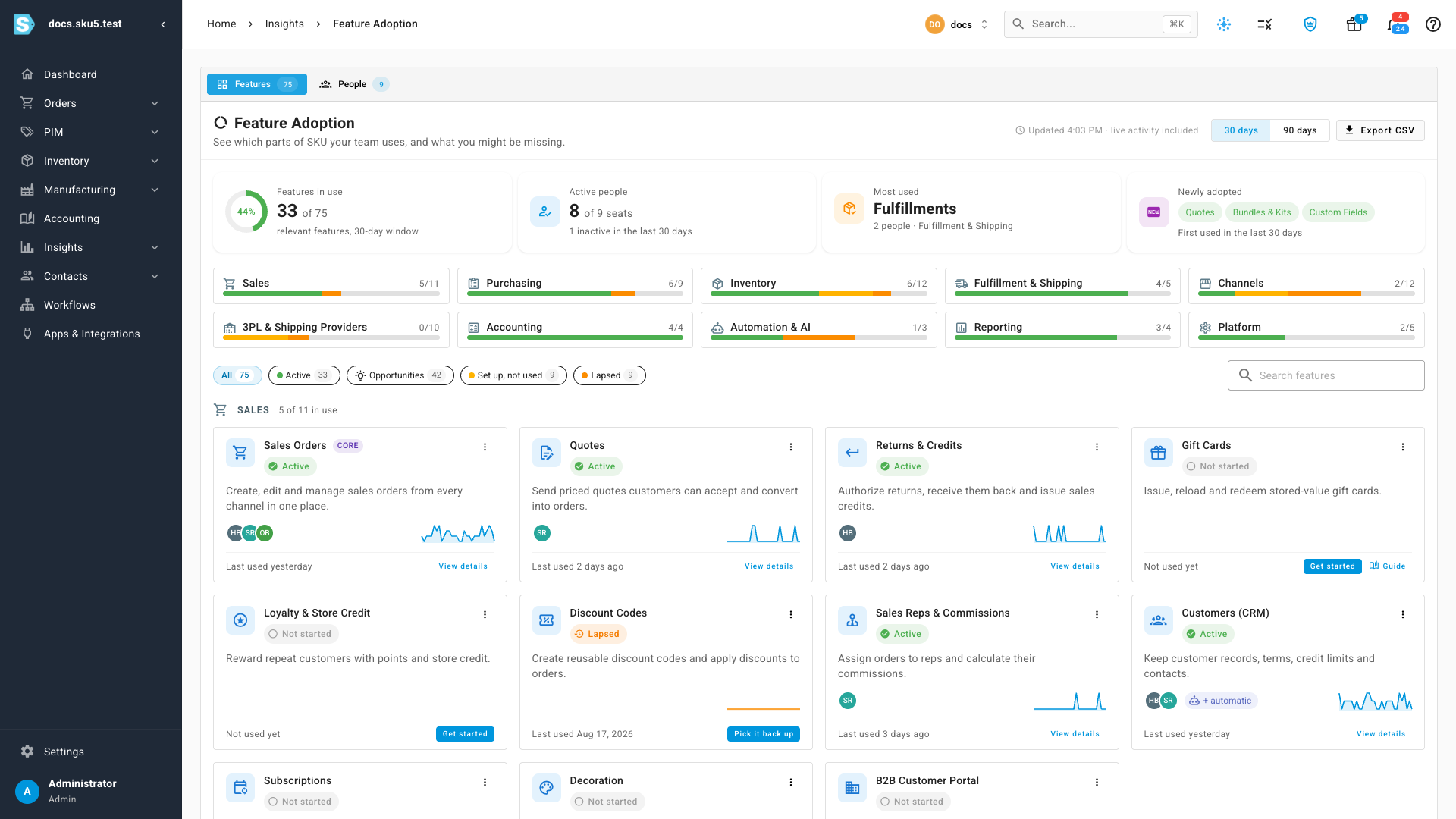
The Features tab opens with four summary cards: Features in use, Active people, the Most used feature, and anything Newly adopted in the window. Under them, one tile per area (Sales, Purchasing, Inventory, Fulfillment & Shipping, Channels and more) shows how much of that area you use. Below that, every feature has its own card with its status, the faces of the people who used it, a line of daily activity and when it was last used.
Filter the cards by Active, Opportunities, Set up, not used or Lapsed, or search for one feature by name. A feature you haven't started links straight to where you begin, with Get started, Finish setup or Pick it back up, and a Guide link for reading up first.
See who uses what
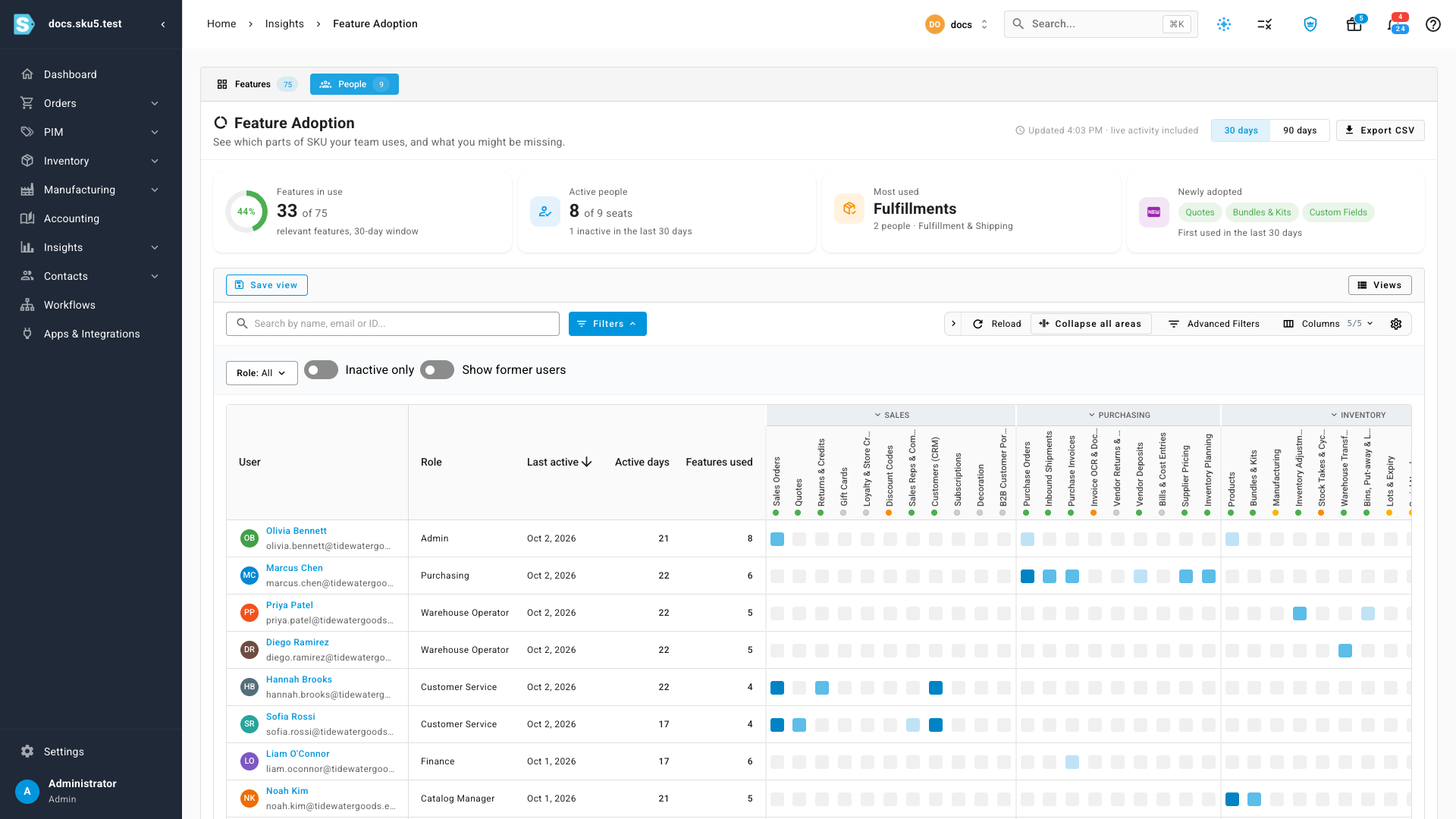
The People tab lists each teammate with their role, the last day they were active, their active days in the window and how many features they used. Each square is one feature, grouped by area, and the darker the square, the more days that person used it. SKU.io keeps daily totals only, never a record of individual clicks.
Drill into any feature
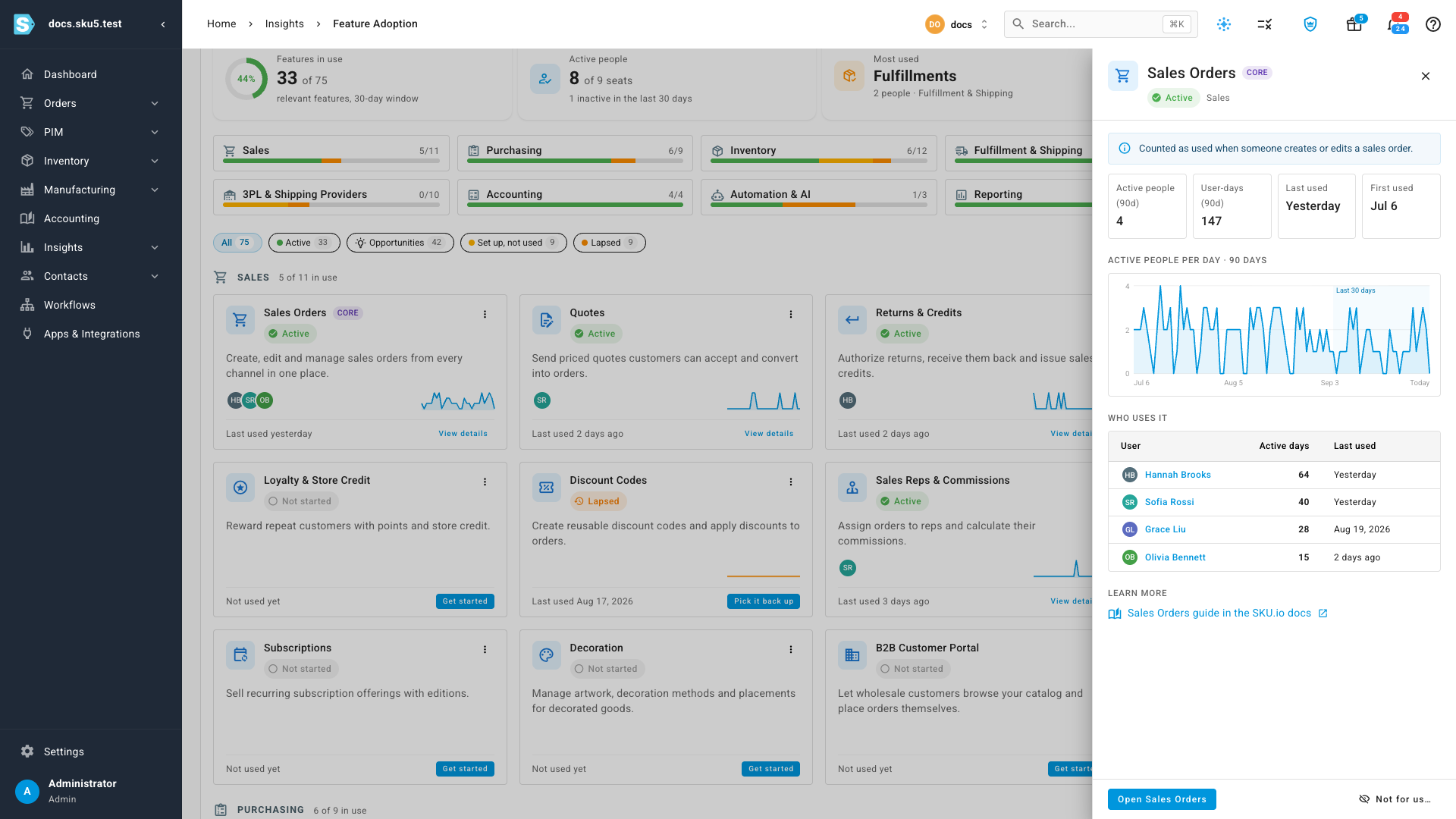
Click View details on a card to see exactly what counts as using that feature, how many people use it, a 90-day trend of active people per day, and a Who uses it list with each person's active days.
Hide what will never fit
Not every business needs every feature. Choose Not for us… on any feature, pick a reason, and it moves to the Hidden section at the bottom of the page. It no longer counts against your score or shows up in your suggestions. Menus and permissions don't change, so anyone with access can still use it.
To hide a whole group at once, use a shortcut in the area header, such as We don't sell on marketplaces, We don't run our own storefront, We don't use a 3PL or We don't do our books in SKU. The dialog lists exactly what will be hidden, and it never includes a feature your team has used.
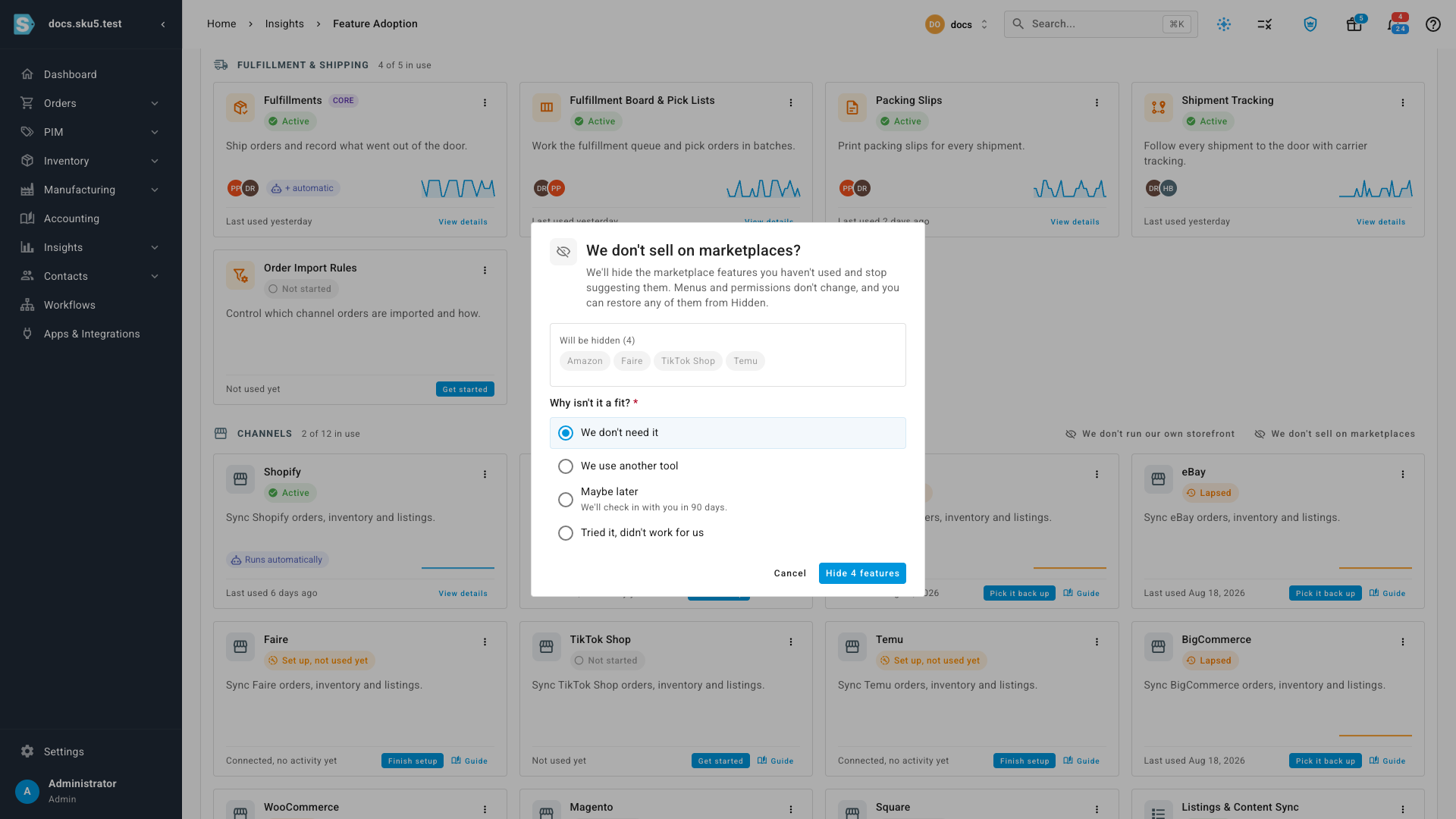
Hiding isn't permanent. Choose Maybe later and the feature comes back on its own after 90 days. If your team starts using a hidden feature, SKU.io moves it back into your features automatically. You can also restore any hidden feature yourself from the Hidden section.
Where to find it
Go to Insights → Reports and click Feature Adoption. The report is visible to admins, and to any role you give access to the Feature Adoption report.
Full guide: Use the Feature Adoption report