Launch mode for matrix products — one switch for every variant
Before a launch or a flash sale, every stock change needs to reach Shopify within seconds, or a minute's delay can oversell your last units. Launch mode does that for a product, but on a matrix product (a jacket in five sizes and colors, say) you had to switch it on variant by variant, and the setting was hard to find. Now a matrix product's Inventory tab has a Launch mode (flash sale) switch that sets every variant at once, and you can find it by searching for "flash sale".
✨ What this means for you:
- One switch turns real-time pushes on or off for all of a matrix product's variants, with the same optional end date.
- When the variants differ, you see how many are on, and one click makes them all match.
- Search the product's section list for flash sale to jump straight to the setting.
- The product's Selling & Stock card shows when launch mode is on, and your Shopify settings show how many products have it on.
One switch for every variant
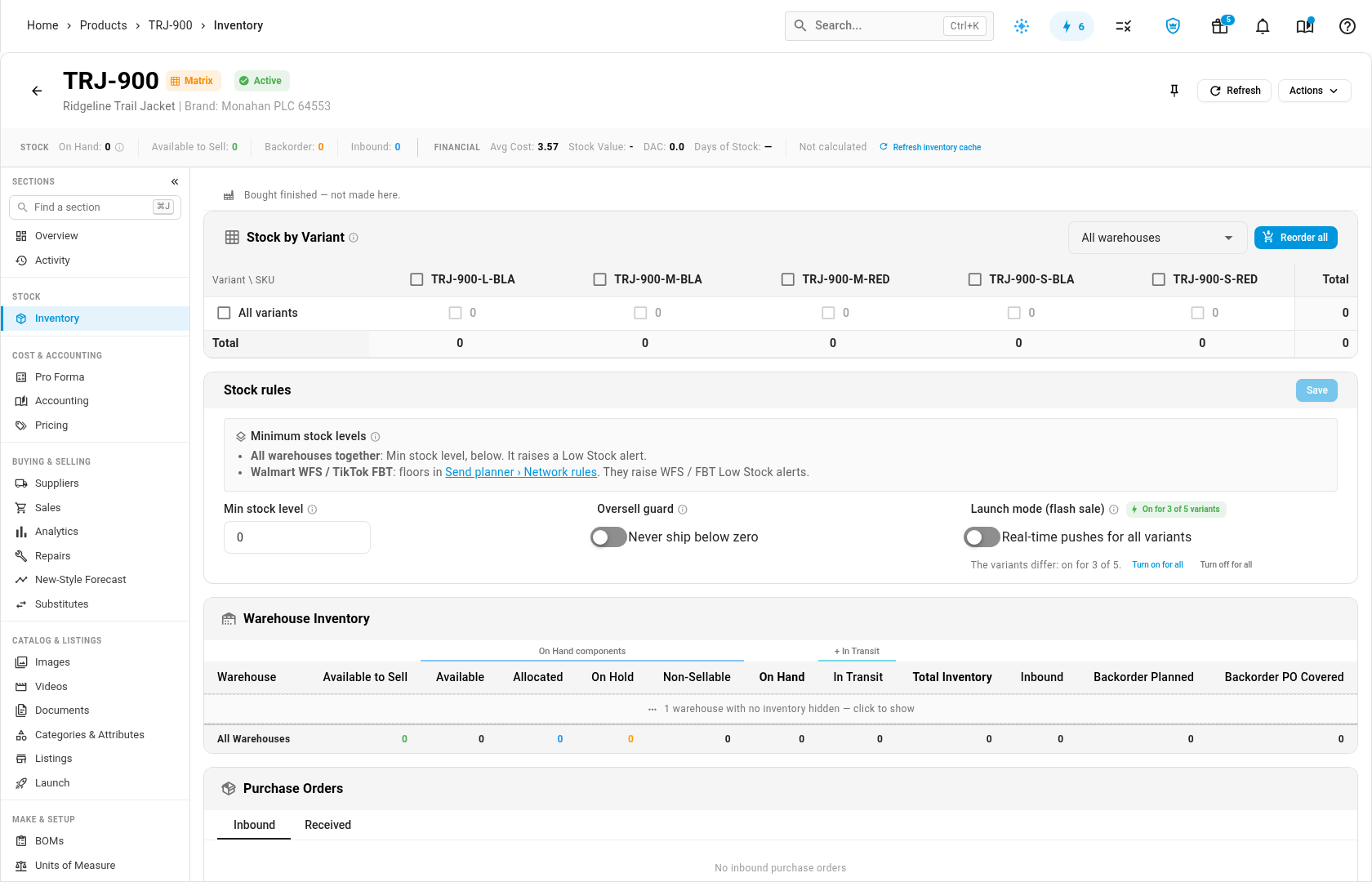
Open a matrix product and choose Inventory. In the Stock rules card, Launch mode (flash sale) has a Real-time pushes for all variants switch. Turn it on, pick a last day in Until if you want it to end on its own, and click Save. Every variant gets the same setting. Each variant still keeps its own launch mode, so you can change one on its own Inventory tab.
When the variants aren't all the same, a chip shows how many are on, such as On for 3 of 5 variants, and hovering it lists each one. Turn on for all and Turn off for all make them match in one click.
See where it's on
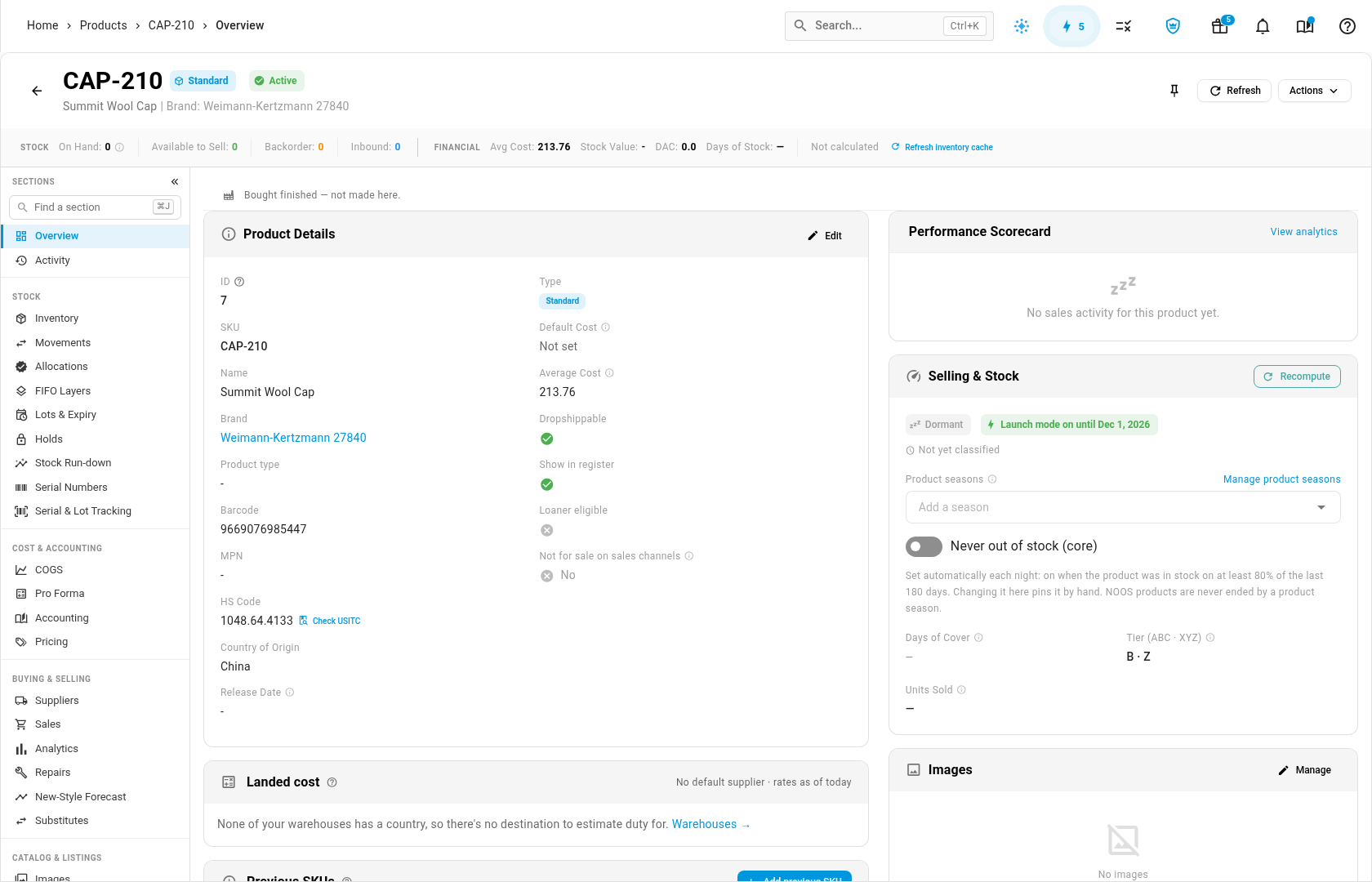
A product with launch mode on shows a Launch mode on chip, with its end date, on the Selling & Stock card of its Overview, next to Never out of stock. Click the chip to open the setting.
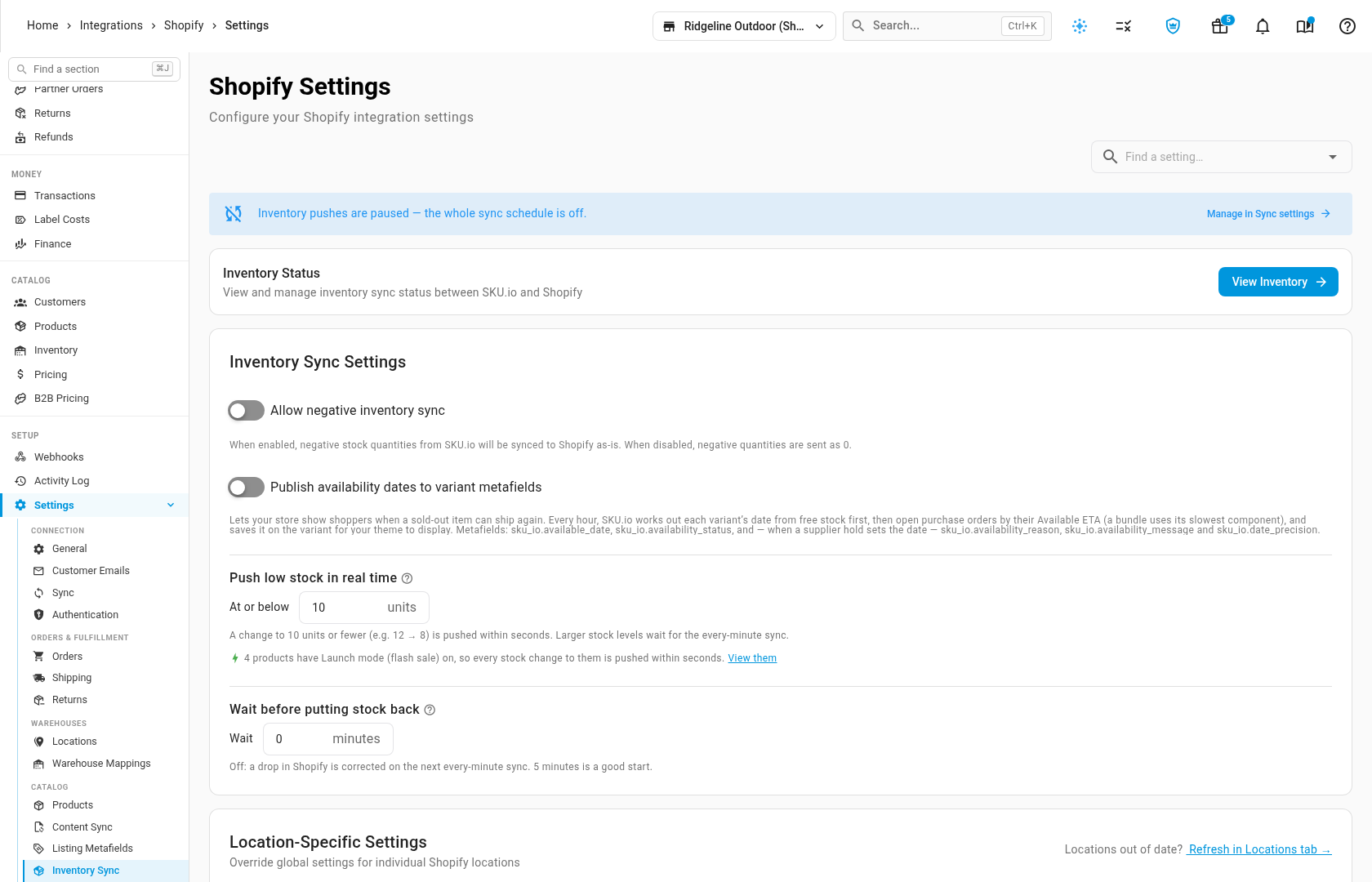
Your Shopify connection's Inventory Sync tab now says how many products have launch mode on, under Push low stock in real time. View them opens the products list filtered to just those products, so nothing stays in launch mode after the sale by accident.
Where to find it
Open PIM → Products, open a matrix product, and choose Inventory. The switch is in the Stock rules card. Or type flash sale in the product's section search.
Full guide: Launch mode on a matrix product