Sales rep commissions — rates, teams and reports, without the spreadsheet
If you pay sales reps on commission, you have probably been doing the math somewhere else. Rates live in a spreadsheet, someone exports orders at the end of the month, and the two get reconciled by hand — every month, for every rep. It works right up until a rate changes mid-month, or someone asks which territory is actually carrying the number.
Sales rep commissions brings all of it into SKU.io. Give each rep a commission rate, group reps into territories or teams, and run the numbers over any date range you like. The orders are already here, so the calculation is just there — nothing to export, nothing to reconcile.
✨ What this means for you:
- Store each rep's commission rate alongside their contact details, instead of in a separate spreadsheet
- Group reps into territories or teams and report on the group as a unit
- Decide whether commission is earned when an order is placed or when it ships — and have every report follow that choice
- Compare reps side by side: rate, orders, total sales, commission and average order value
- See commission month by month to spot a trend, not just a total
- Export any view to CSV for payroll
Rates live with the rep
A rep's commission rate now sits on their record, next to their name and contact details, and shows up as a column on the list. Reps can also belong to a group — East Coast, Strategic Accounts, whatever matches how your team is organized — and the group shows on the list too, so you can see the shape of the team at a glance.
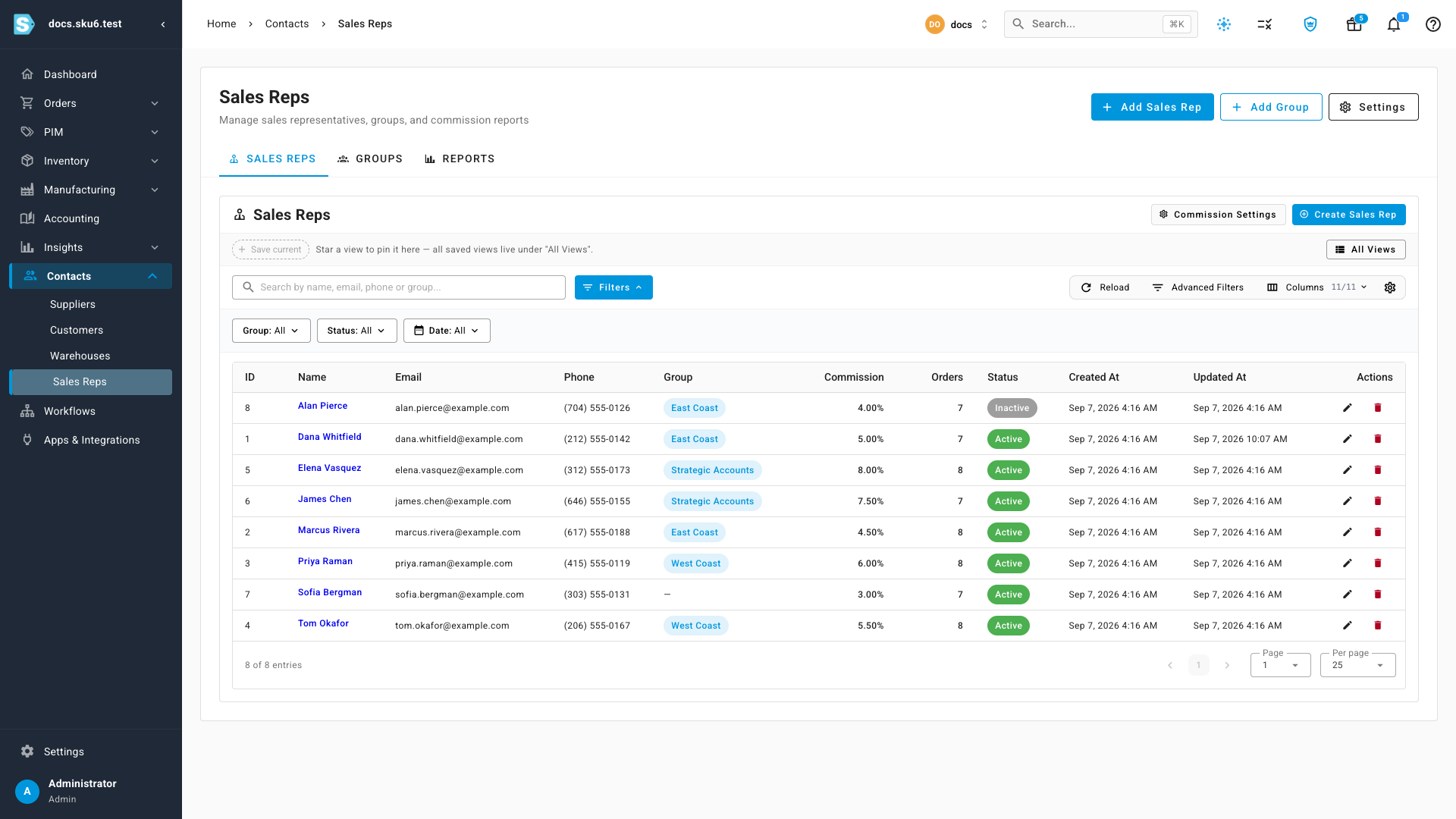
Reps who aren't in a group still earn commission — they simply report under Unassigned.
Decide when commission is earned
This is the setting that usually causes the arguments, so it is explicit. Under Settings, choose whether a rep is credited when the order is placed or when it ships.
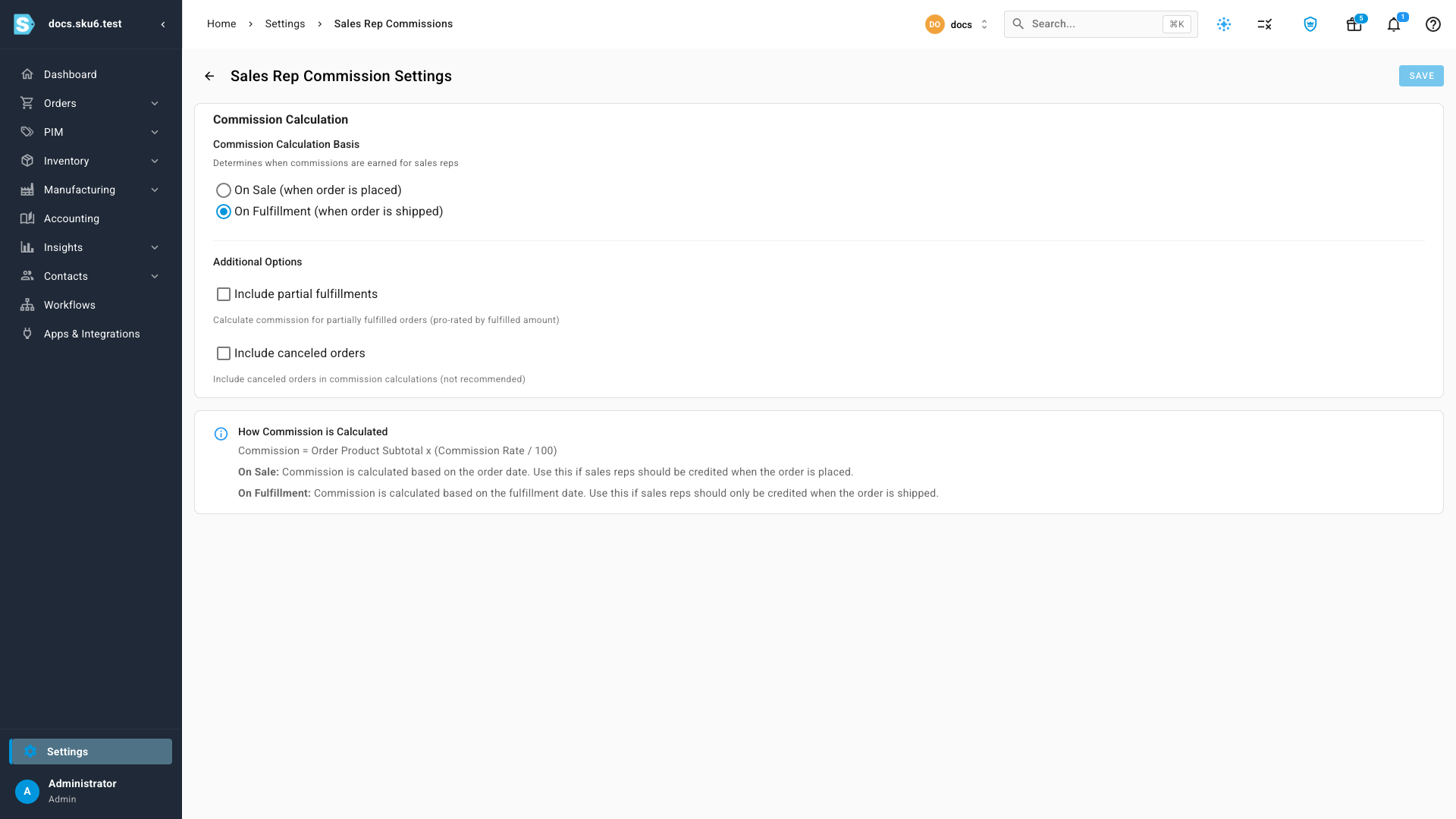
There are two follow-on choices worth knowing about. A partly shipped order can be pro-rated by the amount that actually went out, rather than counting in full or not at all. And cancelled orders are excluded by default — you can include them, but most businesses won't want to.
The page states the formula it uses, so there is no guessing about how a number was reached.
Three ways to read the numbers
Set a date range, pick the groups you care about, and generate.
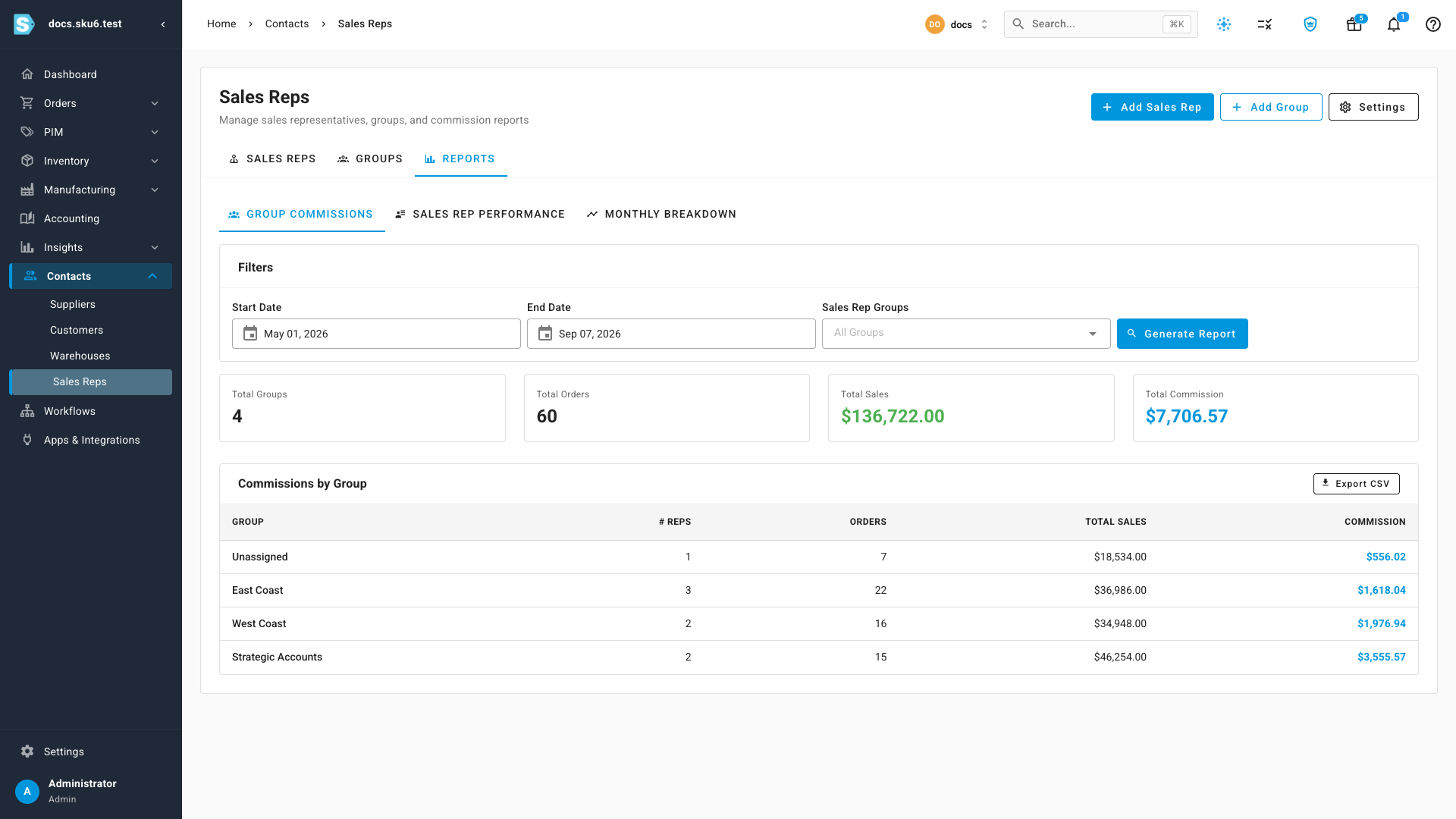
- Group Commissions compares territories — reps, orders, total sales and commission per group
- Sales Rep Performance breaks the same range down by person, adding each rep's rate and average order value
- Monthly Breakdown plots commission month by month, by rep or by group, so you can see where a trend is heading
Every view exports to CSV, so the numbers can go straight to whoever runs payroll.
Where to find it
Contacts → Sales Reps. The Sales Reps tab holds the list, Groups manages your territories, and Reports has all three commission views. The commission basis lives behind Settings on the same page.
Full guide: Track sales rep commissions