AI data access controls — choose what SKU.io's AI can see
SKU.io's AI features can help with orders, inventory, purchasing and reports. They are much easier to switch on once you can say exactly what the AI is allowed to look at. Many teams are happy for AI to read their catalog and stock, but would rather it never sees a customer's name, email or address. AI data access controls let you decide what SKU.io's AI can see, who on your team can use it, and they keep a record of every AI action.
✨ What this means for you:
- Keep customer details away from AI with one switch, and AI features keep working without them.
- Choose which roles can use AI, the same way you manage every other permission.
- See exactly what the AI looked at, and what it was kept from seeing, in a new Activity log.
Pick how much the AI can see
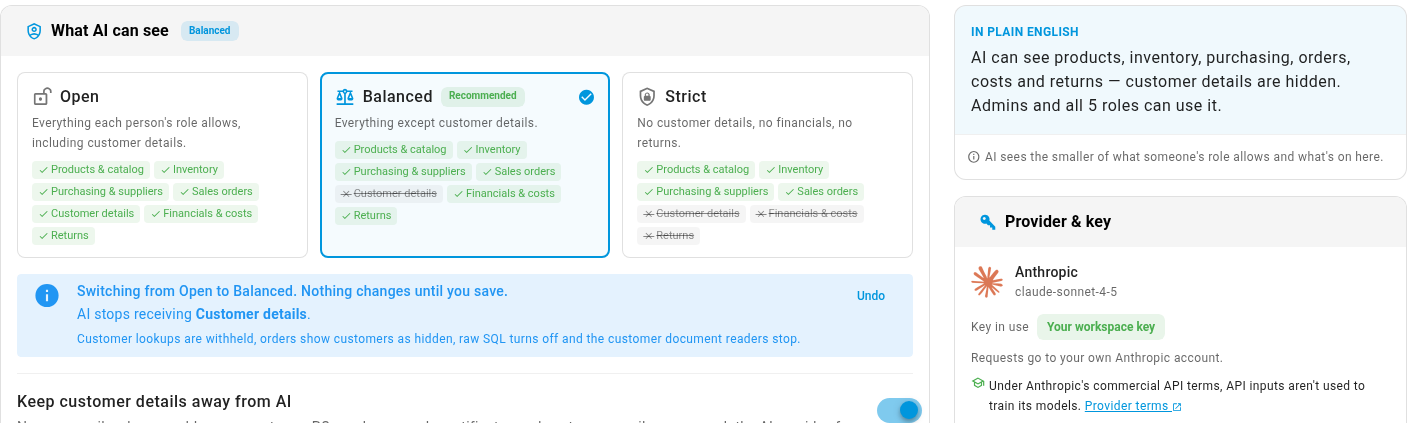
Open Settings → AI Assistant → Access and choose a starting point. Open lets AI see everything your team can see, which is how SKU.io works today. Balanced keeps customer details away from AI. Strict limits AI to products, inventory, purchasing and sales orders. A plain-English summary at the top tells you exactly what your choice means, and you can fine-tune each type of data under Advanced.
Keep customer details away from AI
Turn on Keep customer details away from AI and names, emails, phone numbers and street addresses never reach the AI provider, from any SKU.io feature. The AI still sees the order itself, including the country and state it ships to, so you can still ask about orders and sales by region. A What changes panel lists every effect before you save.
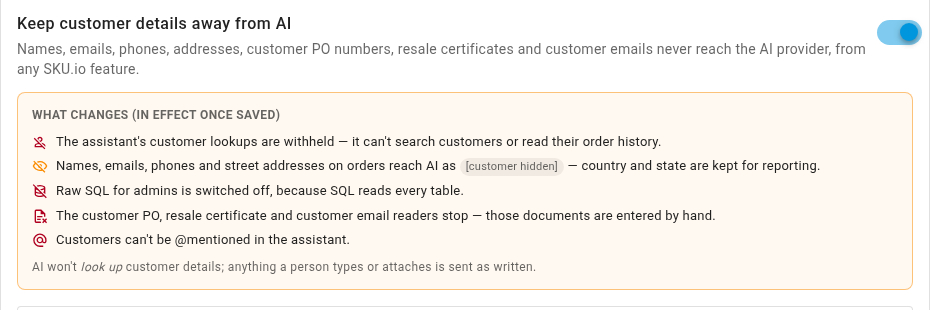
The AI never sees more than the person asking is allowed to see. A teammate whose role can't open customer records won't get customer details from the AI either. View as user shows you exactly what the AI can reach for anyone on your team.
Choose who can use AI
Who can use AI is now a role permission called AI → Use. Switch it on or off for each role under Who can use AI, or in the role editor with your other permissions. Admins can always use AI.
See every AI action
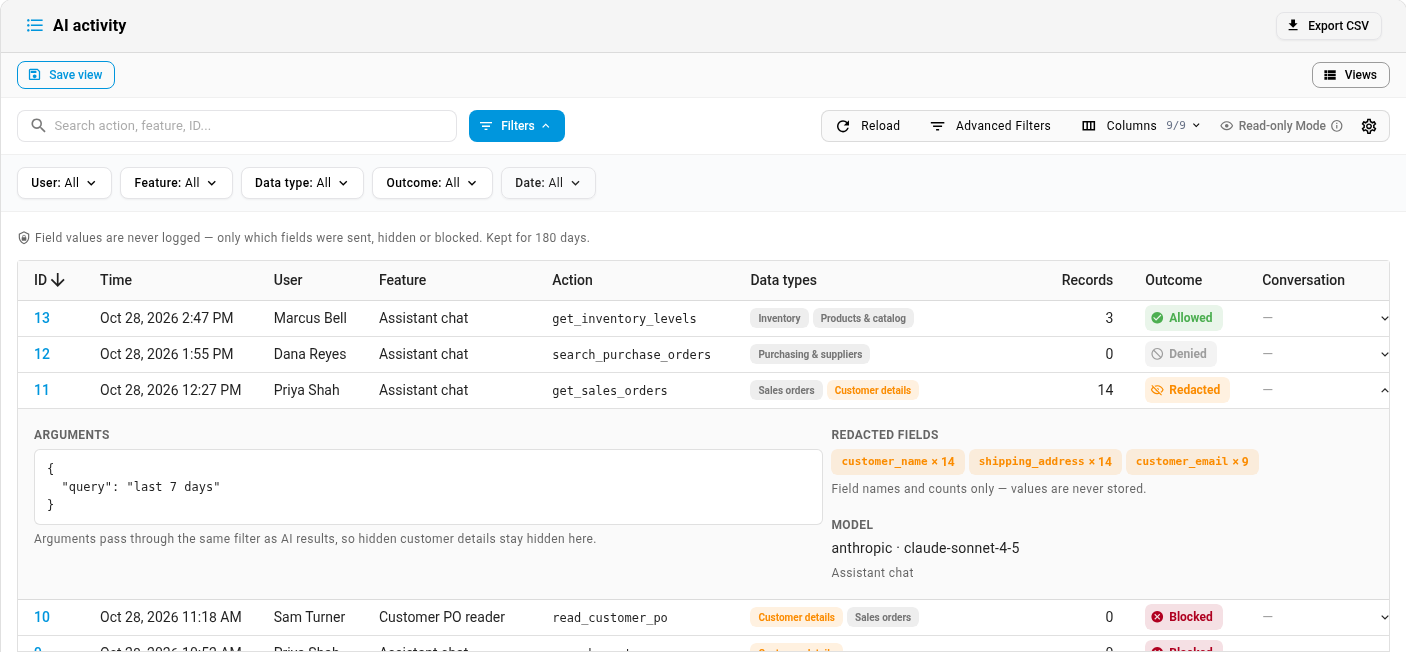
The new Activity tab lists every AI action: who asked, which feature, what kind of data it touched, and whether anything was hidden or blocked. Open a row to see which fields were kept from the AI. SKU.io only records the field names, never the values. You can filter the log and export it to CSV.
If you used the old Access level setting
The old Access level setting (All Users / Admins Only) has been replaced by the AI → Use permission, and your choice was carried over. If you had All Users, every role can use AI. If you had Admins Only, only admins can use AI until you switch it on for a role under Who can use AI.
Where to find it
Go to Settings → AI Assistant and open the Access or Activity tab. Nothing changes until you choose: every account starts on Open.
Full guide: Control what the AI can see, with a 3-minute video walkthrough.