Loop Returns — Loop returns become RMAs, received in SKU.io and processed in Loop
If your customers start returns in Loop, your warehouse has probably been working blind. Loop knew a parcel was on its way, but SKU.io only found out when a Shopify refund eventually synced. So returns were received as blind receipts, or restocked by Loop straight into Shopify with no inspection. Loop's automation could also refund the customer the moment the carrier scanned the label, before anyone had opened the box. Loop Returns now connects directly to SKU.io. Every Loop return shows up within a minute as an RMA on the original order. Your team receives and grades it at the Receive Station, and SKU.io then tells Loop to process the return (Loop issues the refund, exchange or store credit) or to flag it for review. Loop warranty returns come in on the same connection and become repair cases.
✨ What this means for you:
- No more blind receipts. Each Loop return arrives with its items, reasons, tracking number and destination, attached to an RMA on the Shopify order.
- Refund after inspection. SKU.io processes the return in Loop only once the RMA is fully received, and flags it instead when an item gets a grade you choose, such as Unsellable.
- Stock you can trust. Items go back on the shelf through the Receive Station with their grade and disposition, not through Loop's own Shopify restocking.
- One parcel, one RMA. When Loop also creates a Shopify return, SKU.io attaches the Loop return to that RMA instead of making a second one.
- Warranty claims included. Loop returns of type warranty become repair cases with the customer's photos, and repair progress goes back to Loop.
- Set up in minutes. Paste a Loop API key. SKU.io registers Loop's webhooks and imports your last 90 days of returns.
Connect once, and see everything Loop sends
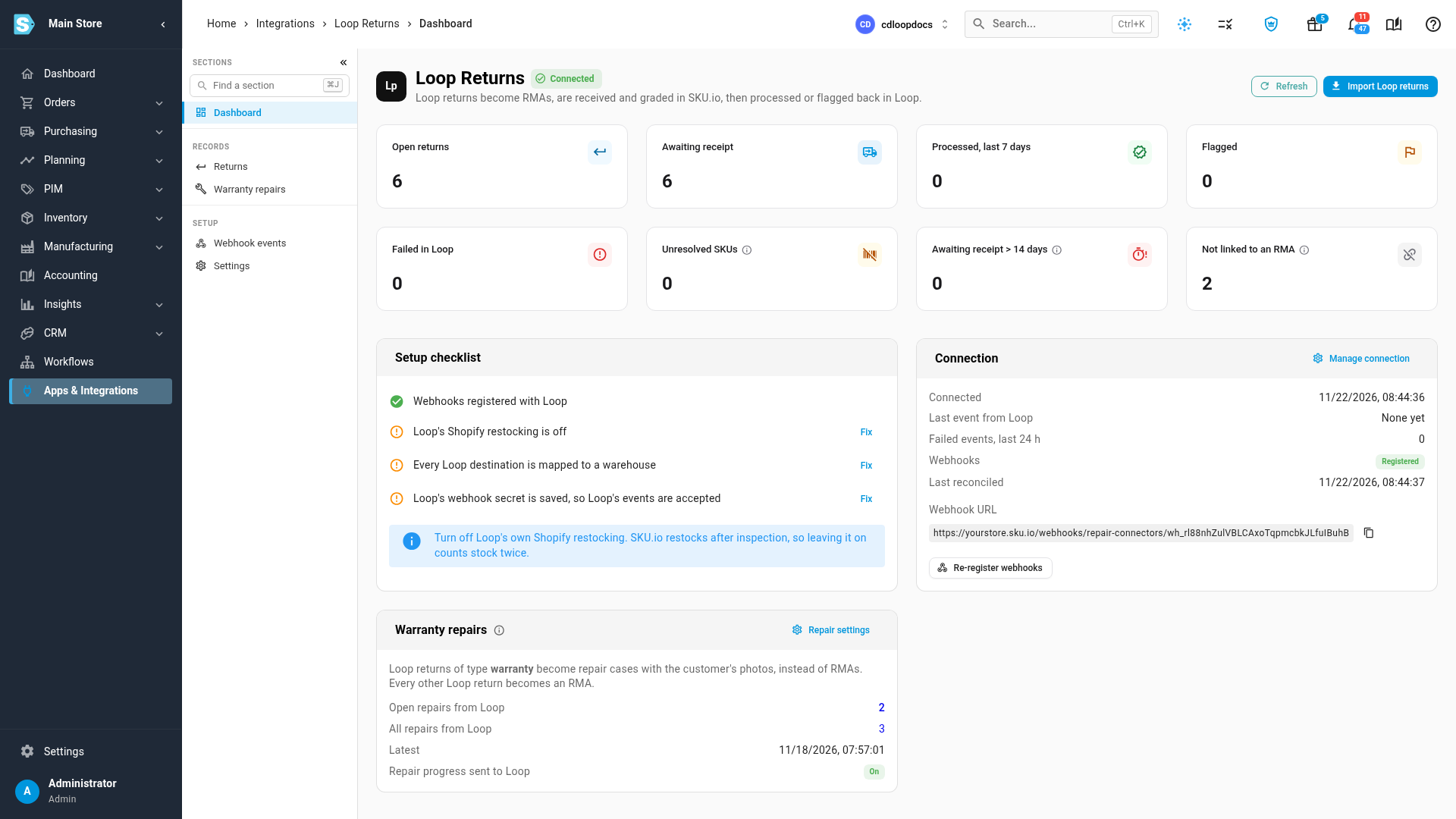
Go to Apps & Integrations → Loop Returns and connect it with an API key from Loop. The Loop Returns dashboard shows your open returns, what's awaiting receipt, what was processed or flagged in Loop, and anything that needs attention, such as a Loop return that isn't linked to an RMA yet. A setup checklist confirms the webhooks are registered, your Loop destinations are mapped to warehouses, and Loop's webhook secret is saved. The same page shows the repairs your Loop warranty returns became.
Decide what happens after receiving
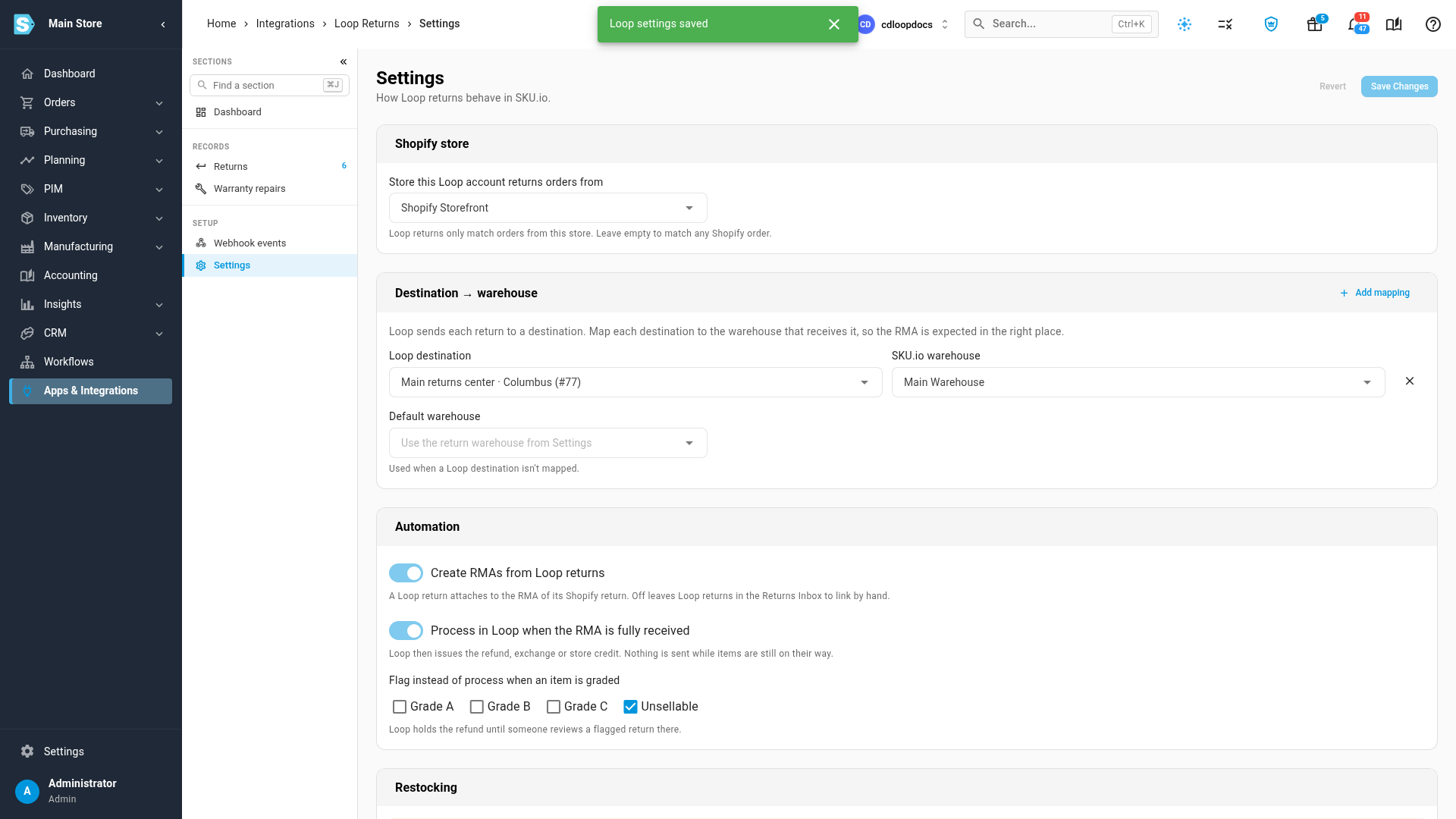
In Settings, choose which Shopify store this Loop account returns orders from, map each Loop destination to the warehouse that receives it, and set the automation. Leave Process in Loop when the RMA is fully received on, and nothing is sent to Loop while items are still on their way. Under Flag instead of process when an item is graded, tick the grades that should hold the refund for review.
Every Loop return, side by side with its RMA
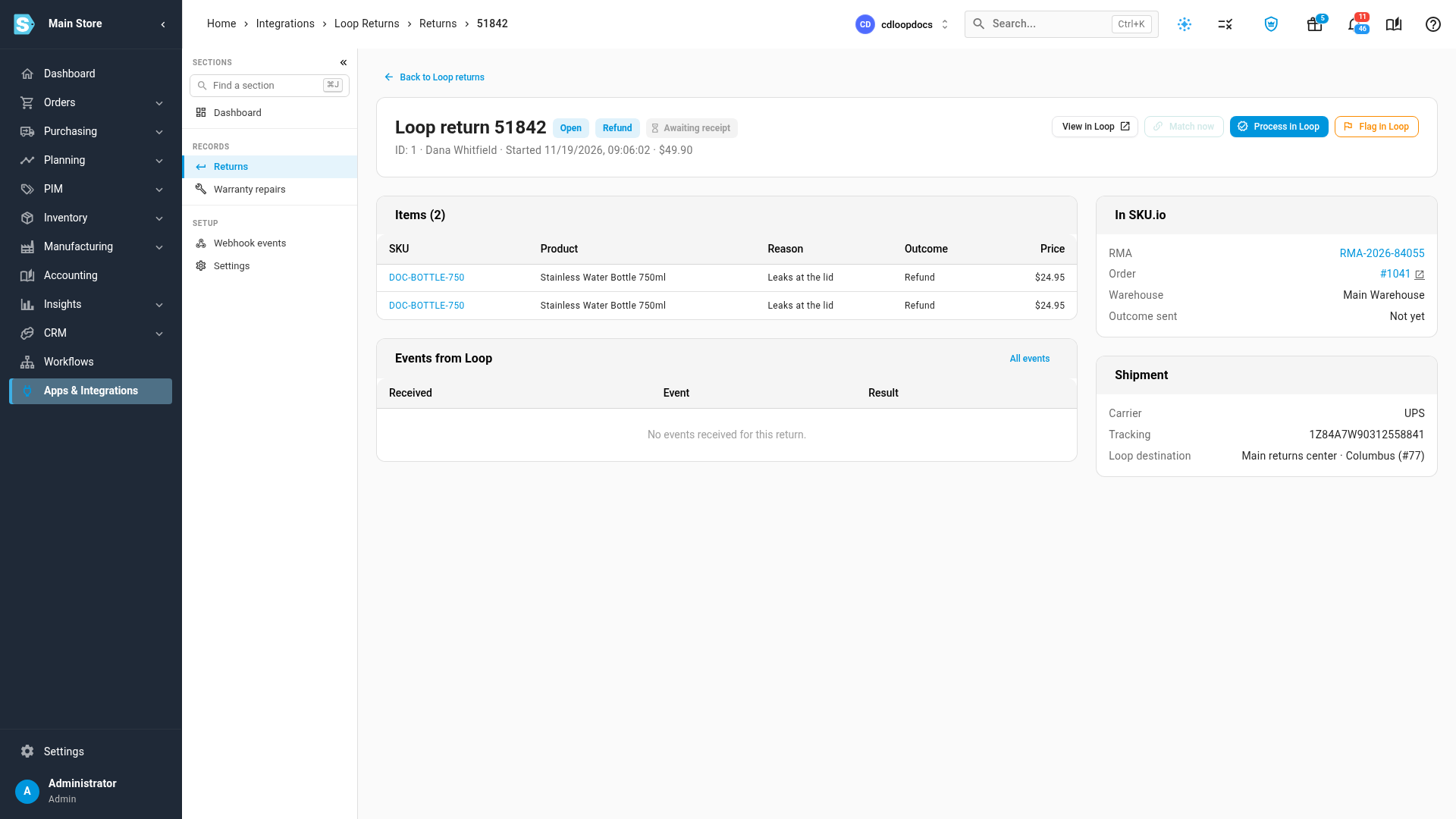
Each Loop return has its own page with its items and reasons, the RMA and order it's linked to, the warehouse it's headed for, its tracking number and every event Loop has sent. Process in Loop and Flag in Loop are there when you need to act by hand.
Receive it like any other return
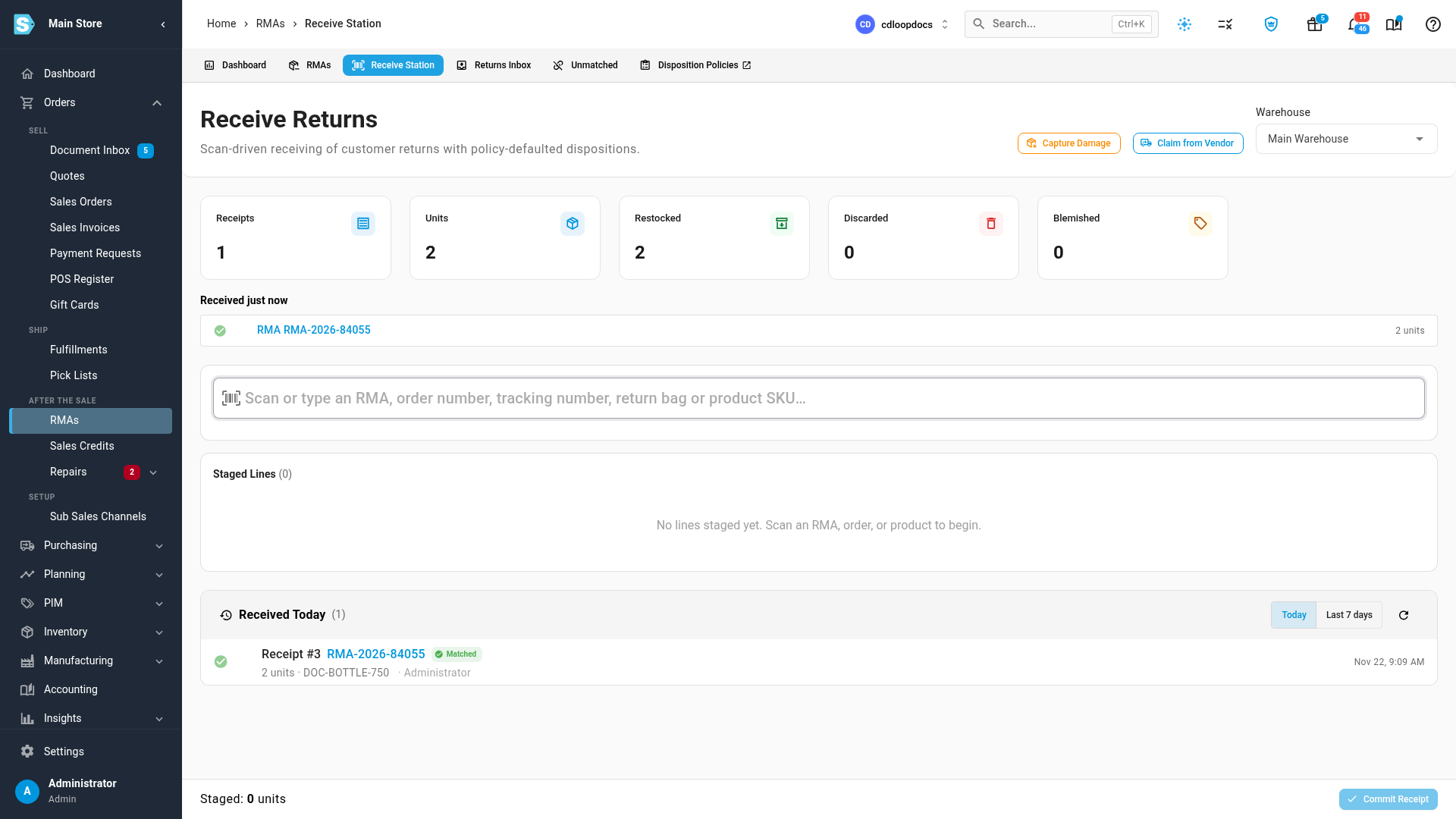
At the Receive Station, scan the RMA, the order number, the tracking number on Loop's label or the return bag. Grade each item and commit the receipt. The stock goes into the RMA's warehouse, and SKU.io processes or flags the return in Loop for you.
Where to find it
Apps & Integrations → Loop Returns (in the Returns & Warranty group). Loop returns are received under Orders → RMAs → Receive Station.
Full guides: Connect Loop Returns · Receive and process a Loop return