Ship with preorder — stop parking shelf stock on orders that can't ship yet
A customer orders a throw that's on your shelf and a table that's on preorder. The order can't ship until the table arrives, but the throw still comes off your shelf and sits there for weeks. Meanwhile a newer order that only wants the throw gets backordered, and your store shows it as out of stock or on preorder while a unit is sitting in the warehouse. Ship with preorder fixes that. When an incoming purchase order for the in-stock item will arrive in time for the preorder item, SKU.io reserves the in-stock item from that purchase order instead of the shelf. The order still ships at about the same time, and the shelf unit goes to the next order waiting for it or stays free to sell.
✨ What this means for you:
- Shelf stock goes to orders that can ship today, not to orders that are waiting weeks for a preorder item anyway.
- Your sales channels keep selling what's physically on hand. A freed unit counts as available again, so Shopify and your other channels no longer show it as preorder.
- Delivery promises hold. A line is only moved to a purchase order that arrives by the preorder item's ETA (or within a few days of it, if you allow that).
- Nothing moves without your review. Preview every open order first, export the list, and apply only when you're happy.
- SKU.io keeps it right as dates change. If a purchase order slips, it moves the line to another purchase order, puts it back on the shelf, or flags it for you.
- Received stock goes where it was promised. When the purchase order lands, its units go to the lines reserved from it first.
Choose how it works
Ship with preorder is off until you switch it on, and it lives in its own section of the backorder settings. Set how many days after the preorder ETA an incoming purchase order may arrive (0 means it must arrive by the preorder ETA). You can also count only stock already on an inbound shipment marked In Transit, and choose how orders on hold are treated.
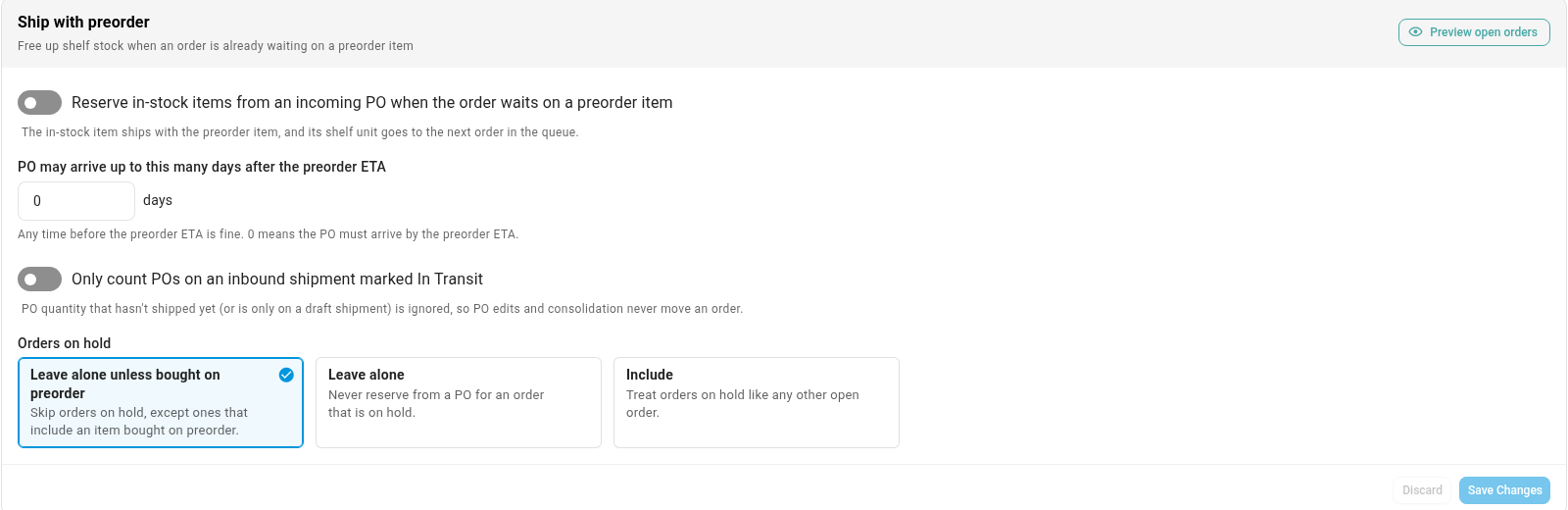
Preview before anything moves
Click Preview open orders for a dry run across every open order. The preview counts the orders, lines and shelf units it would free. Each row shows the in-stock line, the purchase order it would be reserved from with its ETA, the preorder item it ships with, and which order is likely to get the freed unit. Export it to CSV to share with your team, then apply it once the feature is on. Each line is checked again as it's applied, and anything that no longer qualifies is skipped.
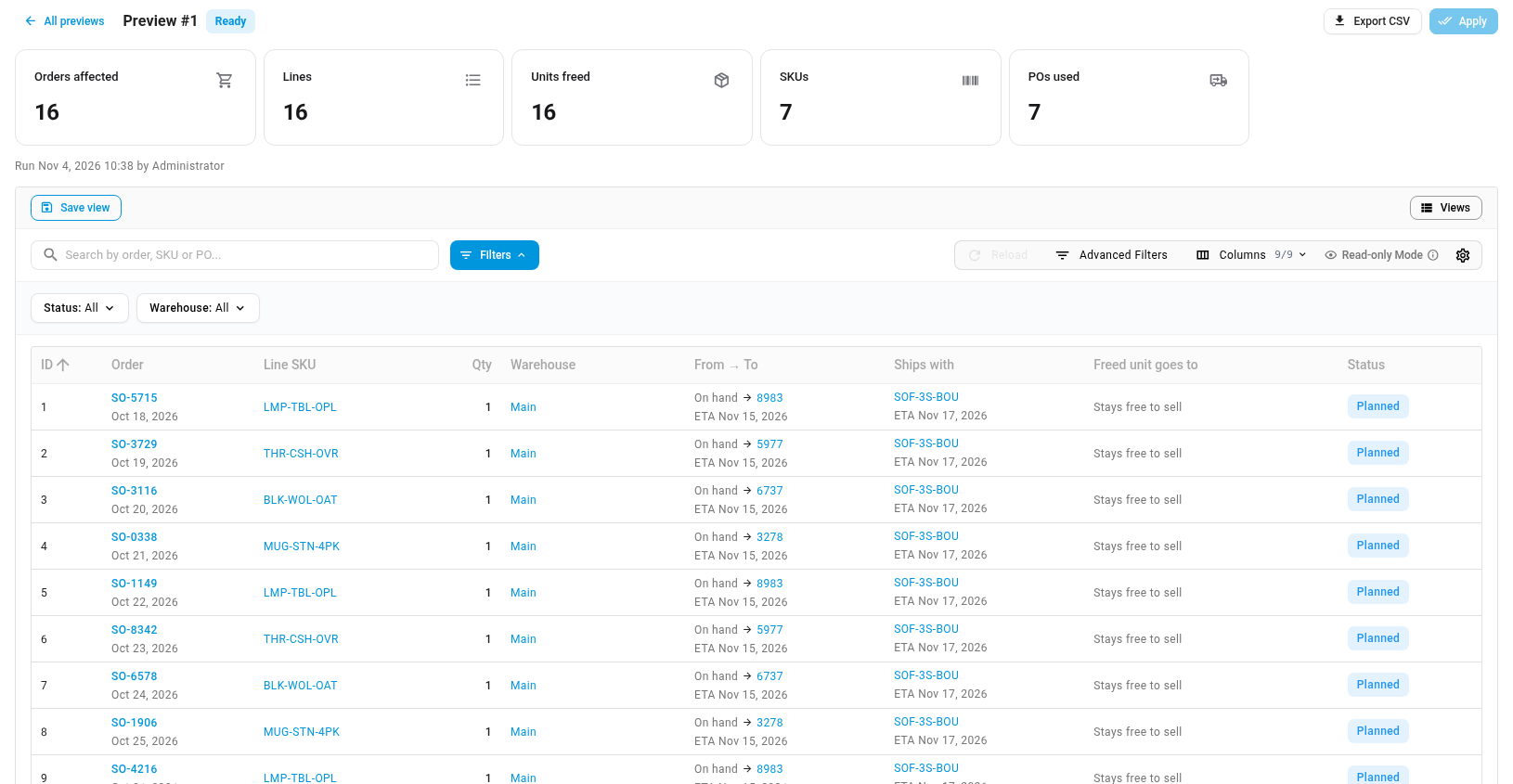
See it on every order
A line reserved this way shows a blue Ships with preorder chip on the sales order. Click it to see which purchase order the line is reserved from, the preorder item it ships with, and both ETAs. If you'd rather ship that line from the shelf, click Use shelf stock instead, and SKU.io won't move it again. On the purchase order, the same sales orders are listed in the line's allocation coverage, so the incoming units are never promised twice.
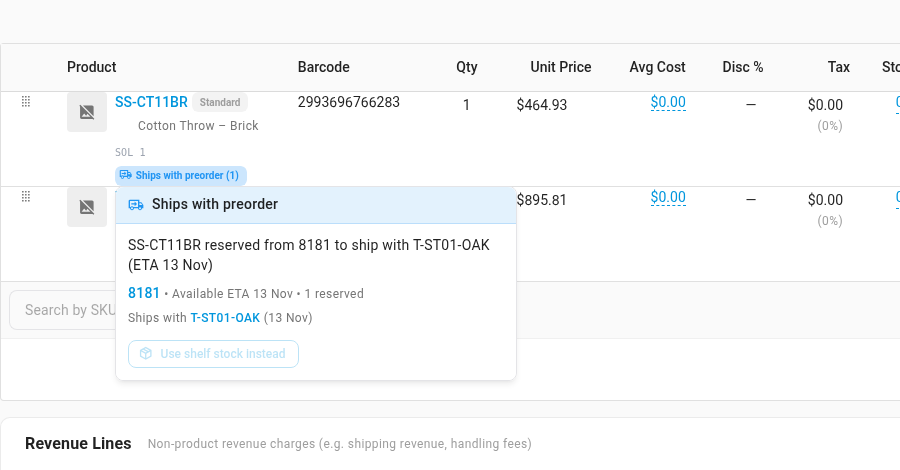
Know when a purchase order slips
SKU.io re-checks a line whenever its purchase order or inbound shipment changes, and again every night. If a purchase order no longer arrives in time and no other one fits, the line goes back to shelf stock when there's free stock. If there isn't, it stays as a normal backorder and appears under Needs attention with the reason, such as "PO slipped past the preorder ETA". Active lists every line shipping with a preorder item, and History records every change.
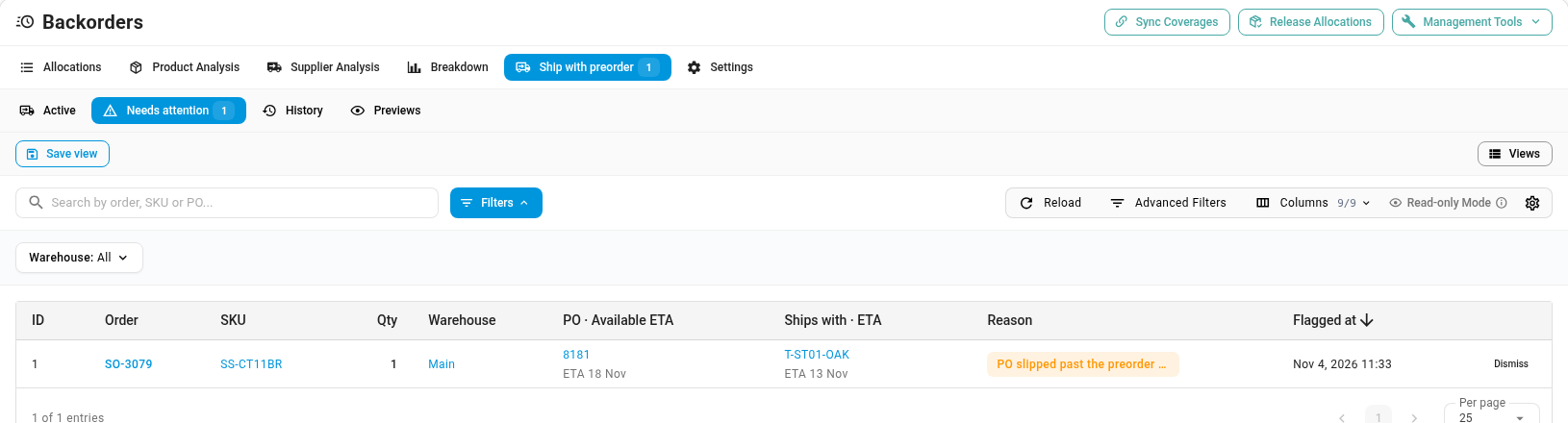
Where to find it
- Settings and preview: Inventory → Backorder Queue → Settings, then the Ship with preorder section.
- Previews, active lines, flagged lines and history: Inventory → Backorder Queue → Ship with preorder.
- On an order: the Ships with preorder chip under the line's SKU.
Full guide: Ship in-stock items with a preorder