Shippo — compare carrier rates and buy shipping labels without leaving SKU.io
If you ship orders from your own warehouse, buying the label has always meant leaving SKU.io: copy the address into another shipping tool, guess at the weight, pick a carrier, then paste the tracking number back. It's slow, it invites typos, and the shipping cost never makes it onto the order. Shippo fixes that. Connect your Shippo account and you compare live rates from every carrier on it, buy the label and print it, all from the fulfillment order. SKU.io records the shipment with its tracking and cost, and sends the tracking to your sales channel.
✨ What this means for you:
- No more swivel-chair shipping. Rates, label purchase and printing happen on the fulfillment order itself.
- Pick the right rate every time. Every carrier on your Shippo account quotes at once, with the cheapest, fastest and best-value options marked.
- Shipping cost lands on the order. Each label's cost is recorded on its shipment, and can be added to the sales order's financials.
- Tracking goes out automatically. Buying a live label marks the order shipped and passes the tracking to your sales channel.
- Try it risk-free. Connect with a Shippo test token to buy free sample labels before you switch to live.
Compare rates from every carrier
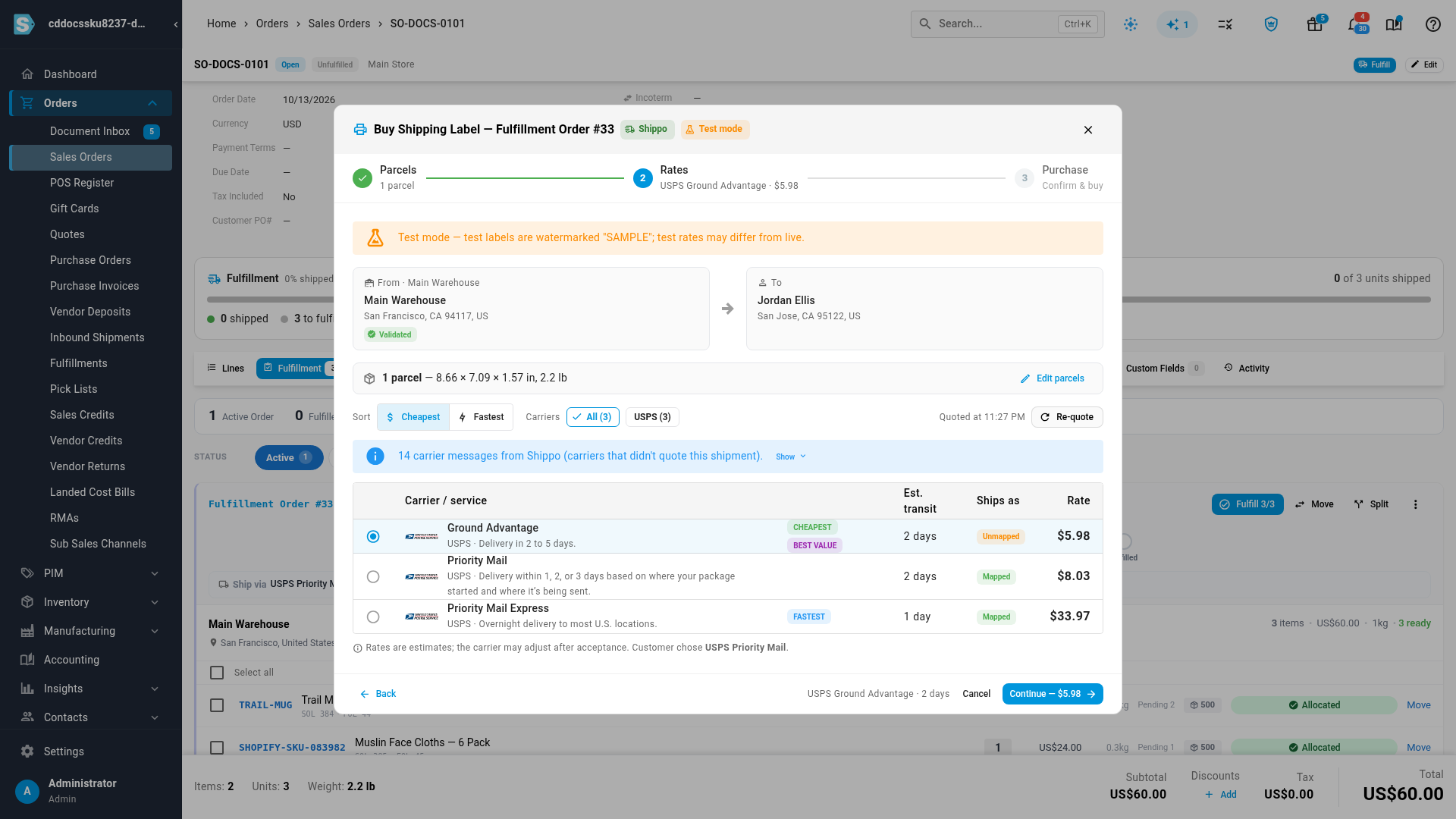
Click Buy Label on a fulfillment order and check the parcel's size and weight, which SKU.io fills in from your products. Then click Get rates. Shippo quotes every carrier on your account, so you see USPS, UPS, FedEx and the rest side by side with their price and estimated transit time. Badges mark the cheapest, the fastest and the best value.
Buy, print and ship in one step
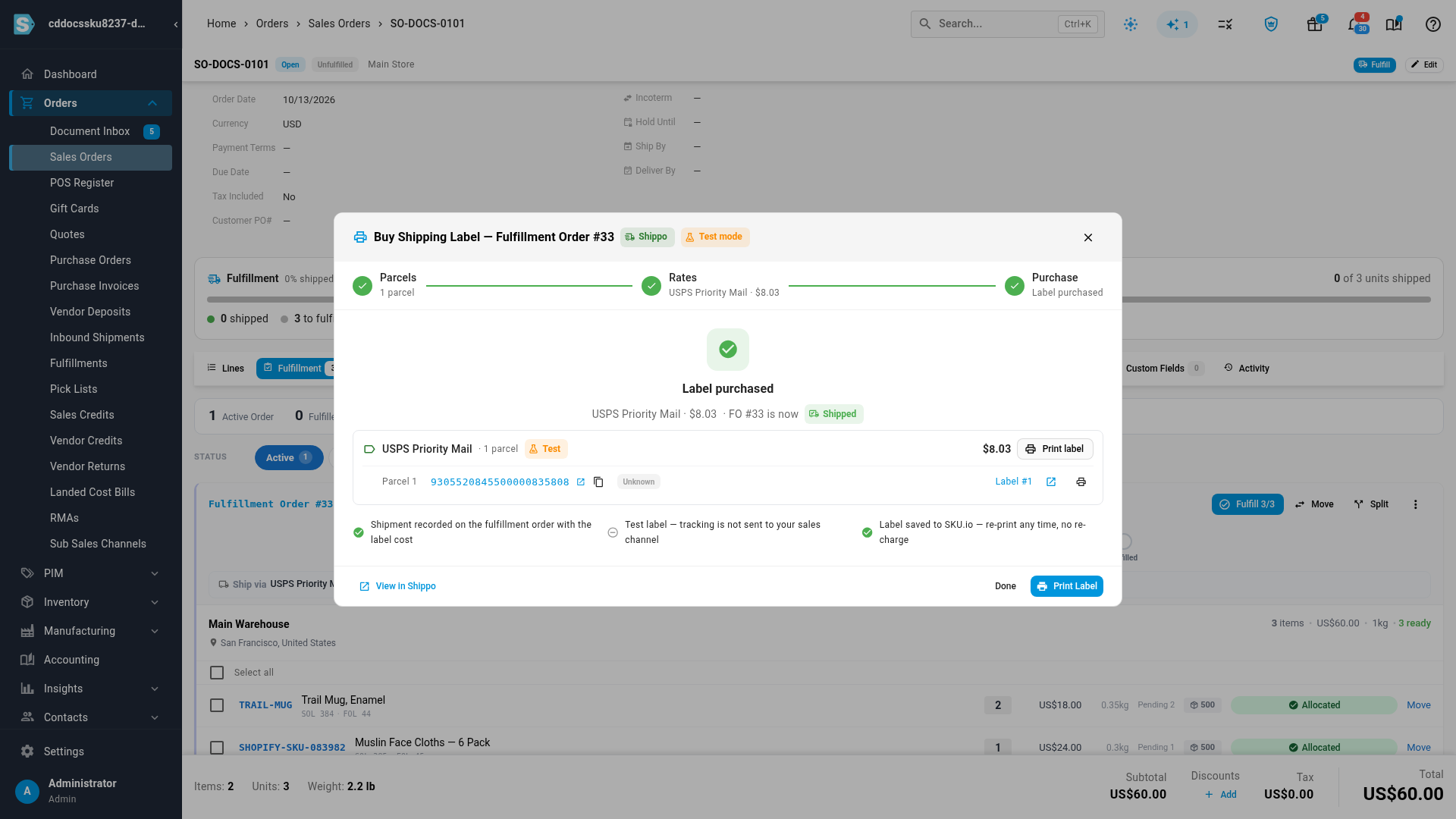
Pick a rate and click Buy. The label comes back in seconds: the fulfillment order is marked shipped, the shipment records the tracking number and the label's cost, and the label file is saved in SKU.io so you can print it again any time without being charged twice. If a parcel doesn't go out, Void label asks Shippo for a refund.
Your shipping methods, kept consistent
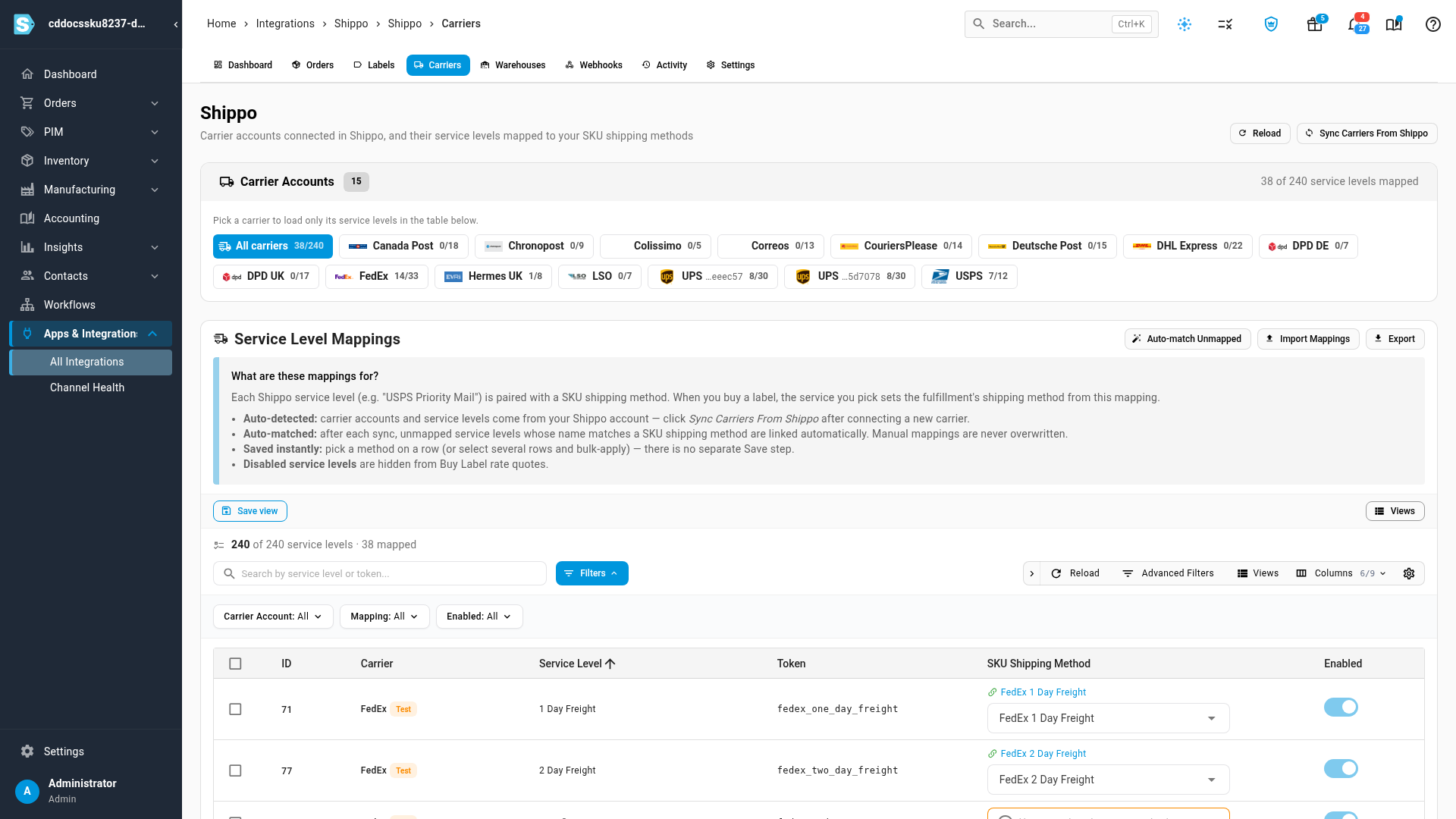
Each Shippo service level points at one of your shipping methods, so the label you buy sets the right method on the shipment. The first sync links every service level whose name matches one of your methods, and you map the rest in one table.
Where to find it
Go to Apps & Integrations → All Integrations, search for Shippo and click Connect Shippo. Once you're connected, Buy Label appears in the menu of any fulfillment order that ships from a warehouse with a Shippo sender address. Labels are available for US shipments.
Full guide: Shippo