Amazon Recovery — find, file and track the money Amazon owes you
Amazon loses and damages FBA inventory, receives shipments short, refunds customers for returns that never come back, and overcharges fulfillment fees when it measures a product wrong. It owes you for all of it, but it rarely pays unless you ask: you have to spot each problem in its reports, prove it, and file a case before a short claim window closes. Most sellers either let that money go or hand a recovery agency a cut of everything recovered. Amazon Recovery does the finding, the evidence and the writing for you. It shows what Amazon owes you, writes every claim, walks you through filing it in Seller Central one case at a time, and tracks Amazon's answer until the money arrives.
✨ What this means for you:
- One number for what Amazon owes you, with what's waiting on Amazon, what you've recovered this year and what Amazon paid on its own.
- Opportunities found for you: lost or damaged inventory, short inbound shipments, refunds for returns that never came back, fee overcharges, removal orders that arrived short, and reimbursements Amazon underpaid.
- Every claim written for you, with the facts Amazon asks for, ready to paste.
- A guided filing session that tells you exactly where to go in Seller Central and what to choose, most urgent case first.
- Each claim valued the way Amazon actually pays, so you ask for the right amount.
- Re-measurements planned around Amazon's monthly limit, so they go to the products where a corrected size is worth the most.
See what Amazon owes you
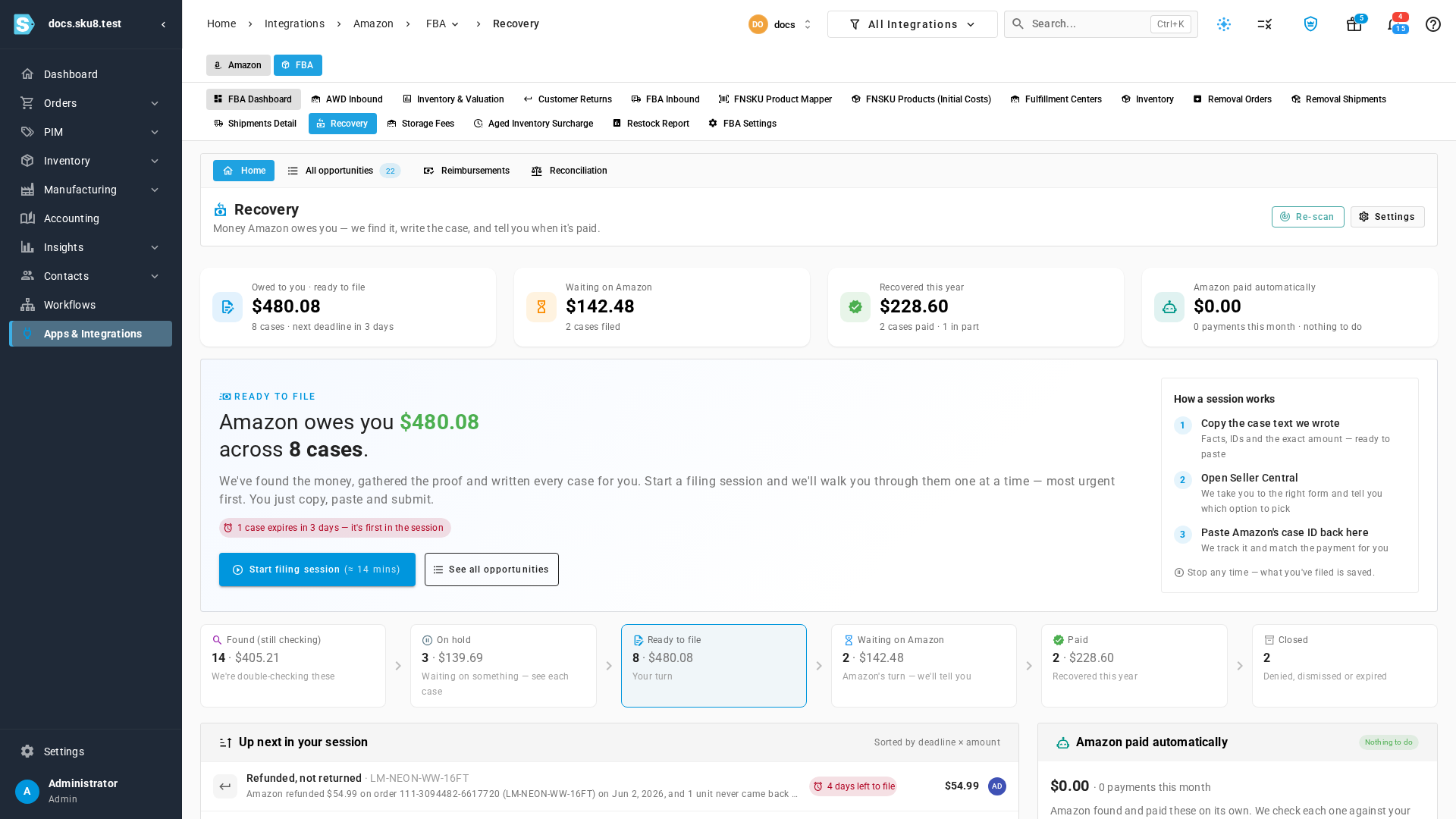
Open Recovery and the first thing you see is the amount Amazon owes you and how many cases it covers, with the next deadline flagged. Every opportunity moves through clear stages: Found while it's being checked, On hold when it's waiting on something, with the reason on the case, Ready to file when you can file it today, Waiting on Amazon once it's filed, and Paid when the money arrives. Payments Amazon made on its own show up as Amazon paid automatically, so you never chase money you already have.
File each claim in a few minutes
Click Start filing session and SKU.io takes you through every ready case, most urgent first. Each case explains why Amazon owes you and shows the evidence, then gives you the case text to paste, written from the case's own facts, in a concise or detailed version. The steps beside it tell you which Seller Central page or claim tool to open and what to pick there. When Amazon opens the case, paste its case ID back and SKU.io tracks the case until it's paid or answered.
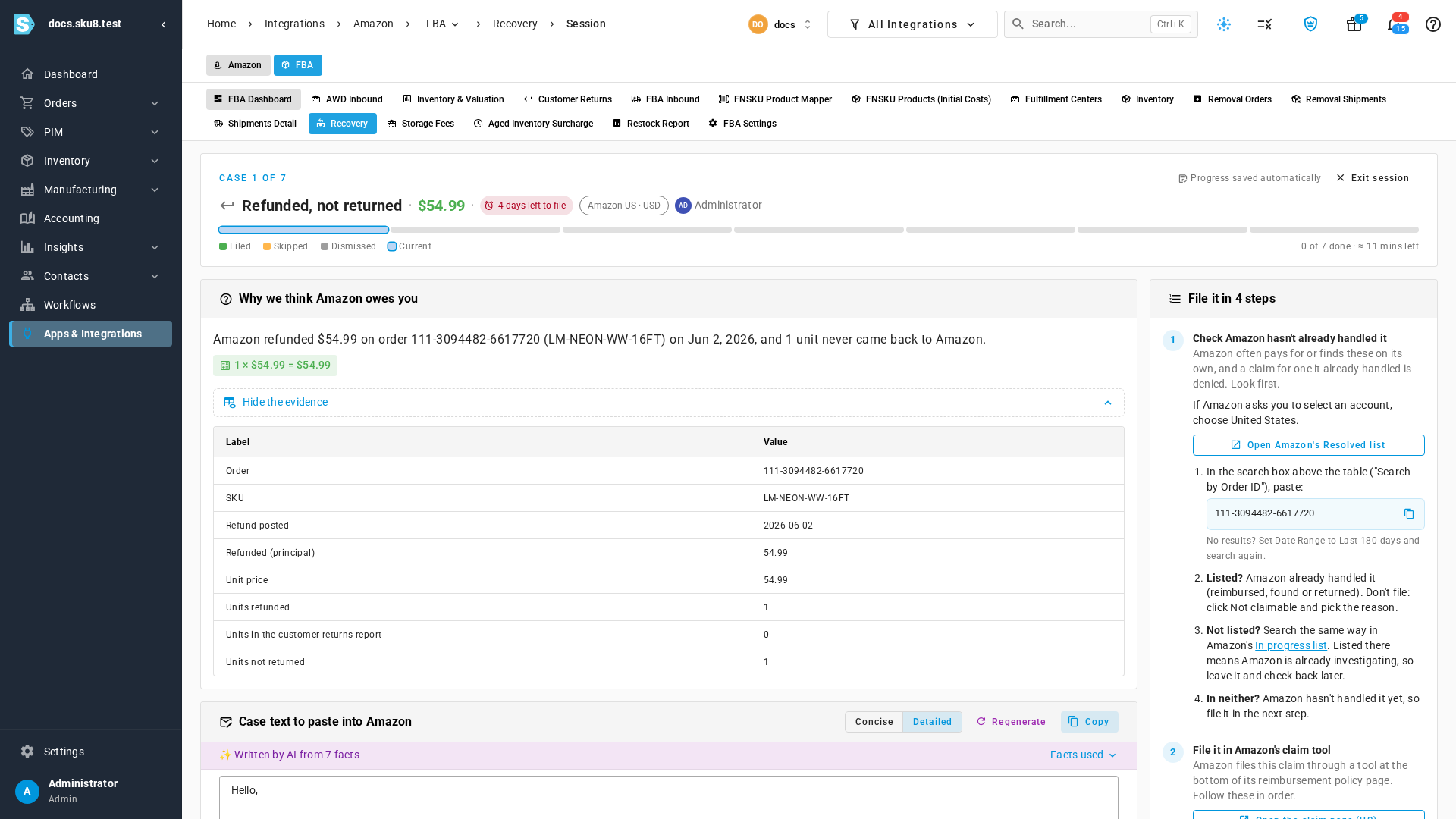
Claims ask for what Amazon actually pays. A unit lost or damaged before a sale is valued at what you paid your supplier, excluding shipping, and a refunded unit Amazon kept is valued at the sale price less fees. When Amazon underpays a reimbursement, the case says so, and it walks you through Amazon's Reimbursement Revaluation Tool with your supplier invoice.
Spend Amazon's re-measurements where they pay
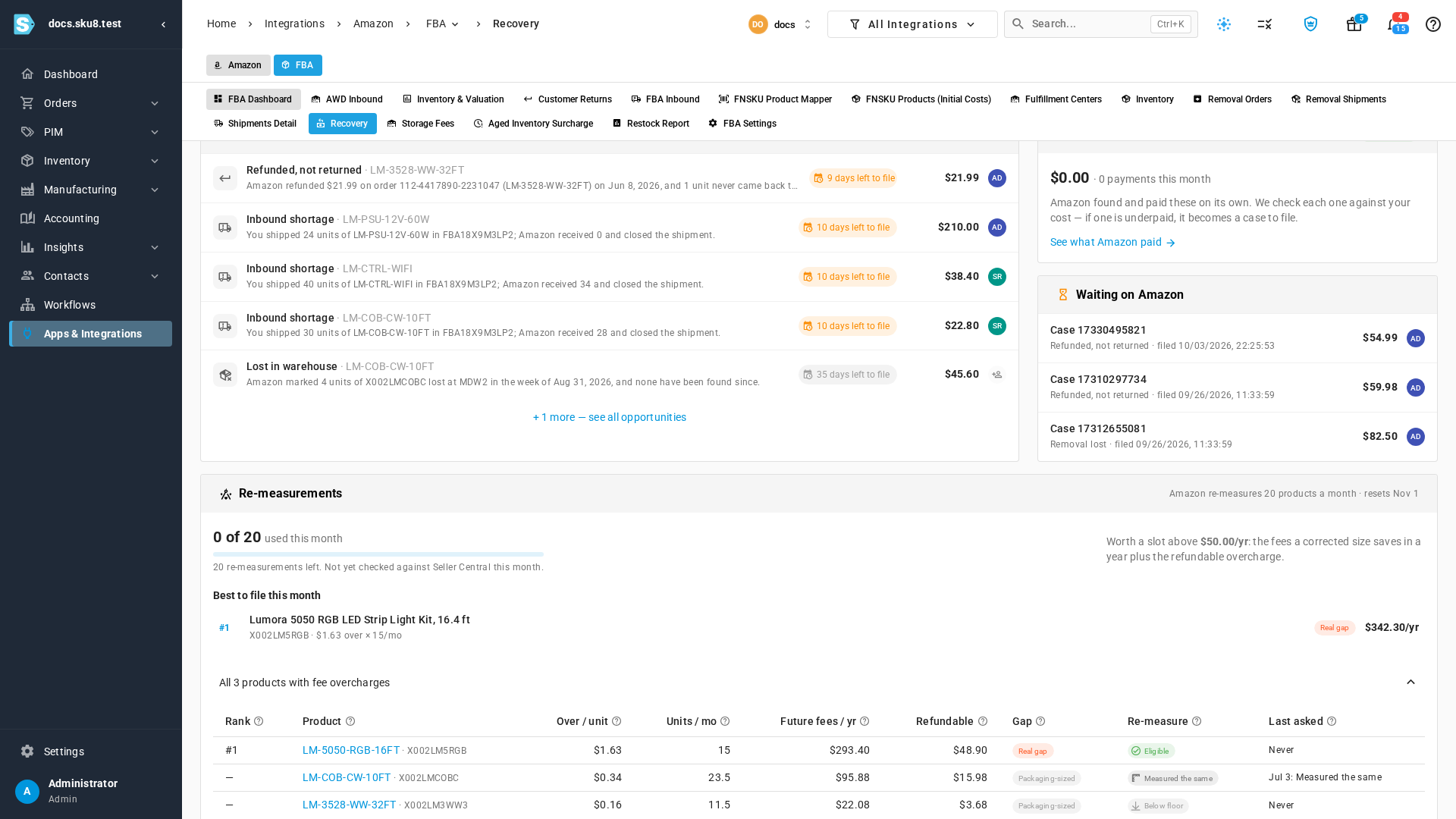
When Amazon charges a fulfillment fee for a bigger size than your product really is, the fix is a re-measurement. Amazon allows 20 a month and won't re-measure the same product more than twice in 60 days. The Re-measurements card shows how many you have left this month and ranks every overcharged product by what correcting its size is worth: the fees it saves over a year plus the overcharge Amazon would refund. Products where Amazon's size is far off yours are marked Real gap and come first. Products not worth a slot stay off the list, and you can set that threshold yourself.
Where to find it
- Recovery home and filing sessions: Apps & Integrations → Amazon → FBA → Recovery.
- Every opportunity, filterable by stage: Recovery → All opportunities.
- Choose which kinds of claims to find, a minimum amount, and your re-measurement threshold: Recovery → Settings.
- Full guide: Recover money Amazon owes you