
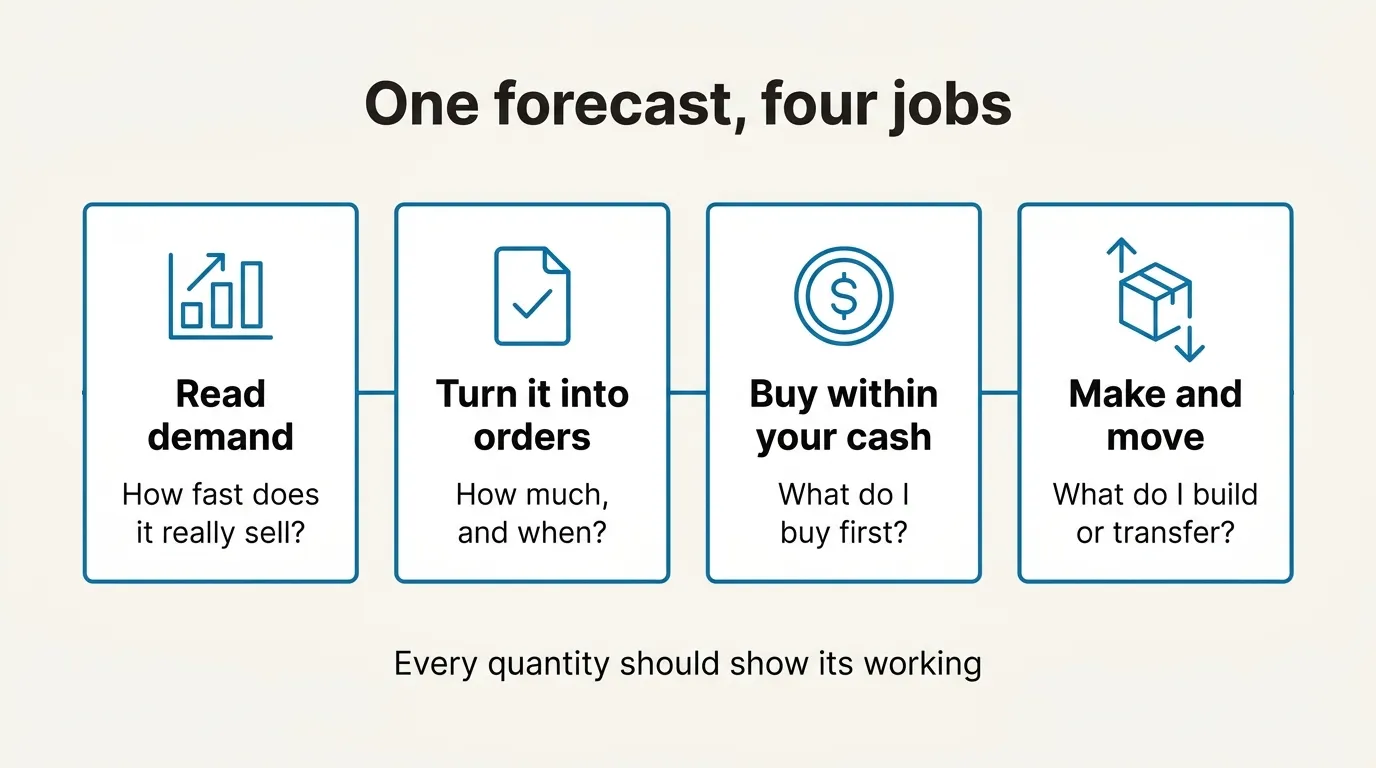
A reorder list tells you what is low. Demand planning software has four harder jobs: work out how fast each product really sells, turn that into an order your supplier will accept, decide what to buy first when the cash doesn’t cover the whole list, and plan what to build or move instead of buy. The first job is where most lists go wrong. A product that sold 165 units in a 31-day window but was in stock for only 16 of those days averages 5.3 a day on the calendar. It was selling 10.3 a day when it had stock, and an order sized on the lower number runs out again.
I founded SKU.io, so weigh what I say about it accordingly. I also run a second company that resells other brands’ products on Amazon, eBay and Walmart, and I sit on its purchasing call. In April the forecast suggested a small order for a brand we hadn’t bought in months. That supplier’s minimum is around $10,000, which at the pace we were selling was about a year of stock. Cash was tight and the nearest projected stockout was 48 days away, so we waited. The forecast had the pace right. It knew nothing about the minimum or the bank balance, and those two decided the order.
I’ve split this page by job because the checks are different for each one, and in a bigger team so is the person doing it. A tool that is good at the first job can have nothing to say about the other three.
Written November 2026. Product behavior is checked against our own user documentation, linked in “How we checked this page” at the bottom.
Which should you choose?
- Choose SKU.io if you sell on more than one channel, hold your own stock, and buy from a reorder list or a spreadsheet today. The forecast reads the same orders and stock the rest of the system runs on, and the plan becomes draft purchase orders in the same place.
- Choose an enterprise planning suite if you plan across plants, regions and a sales-and-operations process with a planning team. Kinaxis and Blue Yonder sell platforms for that. We’re too small a tool for it.
- Choose a planning layer on your ERP if your orders and stock already live in NetSuite, Acumatica or SAP Business One and you’re keeping them there. Netstock is sold that way.
- Choose a Shopify forecasting app if Shopify is your only channel and your stock system. Prediko describes itself as a Shopify app for direct-to-consumer brands.
- Stay on a spreadsheet, or look at Zoho Inventory or inFlow, if you sell under about $1M a year on one channel with a few dozen products. A 90-day average and a lead time in a sheet will do.
A seven-minute walkthrough of all four jobs in the new Demand Planning view, on a brand we made up:
Watch on YouTube. Narrated with an AI voice; the brand and its numbers are made up.
Chapters:
- 0:00 What you’re looking at
- 1:40 Read demand: forecast type and reaction speed
- 2:36 Clean the history
- 3:28 Promotions, seasons and trust
- 4:22 Cover and supplier rules
- 5:04 Buy within your cash
- 5:29 Make, buy and move
- 6:11 Create the orders and schedule it
The four jobs, and what to check in each
The lists of “best demand planning software” mostly rank enterprise suites by feature ticks: AI forecasting, scenario planning, collaboration. None of that tells a seller with a few hundred products and suppliers a sea freight away whether this week’s order is the right size. I’d check the arithmetic instead.
| Job | Who owns it | The question | What to check on your own data |
|---|---|---|---|
| Read demand | The planner or buyer | How fast does this product really sell? | Pick a product that stocked out last quarter. Does its daily rate ignore the empty days? |
| Turn it into orders | Purchasing | How much do I order, and when? | Does the quantity respect the lead time, the minimum and the case pack, and show how it got there? |
| Buy within your cash | The founder or finance lead | What do I buy first? | When the list costs more than you can spend, which lines does it cut, and why those? |
| Make and move | Production or operations | What do I build or transfer instead? | Does a kit’s demand reach the components under it, and the other warehouse? |
Whatever the job, I want to be able to open a quantity and see its working. In SKU.io a row in the plan opens to four boxes, Sold, Daily rate, Needed and Order, with the same sums written out line by line underneath. A number with nothing behind it gets rechecked in a spreadsheet before the order goes out.
Read demand
I’ve said on sales calls that I don’t want an unpredictable model sizing purchase orders, and I still think that. Our forecast is deterministic: units sold, divided by days, under rules you choose and can read back. Some buyers will want machine learning here. I’d rather be able to explain the number to a supplier, or to myself in three months.
So the checks for this job are all about which sales count and how much weight the recent weeks get. Demand forecasting software: what it has to get right works each one through on a single product. The video covers it from 1:40.
- A history window you set. 30, 60, 90 or 180 days, a year, or your own dates. In SKU.io the window is exactly the number of days you pick, ending today.
- A choice of how fast the forecast reacts. A flat average counts every day the same and suits steady sellers. A recency-weighted rate counts the recent half of the window twice as much as the older half. A damped trend compares the two halves and carries the direction forward, held back so one good fortnight can’t run away with the order. The two faster methods need at least 8 weeks of history and 8 orders, and fall back to the flat average without them. A faster method also follows a falling product down.
- Stockout days taken out. With the adjustment on, which is the default, the rate is units sold divided by the days the product could sell. The 165-unit product at the top goes from 5.32 a day to 10.31, and on a 30-day target with a 14-day lead time and nothing on hand its suggested order goes from 234 to 454. The adjusted rate is capped at three times the calendar rate, so a product restocked a few days ago can’t produce a wild number. A day you were out of stock but still sold on backorder counts as a selling day. I’d keep that rule, since the orders kept coming. There’s more on why one stockout causes the next in what most e-commerce teams get wrong about forecasting.
- A say over which orders count. Cancelled and fully refunded orders are left out by default. A partly refunded order still counts, because the customer kept part of it. You can leave those out too, but that drops the whole order, including what the customer kept.
- A way to correct one odd month. Open the product’s row, type over the period with the units you want counted, and the daily rate and the order change on the spot with the old figures crossed out. The edit changes that forecast only. Your recorded sales stay as they were.
Promotions and launches need their own handling. The owner of a distributor whose products launch with a spike told me about the forecast in his current tool: “It has forecasting but it’s worthless because it says oh you sold a thousand week one. You’re going to need 30,000 to get through the month.”
What he needed was the spike kept apart from normal days. Mark a promotion’s dates, and the software should measure the lift against normal days, weekday for weekday, then add units only for the promotion days the next order has to cover. A product selling 5 a day with a 1.5× lift over 24 promotion days gets 5 × 0.5 × 24 = 60 extra units, and its daily rate stays 5. The lift has to be held as a multiplier. If Black Friday tripled your sales last year and you’ve doubled since, last year’s unit count is half of what you need. And Black Friday moves, so the window should follow the holiday to this year’s dates.
Seasons are a narrower feature than the word suggests. SKU.io can shape an order by how last year’s sales moved across the months the order covers, but only for sales-based plans that buy from suppliers, and a product needs about a year of its own sales before it gets its own pattern. A newer one borrows its category’s pattern, or your manual adjustments, or gets no change. Ask any vendor what happens to the product you launched in March.
Last check: how far to trust each line. Each one carries a confidence tier (High, Medium, Low or New) from how much history stands behind it, and a likely range for the quantity. Separately, forecasts that run on a schedule are scored 30 days later against what sold, per product, with the average error and whether the misses lean high or low. I won’t quote an accuracy figure for SKU.io. Accuracy belongs to a product and its history, and a vendor-wide percentage says nothing about your slow sellers. The guides are tune the forecast and check how far to trust a forecast.
Turn it into orders
The sum is short. What you need is the daily rate times the days the order has to cover, which is the lead time plus the cover you want once it lands. The order is that, less the stock you have. Purchasing owns this job, and most of the work is in the rules that bend that answer.
Start with cover, because it’s where over-buying comes from. The founder of a consumer brand told me how his team ended up overstocked on packaging: “We sit on eight months worth of tins and I’m like, how did this happen? Oh, well, I didn’t want to run out, because it’s a long lead time.” The eight months came from a long lead time and a buyer who was afraid of running out, not from a decision. Cover should be something you set, either as days of stock to hold after the order arrives or as an order cycle, where each order lasts until the next one from that supplier lands. A supplier you buy from on its own calendar should be sized to its next arrival.
Then lead time. Air and sea lines from one supplier don’t take the same time, so one number per supplier is wrong for somebody. In SKU.io a lead time set for one product on its supplier wins over the supplier’s default. Tick one option and the lead time measured from your own receiving history is used ahead of both, where there is one. If you don’t know your real lead times yet, the lead time calculator works them out from purchase order and receipt dates.
Then the supplier’s rules. That April call is the case for these: the forecast said a small quantity, the supplier’s minimum said a year of stock, and I needed both numbers on one screen to decide. The plan should round to the case pack, lift a line to its minimum order quantity, and flag a supplier whose whole order is still under its minimum. I wrote up that call in knowing what to order, and when.
Last, what happens when you press the button. Creating orders from a plan should be a choice between a draft you can still edit and an approved order, with emailing the supplier as a separate tick. In SKU.io a draft emails nobody. A saved plan can also run on a schedule, on set weekdays or on each supplier’s order dates, and either stop at a forecast for you to review or create purchase orders as Draft, Approved, or Approved & Sent to Supplier. Run it on Draft for a week or two first. The video shows cover and supplier rules at 4:22 and the schedule at 6:11; the guide is replenish stock on a schedule, and our purchasing features page is the product view of this job.
Buy within your cash
A plan that says you need twice what you can spend this month is no help on its own. The founder or the finance lead ends up trimming the list by feel, and the lines that get cut are the ones nobody argued for. Buy too much instead and it shows up later. The owner of a small retail brand told me, “I had almost 100,000 in overstock.”
Here is what I’d want the software to do in a tight month, in the order SKU.io does it:
- Work out what you can spend. Buying capacity is cash on hand, plus credit available, minus a reserve you never plan below. Cash on hand is a figure you type, or a balance read from QuickBooks Online or Xero that you confirm first.
- Take off what you already owe, week by week. Purchase order deposits and balances, supplier invoices and vendor deposits come off across the horizon, 12 weeks unless you change it. What’s left each week is spendable, and the plan names the tightest week. Expected sales payouts aren’t counted as cash unless you turn that on, because a payout that arrives late is how a reserve gets breached.
- Rank every line from every supplier in one list. Each reorder line is scored by the margin it protects for each dollar it costs: the profit you’d lose to a stockout before your next chance to buy, over the landed cost of the units, placed in the weeks the supplier’s terms say you’ll pay. A low-confidence forecast is weighted down, so a guess doesn’t outrank a known stockout.
- Draw the cut line. Lines above it fit the cash. Lines below it wait, each with the first week it would fit. If a supplier’s fitting lines fall under its minimum, the plan tops that order up from the supplier’s waiting lines when there’s room, or holds the whole supplier back and gives the cash to the next line.
- Let you overrule it. You’ll know things the ranking doesn’t. Pin a line in or push one out, the cut line moves, and the pin is logged on the plan.
None of this places an order. You still create the purchase orders. The video shows it at 5:04 and the guide is rank the plan by cash.
This is a different tool from a budget. Open-to-buy sets a spending limit by category or brand for a season (the glossary entry has the formula), and an annual purchase budget per supplier tracks what you’ve committed against what you agreed. Ranking by cash answers a smaller question, which of this week’s lines go first.
Make and move
If you assemble some of what you sell, a reorder list misses half the plan. I have fewer buyer quotes for this job than for the other three, so this section is a worked example and a checklist.
Take a gift set selling 10 a day. An order that has to cover 45 days needs 450 sets. With 90 on the shelf you build 360. Each set takes two candles and one box, so the builds need 720 candles and 360 boxes. If you hold 200 candles you’re 520 short, before the supplier’s case pack and minimum are applied. And the candle order has to land before the build date, which is earlier than the set’s stockout date. A reorder list that looks at candle sales sees almost none of this, because the candles mostly sell inside the set.
In SKU.io’s Make, buy & move plan, each product gets a row that says make, buy or transfer. A product with an active bill of materials is a build, a product with a supplier is a purchase, and a warehouse that’s restocked from another one gets a transfer. The video shows one at 5:29. What I’d check in any tool:
- The buy rows include what the planned builds will use, and a build opens to its components: needed per unit and in total, on hand, short, and who supplies each.
- A product with demand and no way to supply it says why, for example a bill of materials that is still a draft.
- Leave a build out and its components shrink or drop off the order. Raise a build and the components that now run short are added.
- Everything it creates is a draft: manufacturing orders, purchase orders and transfers. When a schedule creates orders on its own, it creates purchase orders only. Builds and transfers wait for a person.
- If a contract manufacturer builds for you, the components are planned at their site and the purchase orders deliver there.
Two limits. Automatic seasonality doesn’t apply to these plans. And if you need time-phased planning with firm and planned orders, that is the separate MRP module, which reads the same forecast so the two don’t disagree. The guide is plan what to make and buy.
Questions to ask any vendor in a demo
Bring your own export and ask them to do these on screen:
- Open a product that stocked out for two weeks last quarter. What daily rate does the forecast use, and can you see the days it left out?
- Type over one unusual month. Does the order change while you watch, and do your sales reports stay untouched?
- Put a promotion inside the next order’s cover. Does it add units for those days only, or lift the whole order?
- Pick a supplier with a minimum order value and a case pack. What happens to a line that needs 30 when the case is 48?
- Set a different lead time for one product that ships by air. Does the plan use it?
- Tell it you can spend half of what the plan costs. Which lines does it cut, and can it say why?
- Sell a kit. Does the plan order the components the builds will use?
- Put the plan on a schedule. What status are the purchase orders it creates, and does anything reach a supplier without a person?
Terms, tools and longer reads, by job
Read demand. Glossary: demand forecasting, sales velocity, stockout. Free tool: the demand forecast calculator, for trying the arithmetic on one product.
Turn it into orders. Glossary: lead time, reorder point, safety stock, days of supply, economic order quantity. Free tools: the days of inventory calculator and the reorder point sheet. Longer read: weeks of cover vs inventory age.
Buy within your cash. Glossary: dead stock, sell-through rate. Longer read: clearing dead stock without killing your margin.
Make and move. Glossary: kitting, bundle, stock transfer, inventory allocation. Free tool: the bill of materials template. Longer reads: where a bundle becomes its parts and choosing inventory software for multi-warehouse sellers.
What SKU.io doesn’t do
It doesn’t forecast with machine learning. The methods are a flat average, a recency-weighted rate and a damped trend, and every step is arithmetic you can read. One screen does use AI: you can describe a plan in words and have the set-up steps filled in for you. That fills in settings. It doesn’t produce the forecast.
It won’t promise you a forecast accuracy number, for the reason above. It doesn’t pick a supplier’s price break for you, fill a container by volume, or plan a separate transit leg. It isn’t an enterprise sales-and-operations platform, and it’s more system than a small single-channel store needs.
Demand Planning has two views of the same forecast. This page and the video use the new one, which sets a plan up in five steps. The classic view is one click away, and a plan saved in either opens in the other. The guide to planning in the new view starts from an empty page.
If you sell on more than one channel and buy from a spreadsheet, book a call with me. Bring the reorder sheet you use now.
How we checked this page
This lists the facts on this page about SKU.io and the other vendors named that you can open and check yourself, plus the recorded calls the quotes come from. The purchasing story from my own company is told in full in the post linked beside it. Prepared by Kalvin Mizzi, founder, SKU.io. Last checked . SKU.io behavior was read off our own user documentation on the date shown. What other vendors sell was read off their own sites the same day. Call quotes are from recorded sales calls, unattributed.
| Claim | Source | Plan or version | Checked | How we know |
|---|---|---|---|---|
| A row in the plan opens to four boxes (Sold, Daily rate, Needed, Order) with the same sums written out line by line, and typing over a period of sales history changes that forecast only, never the recorded sales. | sku.io | — | Vendor documented | |
| The history window is 30, 60, 90 or 180 days, 1 year or custom dates, and is exactly that many days ending today. The three daily rate methods are a flat average, a recency-weighted rate (the recent half of the window counts twice) and a damped trend; the two faster ones need at least 8 weeks of history and 8 orders and otherwise use the flat average. | sku.io | — | Vendor documented | |
| With out-of-stock days adjusted for (on by default), the rate is units sold divided by sellable days: 165 units in a 31-day window with 16 days in stock is 5.32 a day by calendar and 10.31 adjusted, and the suggested order on a 30-day target with a 14-day lead time goes from 234 to 454. | sku.io | — | Vendor documented | |
| The adjusted rate is capped at three times the calendar rate, a product with fewer than 7 sellable days in the window is not adjusted, and a day sold on backorder counts as sellable. | sku.io | — | Vendor documented | |
| Cancelled and fully refunded orders are left out of demand by default. A partly refunded order counts unless a separate option is selected, and that option leaves out the whole order. | sku.io | — | Vendor documented | |
| A promo window's lift is measured against normal days of the same weekday and adds units only for the promotion days inside the order's cover (5 a day, 1.5× lift, 24 days: 60 extra units). The lift is a multiplier on today's daily rate, and a window added from a moving holiday follows the holiday each year. | sku.io | — | Vendor documented | |
| Automatic seasonality from last year applies to Sales Based forecasts that buy from suppliers, not to Make, buy & move plans. A product uses its own pattern when its first sale is at least 12 months ago, it sold in at least 6 of the last 12 months and sold at least 24 units; otherwise it falls back to its category's pattern, manual adjustments, or no change. | sku.io | — | Vendor documented | |
| Each forecast line has a confidence tier (High, Medium, Low or New) and a likely range. Forecasts that run on a schedule are scored per product 30 days after they ran, with the average error and the bias; forecasts built by hand are not scored. | sku.io | — | Vendor documented | |
| Cover is set as target stock days or as an order cycle, and a supplier on its own schedule is sized to its next scheduled arrival. Purchase orders are created as Draft (nothing is emailed) or Approved, with Send to supplier as a separate tick, and a supplier below its order minimum is flagged in the review. | sku.io | — | Vendor documented | |
| A lead time set for a product on its supplier is used ahead of the supplier's default, and the lead time measured from receiving history is used ahead of both when Use measured lead times when available is ticked on the forecast. | sku.io | — | Vendor documented | |
| Supplier lead times, minimum order quantities and case packs shape the recommended quantities, and case-pack rounding uses the supplier's case pack when one is set. | sku.io | — | Vendor documented | |
| A schedule runs a saved plan on selected weekdays or on each supplier's order cycle, and either produces a forecast only or creates purchase orders as Draft, Approved, or Approved & Sent to Supplier. | sku.io | — | Vendor documented | |
| Buying capacity is cash on hand plus credit available minus a reserve; cash on hand is typed or read from QuickBooks Online or Xero and confirmed. Scheduled payables come off week by week across a 12-week horizon by default, and expected sales payouts are not counted unless turned on. | sku.io | — | Vendor documented | |
| Every reorder line is ranked across suppliers by margin protected divided by cash required, with low-confidence forecasts weighted down. A cut line marks where the cash runs out, supplier minimums are topped up or the supplier's lines wait, and nothing is ordered automatically. | sku.io | — | Vendor documented | |
| A line can be pinned in (Keep in) or out (Push out); the cut line recalculates and the pin is logged on the plan. | sku.io | — | Vendor documented | |
| A Make, buy & move plan gives each product a Make, Buy or Transfer row, adds the components planned builds need to the purchases, says why a product is unsourced, re-sizes components when a build is left out or raised, and creates draft orders. | sku.io | — | Vendor documented | |
| A schedule that creates orders from a Make, buy & move plan creates purchase orders only. A contract manufacturer's components are planned at the contractor's site. MRP uses the latest Demand Planning plan as its forecast. | sku.io | — | Vendor documented | |
| Set up with AI turns a description into plan settings on the set-up page. It never creates purchase orders and never edits sales history. | sku.io | — | Vendor documented | |
| Demand Planning has a new view and a classic view that build the same numbers from the same settings, and a plan saved in one view loads in the other. | sku.io | — | Vendor documented | |
| Kinaxis describes its product, Maestro, as an end-to-end supply chain platform. | kinaxis.com | — | Vendor documented | |
| Blue Yonder sells supply chain planning that synchronizes demand, supply and inventory on a cloud planning platform. | blueyonder.com | — | Vendor documented | |
| Netstock sells supply and demand planning that runs on ERP data and lists NetSuite, Acumatica and SAP Business One among the ERPs it integrates with. | netstock.com | — | Vendor documented | |
| Prediko describes itself as a Shopify app that helps direct-to-consumer brands with inventory management, forecasts and purchase orders. | prediko.io | — | Vendor documented | |
| Quotes from the owner of a distributor, the founder of a consumer brand and the owner of a small retail brand, all unnamed. | Recorded sales calls (internal archive) | — | Recorded call |