
A brand I spoke with keeps its raw materials at its contract manufacturer. For a run that needs 18 kilos of one ingredient, the factory takes a whole 25-kilo box off the shelf and is meant to put the rest back afterwards. Does it? The founder’s answer: “Sometimes. Sometimes they don’t.” Once the factory told them it had never received an ingredient, then a month later found “30 kilos of this ingredient” in the wrong place. When the brand finally compared its numbers with the factory’s, one ingredient was being wasted at 20%, at 700 dollars a kilo: “20% across, you know, 20,000 units. That’s huge.”
Contract manufacturing means another company makes your product to your specification, under your name, and bills you per unit. You may send it packaging, labels or materials, or nothing at all. Whatever you send stays your inventory until it’s used, and checking that what came back matches what went in is your job, not the factory’s.
I founded SKU.io, so weigh what I say about it accordingly. I also run a second company that sells online. We buy from suppliers, mostly in the US and sometimes in China, and the finished goods ship to our 3PL. I’ve never run a production floor. This guide is written from the buying side, which is where most brands are.
Written November 2026. What SKU.io does is checked against our own user documentation, listed in “How we checked this page” at the bottom. The worked examples use made-up numbers.
Which approach fits you?
- A spreadsheet and the factory’s own report are enough if you buy finished goods from one factory and send it nothing of yours. Your stock starts when the goods arrive.
- Use an inventory system that holds a warehouse for each factory if you send packaging, labels or materials and want to know what’s left of them. That’s the case this guide is mostly about, and it’s what SKU.io’s optional Manufacturing add-on is for.
- Look at a manufacturing system such as Katana or MRPeasy if you also run your own production floor, with work centers and shifts to schedule. Katana vs SKU.io is our side-by-side, and it says where Katana is the better fit.
- Look at Zoho Inventory or inFlow if you sell under about $1M a year on one channel and buy finished goods. We’re more system than you need.
What is contract manufacturing, from the brand’s side?
People use contract manufacturer, co-manufacturer and co-packer loosely. Roughly: a contract manufacturer or co-manufacturer makes the product start to finish, and a co-packer fills or packs it into your packaging. When you own every input and the factory only charges for the work, that’s toll manufacturing. Private label is the factory’s own product with your name on it, bought like any finished good.
For your books, the label matters less than who owns each input on the day the factory uses it.
| Arrangement | You send the factory | The factory bills you | What you track at the factory |
|---|---|---|---|
| Finished goods, nothing supplied | Nothing | A price per finished unit | Nothing until the goods arrive |
| Your packaging, their product | Pouches, boxes, labels, inserts | A price per finished unit | Your packaging, used up per unit |
| Your materials and packaging (toll) | Every input | A fee for the work | Every input, used up per the recipe |
| Their materials plus yours | Some inputs | A price per unit, plus a fee | The inputs that are yours |
The second row is where most brands I talk to sit, and it’s the one their systems handle worst. The factory’s price per unit is an ordinary purchase order. The pouches sitting in their building aren’t on any order at all. An operations lead described keeping track by hand: “So when I issue a PO for 10,000 [units], I need to be able to say, this is consuming 10,000 glass bottles. And I do that all now in a Google sheet.”
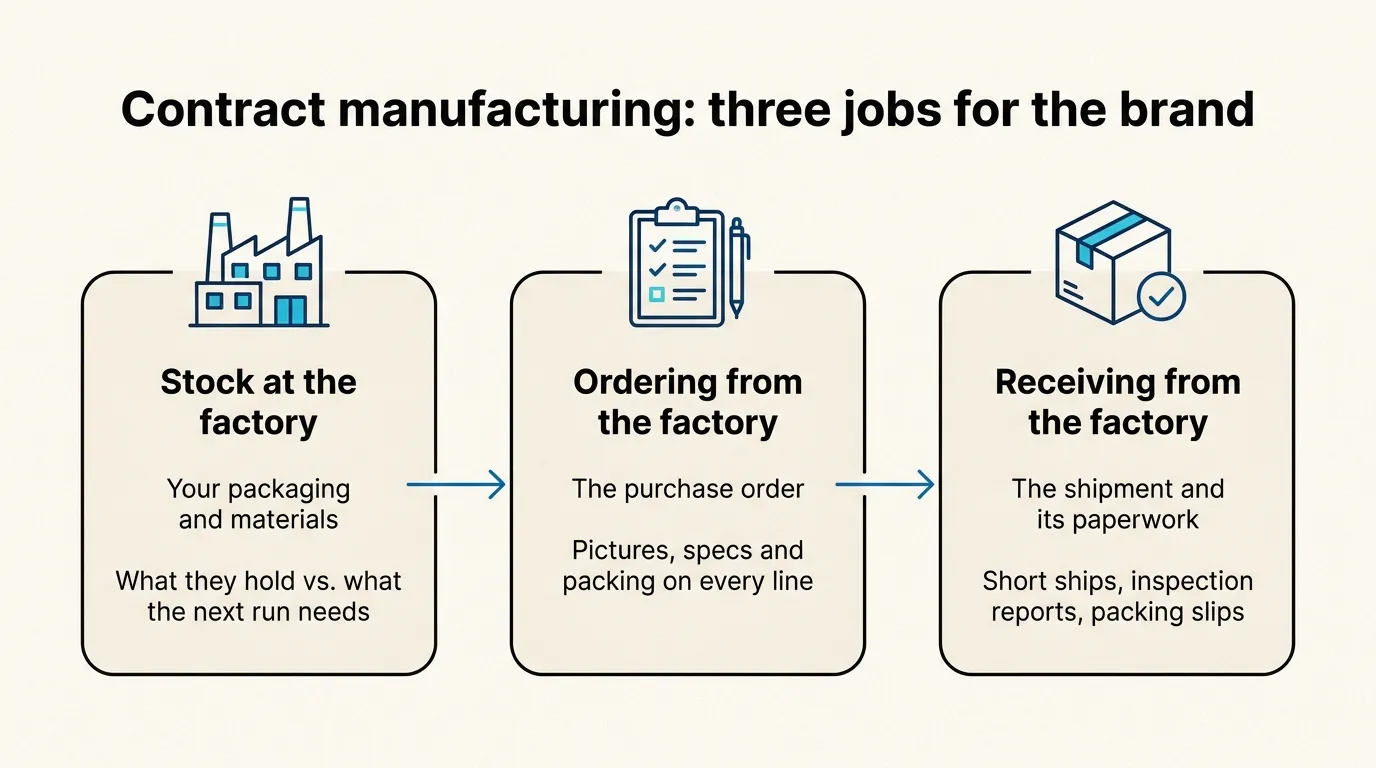
Stock at the factory
Packaging at the factory is inventory. It’s on your books at what you paid, in a building you don’t own. The model I’d use is to give each factory a warehouse of its own in your system. Stock goes in on the purchase order that delivered it there, or on a transfer from your own warehouse, and comes out when the factory uses it. A brand that stores its materials at the factory described the usual alternative: “We store all our ingredients in the warehouse of the contract manufacturer. So their system shows us what we have in stock.”
A made-up example. A factory packs your product in a pouch you supplied, with an insert card, and you’ve agreed 2% scrap on pouches because the sealer tears a few. You’re about to send a PO for 2,000 units:
| Packaging | Per unit | Needed for 2,000 units | The factory holds | Other open orders need | Free for this order | To send |
|---|---|---|---|---|---|---|
| Pouch | 1, plus 2% scrap | 2,040 | 1,800 | 300 | 1,500 | 540 |
| Insert card | 1 | 2,000 | 2,600 | 300 | 2,300 | none |
Compare what they hold with this order and you’re 240 pouches short. Take off the 300 another order at the same factory still needs and you’re 540 short, which is more than a quarter of the run. Send the 540 with the PO.
The cost goes the same way. If a pouch cost $0.21 and a card $0.04, each finished unit carries $0.25 of your packaging on top of the factory’s price. Leave it in a packaging account and the margin report shows that product $0.25 a unit better than it is.
In SKU.io the table above is a card on the purchase order, and receiving the goods takes the packaging off the factory’s stock and puts its cost into the units. A shortfall doesn’t block receiving. The goods go on hand, and the missing packaging is settled once more arrives or a count at the factory is corrected (use up packaging on purchase orders).
Usage is the other check. SKU.io’s reconciliation report starts from what each site held, adds what you sent, takes off what the completed units should have used, and compares the result with what’s there now. A gap bigger than the scrap you allowed is flagged by factory and component. For stock that left your warehouse with someone who isn’t using it up, stock with an installer or a co-packer is the simpler case.
Ordering from the factory
A factory needs more from a purchase order than a distributor does. It has to know what each item looks like, what it’s made of, how to finish it and how to pack it. When that lives in a spec sheet, a photo in a chat and a long email thread, the PO is a quantity and a price, and the factory fills in the rest from memory.
Some of my own suppliers in China never send a final invoice. The pro forma is the invoice, and I pay against it, so the PO and the pro forma are the only two documents that say what we agreed. Anything I need the supplier to act on goes on one of them, which is why I’d put the picture and the spec on the PO line itself. In SKU.io you choose which product attributes and images suppliers see, and they print on the PO beside each line (how to choose what suppliers see).
If the goods cross a border, each line needs its duty information too: the HTS code on each purchase order line covers that. And the date on the PO should be one the factory can meet, which is the argument of ordering on your supplier’s dates.
A PO number shows up on the packing slip, in the factory’s email subject and on the bank transfer, so it helps if you can read it. SKU.io can build PO numbers from the order date and an order type you define, say N for a new product’s first run and R for a reorder. A reorder raised on March 3, 2026 reads PO-260303-R. SKU numbers can come from a rule per product type or category, each with its own counter. If you haven’t settled a scheme yet, try it in the free SKU generator first. There’s a purchase order template too, if you’re still on paper.
Receiving from the factory
When the shipment lands, you find out whether the factory did what the PO said.
Short shipments
One buyer told me over half of their orders ship partially, with no warning: “they’re basically sending me short ships without prior acknowledgment or confirmation.” I had a version of this on an import of my own. The 3PL said it had half the shipment, the customs broker said all ten pallets were delivered, and the 3PL checked and found ten. I still had to go back and ask for a count of units, because pallets aren’t what I ordered. In SKU.io, a supplier who records a short shipment on the supplier portal triggers an alert that names the units still to ship. What to do when a supplier short-ships a PO picks it up from there. Goods lost on the way are a different problem: a lost-in-transit purchase order.
Inspection and lab reports
A factory shipment often comes with a third-party inspection report or a lab test, and it belongs with the shipment it covers, not in someone’s inbox. In SKU.io they’re document types of their own on the inbound shipment, which the supplier can attach, and the PO’s documents filter by type, so a missing report is easy to spot (collecting shipping documents).
One packing slip, several purchase orders
A buyer described what they wanted to do with the factory’s packing list: “when we get, like the packing list from the vendor that lists, like, which pos are and which pieces are coming in in that shipment, I would upload it to this and it would, like, build that receiving report.” SKU.io takes the slip as one CSV or Excel file and splits it across the POs. A row no order can take isn’t dropped; it waits for someone to decide, and units that weren’t received are kept as discrepancies (receiving one slip across many POs). If you’re new to it, the glossary has the basics of receiving.
Questions to ask any vendor in a demo
Bring one factory’s real numbers and have each vendor show you, on screen:
- Where stock you own at the factory lives, and whether it counts in your inventory value.
- What takes your packaging off the factory’s stock when a run finishes, and where its cost goes.
- Whether a PO tells you the factory is short of your packaging before you send it, after its other orders.
- How you compare what the factory should have used with what it says it used.
- Who finds out when a factory ships less than you ordered, and on which day.
- Whether one packing slip covering four POs can be received in one go.
How SKU.io handles it
The factory side is part of the optional Manufacturing add-on. Each factory is a contractor with a warehouse of its own, and packaging or materials get there on a purchase order delivered to the site or a transfer. One tab shows every factory’s packaging with its days of cover and a suggested send, and an hourly check alerts your team, and the person you name for that factory, before a site runs short. You then buy the finished goods one of two ways. On an ordinary purchase order, with the packaging each unit uses taken off the factory’s stock as you receive. Or on an outsourced manufacturing order, where receiving the factory’s shipment records the production, uses up your components at the site per the recipe, and costs the batch from the lots actually consumed; manufacture with a contract manufacturer walks through that one. Lot genealogy follows components delivered straight to the factory, so a recall can be traced from the supplier’s lot into the finished goods.
Ordering and receiving work as they do for any supplier. Product images and chosen attributes print on the PO and show in the supplier portal, and if a shown attribute changes after you send it, the PO says so. PO numbers can come from the order date and an order type. The short-shipment alert covers shipments a supplier records on the portal, in a bulk tracking upload or from the PO email link. Inspection and lab reports are their own document types on a shipment. A packing slip file is matched to POs by the number on each row, or to the supplier’s oldest-due order, and when it adds a product to a PO, the price comes from the supplier’s price or the last cost you paid, read from the supplier’s invoice where there is one.
What SKU.io doesn’t do
It doesn’t connect to the factory’s own system. What a factory holds in SKU.io is what you sent, less what the units you received should have used, corrected by the counts you record. Someone still has to count. It keeps inspection and lab reports with the shipment, but it won’t stop a shipment that has none. It doesn’t schedule a production floor: there’s no shift planning or machine capacity, and Katana or MRPeasy are the tools for that. And it’s built for brands between about $1M and $50M a year that sell on more than one channel.
If you send packaging to a factory and find out it’s short when they call, book a call with me. Bring that factory’s last PO.
How we checked this page
This lists the facts on this page you can open and check yourself: how SKU.io handles stock at a factory, purchase orders and receiving, and the recorded calls the quotes come from. Prepared by Kalvin Mizzi, founder, SKU.io. Last checked . SKU.io behavior was read off our own user documentation on the date shown, and checked against the build running in production. Call quotes are from recorded sales calls, unattributed. The worked examples' numbers are made up.
| Claim | Source | Plan or version | Checked | How we know |
|---|---|---|---|---|
| Manufacturing (bills of materials, manufacturing orders and contractors) is an optional add-on in SKU.io. | sku.io | — | Vendor documented | |
| An activated contractor gets a site warehouse of its own. Stock sent there stays on your books at your cost, and arrives on a purchase order delivered to the site or a warehouse transfer. | sku.io | — | Vendor documented | |
| A product's Factory packaging lists each packaging product, the quantity one unit needs and the expected scrap. A purchase order to that factory shows Required, Held, Other orders, Free for this order and Shortfall for each packaging product, such as Send 50. | sku.io | — | Vendor documented | |
| Receiving the goods takes the packaging off the factory's stock and adds its cost to the goods; what you owe the supplier doesn't change. Receiving is never blocked: packaging that was short is recorded, and Record short packaging takes it later. | sku.io | — | Vendor documented | |
| Packaging at factories shows each site's components with Days of cover over the last 30 days and a Suggested send. The Factory Packaging Running Short alert checks every contractor site each hour and also goes to the person named for that site. | sku.io | — | Vendor documented | |
| The Factory Packaging Reconciliation report starts from what a site held, adds what was sent, takes off what completed units should have used, compares the result with what is on hand, and flags a variance larger than the recipe's expected scrap. | sku.io | — | Vendor documented | |
| On an outsourced manufacturing order, receiving the contractor's shipment records production, consumes your components at the contractor's site and costs the batch from the lots consumed. A forward lot trace follows a component delivered straight to the contractor into the finished goods. | sku.io | — | Vendor documented | |
| Product images and attributes chosen to Show to suppliers print on the PO document and show in the supplier portal, on the confirm page and, when chosen, in the CSV or XLSX file. A PO whose shown attribute changes after sending shows Modified after sending. | sku.io | — | Vendor documented | |
| An inbound shipment's document types include Packing List, Commercial Invoice, Bill of Lading, Certificate, Inspection Report and Lab Report. Suppliers can attach them, and a purchase order's Documents tab filters its shipments' documents by type. | sku.io | — | Vendor documented | |
| One CSV or Excel packing slip can be received across many purchase orders. Rows match by the PO number on the row, or the supplier's open orders oldest due first; rows the orders can't take wait for a decision, and units not received are kept as discrepancies. | sku.io | — | Vendor documented | |
| When a slip row adds a product to a PO, its unit cost fills in from the supplier's price, or with none, the last cost paid: the product's price on its most recent PO, or the price the supplier invoiced for it there, less that line's discount. | sku.io | — | Vendor documented | |
| Quotes from brands that make their products at contract manufacturers, on recorded sales and onboarding calls (February, July and November 2026). | Recorded sales calls (internal archive) | — | Recorded call |