Collect shipping documents from suppliers
Suppliers can attach the paperwork that travels with a shipment: packing list, commercial invoice, bill of lading, certificate, or another file. You see it on the inbound shipment and together on the purchase order, and you can add your own.
Before you begin
- You need Purchase Orders → View to see and download documents, and Purchase Orders → Edit to add, change or remove them.
- The supplier adds documents on the supplier portal, or from the link in your purchase order email. The order has to be sent first.
See what a supplier sent
You get a Supplier Added Shipping Documents alert for each upload. It names the files and opens the shipment's documents.
- Go to Purchasing → Inbound Shipments, open the shipment, and click Documents.
- Click a file's name to preview it. Use the icons to open it in a new tab, change its type or description, or remove it.
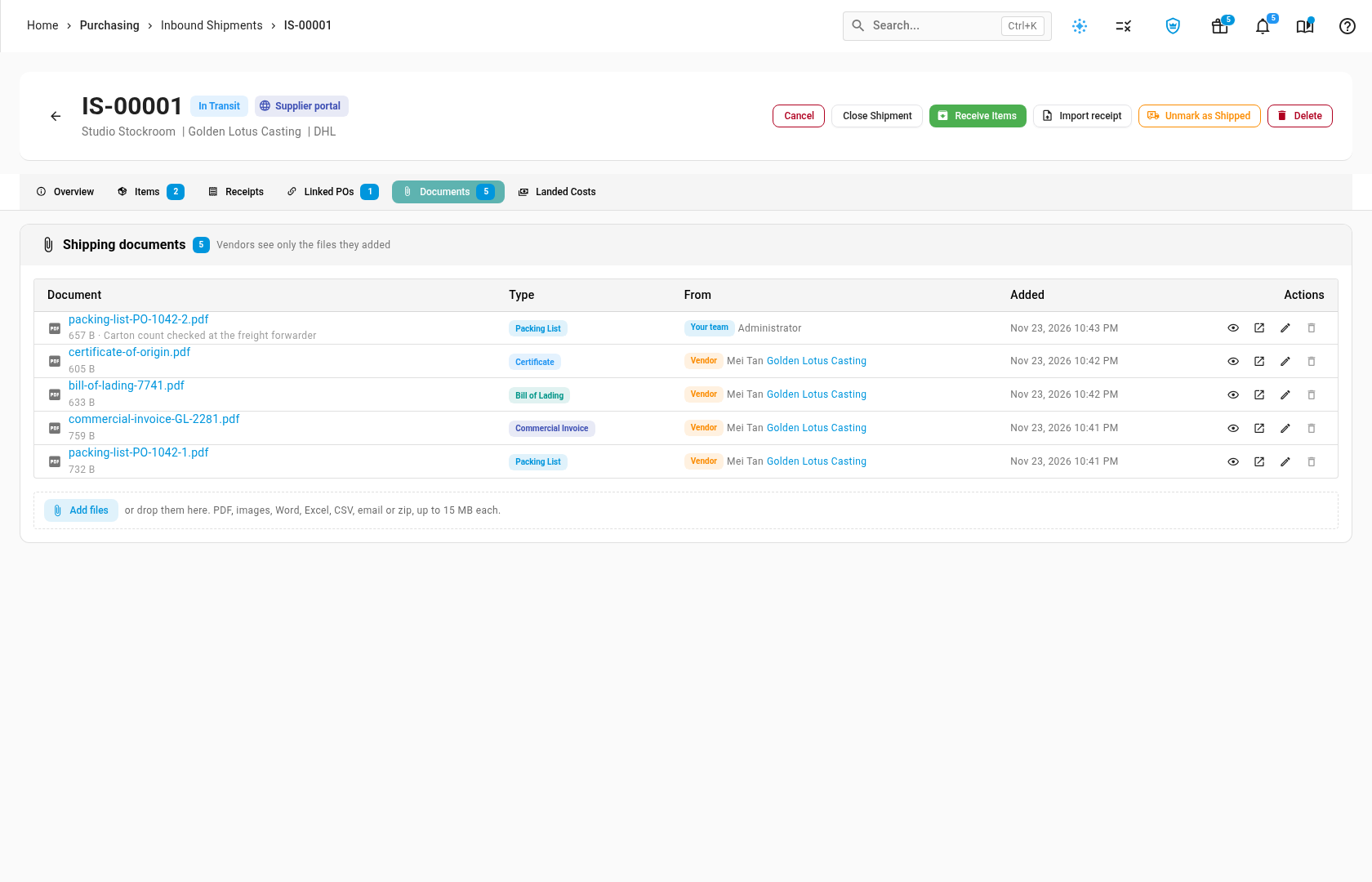
Each file shows its type, who it came from (Vendor or Your team) and when. The card's heading names the usual documents that nobody has added yet.
See every document on an order
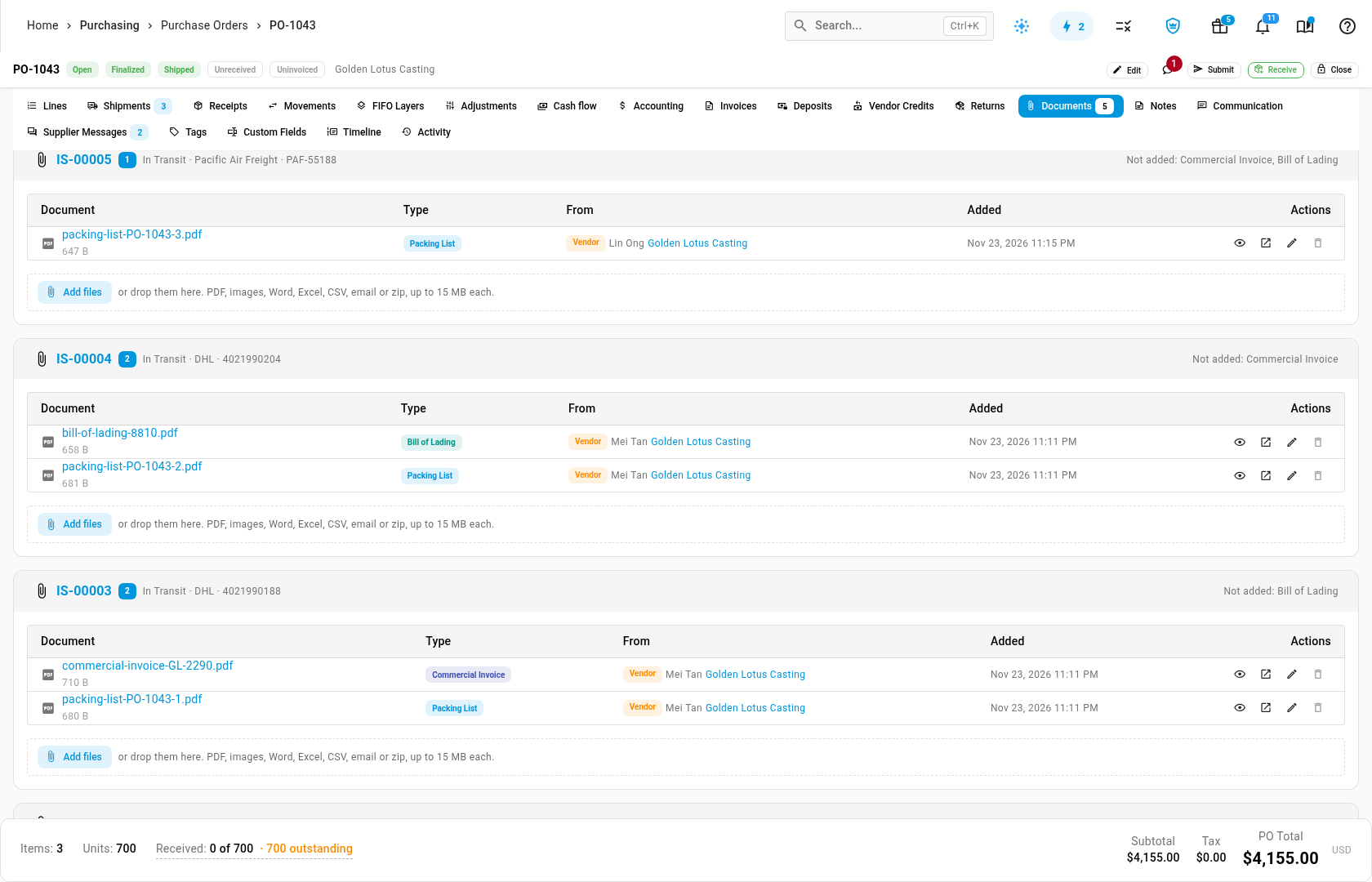
Open the purchase order and click Documents. Each inbound shipment has its own card, and Purchase order files at the bottom holds files kept with the order itself, such as a quote or a signed contract.
Add a document yourself
- On the shipment or the order's Documents tab, click Add files, or drop the files on the card.
- Check each file's type, and click Upload.
Files can be PDF, images, Word, Excel, CSV, email or zip, up to 15 MB each. Suppliers never see the files your team adds.
See everything on an order in one list
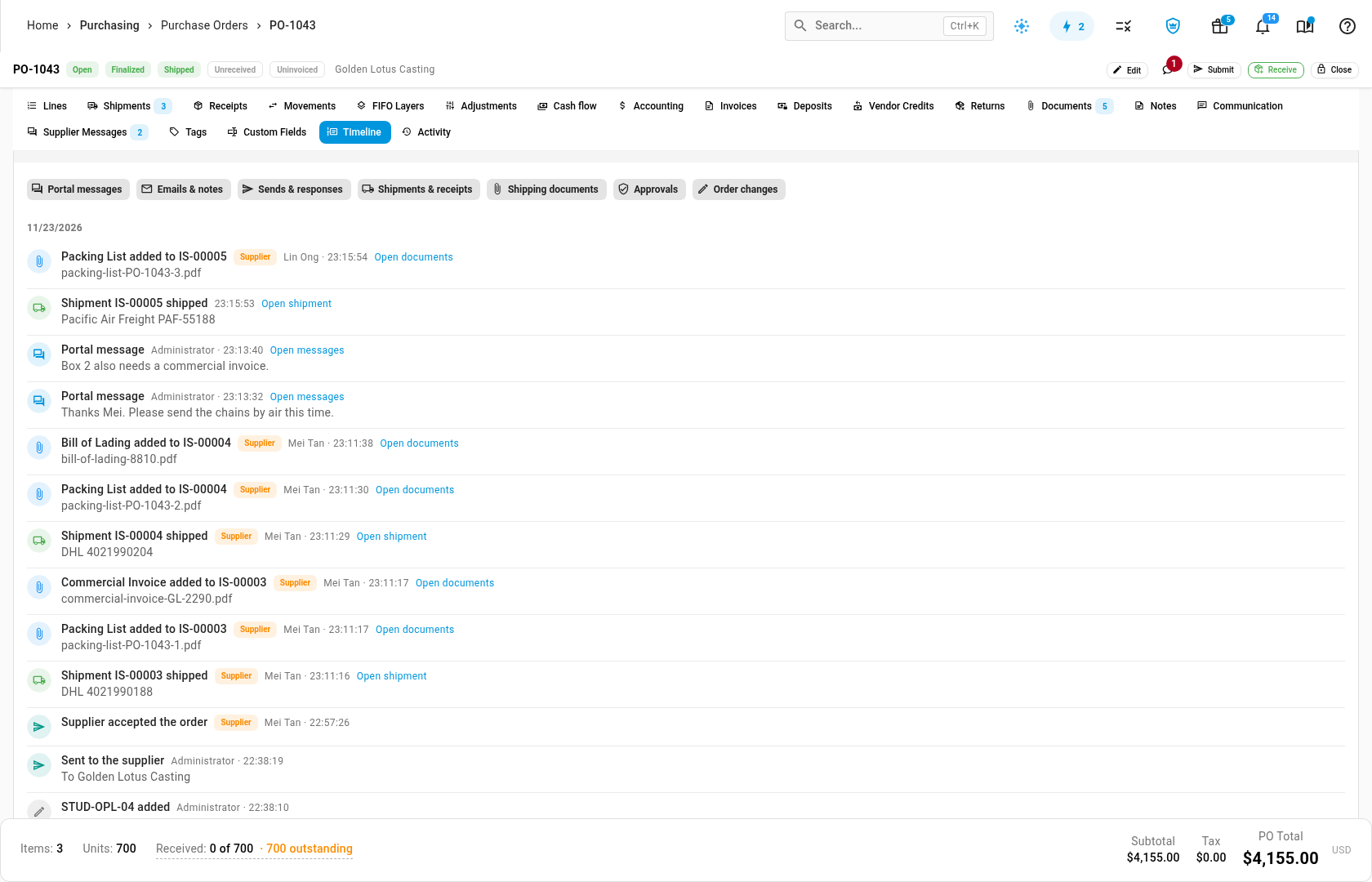
The order's Timeline tab lists portal messages, emails and notes, sends and the supplier's answers, shipments and receipts, shipping documents, approvals, and changes to the order, newest first. Click a type to show only that, and click a link to open the item.
Things to know
- A supplier sees only the files its own team added, even when a shipment carries several suppliers' orders.
- A supplier can remove its own file until the shipment is received. After that, only you can. It can still add documents, because certificates often come late. A canceled shipment takes no more.
- Suppliers can add PDF, PNG, JPG, Word, Excel and CSV files, up to 10 MB each and 50 for each shipment. A file that isn't really the kind its name says is refused.
- Sending the same file twice adds it once.