Use up packaging on purchase orders
Some factories pack finished goods in packaging you own, such as pouches, care cards, and boxes, and you buy the goods from them on ordinary purchase orders. SKU.io can take that packaging off the factory's stock as you receive the goods, and add its cost to them.
Before you begin
- The factory is activated as a contractor, so it has a site warehouse. See Activate a contractor.
- The packaging is set up as ordinary products, and the factory holds some. It gets there on a purchase order delivered to the site, or on a warehouse transfer.
- You have the permission to edit products, and Manufacturing → View (
manufacturing.index) for the factory's settings.
Steps
-
Open a product you buy from the factory.
-
Click the Shipping section.
-
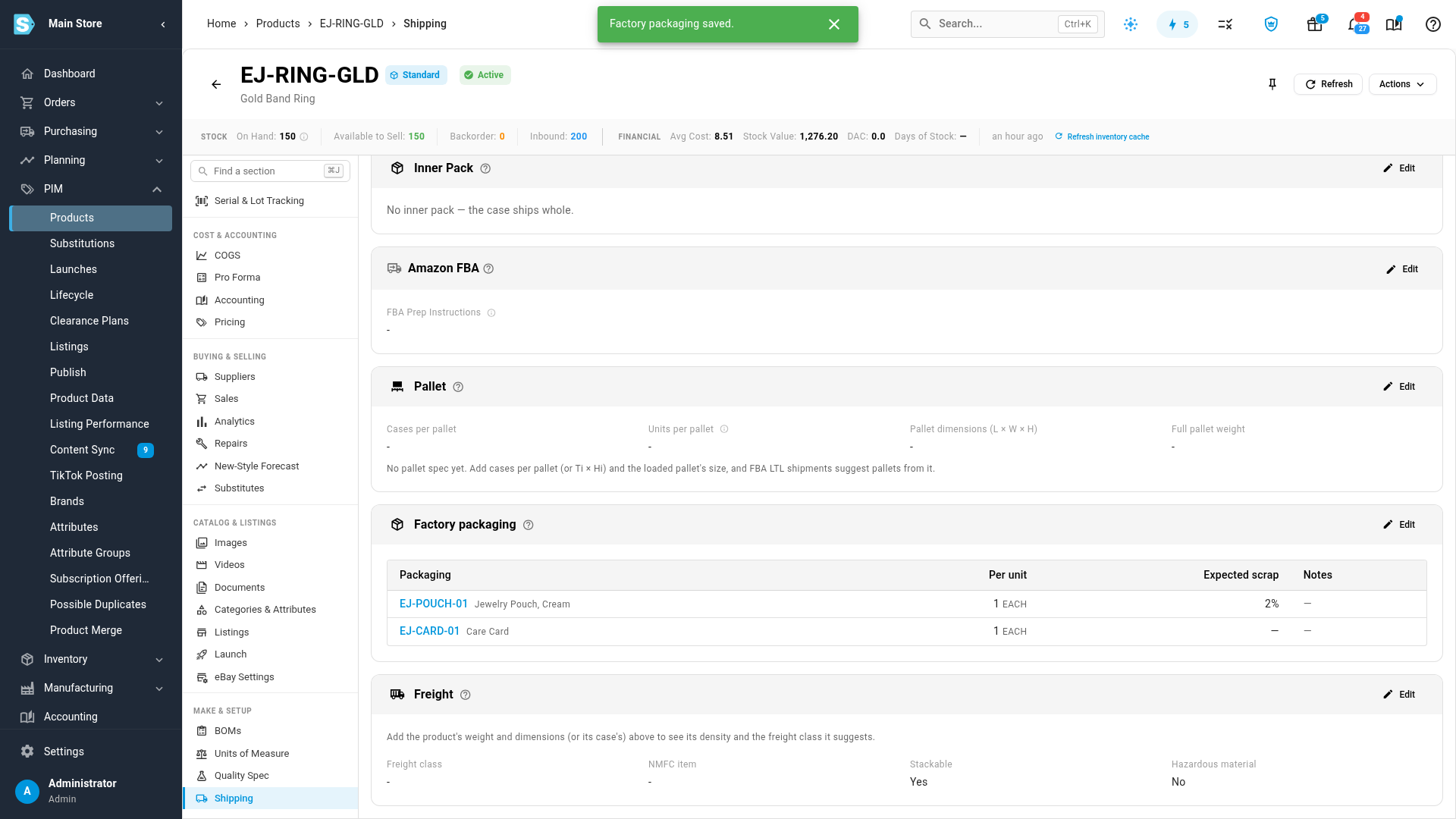
In Factory packaging, click Edit.
-
Pick a packaging product, and enter how many one unit needs in Per unit.
-
If some is wasted, enter a percentage in Expected scrap.
-
To add another, click Add packaging.
-
Click Save.
-
Go to Manufacturing → Contractors.
-
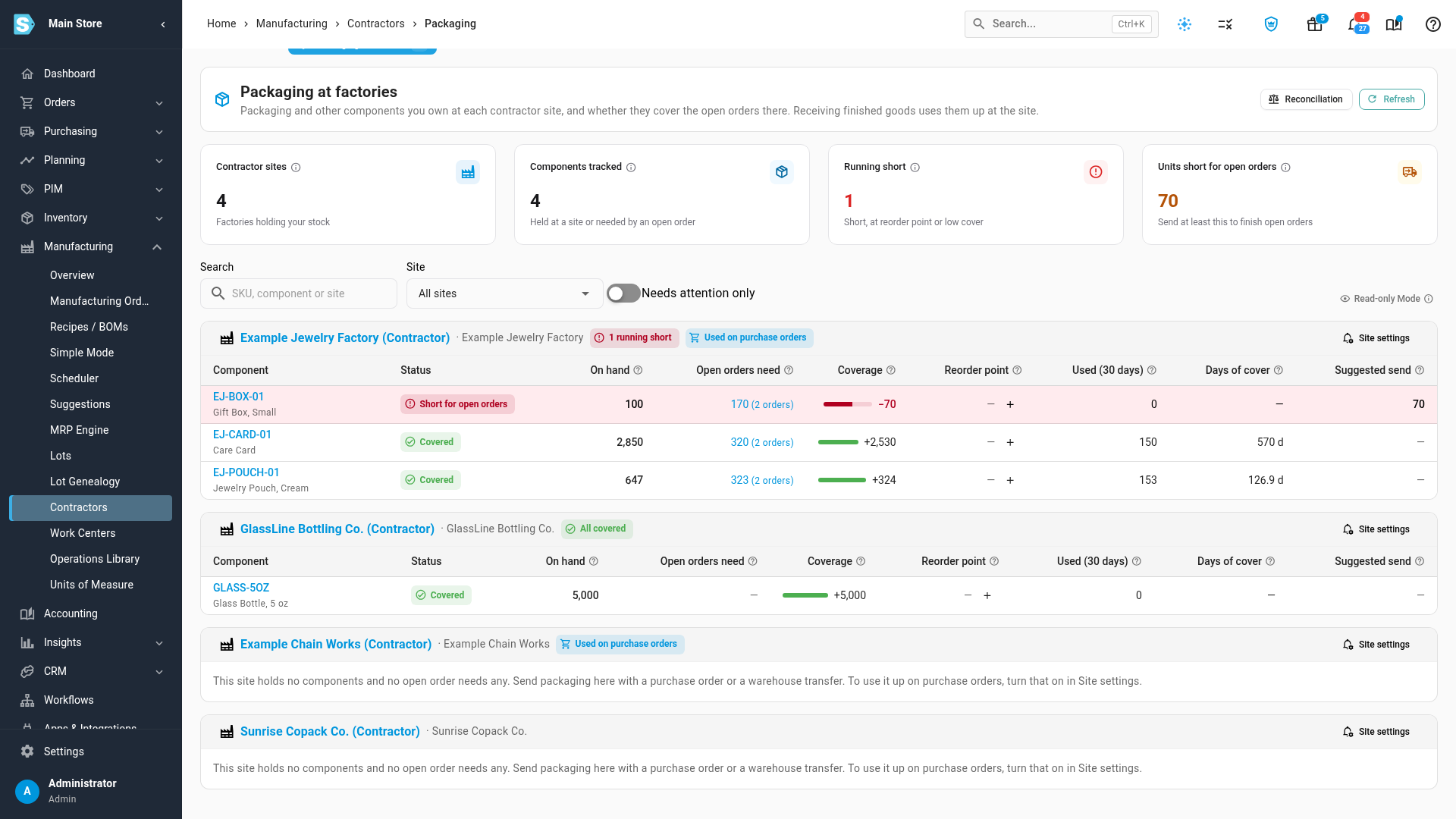
Click the Packaging at factories tab.
-
On the factory's card, click Site settings.
-
Turn on Use up packaging on purchase orders.
-
Click Save. The factory's card then shows Used on purchase orders.
It applies to goods you receive from then on. Earlier receipts don't change. A product with no factory packaging is left alone, and so is every supplier you don't turn it on for.
See what a purchase order needs
Open a purchase order to the factory. The Factory packaging card shows one row for each packaging product.
| Column | What it shows |
|---|---|
| Required | What one unit needs, times the units still to receive, plus expected scrap. |
| Held | What the factory holds now. Stock your supplier owns isn't counted. |
| Other orders | What other open purchase orders and outsourced orders at this factory still need. |
| Free for this order | Held less Other orders, never below zero. |
| Shortfall | What to send before the factory packs the order, such as Send 50, rounded up to a whole unit. A check mark means the factory holds enough. |
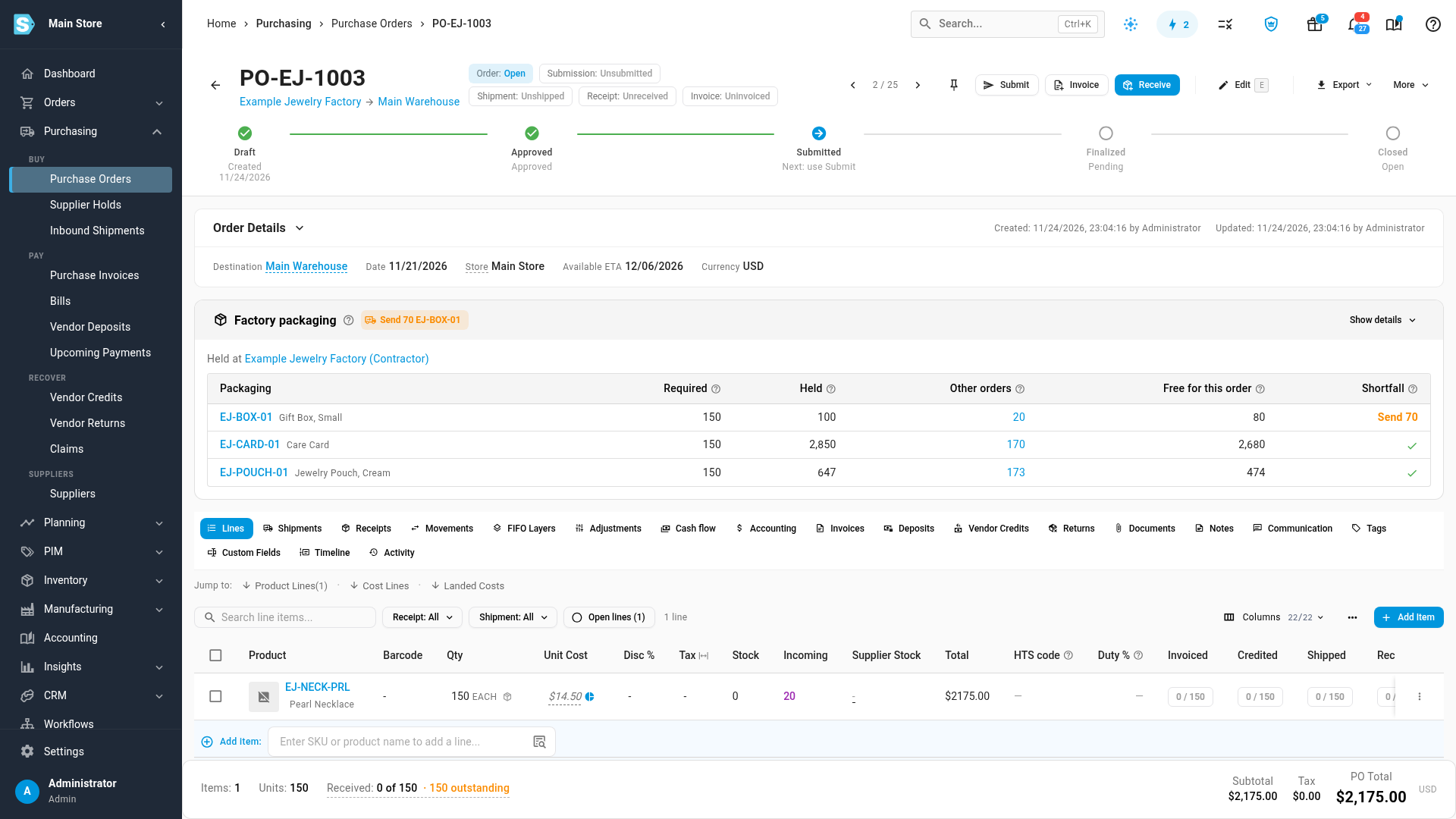
Click Show details for the packaging each line needs and what each receipt used.
Receive the goods
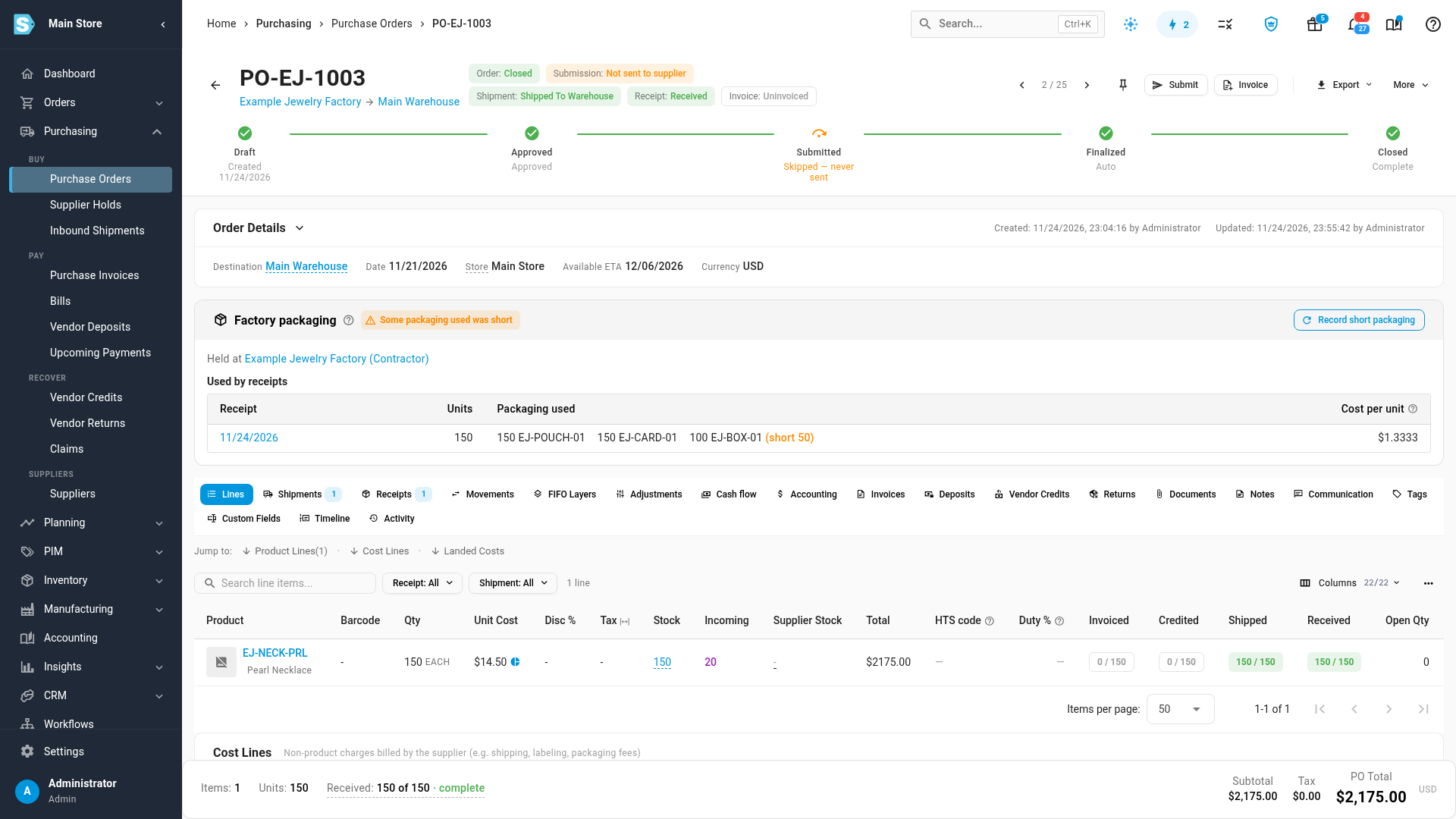
Receive the purchase order as usual. Right after, SKU.io takes the packaging off the factory's stock and adds its cost to the goods. You see it under Used by receipts, with the packaging cost per unit, and as Factory Packaging in the received layer's Cost Breakdown. What you owe the supplier doesn't change.
Packaging that an outsourced order has reserved is left for that order.
When packaging is short
Receiving is never blocked. SKU.io uses what the factory has and records the rest as short, and the card shows Some packaging used was short. Once more reaches the factory, or a count there is corrected, click Record short packaging. It takes the missing packaging and updates the cost of the goods.
When a receipt changes
- Delete a receipt, and its packaging goes back to the factory.
- Change a received quantity, and the packaging follows.
- Return goods to the supplier, and their packaging cost leaves with them. The factory's stock doesn't go up.
Changing what a product needs affects later receipts only.
Next steps
- Track packaging at your factories to see every site and get an alert before one runs short.
- Reconcile packaging at your factories to check what each factory used.