Reconcile with Numeral
Before a filing period closes, check that every sale SKU.io sent reached Numeral, and that Numeral counted it the same way. The Reconciliation tab puts both sides next to each other for each month and ship-to state.
Before you begin
- Numeral is connected and sending is on. See Connect Numeral.
- You need access to the Sales Tax reports.
Open Reconciliation
- Go to Apps & Integrations → All Integrations, search for Numeral, choose it, and click your Numeral connection.
- Open the Reconciliation tab.
The table covers the last 12 months by default. Change From and To to check another range.
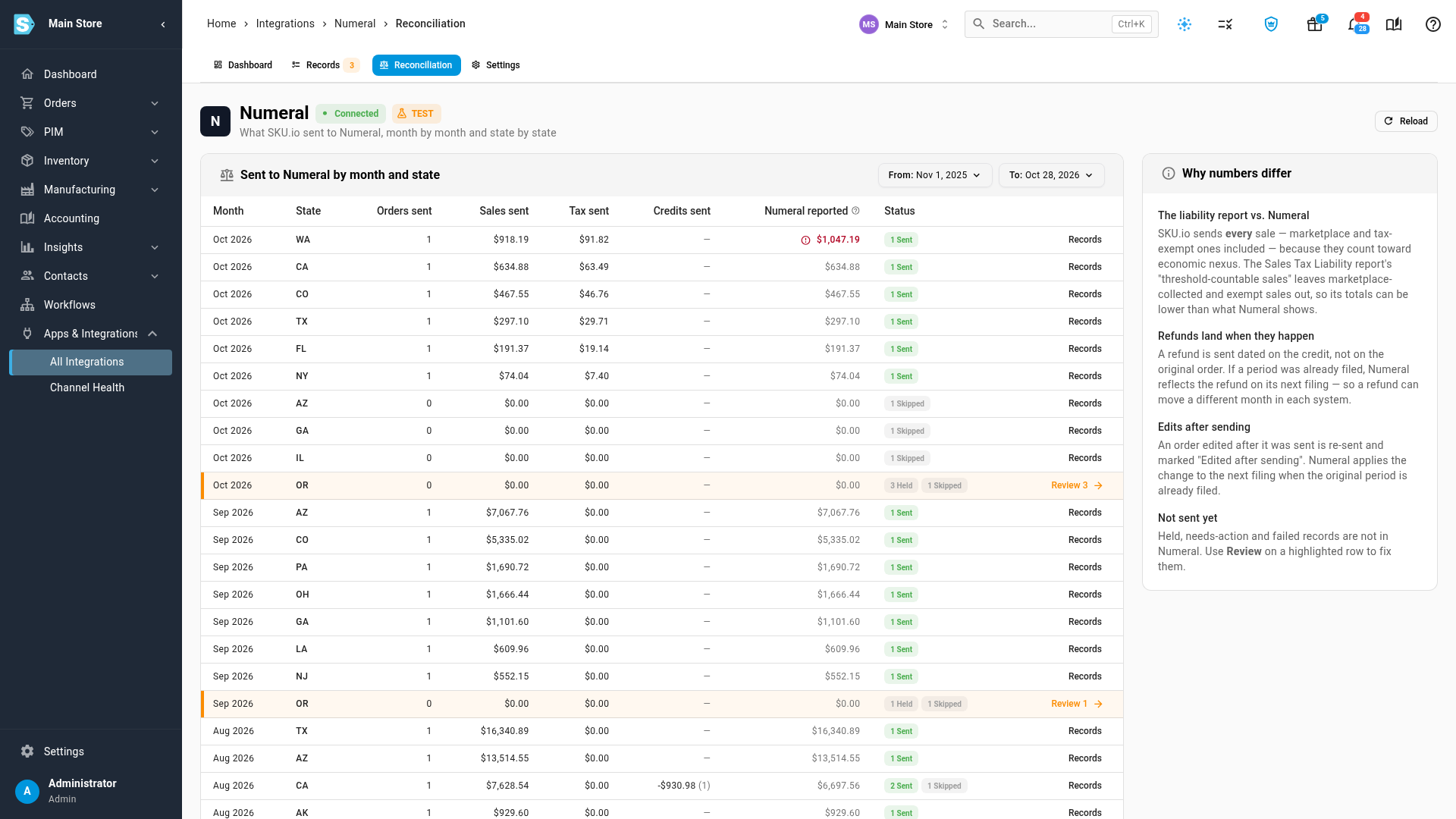
Read the table
| Column | What it shows |
|---|---|
| Month, State | The month of the sale and its ship-to state. |
| Orders sent | How many sales SKU.io sent to Numeral. |
| Sales sent, Tax sent | What those sales and their tax added up to, in your base currency. |
| Credits sent | Refunds sent for the month, and how many. |
| Numeral reported | What Numeral says it received for the same month and state. Hover it to see Numeral's transaction count and tax. |
| Status | The records behind the row: sent, held, needs action, skipped. Click a chip to open those records. |
Follow up on a difference
When Numeral reported doesn't match: the figure turns red with a warning icon. A row is flagged when the number of transactions differs, or when sales or tax differ by more than 0.5%. Hover the figure to see the difference.
- Numeral has more than SKU.io sent: a sale probably reached Numeral another way, such as a sales channel connected directly inside Numeral. Disconnect it there, or those sales are counted twice on your returns.
- Numeral has less than SKU.io sent: Numeral may not have finished processing yet. Check again later, and contact Numeral if it doesn't catch up.
When a row is highlighted: some of its sales haven't reached Numeral yet. Click Review at the end of the row to open just those records, then fix them as described in Why sales are held.
Why the numbers can differ
The Why numbers differ panel on the page sums up the usual causes:
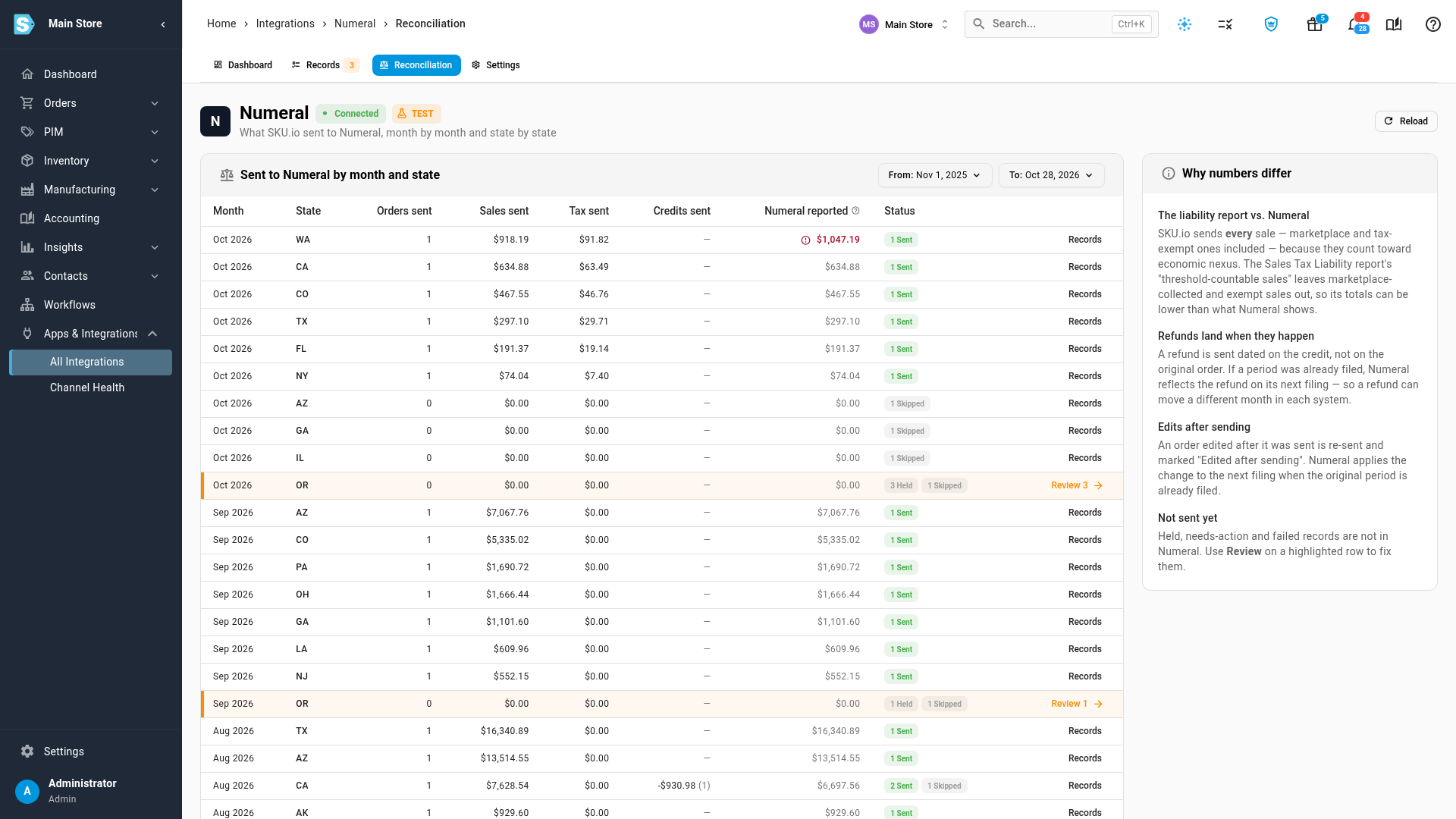
- The liability report vs. Numeral. SKU.io sends every sale to Numeral, including marketplace and tax-exempt ones, because they count toward economic nexus. The Sales Tax Liability report leaves those out of its taxable totals, so it can be lower than Numeral.
- Refunds land when they happen. A refund is sent dated on the credit, not on the original order. If that period was already filed, Numeral includes the refund on its next filing.
- Edits after sending. An order edited after it was sent is sent again and marked Edited after sending. If its period is already filed, Numeral applies the change to the next return.
- Not sent yet. Held, needs-action and failed records aren't in Numeral until you clear them.
Next steps
Video transcript
Reconciliation checks that every sale you sent for tax filing arrived, and was counted the same way. Open Apps and Integrations in the menu on the left, then All Integrations. Click the search box, type Numeral, and choose it from the list. Then click the connection under Instances to open its dashboard. Next, open the Reconciliation tab, in the row of tabs at the top of the page. Each row is one ship-to state in one month. Orders sent, Sales sent and Tax sent are what SKU.io sent to Numeral, and Credits sent are the refunds. Numeral reported is what Numeral says it received for the same month and state. Status counts the records behind the row. When the two sides differ, the figure turns red. Hover it, and Numeral's count and tax appear next to yours. Here, Numeral has one more sale than SKU.io sent. That usually means a sale reached Numeral another way, such as a channel connected inside Numeral. Check your Numeral account, because it would be counted twice. A highlighted row has records that haven't reached Numeral yet. Click Review to open just those records, and fix them the way the Needs action list explains. Back on Reconciliation, Why numbers differ explains the usual causes. Refunds count in the month they happen, and an order edited after a period was filed shows up on Numeral's next return. Use From and To at the top to check any range you like.