Read SPS warehouse orders and shipping advice
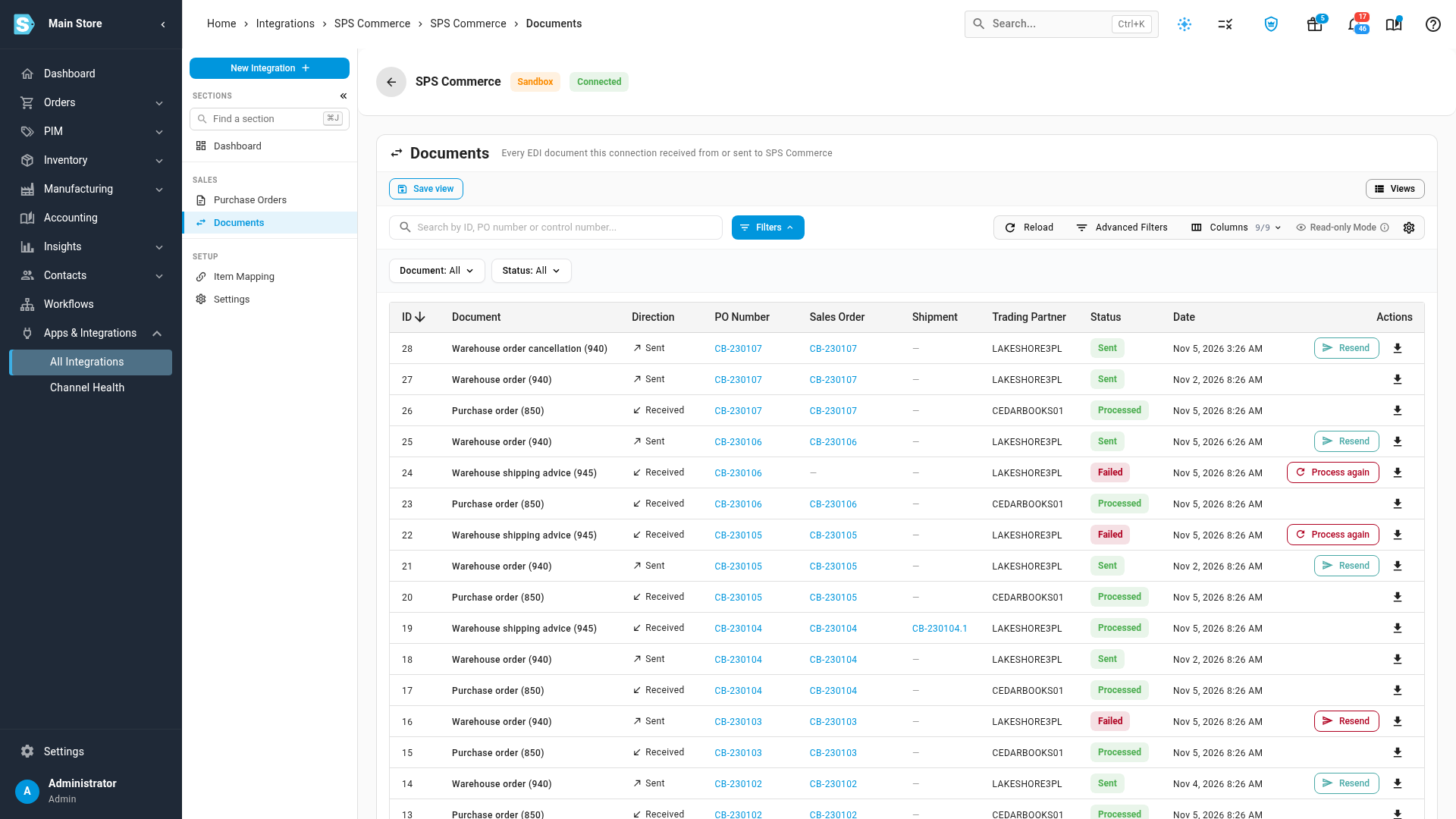
When a retailer is on the warehouse order flow, the connection's Documents tab shows what went to your 3PL and what came back. Use it to confirm an order went out, to answer a 3PL that says it never got one, and to retry shipping advice that failed.
The 940 and 945 file layouts are not confirmed with SPS Commerce. Don't use this flow for a live retailer until SPS Commerce provides the real layouts. See Send SPS orders to a 3PL by warehouse order.
Before you begin
Find an order's documents
- Go to Apps & Integrations, search for SPS, and choose SPS Commerce.
- Open your connection, then click Documents.
- Type the purchase order number in the search box, or set Document to Warehouse order (940) or Warehouse shipping advice (945).
| Document | Direction | What it is |
|---|---|---|
| Warehouse order (940) | Sent | Your instruction to the 3PL to ship an order |
| Warehouse order cancellation (940) | Sent | Your instruction to the 3PL to stop an order it already has |
| Warehouse shipping advice (945) | Received | The 3PL's report of what it shipped |
The Trading Partner on these rows is the 3PL, not the retailer. Shipping advice that was recorded links to its shipment in the Shipment column.
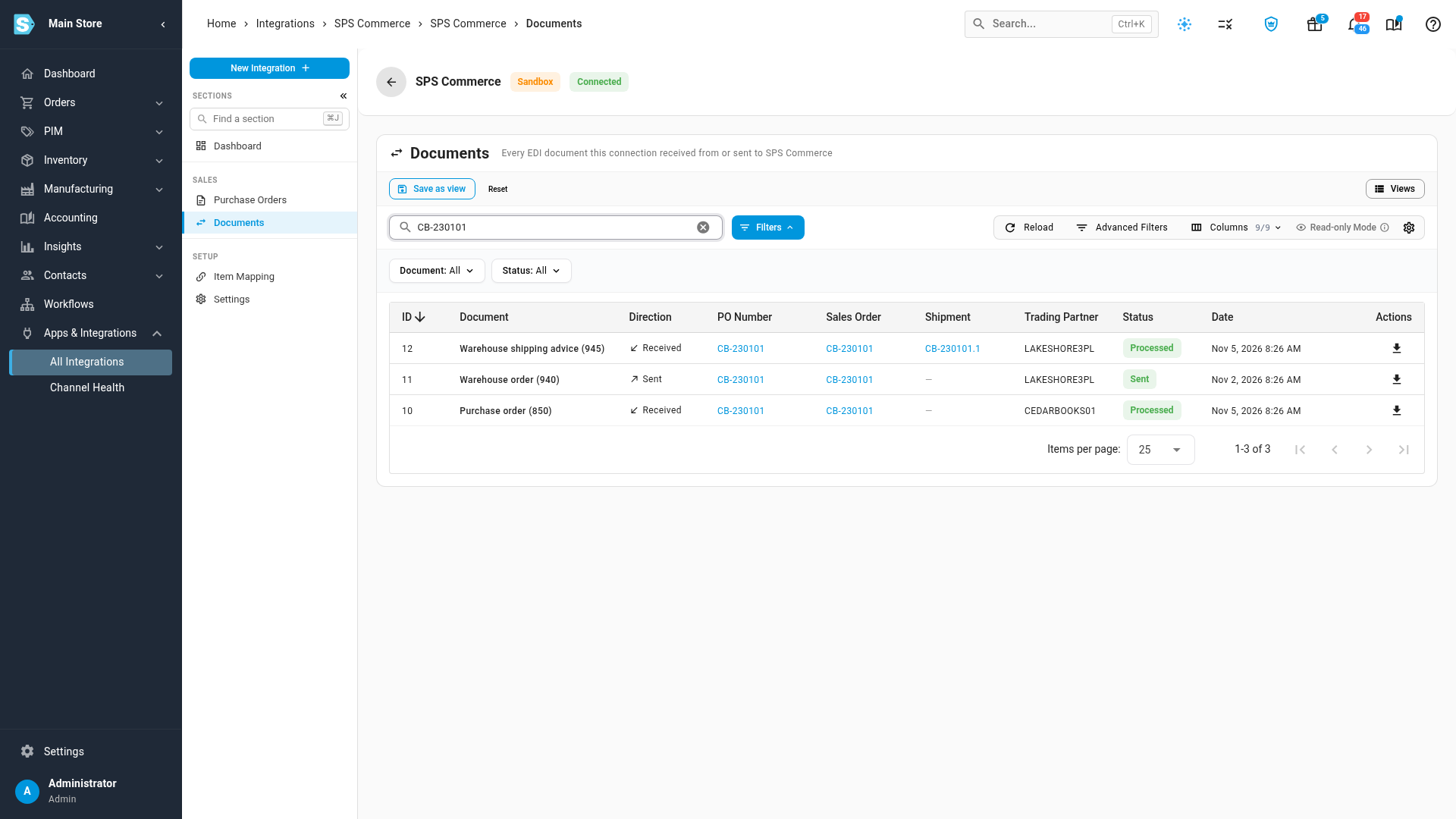
Read the status
| Document | Status | Meaning |
|---|---|---|
| Warehouse order | Sending | On its way to SPS Commerce |
| Warehouse order | Sent | SPS Commerce accepted it. This doesn't prove the 3PL has it |
| Warehouse order | Failed | It didn't reach SPS Commerce, so the order shows as an exception on its Fulfillment tab. Hover over Failed to read why |
| Shipping advice | Received | Downloaded and waiting to be applied |
| Shipping advice | Processing | Being applied now |
| Shipping advice | Processed | Applied. If it was a repeat of a shipment already recorded, it records nothing new |
| Shipping advice | Failed | Nothing was recorded for the shipment it couldn't apply. Hover over Failed to read why |
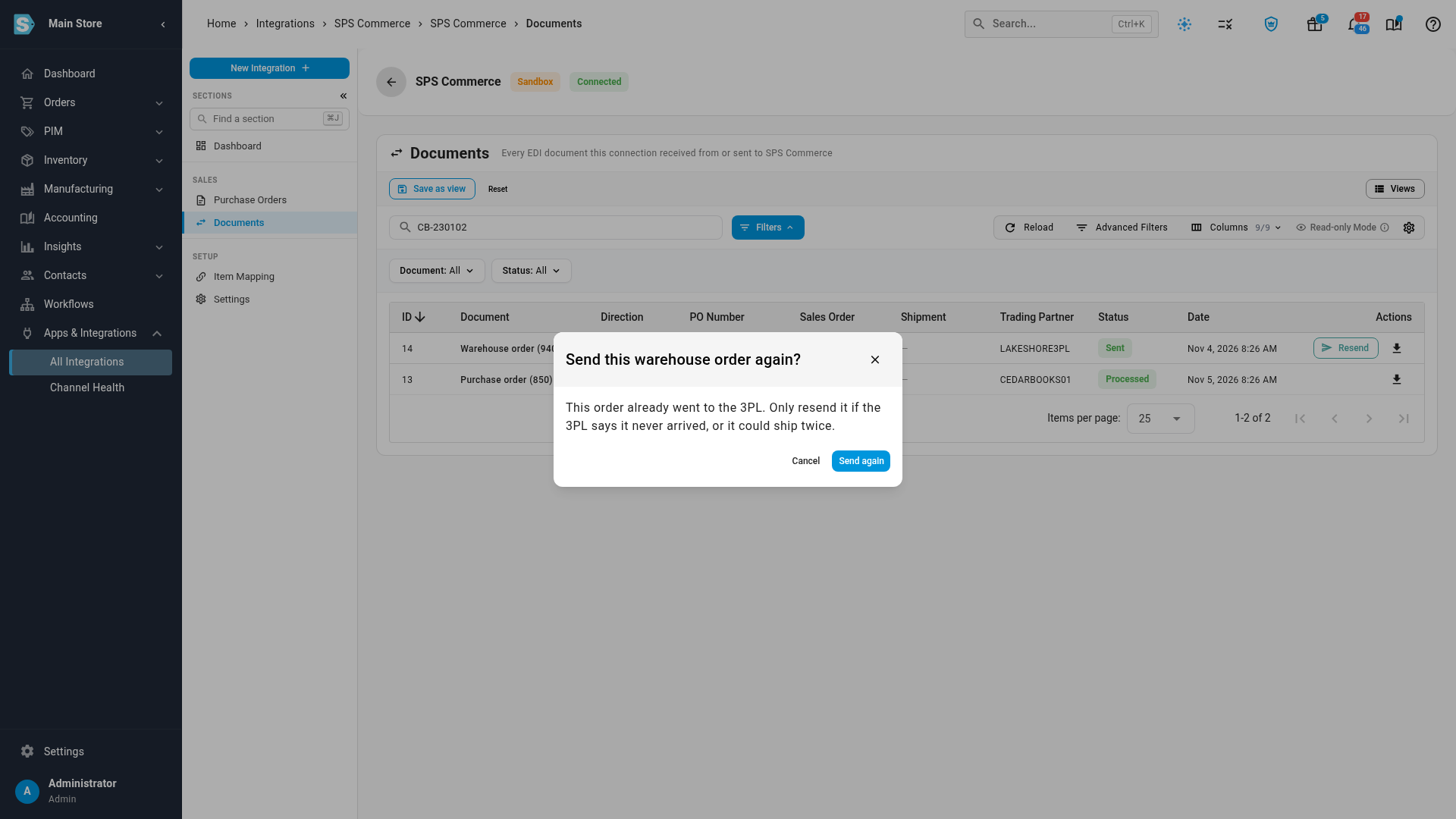
Resend a warehouse order
Resend sends the same file again.
- Find the warehouse order.
- Click Resend.
- If the warehouse order had already gone out, SKU.io asks you to confirm. Click Send again only if the 3PL says it never arrived, or the order could ship twice.
A failed warehouse order goes straight back to Sending, with no confirmation. Once it reaches SPS Commerce, its order clears the exception.
When Resend isn't there
| Situation | Why there's no Resend |
|---|---|
| Part of the order has shipped | The file still asks for the full quantity, so the 3PL could ship it again |
| The order is closed or cancelled | There's nothing left for the 3PL to ship |
| The document is still Sending | It hasn't finished its current attempt |
A cancellation can go again at any time. To reach a 3PL about what's left on a partly shipped order, contact it directly or cancel the rest. See Handle an SPS shipping advice alert.
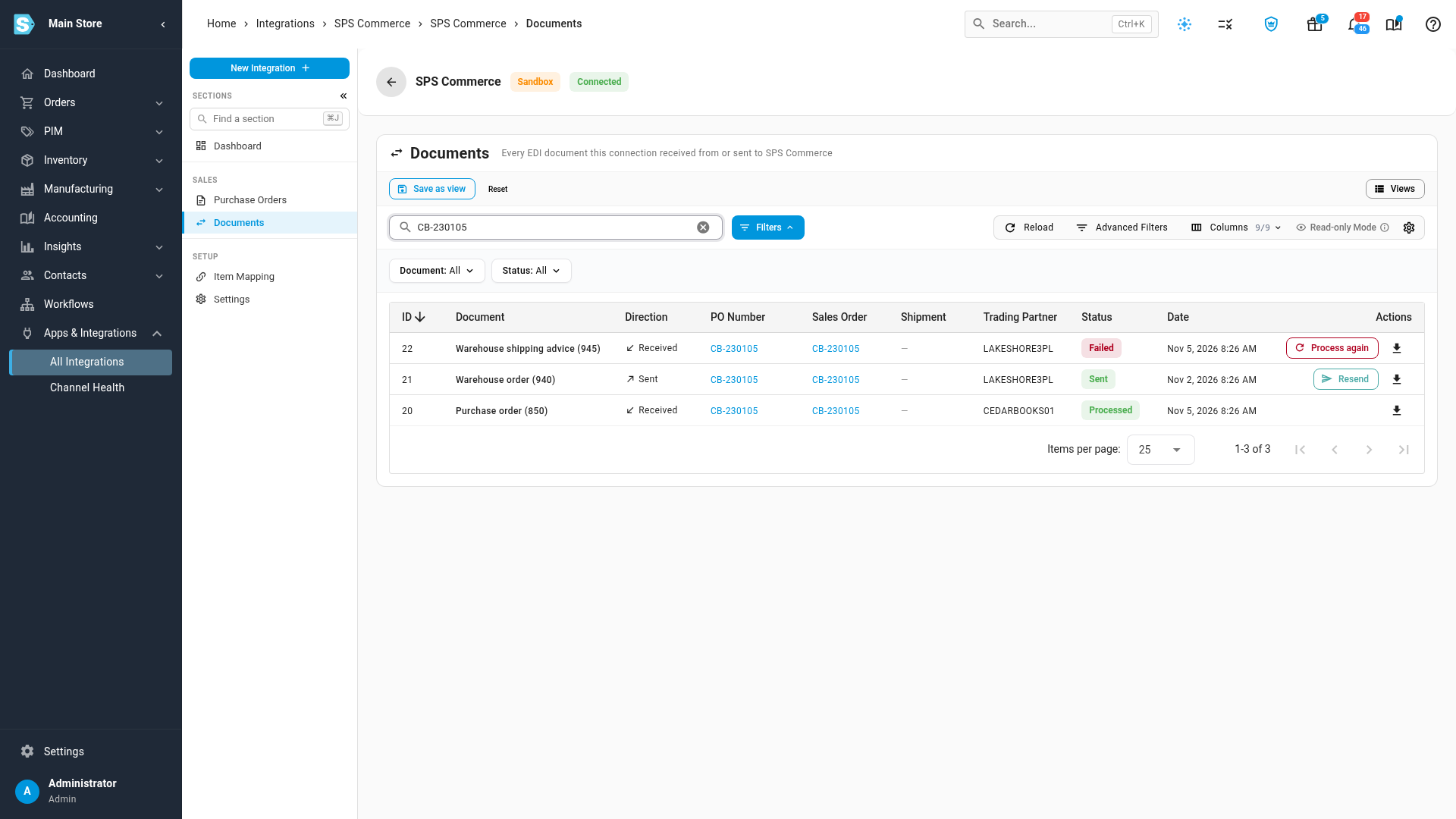
Process shipping advice again
Process again re-applies the file SKU.io already has. It doesn't ask the 3PL for a new one.
- Hover over Failed to read why it failed.
- Fix the cause. See Handle an SPS shipping advice alert for each message.
- Click Process again.
- Click Reload after a moment to see the new status.
When Process again isn't there
Process again appears only on warehouse shipping advice, and only when it's Failed or has been stuck for more than 15 minutes. It doesn't appear when:
- The shipping advice is Processed.
- It's Received or Processing and hasn't been stuck for 15 minutes, because it may still be running.
SKU.io also retries stuck shipping advice by itself each time it checks SPS Commerce. After three tries it marks it Failed and raises an alert.
Download a document
Click the download button at the end of a row to save the file exactly as it was exchanged. Your 3PL or SPS Commerce may ask for it when you troubleshoot together.
Next steps
Video transcript
Everything you exchange with a 3PL is on your connection's Documents tab. A warehouse order is what you sent the 3PL. Shipping advice is the 3PL's report of what it shipped. Search for a purchase order number to see everything for that order. This one went to the 3PL and came back complete. The shipping advice links to the shipment it recorded. This warehouse order went out, and nothing has shipped yet. Click Resend only if the 3PL says it never arrived. SKU.io asks you first, because the order could ship twice. Once part of an order has shipped, that button disappears. The file still asks for the full quantity, so it can't go again. Shipping advice that can't be applied shows Failed. Hover over the status to read why. After a fix, Process again re-reads the same file.