Shipfusion
Shipfusion is a 3PL with warehouses in Illinois, Las Vegas, Pennsylvania, and Toronto. The connection sends orders out to Shipfusion, brings packages and tracking back, and lets you compare Shipfusion's stock with SKU.io's and correct the difference with a stock take.
What moves each way
| Direction | What moves | When |
|---|---|---|
| Out to Shipfusion | Fulfillment orders from warehouses mapped to a Shipfusion warehouse, with the shipping carrier and method, and optionally the sales order's tags | When the fulfillment order is submitted |
| In from Shipfusion | Shipped packages and tracking numbers | Through Shipfusion's webhook, with a tracking check every hour |
| In from Shipfusion | Backorder and on-hold notices | Added as notes on the sales order |
| In from Shipfusion | Inbound stock deliveries (Warehouse Shipments) | Every 4 hours, as a read-only list |
| In from Shipfusion | On-hand, allocated, backordered, and incoming stock | When you click Refresh Inventory |
SKU.io never changes its own stock from Shipfusion's numbers on its own. You review the differences and decide with a stock take.
Where to find it
Go to Apps & Integrations, open Shipping & Fulfillment, and choose Shipfusion. You can connect one Shipfusion account.
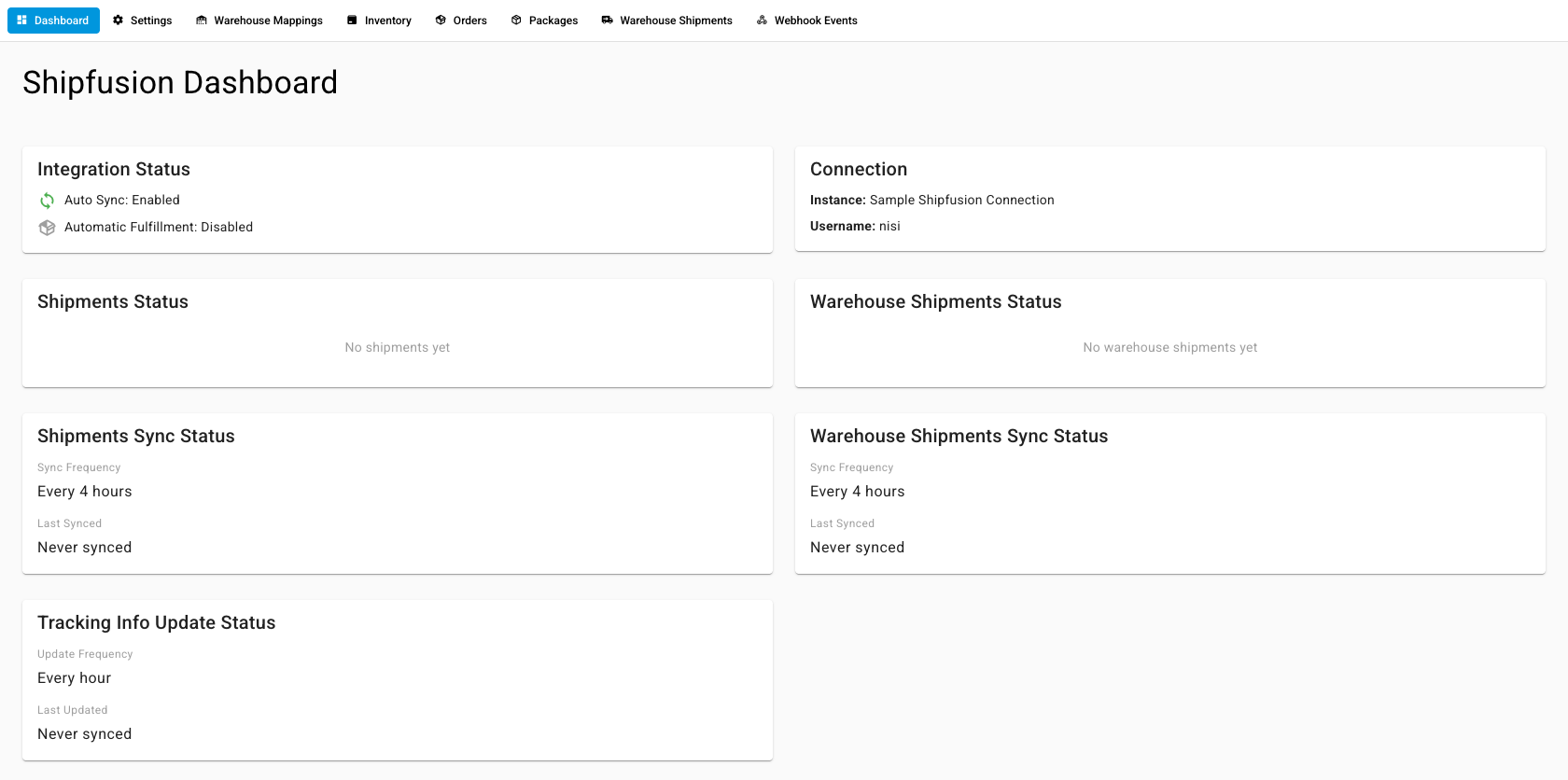
| Tab | What it's for |
|---|---|
| Dashboard | Integration status, connection, shipment status, and sync times |
| Settings | Fulfillment, tags, credentials, and what syncs |
| Warehouse Mappings | Which SKU.io 3PL warehouse each Shipfusion warehouse is |
| Inventory | Shipfusion stock compared with SKU.io, and stock takes |
| Orders | Orders SKU.io sent to Shipfusion |
| Packages | Shipped packages with tracking |
| Warehouse Shipments | Inbound deliveries of stock into Shipfusion |
| Webhook Events | Every update Shipfusion sent |
| To… | Go to… |
|---|---|
| connect Shipfusion, map warehouses, and reconcile inventory | Connect Shipfusion |
| hand a single fulfillment order to Shipfusion | Dispatch to a fulfillment provider |
Last verified:
Was this helpful?