D3
D3 Logistics is a 3PL in Sydney. Unlike most 3PLs, SKU.io never sends orders to D3. D3's own system downloads them from SKU.io on a schedule, ships them, and reports each shipment back with its tracking number.
How download-style fulfillment works
D3's system checks SKU.io for new orders every 30 minutes, on the hour and the half hour. Each check collects every fulfillment order you've released from a warehouse mapped to D3.
-
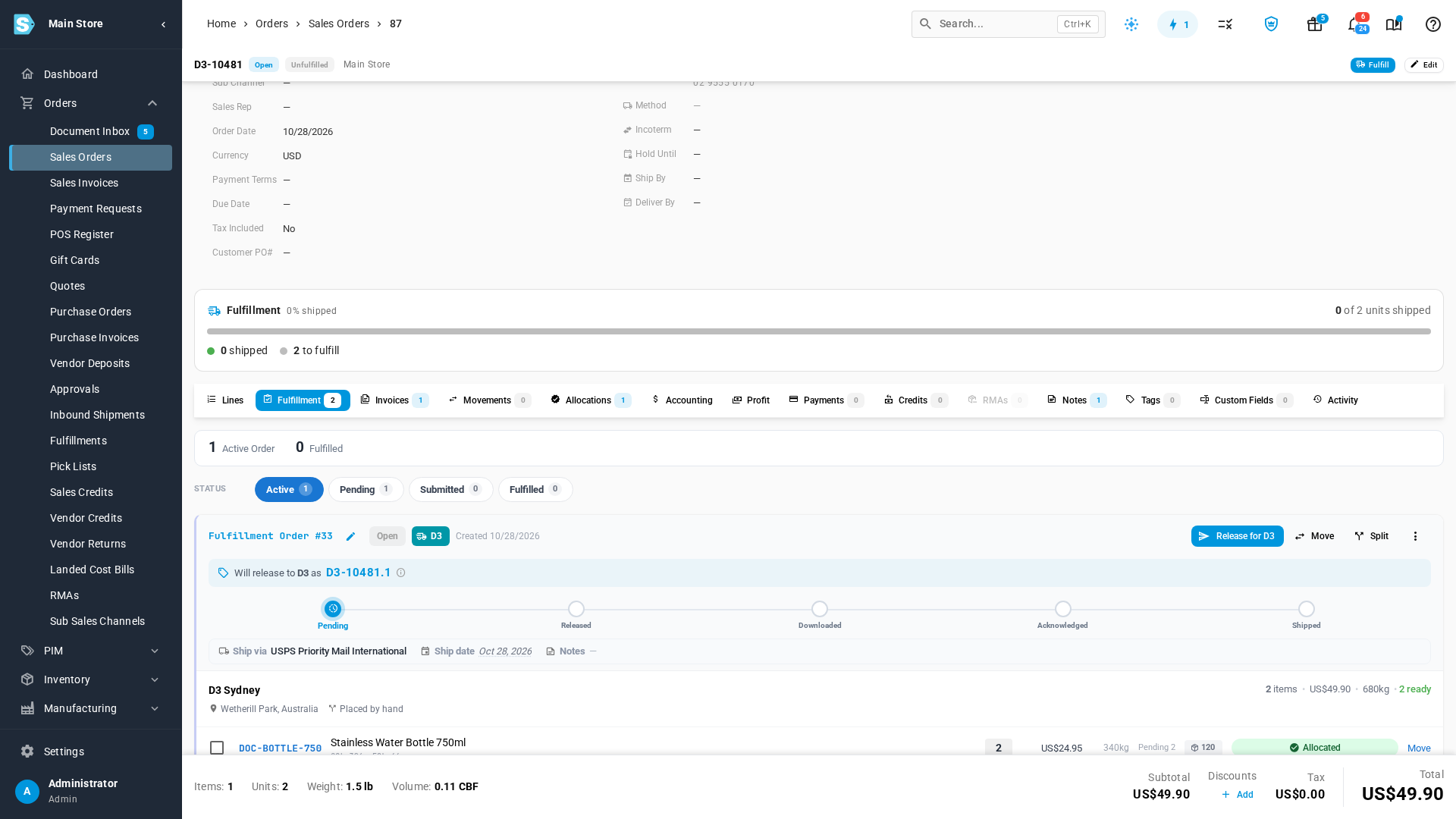
You release the order. On a D3 warehouse, a new fulfillment order reads Pending, and its button is Release for D3, not Submit. Releasing makes the order available to D3. Nothing is sent yet.
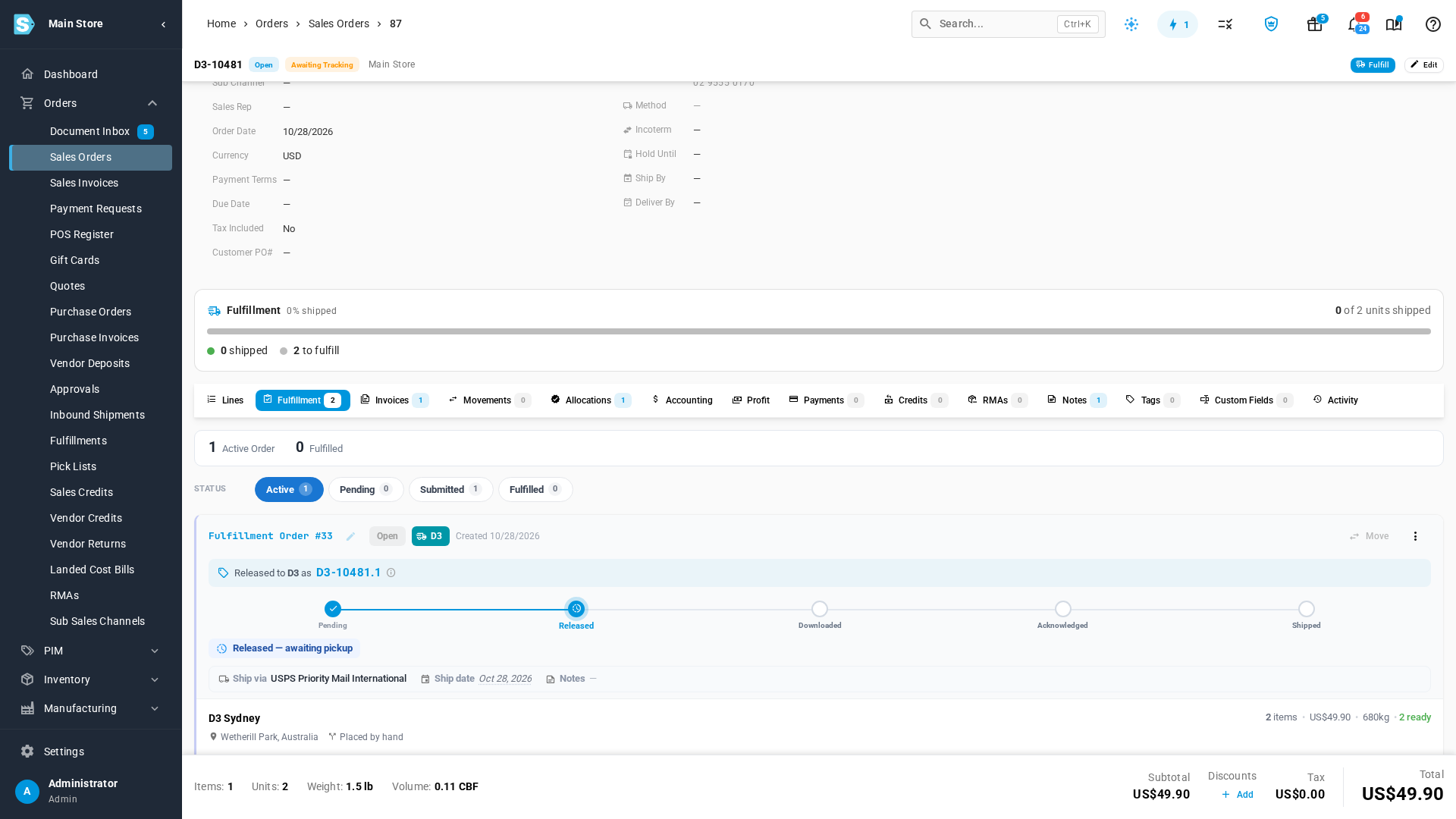
After you release it, the card reads Released — awaiting pickup:
-
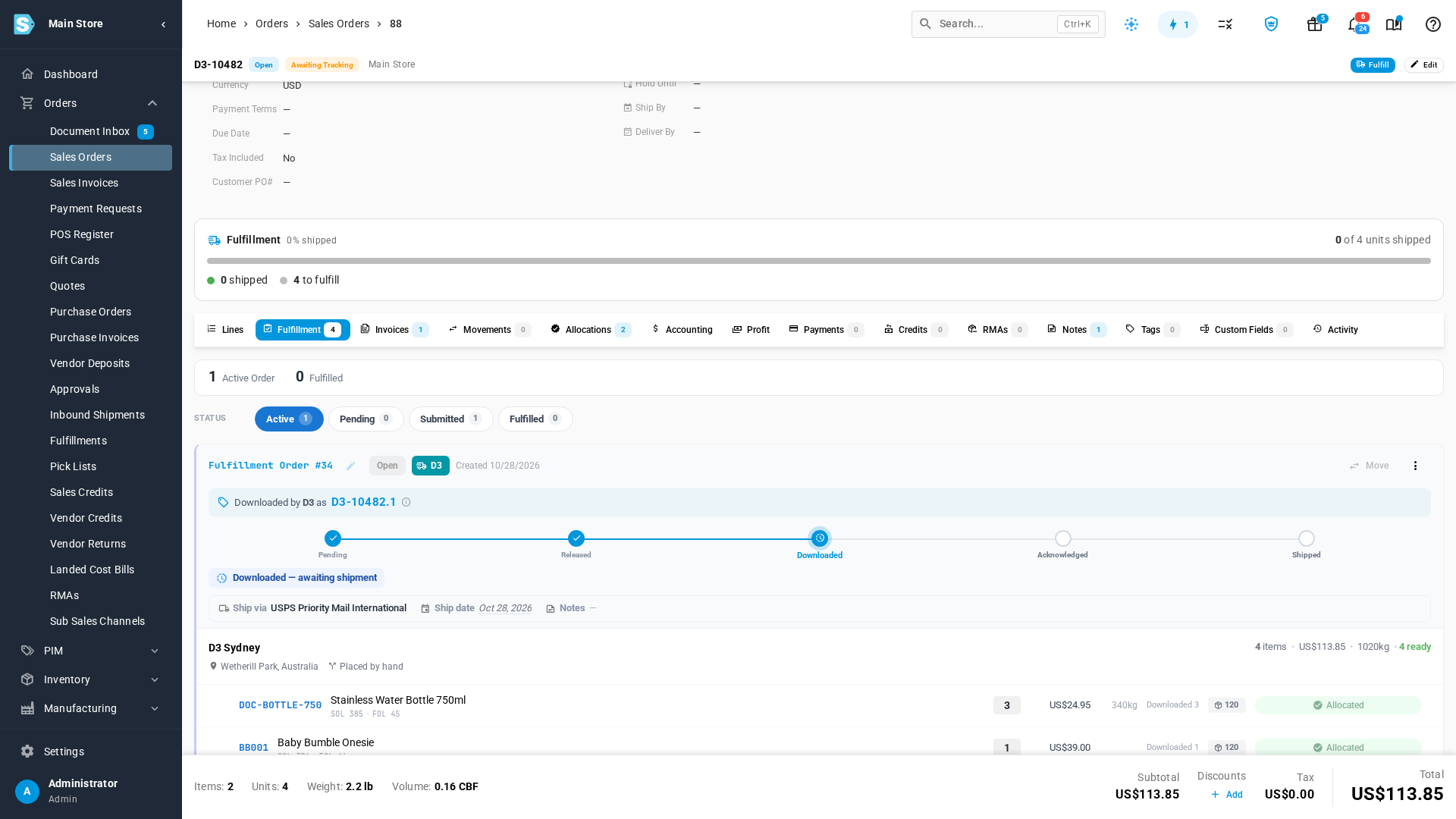
D3 downloads it. The first check after you release it collects the order, and the fulfillment order changes to Downloaded. From now on D3 has its own copy of the order, under the number shown on the card, such as D3-10482.1.
-
D3 confirms it (optional). D3 can confirm it has the order and will ship it. The fulfillment order then reads Acknowledged. D3 doesn't have to confirm before it ships.
-
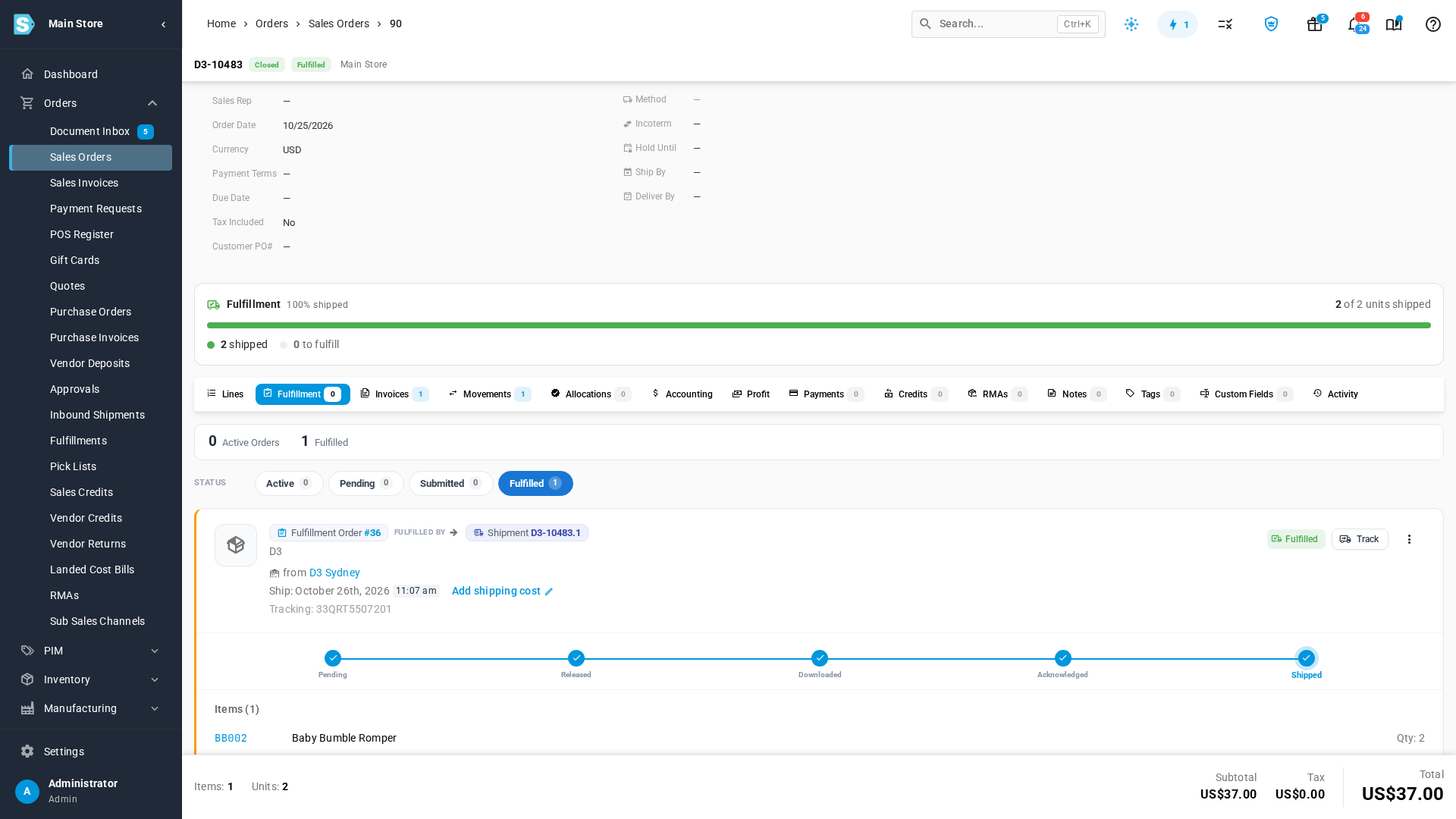
D3 ships it. D3 reports the shipment with its carrier and tracking number. SKU.io records the shipment, deducts the stock from the D3 warehouse, and closes the fulfillment order.
| Status | What it means | What you can do |
|---|---|---|
| Pending | Not released yet. D3 can't see it. | Edit it, move it to another warehouse, or release it. |
| Released | Waiting for D3's next check, at most 30 minutes away. | Cancel it. D3 never sees it. |
| Downloaded | D3 has its own copy and will pick, pack and ship it. | Cancel it here first, then ask D3 to delete it. See Cancel an order D3 has downloaded. |
| Acknowledged | D3 has confirmed it will ship the order. | Same as Downloaded. |
| Shipped | D3 reported the shipment. Tracking is on the sales order. | Nothing. It's done. |
Once a fulfillment order is released, you can't move it to another warehouse. Cancel it instead: SKU.io creates a replacement fulfillment order for the items, which you can move.
What moves each way
| Direction | What moves | When |
|---|---|---|
| Out to D3 | Released fulfillment orders from warehouses mapped to D3, with the ship-to address, lines and shipping method | When D3's system checks, every 30 minutes |
| In from D3 | Shipments, with the carrier, shipping method and tracking number | As soon as D3 ships |
| In from D3 | Confirmation that D3 will ship an order (optional) | When D3 sends it |
When you cancel an order
Because D3 keeps its own copy of every order it downloads, cancelling a Downloaded order in SKU.io doesn't remove it from D3. SKU.io warns you before you cancel, raises a Cannot Cancel Fulfillment at Provider alert, and notes the order, so you know to ask D3 to delete it. If D3 ships a cancelled order anyway, SKU.io refuses the shipment and raises a Shipping Provider Shipped a Cancelled Fulfillment alert. D3 can also read your cancellations automatically once its system supports it.
The full steps are in Cancel an order D3 has downloaded.
Where to find it
D3 connects to SKU.io as an API Shipping Provider. Go to Apps & Integrations and open your D3 connection.
| Tab | What it's for |
|---|---|
| Dashboard | Order counts, D3's last check, and the API tokens D3 uses |
| Activity | Every check and shipment report D3 sent |
| Inbound Events | The full detail of each call, including any errors |
| Settings | The connection name, warehouse mappings, and the tracking rule |
| To… | Go to… |
|---|---|
| connect D3 and map its warehouse | Connect D3 |
| cancel an order after D3 has downloaded it | Cancel an order D3 has downloaded |
| release a single fulfillment order | Dispatch to a fulfillment provider |
Video transcript
D3 is a 3PL that works differently from most. SKU.io never sends D3 anything. Instead, the D3 system downloads your orders every 30 minutes, on the hour and the half hour. Open an order that ships from your D3 warehouse, and go to its Fulfillment tab. This one isn't released yet, so D3 can't see it. Click Release for D3. The dialog shows exactly what D3 will download, and from which warehouse. Click Release to confirm. A moment later, the order reads Released, and D3 picks it up at its next check. Next, an order D3 has already picked up. Its fulfillment order reads Downloaded. D3 now holds its own copy, under the number shown here. Finally, an order D3 has shipped. When D3 ships, its system reports the carrier and the tracking number. SKU.io records the shipment, deducts the stock, and closes the fulfillment order. One thing to remember. D3 keeps every order it downloads. To cancel one, cancel it here first, then ask D3 to delete it from its system.