ShipHero
ShipHero is a warehouse management system that many 3PLs run. The connection sends orders and purchase orders out to ShipHero, brings shipments, tracking and receiving counts back, and lets you compare ShipHero's inventory with SKU.io's and correct the difference with a stock take.
What moves each way
| Direction | What moves | When |
|---|---|---|
| Out to ShipHero | Fulfillment orders from warehouses mapped to a ShipHero warehouse | When the fulfillment order is submitted |
| Out to ShipHero | A shipping label a sales channel bought, such as TikTok's, attached to the ShipHero order | When the order is sent, if Attach purchased channel labels to the order is on |
| Out to ShipHero | Purchase orders to a mapped warehouse, created as ShipHero purchase orders (the ASN), and later changes to them | When you click Send ASN, or automatically on approval or submission, once Send purchase orders to ShipHero is on |
| In from ShipHero | What the warehouse has received against those purchase orders | Through ShipHero's purchase order notifications, with an hourly check, or when you click Refresh from ShipHero |
| In from ShipHero | Shipments and tracking numbers | Through ShipHero's shipment notifications, with a sync every 10 minutes |
| In from ShipHero | Order cancellations | When ShipHero cancels an order before it ships, SKU.io cancels the matching fulfillment order |
| In from ShipHero | On-hand stock per product | When you click Refresh Inventory |
| In from ShipHero | The inventory change history (Inventory Audit) | When you sync it |
ShipHero doesn't receive your products or returns from SKU.io. SKU.io never changes its own stock from ShipHero's inventory numbers: you review the differences and decide with a stock take.
When ShipHero tells SKU.io an order was cancelled, SKU.io cancels the matching fulfillment order, not the sales order. The sales order stays open, and its unshipped lines get a new open fulfillment order, so you can send them to ShipHero again or route them elsewhere. If the customer's whole order is off, cancel the sales order in SKU.io too. An order that has already shipped isn't cancelled.
Where to find it
Go to Apps & Integrations, open Shipping & Fulfillment, and choose Shiphero. You can connect one ShipHero account.
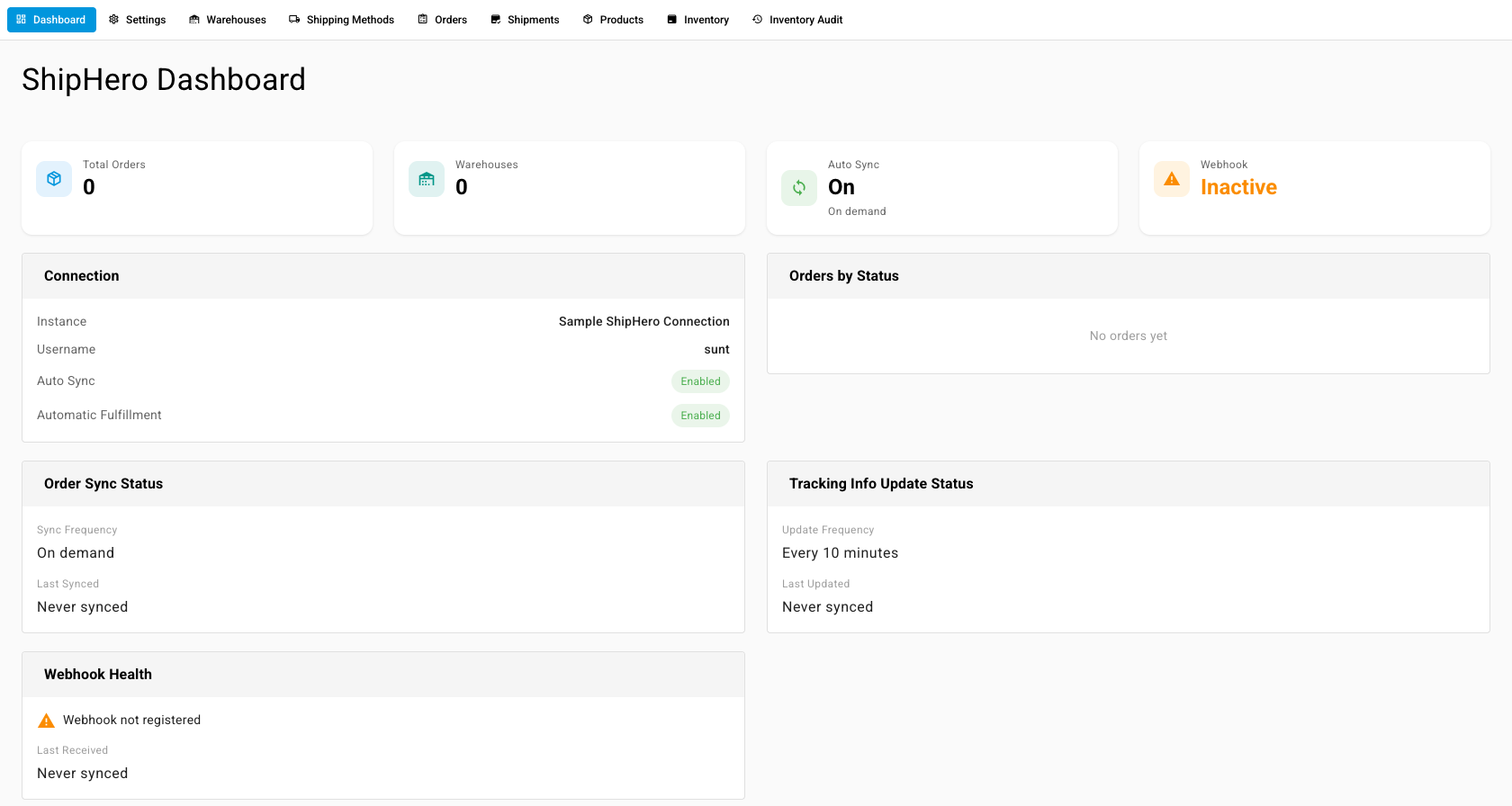
| Tab | What it's for |
|---|---|
| Dashboard | Connection, orders by status, order sync, tracking updates, and webhook health |
| Settings | Name, credentials, sales channel shipping labels, what syncs, and purchase orders (ASNs) |
| Warehouses | Which ShipHero warehouse is which SKU.io warehouse |
| Shipping Methods | What each shipping label ShipHero reports means in SKU.io |
| Orders | Your ShipHero orders and the SKU.io fulfillment each one belongs to |
| Shipments | Shipments ShipHero reported, with tracking |
| Purchase Orders | Every purchase order sent to ShipHero, with its status, and a page for each |
| Vendors | ShipHero vendors and the SKU.io supplier each one stands for |
| Products | ShipHero SKUs and the SKU.io product each one is |
| Inventory | ShipHero's on-hand compared with SKU.io's, and stock takes |
| Inventory Audit | ShipHero's history of every inventory change |
| To… | Go to… |
|---|---|
| connect ShipHero and map warehouses, products, and shipping labels | Connect ShipHero |
| choose how a label TikTok or another sales channel bought reaches the warehouse, and let ShipHero print it | Send sales channel labels to ShipHero |
| send purchase orders into ShipHero instead of emailing a spreadsheet, and follow holds, changes and receiving | Send purchase orders to your ShipHero 3PL |
| look up an ASN setting, its default, or what an ASN status means | ShipHero ASN settings and statuses |
| compare ShipHero stock with SKU.io and correct the difference | Reconcile ShipHero inventory |
| hand a single fulfillment order to ShipHero | Dispatch to a fulfillment provider |