
Batch Shipping: Buy the Day's Labels Without Labeling Orders You Can't Fill
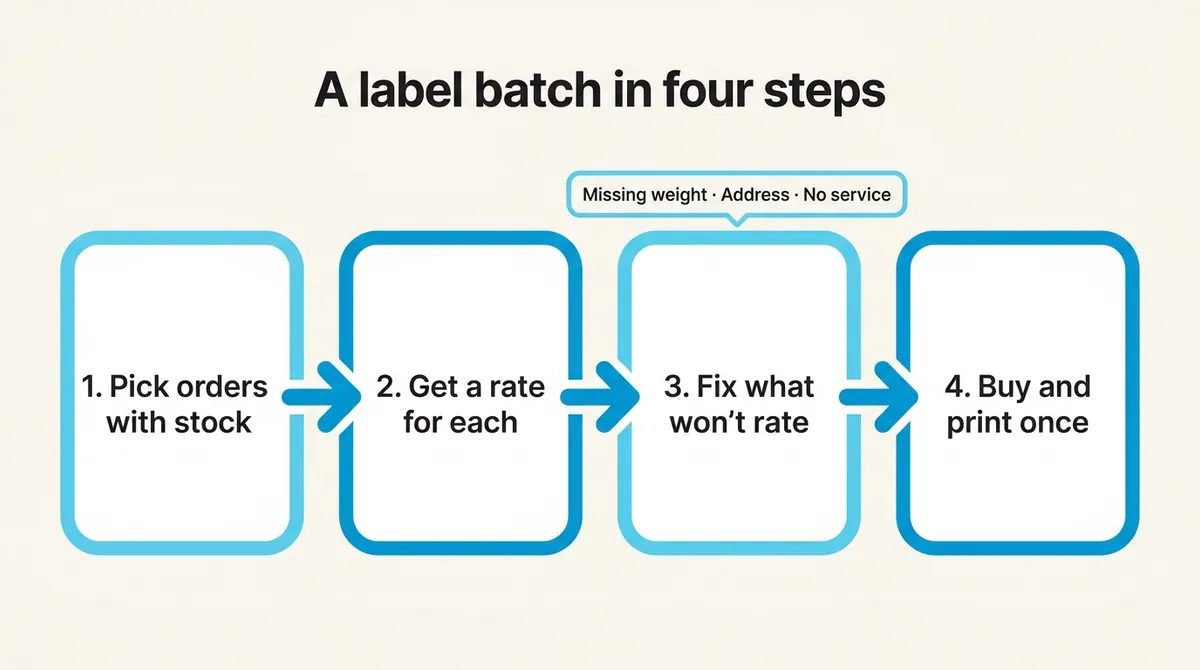
Batch shipping means buying the labels for many orders in one run: pick the orders, get a rate for each, fix the few that can’t be rated, pay once, and print one file. It saves the clicks. Where it goes wrong is which orders you put in.
An operations lead at a food brand told me how their holidays work: “we’ll start printing shipping labels like three, four days in advance. But it may not be fulfillable. But we won’t know that until we’re getting ready for that day and realize oh, we’re short on product.” A label is a statement that a box is leaving. Buy it for an order whose stock isn’t on the shelf and you’ve paid for a promise you’ll have to take back.
Start the batch from stock, not from the order list
Most label tools batch from the orders a store sends them. That list knows what customers bought. It doesn’t know what’s on the shelf, what’s held for a wholesale order, or that two channels sold the last unit.
So the first filter on a batch is the order’s stock, not its date: orders whose units are set aside in that warehouse. Then narrow by when it’s due. In SKU.io a batch only takes open fulfillment orders from a warehouse you run yourself, and the New batch form offers three sets:
| Set | What goes in | When I’d use it |
|---|---|---|
| Ready to ship | Every open order from that warehouse not already in a batch | A normal day |
| Ordered today | Orders placed today that are still open | A second run for the afternoon |
| Due today or late | Orders whose ship-by date is today or earlier | A heavy day, when the late ones go first |
Orders that a 3PL ships, that are already in a batch, or that already shipped are left out, each with the reason. An order with an incomplete address is left out too, and listed.
Fix what can’t be rated before you pay
Out of a day’s orders, a few always come back without a rate. The useful thing is to get them grouped by reason, so you fix five of one kind at once instead of opening five orders.
The reasons I’d expect on most days:
- A product with no weight. The rate needs a weight. Enter it once and save it on the product, so tomorrow’s batch rates it too.
- An address the carrier won’t take. Fix it on the order, not on the label, or the next label has the same problem.
- No service within your rules. Your cheapest-within-three-days rule doesn’t reach Alaska. Allow more days for that order, or pick its service by hand.
- A customs value is missing. An order to another country needs an HS code, a country of origin and a value per product. How that works in a batch is in Ship international orders in a label batch.
Everything else (rates gone stale, a provider timing out) clears on a retry.
A worked day
A brand selling on Shopify, Amazon and its own wholesale portal opens its Ready to ship batch at 2 PM with 214 orders from one warehouse.
| Step | Orders |
|---|---|
| In the batch | 214 |
| Rated on the first pass | 203 |
| Missing a product weight (two new SKUs) | 7 |
| No service within 3 days | 3 |
| Customs value missing (new product, code not known yet) | 1 |
| Rated after the fixes | 213 |
| Removed until its code is found | 1 |
The seven weight problems were one fix: two products, weighed once. The brand and its numbers are made up.
What the label price really is
The cost on the label is the carrier’s quote for the box you described. It’s what you decide on, not what you’ll pay. Put 10 by 10 by 10 inches and ten pounds on the label, and FedEx can bill you two months later for the box it actually measured. A residential surcharge shows up the same way, on the invoice and not on the label.
So rate shop on the quote, and keep both numbers on the order: the label cost when it’s bought, the billed cost when it lands. A batch that shows only the first will flatter your margin on exactly the orders where the box was guessed.
Cheapest rate, or one fixed service?
Two rules cover most sellers:
- Cheapest rate, inside limits. Rate every order across your label accounts, but only on services you allow and within a maximum number of days. This is the default I’d start with.
- One fixed service. Every order on one service from one account. Use it when a marketplace or a wholesale customer has told you what to ship with, or when a provider can’t give a price before it books (Shiptheory works this way in SKU.io).
Cheapest also has to be allowed. This fall, at my other company, one marketplace’s list of accepted carriers left out USPS and FedEx, and we nearly lost an order’s goods and its money over a tracking number the marketplace wouldn’t take. It accepted USPS again after a support ticket, and I still don’t know if the ticket was why. Before you let the cheapest rate win across every channel, check which carriers each channel will take, and limit the allowed services for those orders.
If you sell on Amazon or Walmart, there’s a third choice: their own labels for their own orders, which keep some marketplace protections.
The end of the day
After the labels are printed, two things are left. Void the label for anything that didn’t make it into a box. Then, if your USPS packages go out in one pickup, put them on a SCAN form so the driver scans one sheet instead of every parcel. Voiding comes first: a void after the form is made breaks the form.
Where SKU.io fits
SKU.io buys batch labels through the label account you already have: EasyPost, Shippo, ShipStation, Starshipit, ShipRush, Shiptheory or Shippit. Buying a label with a live account records the shipment and its cost on the order, takes the stock out of the warehouse, and sends the tracking number to the channel the order came from. Labels from a test account print but do none of that.
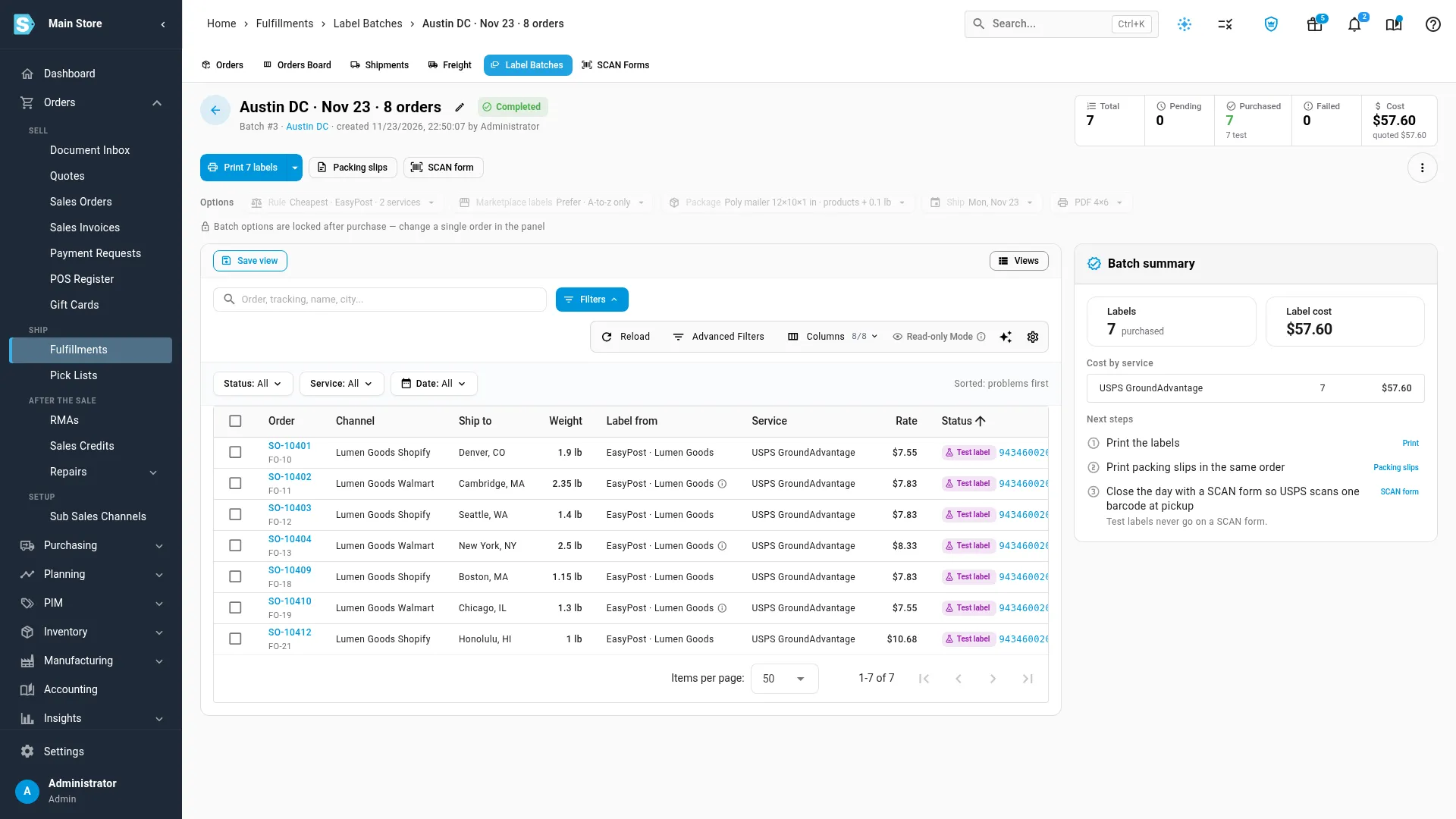
A batch holds up to 500 orders and prints as one PDF (4×6) or ZPL file, with packing slips in the same order. The steps are in Buy shipping labels in a batch.
It’s for brands selling on several channels that pack in their own warehouse. If you ship from one store and a 3PL does the packing, the label is theirs, and your store’s own label screen is enough.
This is part of multi-carrier shipping software for sellers who pack their own orders. If you want to see your own day’s orders go through it, pick a time with me.