
Your Distributor Feed Broke. Find Out Which Step.
For years I sold powersports parts I mostly didn’t own. One distributor’s feed alone had 300,000 of them. I couldn’t have stocked that, so I took the order, ordered the part, and set the handling time to cover the one or two business days it took to reach me. The quantity on my listing was the distributor’s quantity.
I’d been dealing with distributors since 2009 and I built a separate integration for each one, because no two sent their stock the same way. One kept a Google Sheet. One used FTP. One had an API. What worried me was always the same thing: “I would not want to get like a item not fulfillable on my sales channels because it would be costly to my business.” You cancel on a customer who has already paid, and the marketplace counts it against you.
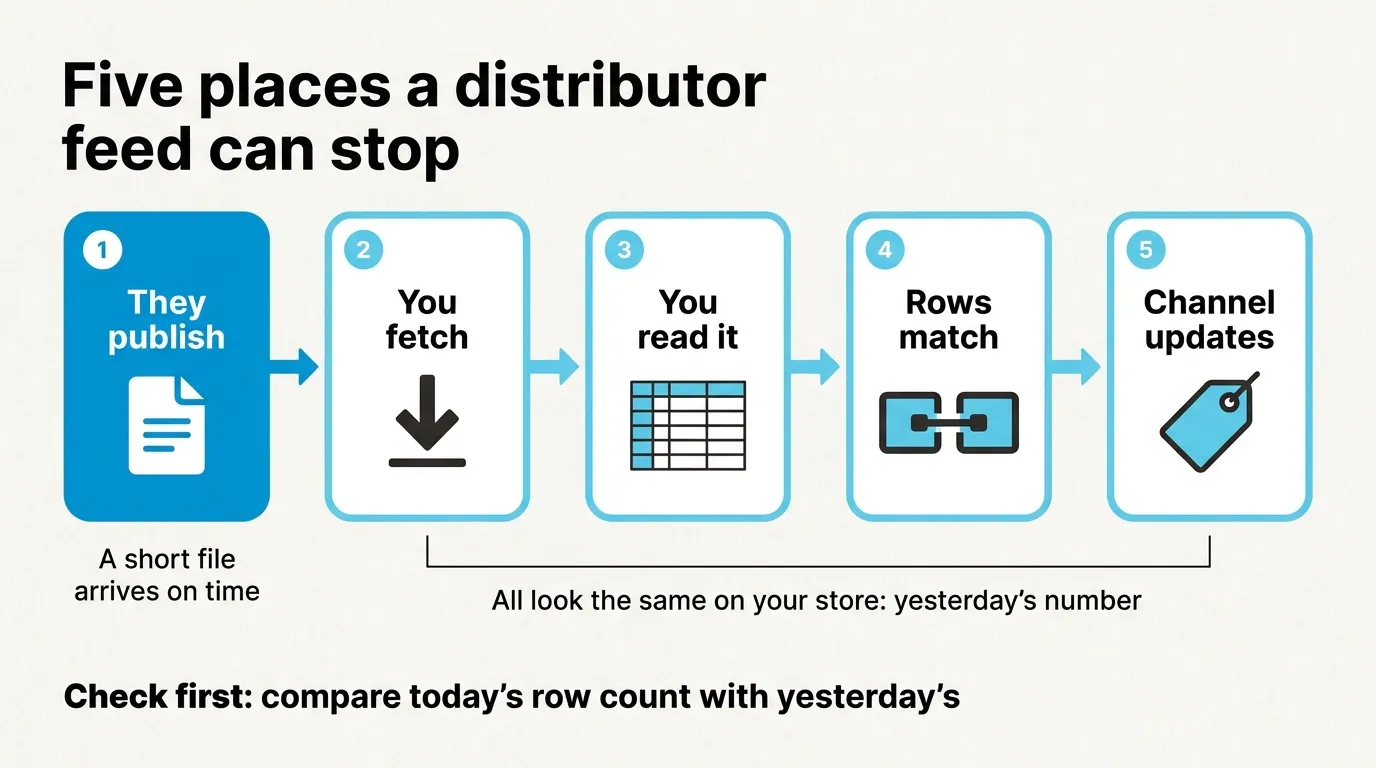
So with three kinds of plumbing, the useful question when a part was wrong on the site was which step got it wrong. There are five, and a feed can stop at any of them.
- They publish it. A file lands on an FTP server, or an API answers, or somebody emails a spreadsheet.
- You fetch it.
- You read it. Columns become a SKU and a quantity.
- The rows match your products, and the supplier’s stock changes in your system.
- The channel gets the new quantity.
From the storefront, two through five look the same: yesterday’s number. Step one can be worse, because a bad file arrives on time and everything after it works perfectly.
Count the rows before you load them
Say yesterday’s file had 300,000 rows and today’s has 212,000. Nothing errored. Either the distributor dropped 88,000 parts overnight, or the export died partway and they don’t know yet.
Don’t let the loader decide which. Compare today’s count with yesterday’s, and if it’s down by more than 5%, stop and ask a person. That one check catches the half-written file and the empty one, and it costs you a line in whatever runs the job.
Treat a missing row differently from a zero, too. If your loader zeroes everything that isn’t in today’s file, one short file takes 88,000 listings down. If it ignores what isn’t there, a discontinued part sells for months. You want to leave it alone today, put it on a list, and zero it once it’s been gone a week.
Keep the fetch where somebody can look at it
I wouldn’t put steps one to three inside the inventory system. Run them in n8n, Zapier or a script on a schedule, with the rows landing in a sheet or a table in the middle. It’s a bit ugly. But when a distributor renames QTY_AVAIL to AvailableQty, that step goes red with the column name on it, and the person who finds it doesn’t have to be a developer. They open the sheet and see the quantities are blank.
Plenty of suppliers won’t share a quantity at all. You get yes or no. Store that as in stock or not, and don’t let anything downstream turn the yes into a 1, because a system that thinks there’s one left will sell one and stop.
What step four does in SKU.io
SKU.io doesn’t fetch a distributor’s FTP folder. It takes the rows, by CSV or through the API, in two calls.
/supplier-inventories/{supplier}/import/validate writes nothing. It matches each row on your SKU, so translate the distributor’s part number before you get here, and it gives back every row with its errors: no such SKU, no such warehouse. Keep the count of those from one run to the next. If 40 rows a day don’t match and today it’s 9,000, they renumbered something.
/supplier-inventories/{supplier}/import takes the matched rows, with the product and warehouse ids that came back, and queues a job in batches of 500. Leave out the ones with errors. A row that fails stops its batch and marks the job failed, with the earlier batches already saved, so fix the row and run the whole file again. Three more things that aren’t obvious:
- Parts that aren’t in the rows you send keep the quantity they had.
- A row with no
in_stockvalue is saved as not in stock, even when it carries a quantity. Send both. - For a yes-or-no supplier, send
in_stockand leave the quantity out.
If the job finished and the supplier’s stock is right, the problem is step five, and the place to look is what the channel says it has, not the feed.
In the end I left the three big distributors and went to the brands directly. Fewer sales, more profit, fewer headaches. You’re one of many dealers to a distributor that size, and no feed monitoring changes that. If your margin on distributor parts is thin, add up what the cancellations cost before you build any of this.
If you buy from one distributor who emails a spreadsheet on Mondays, upload the CSV by hand. If you’re past three or four and they’re worth keeping, book a demo and bring one real file from the worst of them.