
TikTok Shop Shipping Options: Seller Shipping, TikTok Shipping, FBT or a 3PL
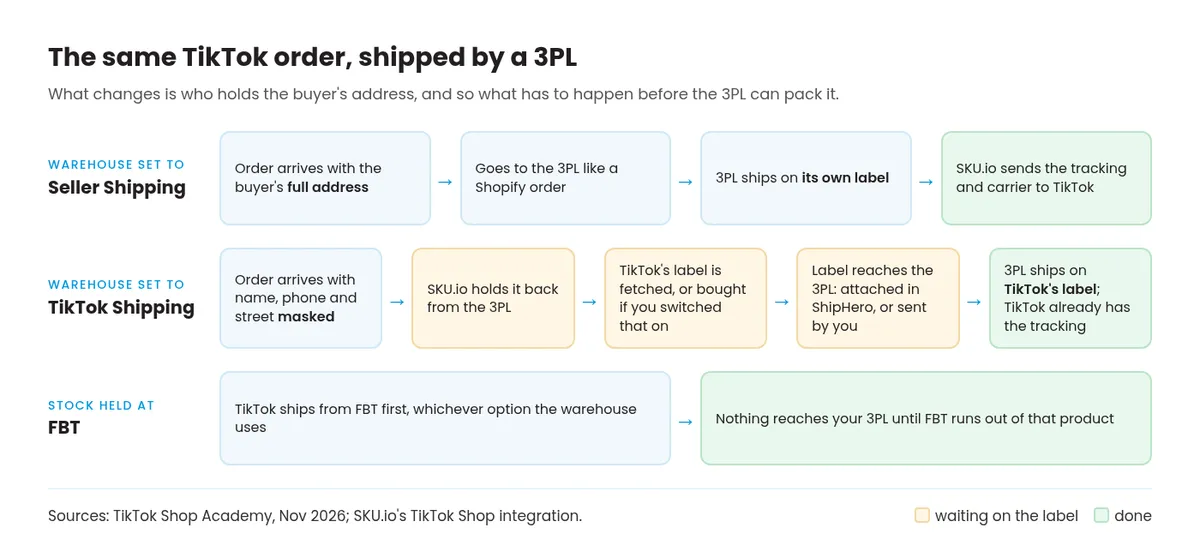
TikTok Shop gives US sellers three ways to ship an order. On Seller Shipping you buy the label and upload the tracking. On TikTok Shipping, TikTok provides the label and picks the carrier. With Fulfilled by TikTok (FBT), TikTok stores the stock and ships it. A 3PL isn’t a fourth option. It’s the building the parcel leaves from, under either of the first two. If a 3PL already ships your Shopify and Amazon orders from the same stock, put its warehouse on Seller Shipping. On TikTok Shipping the label carries the buyer’s address, so the 3PL can’t ship an order until TikTok’s label reaches it.
This is for a brand with one pool of stock behind TikTok Shop, Shopify and Amazon. You pick the option warehouse by warehouse in Seller Center. Below is what each one needs from the systems around it. All four ways a TikTok order can ship are compared on our TikTok Shop fulfillment page.
The three options next to each other
| Seller Shipping | TikTok Shipping | FBT | |
|---|---|---|---|
| Who provides the label | You or your 3PL | TikTok | TikTok |
| Who picks the carrier | You | TikTok | TikTok |
| Buyer’s address in your systems | Yes | Name, phone and street masked | Not needed |
| Who gives TikTok the tracking | You, within your Order Handling Time | TikTok already has it | TikTok |
| Delivery standard | Express: delivered within 3 business days. Standard and Economy: first attempt within 6 | No on-time delivery penalties if you dispatch on time | TikTok’s |
| Fits | A 3PL or shipping app that ships every channel | Packing in your own building, printing from Seller Center | Products that sell every day on TikTok |
The labels, carriers, tracking and delivery standards come from TikTok’s logistics overview (updated July 6, 2026), its Seller Shipping page (August 12) and What is TikTok Shipping? (November 19). TikTok’s pages don’t mention the masked address. It’s what we see on our own TikTok Shipping orders, and what SKU.io’s TikTok integration is built to handle.
Seller Shipping is still there. In January 2026 TikTok told US sellers it would end seller shipping, then reversed it. At the time, one question I heard from operators was whether a label bought in ShipStation would still count. The overview now says you may use Seller Shipping “if you are currently eligible.”
A new warehouse starts on TikTok Shipping
TikTok’s US Warehouse Management page (updated November 3, 2026) says “sellers can configure shipping options for each warehouse,” and most sellers can add up to 20. It also says: “When adding a new warehouse, if no shipping option is selected, TikTok Shipping will be set as the default.”
That default is how our own first order went wrong, below. It can happen again the day your 3PL opens a second building and someone adds it in Seller Center without touching the option. Every TikTok order routed there then arrives masked, while the first building’s orders flow as normal. Set the option each time you add a warehouse.
A switch doesn’t rescue orders already placed. TikTok’s page on its older label service says changing services “will only impact future orders placed after the switch.” Orders already waiting keep the option they were placed under.
What we did on our first TikTok order
My other business sells on TikTok Shop and runs on SKU.io, and its 3PL ships every channel. Our first TikTok order came in on October 16 this year. The warehouse was on TikTok Shipping, because nobody had changed it. The order came through with the buyer’s name, phone and street masked, and the 3PL can’t ship to an address it doesn’t have. Someone bought TikTok’s label by hand and emailed it over. SKU.io had no way to get a channel’s label to a 3PL yet, so the SKU.io team built one that day. It fetches TikTok’s label, holds the order until the 3PL has it, and hands it over.
The next day I moved that warehouse to Seller Shipping anyway, with a free-shipping template so the buyer’s price didn’t change. We mapped our 43 shipping methods to TikTok’s USPS, UPS and FedEx, and SKU.io started sending the 3PL’s tracking back to TikTok the same day. The 3PL now ships TikTok orders on its own postage, the same as every other channel’s orders.
We pay that postage on every TikTok order now, and we lost TikTok Shipping’s exemption from on-time delivery penalties. An operations lead at another brand told me TikTok has “huge penalties for shipping late.” I’d still make the same call. TikTok is our newest channel. I’d rather it leave the building the way every other channel does than have the one channel with the least history run on a separate process. We left automatic TikTok label buying on as a fallback, for any order that still comes in on TikTok Shipping.
Seller Shipping: you get the address, and you owe the tracking
TikTok’s Seller Shipping page has sellers “confirm, pick, pack and enter valid tracking numbers for all orders” within the Order Handling Time you choose in Seller Center. Then the delivery clock runs from when the order was placed. Express shoppers “should receive their orders within 3 business days.” Standard and Economy need “a first delivery attempt within 6 business days after the order was placed.” And “95% of orders must be delivered on or before the business day requirements to be eligible to ship with the desired option.”
An Express order comes in Thursday afternoon, after your 3PL’s noon cutoff. It’s due by Tuesday. The 3PL ships it Friday, so the carrier gets Monday and Tuesday. A Standard order placed at the same moment has until the following Friday for a first attempt. Only Express is tight, and whether your 3PL makes 3 business days to the far coast is something you can check against its last month of shipments before you offer it.
The tracking also has to reach TikTok with a carrier TikTok recognizes, as one of its own shipping providers. In SKU.io you map each shipping method to a TikTok provider once:
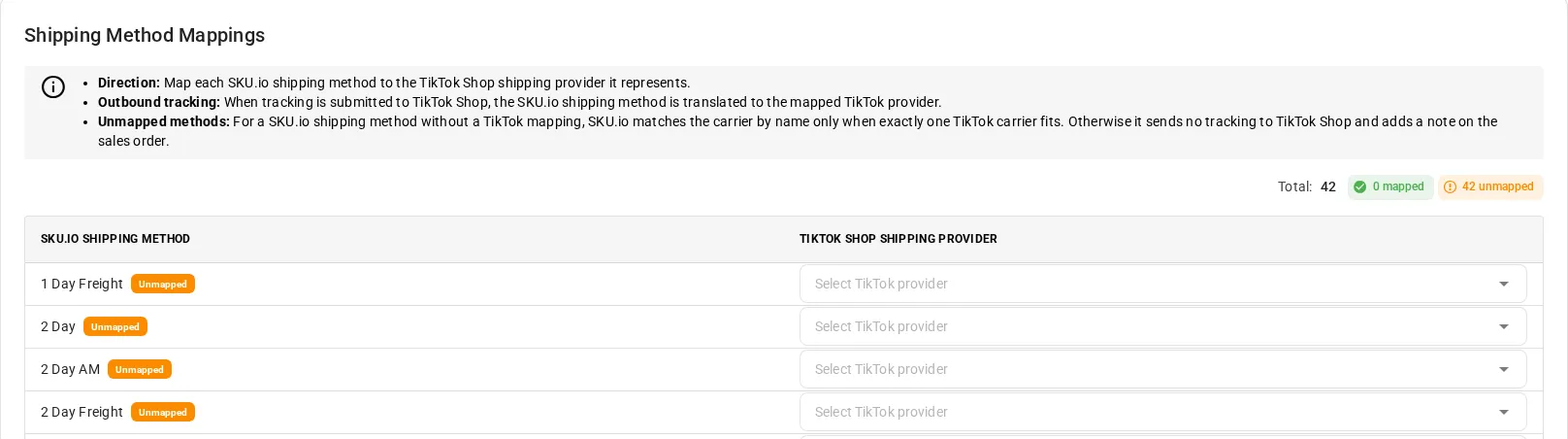
When a method has no mapping, SKU.io compares the carrier on the shipment with TikTok’s providers for that order. It uses the match only when exactly one provider is that carrier, so a plain “DHL” never picks between DHL eCommerce and DHL Express. Otherwise it sends nothing and leaves a note on the sales order that lists the providers TikTok offers. It tries again 30 minutes after the last attempt, for shipments from the last three days. Each shipment becomes one TikTok package, so an order the 3PL splits shows up on TikTok as two.
Seller Shipping orders can arrive masked too, for a while. TikTok holds some new orders and withholds the address until it releases them. SKU.io brings those in as Reserved, with only the country and state. It opens them once TikTok sends the address, and it won’t send one to a 3PL while the address is blank or masked.
On TikTok Shipping, the label has to reach the packer first
If a warehouse stays on TikTok Shipping and orders leave it through anything other than Seller Center, the order waits for the label. That can be a 3PL or a shipping app like ShipStation.
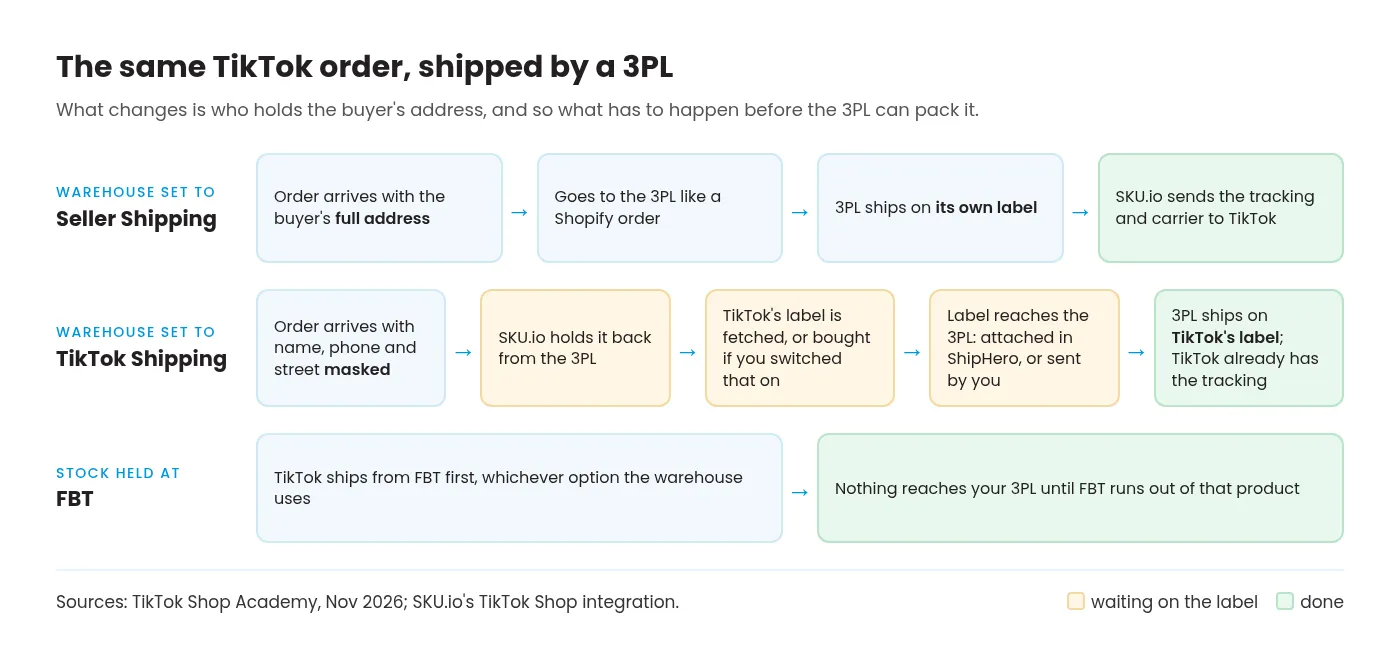
This is the flow we built for our own first order. SKU.io holds the fulfillment order back from any warehouse that ships through an integration. It shows the reason in Needs attention and leaves a note on the sales order. Then it gets the label:
- Someone already bought it in Seller Center. SKU.io downloads it and keeps it on the sales order.
- Nobody has. SKU.io can buy it when the order is released. That’s off until you turn it on, because each label is bought on your TikTok account. It sends TikTok the weight from your catalog, and dimensions only for a single unit of one product. If a label already exists, it uses that one.
Then the label has to get to the warehouse, and ShipHero is the only 3PL integration SKU.io hands it to automatically. By default the label is attached to the ShipHero order. ShipHero can also print it itself once the 3PL sets up a webhook, or SKU.io can email it, which is off by default. For any other 3PL you download the label from the sales order, send it, and submit the fulfillment order. Your submit counts as the hand-off.
Through any 3PL that isn’t on ShipHero, every TikTok order is a PDF someone downloads and sends, every day you sell. I’d only keep a 3PL’s warehouse on TikTok Shipping if the 3PL is on ShipHero, or if it’s the only option your account has. The full flow is in Ship TikTok Shipping orders through a 3PL.
When TikTok Shipping is the better pick
If your own team packs TikTok orders and prints from Seller Center, TikTok Shipping is the least work. The label comes from TikTok, which picks the carrier and has the tracking as soon as the label exists. TikTok exempts you from its valid tracking rate, and from on-time delivery penalties if you “dispatch your orders on time.” SKU.io leaves those orders alone. It doesn’t hold a warehouse you ship from by hand, and never sends tracking for a TikTok Shipping order.
You may still see the older version, Legacy TikTok Shipping. There you buy the label in Seller Center and choose USPS, UPS or FedEx. On the current one TikTok picks the carrier “based on package size, weight, and destination.” Either way the label comes from TikTok.
FBT ships first, whichever option you choose
The warehouse option only covers what FBT can’t. TikTok’s logistics overview says “FBT inventory will be used first,” and your own warehouse ships only after it runs out. If one order holds an FBT product and a TikTok Shipping product, TikTok’s page says it “will automatically be split and shipped separately.”
SKU.io keeps FBT stock for TikTok, and doesn’t route a Shopify or Amazon order to it. How much to send and when is in Fulfilled by TikTok with Shopify and Amazon.
Who this isn’t for
If TikTok Shop is your only channel and you pack in your own building, stay on TikTok Shipping and Seller Center. Under about $1M a year Zoho Inventory or inFlow will cover the stock side.
If one 3PL ships TikTok, Shopify and Amazon from the same stock, book a demo. Bring your warehouse list from Seller Center and the option each one is set to, and we’ll go through what each needs.