Turn on FBA inventory tracking
Before SKU.io can show and value the stock you hold at Amazon, it needs two things for each Amazon connection: FBA turned on, and a tracking start date. From that date on, SKU.io reads Amazon's inventory ledger and turns every receipt, sale, return, removal and adjustment into a change to your FBA stock and its cost. Everything in FBA inventory depends on this setting.
Before you begin
- The Amazon connection is set up. See Connect Amazon and choose your marketplaces.
- Decide your start date. A good choice is the first day of a month you can count: you'll give SKU.io the cost of the stock Amazon held on that day, so pick a day you have figures for.
- You have permission to change integrations.
Turn on FBA
-
Go to Apps & Integrations, open your Amazon connection, click FBA at the top of the page, then open FBA Settings. If the page says No Integration Selected, pick the connection in the picker at the top.
-
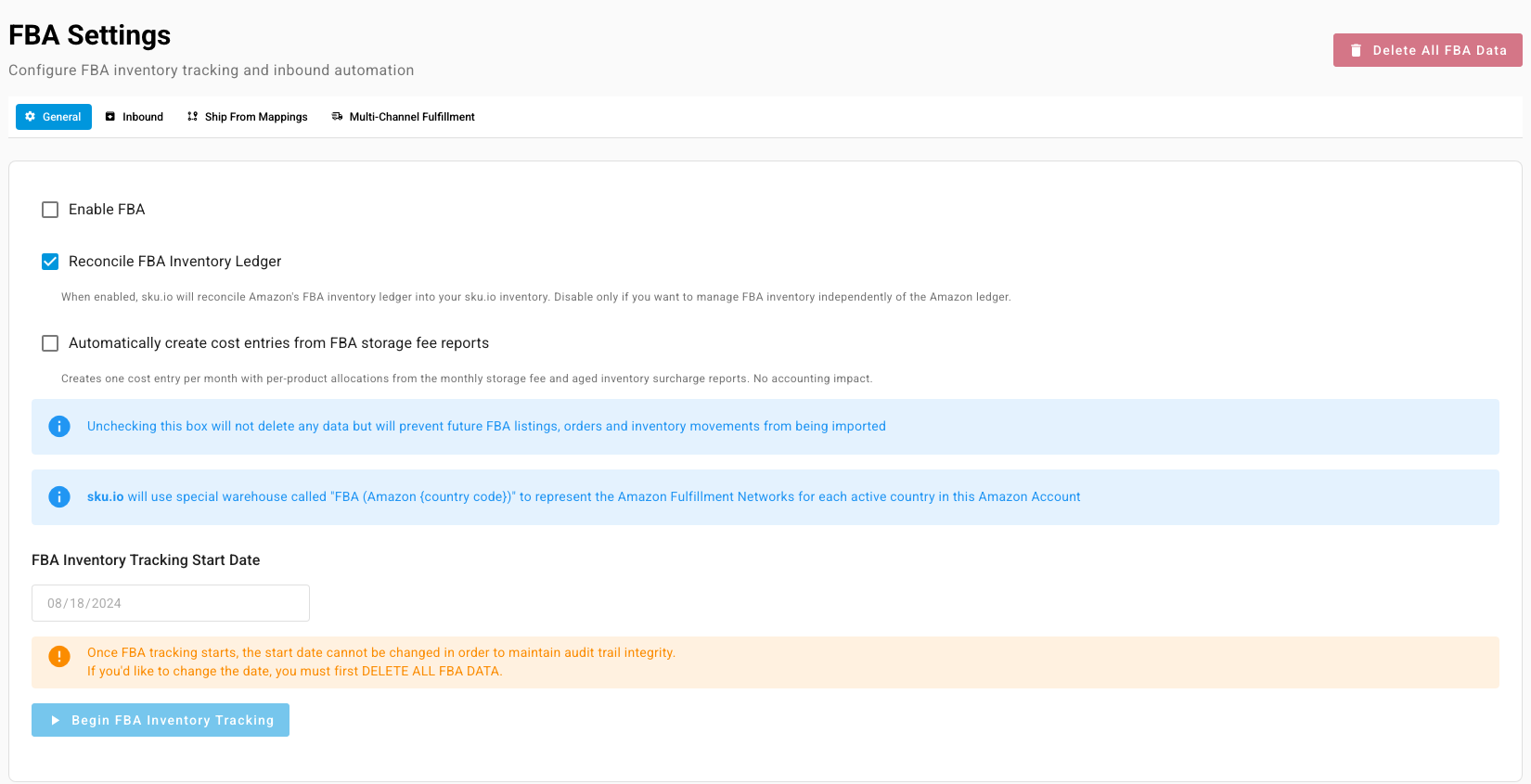
On the General tab, tick Enable FBA. SKU.io then imports your FBA listings, FBA orders and FBA stock changes for this connection. It keeps one stock location per country to stand for Amazon's fulfillment network there.
-
Leave Reconcile FBA Inventory Ledger ticked. With it on, Amazon's ledger moves your FBA stock in SKU.io. Turn it off only if you deliberately manage FBA stock some other way.
-
Optionally, tick Automatically create cost entries from FBA storage fee reports. SKU.io then creates one cost entry a month from Amazon's storage fee and aged inventory surcharge reports, spread across the products that incurred them. It has no accounting effect.
-
Under FBA Inventory Tracking Start Date, pick the date.
-
Click Begin FBA Inventory Tracking.
You can't change the start date once tracking begins, because every stock change after it builds on it. To start again from another date you have to click Delete All FBA Data, which removes everything SKU.io has imported for FBA on this connection.
After tracking starts
-
Give your opening stock a cost. Open FNSKU Products (Initial Costs) and enter the cost of the units Amazon held on the start date. Units with no cost show up under Inventory & Valuation → Cost Exceptions. See Investigate FBA ledger discrepancies and cost exceptions.
-
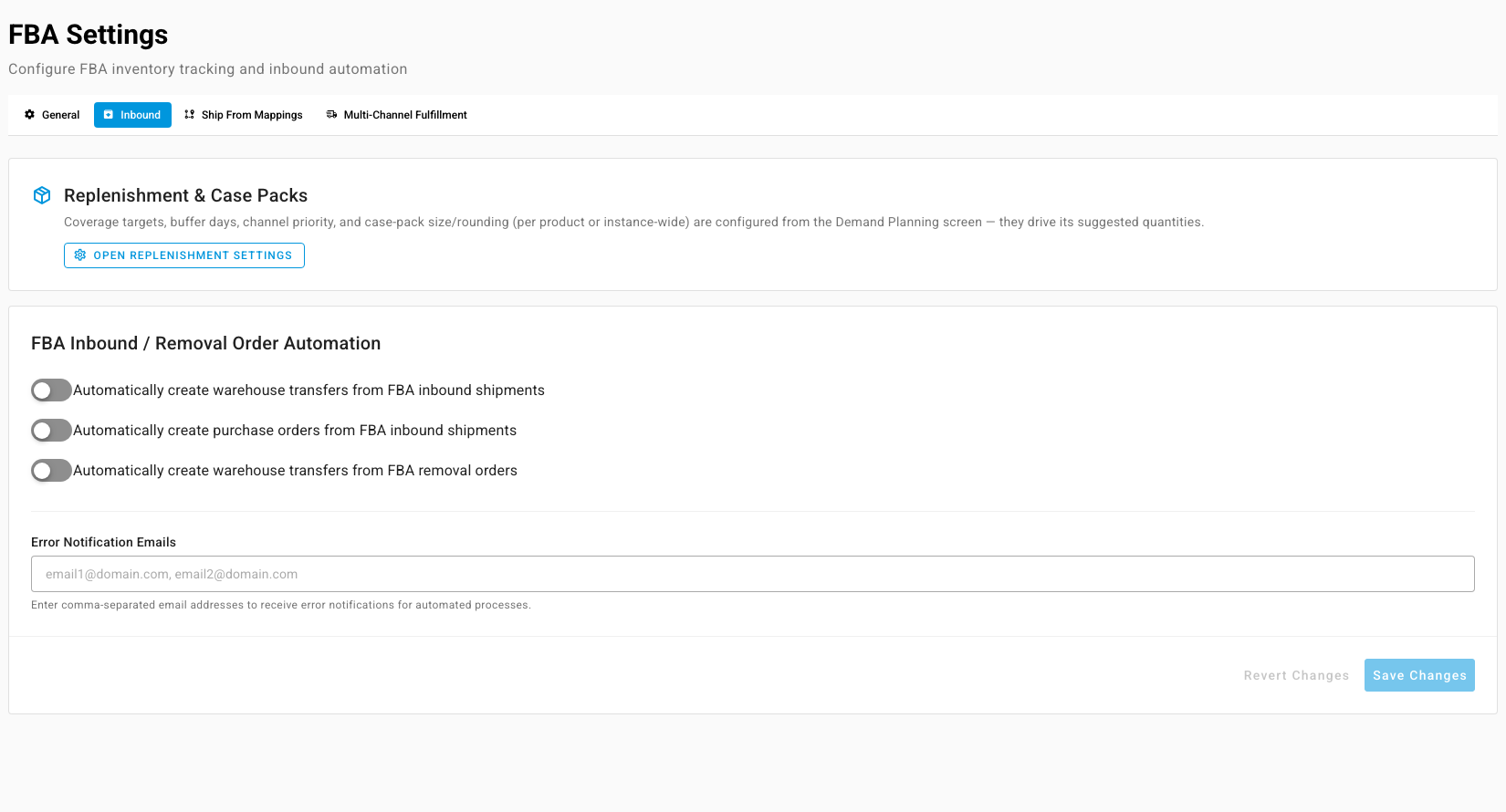
Decide what inbound shipments create. The Inbound tab holds three switches: Automatically create warehouse transfers from FBA inbound shipments, Automatically create purchase orders from FBA inbound shipments and Automatically create warehouse transfers from FBA removal orders. Its Error Notification Emails box takes the addresses that hear about failures.
-
Map where shipments come from. The Ship From Mappings tab links each ship-from name on an Amazon shipment to one of your warehouses or suppliers.
Turn FBA off
Clear Enable FBA. Nothing is deleted, but SKU.io stops importing FBA listings, orders and stock changes for the connection.